
A sleek, wall-mounted smart TV can instantly elevate the look of any living room or bedroom. But one thing that ruins the clean aesthetic? A tangled mess of cords snaking down the wall or across the floor. Power cables, HDMI lines, audio connectors, streaming device cords—left unmanaged, they turn a modern entertainment center into an eyesore. The good news is you don’t need a professional installer or expensive equipment to fix it. With thoughtful planning and affordable tools, you can conceal your TV cords neatly and maintain a clutter-free space.
This guide walks through practical, budget-friendly methods to manage and hide cords from your smart TV setup. Whether you're mounting your TV above a fireplace, placing it on a media console, or integrating it into a custom entertainment wall, these solutions will help you achieve a polished, professional finish without overspending.
Why Cord Management Matters
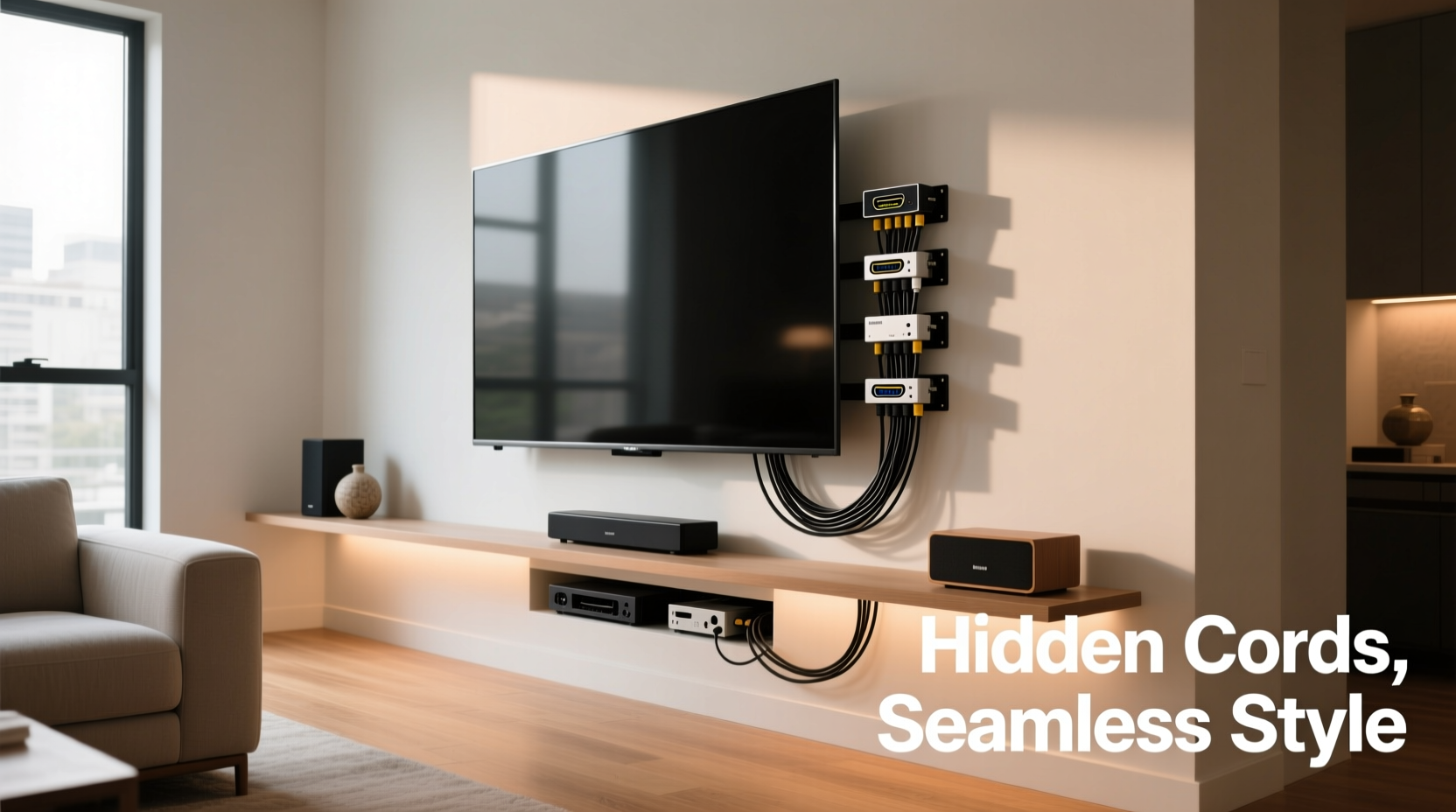
Clean cord management isn't just about aesthetics—it impacts safety, functionality, and even device longevity. Exposed wires are tripping hazards, especially in homes with children or pets. They also collect dust, making them harder to clean and increasing the risk of overheating. Tangled cords can lead to accidental unplugging, signal interference, or physical damage when pulled or pinched.
Moreover, a tidy setup enhances the viewing experience. When your focus isn’t drawn to a web of cables, the TV becomes the centerpiece—not the mess behind it. As interior designer Laura Bennett notes:
“Cable clutter disrupts visual flow. A well-managed entertainment system contributes significantly to a room’s sense of calm and order.” — Laura Bennett, Interior Designer & Home Organization Specialist
The goal isn’t perfectionism—it’s practicality. You don’t need to run every wire inside the wall (though that’s an option). Instead, focus on organizing, grouping, and concealing cords in a way that’s easy to maintain and modify as tech evolves.
Step-by-Step Guide to Hiding TV Cords
Follow this logical sequence to systematically address cord visibility and create a cleaner setup. These steps work whether your TV is mounted or placed on furniture.
- Assess Your Setup: List all devices connected to your TV—streaming box, soundbar, gaming console, Blu-ray player, etc.—and identify each cable type (HDMI, power, optical audio, Ethernet).
- Unplug and Untangle: Temporarily disconnect everything. Lay out the cords and remove any knots or loops. This helps you measure accurately and avoid over-packing later.
- Shorten Cable Runs: Replace excessively long cables with shorter ones. Extra length creates slack that’s hard to hide. Measure the distance between devices and ports, then buy appropriately sized cables.
- Label Each Cord: Use small tags or colored tape to label each cable by function (e.g., “Soundbar HDMI,” “Xbox Power”). This makes future troubleshooting easier.
- Group Cables Together: Use Velcro straps or reusable zip ties to bundle similar cords. Keep power and data cables separated if possible to reduce electromagnetic interference.
- Choose a Concealment Method: Based on your setup (wall-mounted vs. console), select one or more of the techniques below.
- Test Before Finalizing: Reconnect all devices and verify signals before sealing or securing anything permanently.
- Maintain Access: Ensure service loops (small amounts of slack) remain accessible for future upgrades or repairs.
Affordable Cord-Hiding Solutions
You don’t need to spend hundreds to get a clean look. Here are five cost-effective methods suitable for renters and homeowners alike.
1. Cable Raceways (Surface-Mounted Conduits)
Raceways are hollow plastic channels that snap onto walls to hide multiple cords. They’re paintable, low-profile, and easy to install with adhesive strips or screws. Ideal for running cables vertically from a wall-mounted TV to an outlet or AV stand below.
Choose flat, white raceways for minimal visibility. Install them along existing wall edges or corners where they blend naturally. For best results, use a level to ensure straight alignment.
2. Fabric Cord Covers with Adhesive Backing
These soft, flexible sleeves wrap around grouped cables and adhere directly to the wall. Unlike rigid raceways, fabric covers conform to slight curves and feel less industrial. They come in various colors to match your wall or trim.
Best for short runs—like from TV to soundbar—or temporary setups. Not recommended for heavy-duty use or high-traffic areas due to lower durability.
3. Furniture Integration
If your TV sits on a console or stand, use its design to your advantage. Many media units have built-in cable management: rear cutouts, internal grommets, or hidden compartments. Route cords through these openings and use clips to secure them underneath.
No built-in features? Add adhesive-backed cable clips under the shelf to keep cords flush against the surface. Place a decorative basket behind the TV to store plug adapters and extra devices.
4. Baseboard Routing
Run cords along baseboards instead of open walls. Use small L-shaped brackets or adhesive clips to hold cables tight to the molding. Since baseboards are often overlooked, this method keeps cords out of sight without modifying drywall.
For longer horizontal runs, consider a paintable baseboard raceway that mimics crown molding. It blends seamlessly while offering full coverage.
5. Cord Sleeves and Braided Wraps
While not a hiding solution per se, braided nylon sleeves organize loose cords into a single, tangle-free bundle. Available in black, white, and gray, they compress easily and allow airflow to prevent overheating.
Use them in conjunction with other methods—e.g., bundle cords inside a raceway or under furniture. They’re especially useful behind entertainment centers where multiple devices converge.
Do’s and Don’ts of TV Cord Management
| Do’s | Don’ts |
|---|---|
| Use Velcro straps instead of zip ties for easy access | Over-tighten bundles, which can damage insulation |
| Leave service loops near connections | Bury cables under heavy furniture without protection |
| Label every cable for quick identification | Run extension cords permanently under rugs |
| Check ventilation around power adapters | Use duct tape to secure cords to walls (damages paint) |
| Test signal quality after bundling | Ignore local electrical codes when modifying outlets |
Real-World Example: Sarah’s Living Room Makeover
Sarah rented a downtown apartment with a beautiful open-concept layout—but her wall-mounted TV above the fireplace looked messy. Three HDMI cables, a power cord, and an Ethernet line dangled loosely, ending in a cluster of adapters on the floor. Guests often commented on the “spaghetti” behind the screen.
She wanted a clean look but couldn’t drill into rental walls. Her solution? She purchased a 6-foot white cable raceway with adhesive backing. She cleaned the wall thoroughly, aligned the raceway along the right side of the TV (following the edge of the drywall joint), and pressed it firmly into place. Inside, she routed all cables except the power cord, which she ran behind the adjacent bookshelf using adhesive clips.
To hide the outlet block, she placed a narrow decorative planter in front of it—just wide enough to conceal the power strip but still allow airflow. Total cost: $28. Time invested: 45 minutes. Result? A dramatically cleaner profile that made her TV appear floating, with no landlord approval needed.
When to Consider In-Wall Wiring
For permanent installations, in-wall wiring offers the cleanest possible result. This involves cutting holes in the drywall, running cables through the cavity, and installing recessed wall plates. While more involved, it eliminates visible cords entirely.
However, this method requires caution:
- Only use CL2 or CL3-rated cables designed for in-wall installation (fire-resistant insulation).
- Hire an electrician if rerouting power outlets.
- Check building codes—some areas require permits for in-wall modifications.
- Never run AC power and low-voltage cables in the same conduit unless separated by a barrier.
For DIYers, consider an “in-wall” kit that includes fish tapes, wall plates, and fire-rated caulk. These kits simplify the process and ensure compliance with safety standards.
Essential Tools and Supplies Checklist
Before starting your cord-hiding project, gather these affordable items:
- Measuring tape
- Level (for straight alignment)
- Scissors or wire cutters
- Velcro straps or reusable zip ties
- Cable labels or masking tape + marker
- Adhesive-backed cable clips or raceways
- Braided cable sleeve (optional)
- Shortened HDMI and power cables (if replacing)
- Decorative cover (basket, plant, or panel)
- Isopropyl alcohol (to clean wall surfaces before adhesion)
Total typical cost: $20–$50, depending on method.
Frequently Asked Questions
Can I hide cords without damaging the wall?
Yes. Adhesive-backed raceways, fabric sleeves, and cable clips require no drilling and remove cleanly. Use painter’s tape to test adhesion first, and choose products rated for your wall type (drywall, tile, etc.).
What’s the cheapest way to hide TV cords?
Using Velcro straps to bundle cords and routing them behind furniture is nearly free. Adding adhesive clips ($5–$10) improves neatness. This combo costs under $15 and works well for non-mounted setups.
How do I hide cords with a soundbar?
Most soundbars connect via HDMI or optical cable. Use a short cable and run it along the base of the TV stand. If wall-mounted, attach a slim raceway behind the soundbar or use double-sided tape to secure a flat cable sleeve to the underside of the bar.
Final Thoughts and Next Steps
A clean TV setup doesn’t require expensive renovations or technical expertise. By taking a few hours to assess, organize, and conceal your cords, you can transform a chaotic entertainment area into a streamlined, inviting space. The key is choosing the right method for your environment—whether you're renting, limited on space, or aiming for a minimalist aesthetic.
Start small: bundle your existing cords today. Then, invest in one concealment tool—like a raceway or cable sleeve—and install it this weekend. Over time, refine your system as you upgrade devices or rearrange furniture. Good cord management is an ongoing habit, not a one-time fix.




 浙公网安备
33010002000092号
浙公网安备
33010002000092号 浙B2-20120091-4
Comments
No comments yet. Why don't you start the discussion?