
A clean, minimalist space begins with what you don’t see. Behind every sleek entertainment center or organized workspace lies a hidden network of power cords, HDMI cables, USB lines, and charging wires. Left unchecked, these tangles not only look unsightly but can also make troubleshooting difficult and increase dust buildup. The good news? With the right tools and techniques, you can achieve a polished, professional look—no electrician required. This guide walks you through proven methods to conceal and manage cords behind your TV and desk, combining functionality with visual harmony.
Why Cord Management Matters Beyond Aesthetics
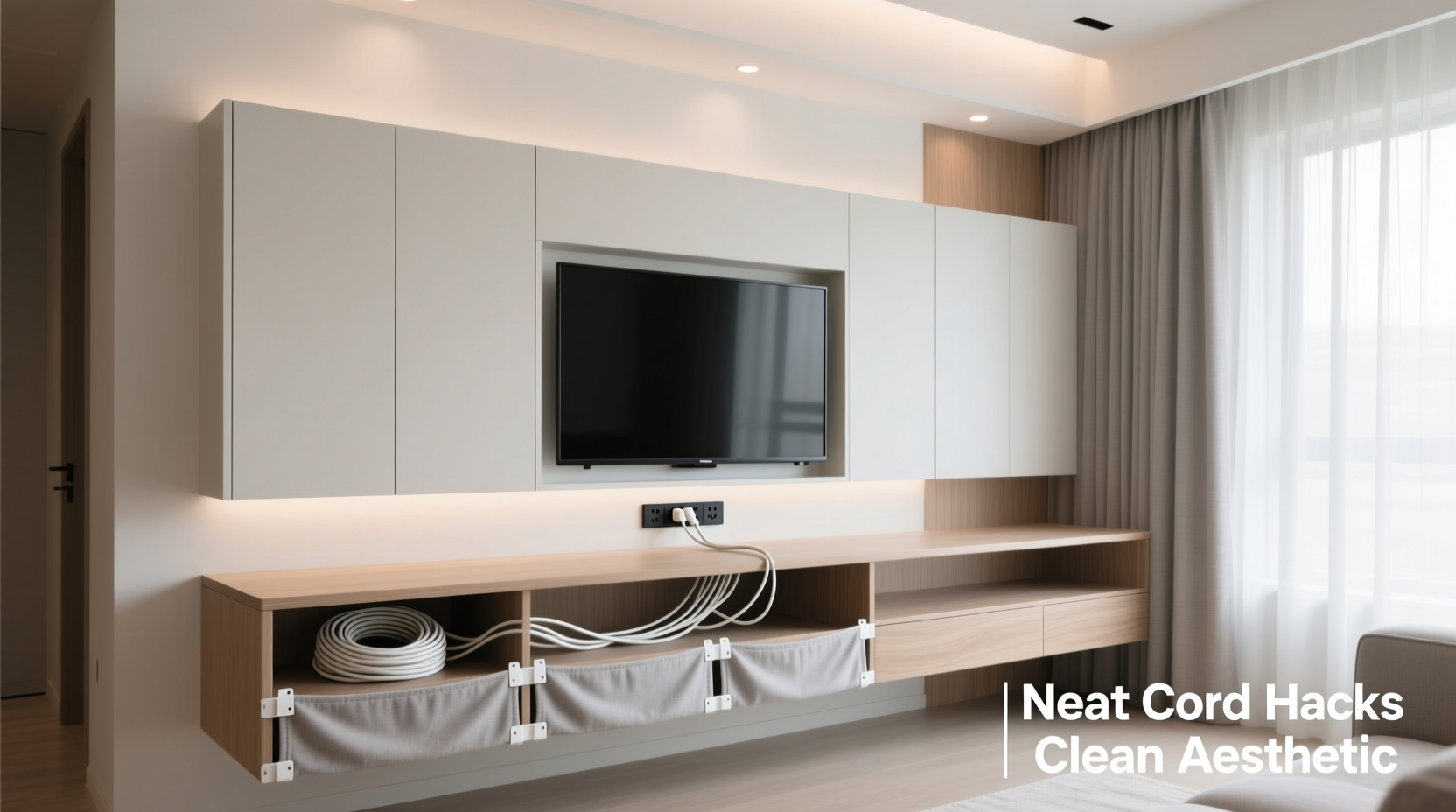
While most people start organizing cords to improve appearance, the benefits go far beyond looks. Poorly managed wiring can pose safety hazards, especially when overloaded or pinched behind furniture. Tangled cords are harder to trace during repairs or upgrades, making it time-consuming to unplug or replace devices. Additionally, exposed wires attract dust, which can affect device ventilation and longevity. According to interior designer and organization specialist Lena Torres, “A well-wired setup is just as important as good lighting—it supports both usability and calm in a room.” Proper cord management reduces visual noise, enhances focus, and contributes to a more intentional living or working environment.
“Cable clutter isn’t just messy—it signals disorganization. Cleaning up behind the scenes often leads to clearer thinking on the surface.” — Lena Torres, Interior Organization Consultant
Step-by-Step Guide to Hiding Cords Behind Your TV
Your television area likely hosts multiple devices: soundbars, gaming consoles, streaming boxes, DVD players, and speakers—all requiring different types of cables. Here’s how to streamline them efficiently:
- Unplug and assess: Turn off and unplug all devices. Label each cable at both ends using masking tape or reusable tags so you know what connects where.
- Trim excess length: Use zip ties or Velcro straps to coil up extra cable slack. Avoid wrapping too tightly, which can damage internal wiring over time.
- Group like cables together: Bundle HDMI, power, and audio cables separately using twist ties or braided sleeves for easier identification later.
- Install a cable management box: Mount a wall-mounted enclosure behind the TV to house adapters, power strips, and junction boxes. These come in various sizes and finishes to blend with your decor.
- Route through a raceway or channel: Attach a low-profile plastic or metal raceway from the TV mount down to an outlet or baseboard. Paint it to match your wall for near-invisibility.
- Use adhesive clips or mounts: Secure cables along the back of the TV stand or wall using rubber-lined clips that prevent slipping and scratching.
- Reconnect and test: Plug everything back in, verify signal quality, then close up any covers.
Clean Desk Cord Solutions for a Professional Workspace
Your desk is where productivity meets design. Exposed cords dangling from monitors, laptops, lamps, and peripherals disrupt flow and create mental clutter. Start by auditing your current setup: identify essential devices versus those that could be wireless or unplugged when not in use.
Begin at the back of your desk. Use under-desk trays or baskets to hold power strips and USB hubs out of sight. Route all cables through grommet holes (if available) or install a desktop grommet cover with built-in pass-through slots. For standing desks, choose models with internal cable channels to maintain a seamless rise and fall motion without snags.
Wireless alternatives reduce dependency on physical connections. Bluetooth keyboards, mice, and speakers eliminate entire categories of cords. For necessary wired components, standardize cable lengths where possible—avoiding overly long cords prevents pooling underneath.
| Solution | Best For | Lifespan & Notes |
|---|---|---|
| Braided Cable Sleeves | Grouping multiple cords behind monitor | Durable; allows expansion; available in fabric finishes |
| Adhesive Cable Clips | Securing cords along desk legs or walls | Inexpensive; removable; avoid on delicate surfaces |
| Under-Desk Cable Tray | Holding power strips and hubs | Metal lasts longer; easy access for changes |
| Modular Power Track | Adjustable outlet placement along desk edge | Premium cost; ideal for frequent reconfigurations |
| Cord Shorteners/Reels | Managing excess laptop charger length | Portable; temporary fix, not for permanent bundling |
Real Example: Transforming a Home Office Setup
Mark, a freelance graphic designer in Portland, struggled with a chaotic dual-monitor station fed by six separate devices. His desk sat against a glass partition, making rear cabling fully visible to clients on video calls. After implementing a three-phase plan—first decluttering unused gear, then installing an under-desk aluminum tray with magnetic cable guides, and finally routing all lines through a painted raceway to floor outlets—he reported not only improved aesthetics but better concentration. “Clients now comment on how ‘put together’ my space looks,” he said. “It actually made me take my work presentation more seriously.”
Smart Tools and Accessories That Make a Difference
Not all cord organizers are created equal. Choosing the right tool depends on your layout, budget, and willingness to modify walls or furniture. Below are some top-rated options used by professionals:
- Cable Management Boxes: Enclose power strips and adapters behind the TV. Look for vented designs to prevent overheating.
- Cord Covers with Paintable Surfaces: Flexible raceways that snap shut and can be painted to disappear into your wall color.
- Magnetic Cable Clips: Ideal for metal desks or filing cabinets; hold cords securely without adhesives.
- Modular Rail Systems: Mounted along the desk edge, these let you slide outlets and USB ports as needed.
- Self-Adhesive Hook Strips: Place under shelves or desks to catch cords mid-route and prevent sagging.
DIY vs. Professional Installation: When to Call for Help
Most cord concealment projects can be tackled DIY with basic tools. However, if you're considering running cables inside drywall, installing recessed outlets, or upgrading electrical circuits for multiple high-power devices, consult a licensed electrician. In-wall installations require adherence to local building codes and fire safety standards. Improperly enclosed live wires can overheat or become inaccessible during emergencies. For renters, avoid permanent modifications unless approved by landlords. Instead, opt for removable solutions like cord sleeves, adhesive channels, and freestanding cable towers.
Checklist: Achieve a Wire-Free Look in 7 Steps
Follow this actionable checklist to systematically eliminate cord chaos:
- Unplug all devices and label every cable.
- Remove redundant or broken cords.
- Select appropriate cable organizers based on location (desk, wall, floor).
- Mount power strips inside management boxes or under-desk trays.
- Bundle cables using Velcro straps or braided sleeves—don’t overtighten.
- Route cords through raceways, grommets, or baseboard channels.
- Test all connections and secure final positioning with clips or mounts.
Frequently Asked Questions
Can I paint plastic cord covers to match my wall?
Yes, many plastic raceways and cord channels are designed to be paintable. Clean the surface with rubbing alcohol, apply a primer suitable for plastics, then use your wall paint. Matte finishes blend best.
How do I prevent cords from pulling loose behind heavy furniture?
Use strain relief anchors or cord clips that grip both the wire and furniture frame. Also, leave a small service loop—a gentle U-shaped bend in the cord—to absorb movement when shifting the TV stand or desk.
Are wireless charging stations worth it for reducing cords?
They help minimize daily clutter for compatible devices like phones and earbuds. However, the charging pad itself still needs power, so integrate it into your overall cable plan rather than viewing it as a complete solution.
Final Tips for Maintaining a Clean Aesthetic Long-Term
The key to lasting cord control is consistency. Every time you add a new device, follow the same bundling and routing practices. Schedule a quarterly review to check for frayed wires, loose clips, or accumulated dust. Keep spare zip ties, labels, and a small toolkit nearby for quick fixes.
Remember, perfection isn’t the goal—functionality is. A slightly visible cable is better than one that’s damaged from improper bending or tension. Focus on progress, not flawlessness. Over time, thoughtful habits compound into a space that feels calm, capable, and intentionally designed.
“Organization isn’t about hiding everything—it’s about making the right things visible and the rest invisible.” — Rafael Kim, Studio Designer at Formline Interiors




 浙公网安备
33010002000092号
浙公网安备
33010002000092号 浙B2-20120091-4
Comments
No comments yet. Why don't you start the discussion?