
A sleek entertainment center should enhance your living space, not dominate it with a tangled web of cords. Too often, the back of a TV stand becomes a chaotic mess of power strips, HDMI cables, streaming device wires, and charging cords. This visual clutter undermines even the most thoughtfully designed room. The good news? You don’t need expensive equipment or hours of labor to fix it. With a few basic tools and a clear plan, you can transform that messy tangle into a streamlined, professional-looking setup—often in under 30 minutes.
Neat cord management isn’t just about aesthetics; it improves safety by reducing tripping hazards and prevents accidental disconnections. It also makes troubleshooting easier when something goes wrong. Whether you’re setting up a new entertainment system or finally tackling that cable jungle behind your existing TV, this guide delivers practical, step-by-step solutions anyone can follow.
Why Cord Clutter Happens (And Why It Matters)
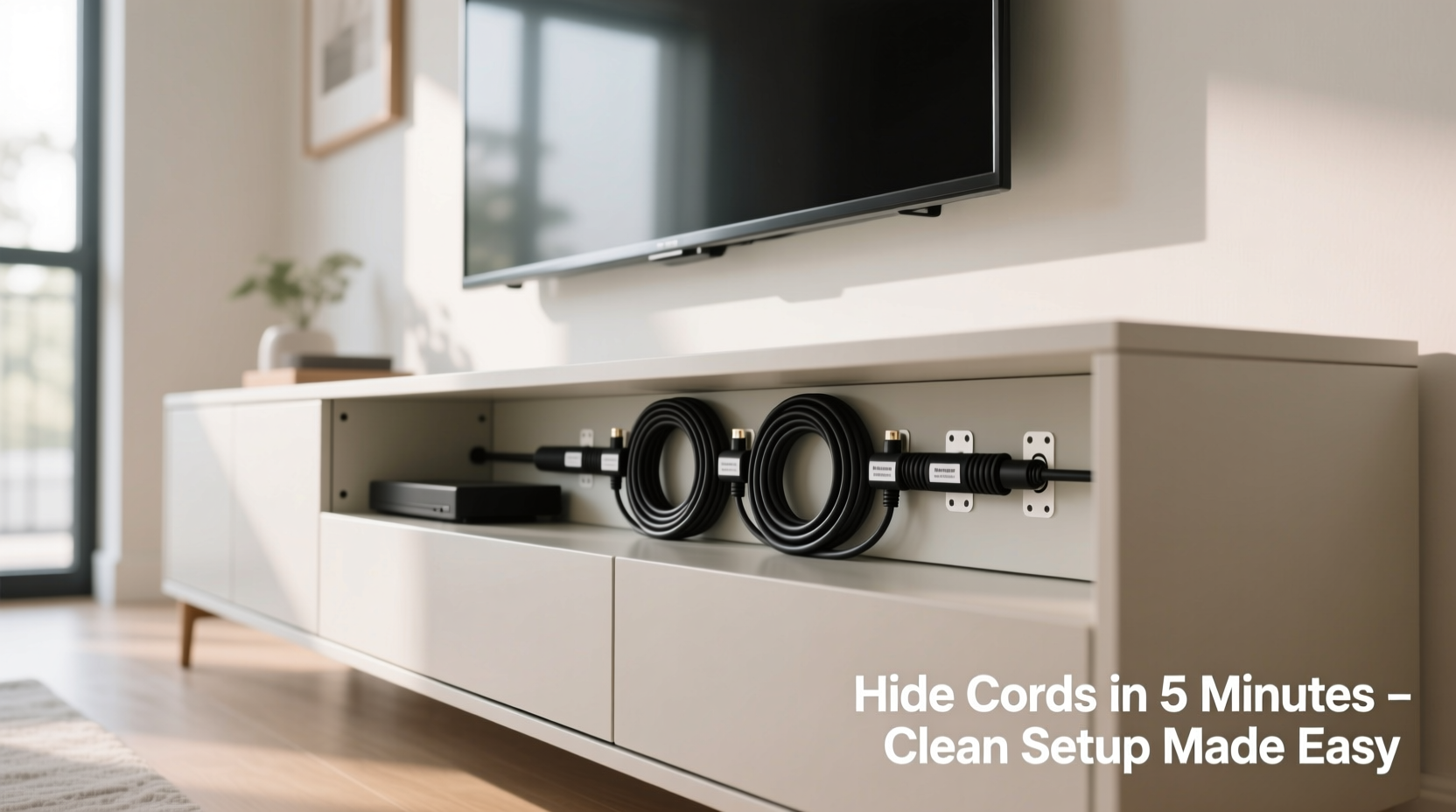
Modern home entertainment setups are inherently complex. A typical TV stand hosts multiple devices: the television itself, a soundbar or receiver, a gaming console, a streaming box, a Blu-ray player, and sometimes a cable box. Each of these requires at least one power cord and often additional data cables like HDMI, optical audio, or Ethernet. Without a strategy, these wires naturally accumulate, twist, and drape over edges, creating both an eyesore and a functional hazard.
According to interior design expert Marcus Tran, “A clean tech setup signals intentionality. When cords are managed well, the room feels more spacious and less stressful.” That sentiment is echoed by electricians and home organizers alike. Visible wiring distracts the eye, breaks visual flow, and can make even high-end electronics look haphazard.
“Cable clutter doesn’t just look bad—it increases dust buildup and makes maintenance harder. A few minutes spent organizing today saves hours of frustration later.” — Lena Patel, Home Systems Technician
Step-by-Step Guide to Hiding Cords Behind Your TV Stand
Follow this straightforward sequence to eliminate cord chaos efficiently. Most people complete this process in 15–30 minutes using common household tools and inexpensive accessories.
- Power down and unplug everything. Safety first. Turn off and unplug all devices from the wall to avoid electrical risks during handling.
- Identify each cord and its purpose. Label each cable with a small piece of tape or a reusable tag. Note whether it’s for power, HDMI, audio, USB, or Ethernet. This prevents confusion when reconnecting.
- Group similar cords together. Use twist ties or Velcro straps to bundle power cables separately from signal cables. This reduces tangling and makes routing cleaner.
- Route cords through designated pathways. If your TV stand has built-in grommets (holes in the back panel), feed bundles through them. If not, consider adding adhesive-backed cable clips along the back edge to guide cords downward.
- Secure cords to the back of the stand. Use cable raceways or adhesive-backed clips to run cords vertically down the rear panel, keeping them flat against the surface and out of sight from the front.
- Connect to a centralized power source. Plug all devices into a single surge protector or power strip placed on the floor or inside a cabinet. Avoid daisy-chaining multiple strips.
- Conceal the final stretch to the outlet. Use a flat cord cover or baseboard raceway to hide the last few feet of power cord running to the wall outlet.
- Test and fine-tune. Reconnect all devices, power them on, and verify they work. Adjust any tight bends or kinks in cables to ensure longevity.
Best Tools and Accessories for a Clean Setup
You don’t need a full toolkit or specialty gear. These affordable, widely available items make cord hiding effortless and long-lasting.
| Tool/Accessory | Best For | Estimated Cost | Reusability |
|---|---|---|---|
| Velcro cable ties | Bundling cords without damaging them | $5–$10 for a pack | Reusable |
| Adhesive cable clips | Securing cords to back panels or walls | $3–$8 | Semi-reusable (gentle removal) |
| Cable raceway (plastic channel) | Hiding multiple cords along baseboards or furniture backs | $10–$20 | Reusable |
| Label maker or masking tape | Identifying cables quickly | $2–$15 | Reusable (label maker) / Disposable (tape) |
| Flat power extension cord | Running power discreetly along baseboards | $12–$25 | Reusable |
| Surge protector with right-angle plugs | Fitting tightly behind furniture | $20–$40 | Reusable |
Investing in quality accessories pays off. For example, flat raceways blend seamlessly with baseboards and can be painted to match your wall color. Right-angle power cords are ideal for tight spaces where standard plugs stick out awkwardly.
Real Example: From Chaos to Clean in 22 Minutes
Take Sarah, a remote worker in Austin, Texas, who decided to fix her living room setup after years of ignoring the mess behind her TV stand. Her entertainment center housed a 65-inch TV, Apple TV, PlayStation 5, soundbar, and router—all plugged into two overlapping power strips. Cords spilled over the back edge and pooled on the floor, making vacuuming difficult and creating a constant tripping risk.
She followed the steps above: unplugged everything, labeled each cable, grouped them by type, and used Velcro ties to create three neat bundles—one for power, one for HDMI, and one for auxiliary. She installed adhesive clips along the back of the stand to route the bundles down to a single surge protector placed on the floor inside a media cabinet. Finally, she used a 6-foot flat cord cover along the baseboard to conceal the power line to the outlet.
Total time: 22 minutes. Result: a completely invisible cord system from the front view. “It looks like magic,” she said. “I didn’t realize how much better the whole room would feel just by cleaning up the back.”
Common Mistakes to Avoid
Even with good intentions, people often make errors that undo their efforts or create new problems. Here’s what not to do:
- Over-tightening zip ties: Plastic zip ties can compress and damage cable insulation over time, especially with frequent movement. Opt for Velcro instead.
- Ignoring airflow: Don’t wrap cords too tightly around hot devices like game consoles or amplifiers. Heat buildup can shorten device life.
- Using mismatched cable lengths: Excessively long HDMI or power cords lead to unnecessary loops. Trim or coil excess neatly behind the stand rather than letting it hang.
- Blocking ventilation ports: Ensure no cables are pressed against device vents. Leave at least 2–3 inches of clearance around heat-emitting components.
- Forgetting future access: Avoid permanent glue or nails unless absolutely necessary. Use removable adhesives so you can upgrade or service devices later.
FAQ: Quick Answers to Common Questions
Can I paint a plastic cable raceway to match my wall?
Yes. Most plastic raceways accept latex paint. Lightly sand the surface, apply a primer, then use a matching wall color. Allow 24 hours to dry before installing.
What if my TV stand has no holes or grommets?
No problem. Adhesive cable clips or a vertical raceway attached to the back panel can serve the same purpose. Position them near the center to keep cords hidden from side views.
Are wireless options better for reducing cords?
In some cases, yes. Wireless speakers, Bluetooth streaming, and Wi-Fi-enabled devices reduce the number of physical connections needed. However, most still require power, so cord management remains relevant. Use wireless tech as a supplement, not a complete replacement.
Final Checklist: Your Quick Clean-Cord Action Plan
Use this checklist to ensure you’ve covered every step before and after organizing:
- ✅ Unplugged all devices from the wall
- ✅ Labeled each cable by function (HDMI, power, etc.)
- ✅ Grouped cords into logical bundles
- ✅ Used Velcro ties (not zip ties) for flexibility
- ✅ Routed bundles through grommets or secured with clips
- ✅ Connected all devices to a single surge protector
- ✅ Concealed floor-running cords with a flat raceway
- ✅ Tested all connections after reassembly
- ✅ Left service loops for future access
- ✅ Cleaned dust from devices and cables during the process
Conclusion: Transform Your Space Today
A clean, organized TV area is within reach—no renovation, no expense, no expertise required. By dedicating just a few minutes to proper cord management, you elevate the look and functionality of your entire living space. The result isn’t just tidier; it’s calmer, safer, and more enjoyable. Once you see how simple it is to hide cords neatly behind your TV stand, you’ll wonder why you waited so long.




 浙公网安备
33010002000092号
浙公网安备
33010002000092号 浙B2-20120091-4
Comments
No comments yet. Why don't you start the discussion?