
A tangled web of cords behind your entertainment center is more than just an eyesore—it can make routine maintenance difficult, attract dust, and even pose tripping hazards. Among the most persistent offenders are the power cables, Ethernet lines, and coaxial connections feeding your Wi-Fi router. While it’s tempting to leave them exposed or haphazardly looped around furniture legs, taking the time to conceal these cords properly enhances both aesthetics and functionality. With the right tools and approach, you can transform a chaotic cable cluster into a streamlined, organized setup that remains accessible yet invisible.
Why Cord Management Matters Beyond Appearance
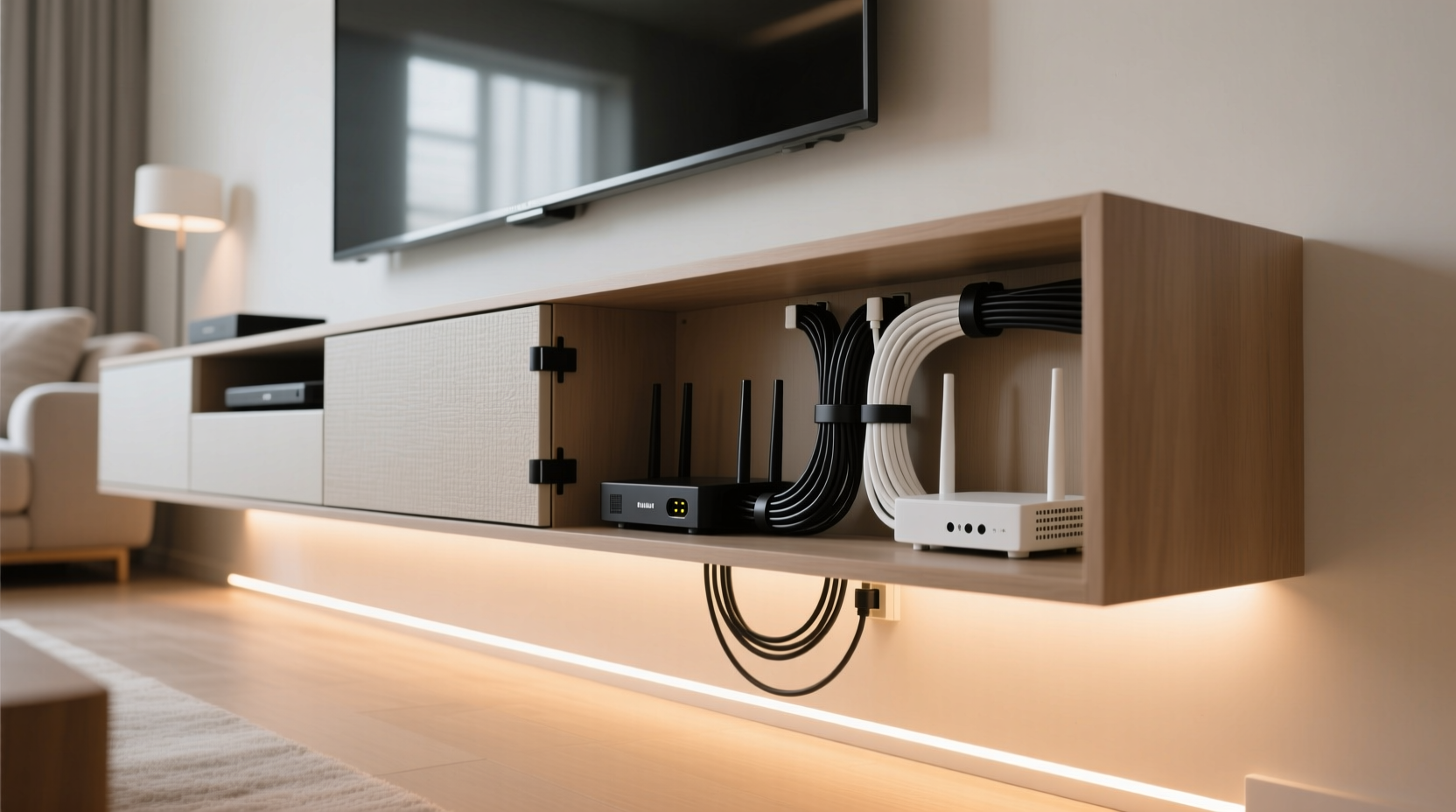
Beyond visual appeal, managing router cords contributes to better airflow, reduces fire risks from overheating, and minimizes accidental disconnections. Poorly managed cords often get pinched between heavy furniture or stretched across high-traffic areas, increasing wear and tear. A well-organized system also simplifies troubleshooting—when each cable has its designated path, identifying issues becomes faster and less frustrating.
“Cable clutter isn’t just messy—it’s inefficient. Proper routing improves device performance by preventing interference and physical damage.” — Marcus Lin, Residential Network Technician
Step-by-Step Guide: Concealing Router Cords Behind Your Entertainment Center
Follow this detailed process to safely and effectively hide your router cords while maintaining accessibility and signal strength.
- Power Down Devices
Turn off and unplug your router, modem, TV, soundbar, and any other electronics connected to the entertainment center. Safety first—working with live wires increases risk. - Map Your Connections
Trace each cord from start to finish. Identify which ones belong to the router (power, Ethernet, coaxial) and note where they originate (wall outlet, cable panel, surge protector). Label them if needed using masking tape or reusable tags. - Clear the Area
Pull the entertainment center slightly away from the wall—just enough to access the back panel without straining cables. Protect your flooring with cardboard or a blanket if dragging across hardwood or tile. - Reroute Cables Through Grommets or Openings
If your entertainment center has pre-drilled grommet holes in the back panel, feed cords through these instead of leaving them draped over edges. If not, consider installing a cable management grommet kit designed for furniture. - Use Adhesive Clips or Raceways
Attach low-profile adhesive cable clips along the back of the cabinet to guide cords vertically down one side. For a cleaner look, use paintable plastic raceways that blend with the wall color. - Group and Bundle Wires
Use Velcro straps (not zip ties, which can damage insulation) to loosely group similar cables together. Avoid bundling power and data cables tightly—this can cause electromagnetic interference. - Route to Power Source Strategically
Instead of letting the router’s power cord snake across the floor, run it along the baseboard using flat cord covers or tuck it behind baseboard molding. Connect to a centrally located surge protector mounted discreetly under or beside the cabinet. - Reposition the Router for Optimal Signal
Ensure the router isn’t buried inside a closed cabinet. Place it on an open shelf or mount it nearby using a wall bracket. This maintains strong Wi-Fi coverage while keeping cords hidden. - Final Check and Tidy-Up
Plug everything back in, test all connections, and verify internet functionality. Double-check that no cables are bent at sharp angles or compressed under weight.
Essential Tools and Supplies for Clean Cable Routing
The success of your cord-hiding project depends largely on having the right materials. These items are widely available, affordable, and make a significant difference in long-term organization.
- Velcro One-Wrap Straps: Reusable and gentle on insulation; ideal for grouping cords without over-tightening.
- Cable Raceways: Hollow channels that adhere to walls or furniture backs, enclosing multiple cords in a low-profile strip.
- Adhesive Cord Clips: Small mounts that hold individual cables in place, especially useful for vertical runs.
- Grommet Hole Covers: Rubber inserts that protect cables passing through wood or metal surfaces.
- Flat Power Strip with Right-Angle Plug: Saves space behind furniture and allows tighter placement against the wall.
- Cable Sleeve (Braided or Spiral Wrap): Adds a finished look when bundling several cords together.
Do’s and Don’ts of Router Cord Management
| Do | Don't |
|---|---|
| Use flexible pathways like raceways or clips for easy future access. | Nail or staple cords directly into walls or baseboards. |
| Leave slack near connections to prevent strain during adjustments. | Pull cables too tight—they can fray or disconnect over time. |
| Label cables early so reassembly is error-free. | Wrap power and network cables tightly together—EMI may degrade speeds. |
| Keep ventilation clear around the router to avoid overheating. | Enclose the router in a sealed compartment with no airflow. |
Real-World Example: Transforming a Cluttered Living Room Setup
Consider Sarah, a remote worker living in a mid-sized apartment with a compact entertainment center housing her TV, gaming console, streaming box, and dual-band router. Initially, she had cords spilling out from every angle—her router sat on top of the cabinet with its power brick dangling, Ethernet cables twisted around HDMI lines, and the coaxial cable kinked beneath the stand.
After researching solutions, she pulled everything out and began organizing. She installed a 2-inch square grommet in the cabinet’s upper back panel and routed the router’s power and Ethernet cables through it. Using white adhesive clips, she guided the cords down the left side of the unit, grouping them with Velcro straps. She mounted a slim power strip underneath the cabinet using L-brackets, reducing visible plug bulk. Finally, she used a white plastic raceway along the baseboard to carry the remaining stretch to the wall outlet.
The result? A seamless look that impressed guests—and made weekly restarts or equipment swaps far easier. More importantly, her Wi-Fi signal improved because the router was now elevated and ventilated rather than boxed in.
Advanced Options for Permanent Installations
For homeowners seeking a nearly invisible solution, consider upgrading beyond surface-level fixes:
- In-Wall Cable Channels: Cut narrow grooves into drywall behind the entertainment center to embed low-voltage cables (Ethernet, coaxial) flush with the surface. Cover with paintable raceway caps.
- Underfloor Conduits: In new builds or renovations, install PVC conduits beneath flooring leading from the media cabinet to outlets or networking panels.
- Wall-Mounted Router Enclosures: Discreet boxes with ventilation slots allow you to mount the router on the wall near the TV but keep cords tucked inside.
- Wireless Alternatives: Where possible, reduce dependence on wired connections. Use Wi-Fi extenders or mesh nodes to eliminate the need for long Ethernet runs to secondary devices.
Checklist: How to Hide Router Cords Neatly – Quick Reference
Use this checklist as a final verification tool after completing your project:
- ✅ All devices powered off before starting work
- ✅ Cables identified and labeled (router power, Ethernet, coaxial)
- ✅ Furniture moved safely to access rear panel
- ✅ Cords fed through grommets or designated openings
- ✅ Vertical routing established using clips or raceways
- ✅ Cables grouped with Velcro (not zip ties)
- ✅ Power strip mounted securely and within reach
- ✅ No sharp bends or compression points on any wire
- ✅ Router positioned for optimal signal and airflow
- ✅ All devices tested and functioning post-installation
Frequently Asked Questions
Can I hide my router inside a cabinet and still have good Wi-Fi?
It depends on the material. Metal cabinets block signals almost completely, while thick wood or glass doors can weaken them significantly. If you must store the router inside, choose a cabinet with open shelves or mesh fronts, ensure ample ventilation, and avoid closing doors over it. Better yet, relocate the router to a nearby shelf or wall mount.
What’s the safest way to run a cord across a doorway or high-traffic area?
Use a flat, low-profile cord cover designed for floors. These adhesive or screw-in channels protect wires from foot traffic and rolling chairs while minimizing trip hazards. Never use tape alone—it degrades quickly and leaves residue.
Is it okay to use zip ties for securing cords?
Only if done carefully. Over-tightening zip ties can compress cable insulation, leading to internal damage or reduced conductivity. Opt for reusable Velcro straps instead—they offer secure bundling without risk and allow for future modifications.
Conclusion: A Cleaner Space Starts with Smart Wiring
Hiding router cords neatly behind your entertainment center isn’t about perfection—it’s about intentionality. With minimal investment in time and supplies, you can eliminate visual chaos, improve safety, and create a more functional living environment. The techniques outlined here scale from simple DIY fixes to advanced installations, making them suitable for renters and homeowners alike. Whether you’re doing a weekend refresh or preparing for a full home upgrade, proper cable management lays the foundation for a smarter, more organized space.




 浙公网安备
33010002000092号
浙公网安备
33010002000092号 浙B2-20120091-4
Comments
No comments yet. Why don't you start the discussion?