
In modern homes, routers are essential for internet connectivity, but their accompanying tangle of cords—power cables, Ethernet lines, coaxial wires—can quickly turn into an eyesore. Many people assume that hiding these cords requires permanent modifications like drilling holes through walls or baseboards. However, drilling isn’t always possible—especially in rentals—or desirable for those who prefer to avoid wall damage. The good news is that there are multiple effective, non-invasive methods to conceal router cords while maintaining a sleek, clutter-free environment.
Whether you’re living in an apartment, renting a house, or simply want to preserve your walls, this guide offers practical, proven techniques to manage and hide your router cords. From adhesive cable management systems to furniture-based routing and cord disguising tricks, you’ll discover strategies that blend functionality with aesthetics—no tools or renovations required.
Why Avoid Drilling? Practical and Legal Considerations
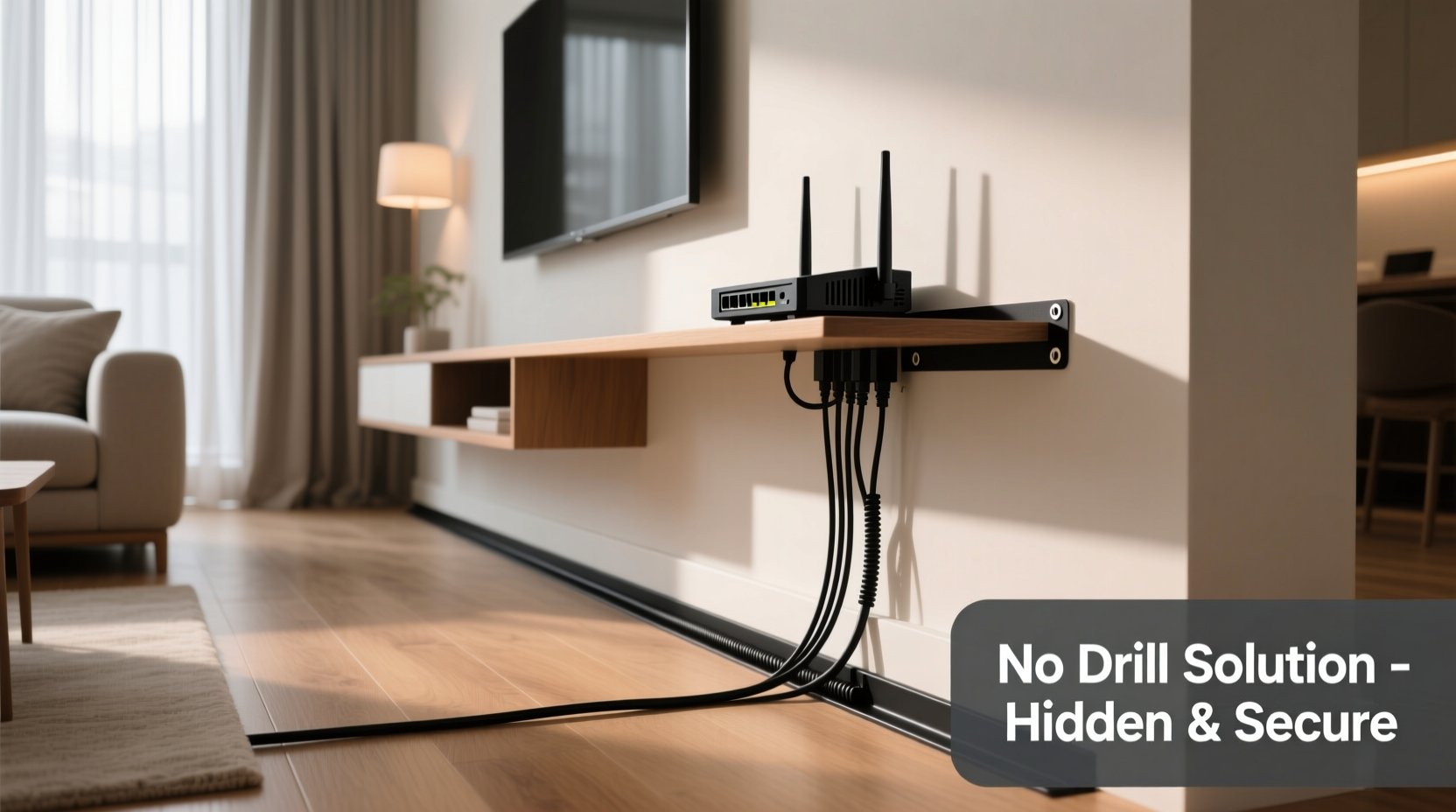
Drilling holes may seem like the most direct way to route cords behind walls or baseboards, but it’s not always the best option. Renters often face strict lease agreements that prohibit any structural modifications. Even homeowners may hesitate due to the permanence of the changes or the risk of damaging insulation, electrical wiring, or plumbing hidden within walls.
Additionally, improperly drilled holes can lead to safety hazards or costly repairs. According to the National Fire Protection Association (NFPA), tampering with walls near electrical components without proper knowledge increases fire risks. As interior designer and home organization expert Laura Bennett explains:
“Smart cord management doesn’t have to mean invasive solutions. In fact, the most elegant setups are often the ones that work *with* your space, not against it.” — Laura Bennett, Interior Design & Space Optimization Specialist
Avoiding drilling also preserves property value and ensures flexibility. If you move or rearrange furniture, non-permanent solutions allow you to adapt quickly without patching holes or repainting.
Step-by-Step: How to Hide Router Cords Without Drilling
Hiding router cords effectively involves planning, the right tools, and attention to both function and appearance. Follow this step-by-step process to achieve a clean setup.
- Assess Your Setup: Identify where your router, modem, power outlet, and internet source (e.g., wall jack) are located. Measure the distance between them to determine cord length needs.
- Gather Supplies: Collect adhesive cable clips, cord covers, Velcro straps, and any furniture or decor you plan to use as concealment.
- Route Cords Along Baseboards: Use adhesive raceways or paintable cord channels to run cables along the floor-wall junction. These stick securely and can be painted to match your wall color.
- Use Furniture as a Natural Barrier: Position desks, shelves, or entertainment centers to block cords from view. Tuck excess cable underneath or behind furniture legs.
- Bundle and Label Wires: Group similar cords together with Velcro ties and label them for easy identification. This prevents confusion during troubleshooting.
- Add Aesthetic Covers: Install decorative cord sleeves or fabric wraps to disguise cords running across visible areas.
- Test Connectivity: Ensure all connections remain secure and that signal strength isn’t compromised by tight bends or compression.
Top 5 Non-Drill Cord Hiding Methods
Here are five reliable, no-drill techniques that deliver professional-looking results.
1. Adhesive Cable Raceways
These plastic channels adhere directly to walls or baseboards using strong double-sided tape. They come in various lengths and colors, and some can even be painted. Simply lay your cords inside and snap the cover shut. Ideal for long runs along walls, they keep multiple cords neatly enclosed.
2. Cord Covers with Self-Adhesive Backing
Flat, low-profile strips with built-in grooves hold individual cords flush against surfaces. Brands like 3M offer models rated for high weight capacity and durability. These are perfect for short drops from a desk to the floor or around corners.
3. Furniture and Decorative Screening
Strategically place bookshelves, potted plants, or room dividers to block cords from sightlines. A tall plant in a corner can naturally obscure a vertical cable drop. Choose furniture with hollow legs or internal channels to thread cords through.
4. Fabric Cord Sleeves
Stretchable braided sleeves bundle multiple cords into one sleek tube. Available in neutral tones, they blend into home decor better than plastic alternatives. Use them for cords running across floors or behind furniture.
5. Under-Carpet Routing
If you have wall-to-wall carpeting, gently lift the edge and slide cords underneath, then reposition the carpet. This completely hides cords from view. Be cautious not to overstuff or create tripping hazards.
Comparison Table: No-Drill Cord Management Options
| Solution | Installation Time | Visibility | Removability | Best For |
|---|---|---|---|---|
| Adhesive Raceway | 10–20 minutes | Low (when painted) | High (leaves minimal residue) | Long wall runs, baseboards |
| Cord Clips | 5 minutes | Medium | High | Short drops, corners |
| Fabric Sleeve | 3–7 minutes | Low to medium | Very High | Bundling cords behind furniture |
| Under-Carpet Routing | 10 minutes | None | Very High | Carpeted rooms |
| Furniture Screening | Immediate | Depends on placement | Very High | Renters, minimalist spaces |
Real-Life Example: Sarah’s Apartment Router Makeover
Sarah, a graphic designer living in a downtown studio apartment, struggled with a messy cluster of cords behind her compact desk. Her ISP-provided modem and router sat on a shelf, with power strips and tangled Ethernet cables spilling onto the floor. Guests often commented on the clutter, and she felt it disrupted her creative workspace.
Instead of drilling—a no-go in her rental—she used a combination of self-adhesive cable raceways along the baseboard and a fabric cord sleeve to bundle everything. She placed a narrow bookshelf beside her desk, angled slightly forward to block the cords from direct view. She also switched to flat Ethernet cables for a slimmer profile.
The result? A clean, streamlined look that made her workspace feel larger and more intentional. “I didn’t spend more than $20 or 30 minutes,” she said. “Now I don’t dread having people see my desk.”
Dos and Don’ts of No-Drill Cord Management
| Do’s | Don’ts |
|---|---|
| Use flat or slim-profile cables for easier concealment | Run cords under heavy furniture that might crush them |
| Label each cord for future reference | Overload adhesive products beyond their weight limit |
| Test adhesive on a small area first | Ignore ventilation—routers need airflow to prevent overheating |
| Use cable ties instead of tape for bundling | Leave sharp bends in Ethernet cables, which can degrade signal |
| Choose neutral-colored organizers to blend with walls | Block access to power outlets or reset buttons |
FAQ: Common Questions About Hiding Router Cords
Can I hide cords behind curtains or drapes?
Yes, especially if your router is near a window or entertainment unit. Use adhesive clips to run cords up the wall and behind curtain rods. Just ensure the cords don’t interfere with opening or closing the curtains.
Will hiding cords affect my Wi-Fi signal?
No—Wi-Fi signals are transmitted wirelessly and aren’t impacted by cord placement. However, avoid wrapping cords tightly around the router or covering ventilation slots, as heat buildup can reduce performance.
Are there cordless router options?
While routers still require power, many now support Wi-Fi backhauls or mesh systems that reduce the need for long Ethernet cables. Pairing a mesh system with strategic cord management can minimize visible wiring significantly.
Checklist: Quick Setup Guide for Hidden Router Cords
- ✅ Identify cord types and lengths needed
- ✅ Choose a non-drill method (raceway, sleeve, furniture screening, etc.)
- ✅ Purchase necessary supplies (adhesive clips, Velcro, flat cables)
- ✅ Clean surfaces before applying adhesive products
- ✅ Route cords along baseboards or behind furniture
- ✅ Bundle and label cables for easy maintenance
- ✅ Test internet connection and device accessibility
- ✅ Adjust placement for optimal airflow and aesthetics
Final Thoughts: A Cleaner Home Starts With Smart Details
Managing router cords without drilling is not only possible—it’s often smarter. Modern adhesive technologies, clever furniture use, and thoughtful organization make it easy to maintain a tidy, professional-looking space without altering your walls. These solutions are cost-effective, reversible, and accessible to anyone, regardless of DIY experience.
By investing a small amount of time and effort, you can transform a chaotic corner of your home into a seamless part of your decor. Whether you're in a rental, preserving your walls, or just aiming for a minimalist aesthetic, these techniques empower you to take control of your environment—one cord at a time.




 浙公网安备
33010002000092号
浙公网安备
33010002000092号 浙B2-20120091-4
Comments
No comments yet. Why don't you start the discussion?