
In today’s digital-first world, managing your finances from a smartphone is not just convenient—it's essential. One of the most common financial requests users make through their banking apps is increasing their credit card spending limit. Whether you're planning a major purchase, traveling abroad, or simply want more flexibility, raising your limit via your mobile device can be fast and secure—if done correctly.
Unlike traditional methods that required phone calls or in-person visits, modern banking apps allow you to submit a limit increase request in minutes. But success isn’t guaranteed. Approval depends on your credit history, income, payment behavior, and overall financial health. This guide walks you through the process, explains what banks evaluate, and offers practical strategies to improve your chances—all from your mobile device.
Why Increase Your Credit Limit?
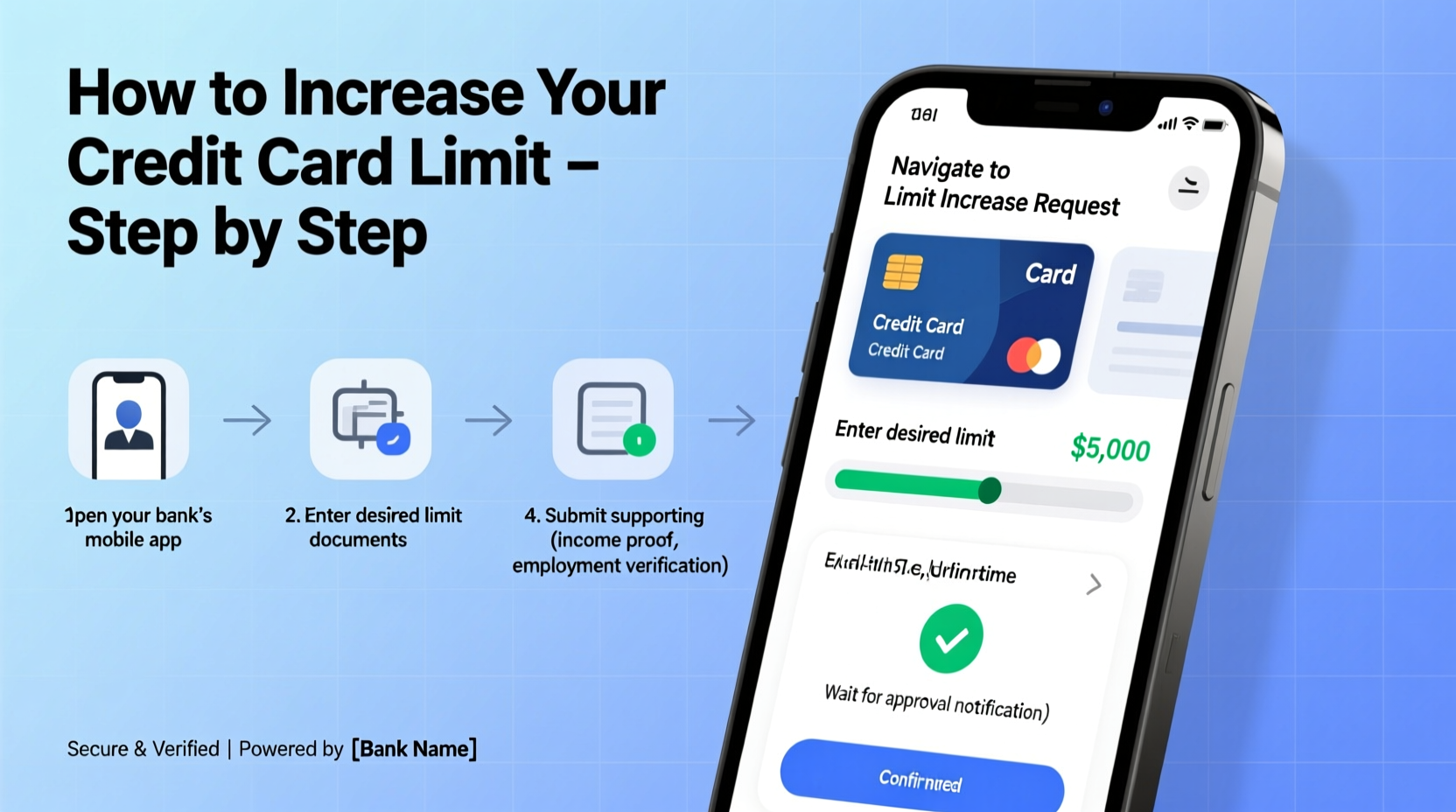
A higher credit limit offers several benefits beyond immediate spending power. It can improve your credit utilization ratio—the percentage of available credit you're using—which is a major factor in your credit score. For example, someone with a $1,000 limit carrying a $500 balance has a 50% utilization rate. If that limit increases to $2,000 with the same balance, utilization drops to 25%, which is viewed more favorably by credit bureaus.
Beyond credit scoring, a higher limit provides:
- Emergency preparedness: More room for unexpected expenses like car repairs or medical bills.
- Travel flexibility: Hotels and rental car companies often place temporary holds on your card; a higher limit prevents these from triggering declines.
- Rewards optimization: Enables larger purchases that help you earn sign-up bonuses or accelerated points.
“Requesting a credit limit increase through your mobile app is one of the fastest ways to gain financial flexibility—provided you’ve maintained consistent payment habits.” — Laura Simmons, Consumer Finance Advisor at ClearPath Credit Counselors
Step-by-Step Guide to Increasing Your Limit via Mobile App
Most major credit card issuers—including Chase, Citi, Capital One, Bank of America, and American Express—offer built-in tools within their mobile apps to request a limit increase. The process is generally similar across platforms, but details may vary slightly.
- Log into your credit card’s mobile app using your credentials. Ensure you’re on a secure network and avoid public Wi-Fi during sensitive transactions.
- Navigate to the “Account Services” or “Credit Line” section. This is typically found under menu options like “Manage Card,” “Settings,” or “Profile.”
- Select “Request Credit Limit Increase.” Some apps may label this as “Increase Spending Limit” or “Adjust Credit Line.”
- Enter the new limit you’d like to request. Be realistic. Asking for a 200% increase with average income and moderate usage will likely be denied.
- Provide updated financial information. You may be asked to enter your monthly income, employment status, housing payment (rent/mortgage), and other debts.
- Submit the request. The app will typically notify you instantly if approved, though some cases require manual review and take 3–7 business days.
- Review confirmation. If approved, check whether it was a permanent or temporary increase and note any changes in terms.
What Banks Evaluate Before Approving Your Request
Your mobile request triggers an internal review. While some approvals are instant, others involve a soft or hard credit inquiry depending on the issuer and your account history. Here’s what lenders assess:
| Factor | How It Affects Approval |
|---|---|
| Credit Score | Higher scores (typically 670+) significantly improve approval odds. |
| Payment History | Late payments in the past 12 months reduce chances of approval. |
| Income & Employment | Stable, verifiable income increases trust in your repayment ability. |
| Current Utilization | High usage (>30%) may signal overreliance on credit. |
| Account Age | Longer-standing accounts with consistent activity are favored. |
If your request is declined, don’t panic. Most banks allow reapplication after 3–6 months. Use that time to improve your financial standing.
Mini Case Study: How Sarah Increased Her Limit in 48 Hours
Sarah, a graphic designer from Austin, needed a higher limit to book a last-minute international client meeting. Her current card had a $3,000 limit, but flights, hotels, and incidentals would total around $2,700. She logged into her Capital One app and requested an increase to $6,000.
She updated her income to reflect recent freelance contracts and selected “Self-Employed” as her status. Within two hours, she received a push notification: “Your credit line has been increased to $5,500.” Not the full amount, but enough to cover her trip comfortably.
The key factors in her success? She had never missed a payment, kept her average utilization below 20%, and had held the card for over three years. Her timely update of accurate income data made the difference.
Checklist: Prepare for a Successful Limit Increase Request
Before submitting your request, ensure you meet the following criteria to maximize approval odds:
- ✅ No late payments in the past year
- ✅ Credit utilization below 30%
- ✅ Account open for at least 6–12 months
- ✅ Verified and up-to-date income information
- ✅ Strong overall credit score (check via free services like Credit Karma)
- ✅ Realistic requested amount (e.g., 10–25% increase, not double)
- ✅ Connected bank account (for some issuers, this supports verification)
Frequently Asked Questions
Will requesting a credit limit increase affect my credit score?
It depends. Many issuers perform a soft inquiry, which doesn’t impact your score. However, some may conduct a hard pull if the request involves significant changes or additional verification. You’ll usually be notified before a hard inquiry occurs.
Can I request a temporary increase instead?
Yes. Some banks, like Chase and American Express, offer temporary limit boosts for travel or holidays. These are often easier to get and don’t require income updates. They typically last 30–90 days and revert automatically.
What should I do if my request is denied?
Don’t apply repeatedly in a short window. Instead, focus on improving your credit profile: pay down balances, make on-time payments, and wait 3–6 months before reapplying. You can also call customer service to ask for feedback on why the request was declined.
Final Tips for Long-Term Success
While the mobile app makes requesting a higher limit easy, long-term financial health requires discipline. A higher limit isn’t an invitation to spend more—it’s a tool for better credit management and emergency readiness.
Use the increased limit strategically. Pay off balances in full each month, monitor your spending through app alerts, and avoid carrying high balances even if you have the room. Over time, responsible use can lead to automatic increases without you having to request them.
Many users report receiving unsolicited limit increases after 12–18 months of flawless usage. That’s the goal: build a track record so strong that the bank comes to you.
“Banks reward reliability. If you use credit wisely, they’ll want to lend you more—not because you asked, but because you’ve proven you can handle it.” — Marcus Tran, Senior Risk Analyst at FinEdge Analytics
Take Action Today
Open your credit card app now and explore the credit limit options. Even if you don’t submit a request today, familiarizing yourself with the process puts you ahead. When the time is right—after steady payments, income updates, and low utilization—you’ll be ready to act quickly and confidently.




 浙公网安备
33010002000092号
浙公网安备
33010002000092号 浙B2-20120091-4
Comments
No comments yet. Why don't you start the discussion?