
Setting up an SMTP server is essential for organizations and developers who need full control over their outbound email infrastructure. Whether you're sending transactional emails from a web application or managing bulk notifications, a properly configured SMTP server ensures messages reach inboxes—not spam folders. However, installing an SMTP service is only the beginning. Without robust security, authentication, and deliverability practices, your server risks being exploited by spammers or blacklisted by major providers.
This guide walks through the complete process of installing Postfix—a widely used open-source SMTP server—on a Linux system, securing it with TLS encryption and authentication, and optimizing it for high deliverability. The principles apply whether you're running a small-scale server or managing enterprise-level communications.
Step-by-Step Installation of Postfix on Ubuntu
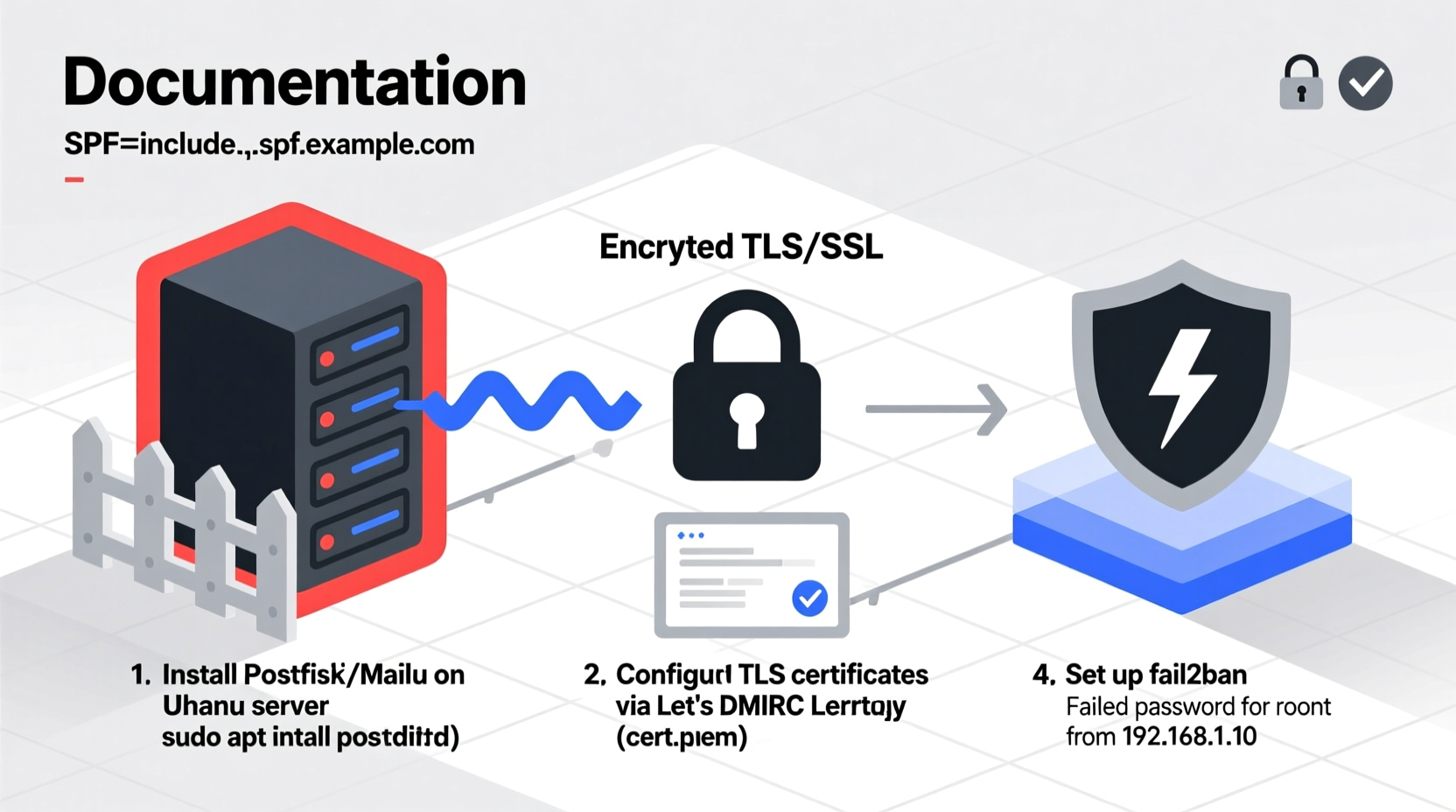
Postfix is a reliable, modular mail transfer agent (MTA) that integrates well with modern email systems. Below is a tested installation process for Ubuntu 22.04 LTS.
- Update your system:
sudo apt update && sudo apt upgrade -y - Install Postfix:
sudo apt install postfix mailutils - During installation, select \"Internet Site\" when prompted.
- Enter your domain name (e.g., example.com) as the system mail name.
- Confirm configuration and allow the installer to complete.
- Verify the service is running:
sudo systemctl status postfix
Once installed, test basic functionality by sending a test email:
echo \"Test message body\" | mail -s \"Test Subject\" user@example.com
Check logs at /var/log/mail.log to confirm delivery attempts and resolve any immediate errors.
hostnamectl set-hostname mail.yourdomain.com before configuring Postfix.
Essential Security Measures for Your SMTP Server
An unsecured SMTP server is a magnet for abuse. Open relays can be hijacked to send millions of spam messages, leading to IP blacklisting and permanent reputation damage. Implement these core security layers immediately after installation.
- Disable open relay: Ensure your server only accepts mail from authorized sources or local processes.
- Enable TLS encryption: Encrypt all outgoing (and incoming) traffic to protect credentials and content.
- Require authentication: Use SASL (Simple Authentication and Security Layer) so only verified users can send mail.
- Restrict access by IP: Limit SMTP submission ports (587) to trusted networks if possible.
- Implement rate limiting: Prevent abuse by capping the number of messages per user/IP.
Configuring SASL Authentication with Dovecot
Dovecot is a lightweight IMAP/POP3 server that also provides SASL authentication for Postfix. Install it with:
sudo apt install dovecot-core dovecot-common dovecot-auth-mechanisms
Edit /etc/dovecot/conf.d/10-master.conf and ensure the following section exists under service auth:
  service auth {
    unix_listener /var/spool/postfix/private/auth {
      mode = 0660
      user = postfix
      group = postfix
    }
  }
In /etc/postfix/main.cf, add these lines:
smtpd_sasl_type = dovecot
smtpd_sasl_path = private/auth
smtpd_sasl_auth_enable = yes
smtpd_sasl_security_options = noanonymous
broken_sasl_auth_clients = yes
Restart both services: sudo systemctl restart postfix dovecot.
Deliverability Optimization: Avoiding Spam Filters
Even with a secure server, poor deliverability can render your setup ineffective. Major email providers like Gmail, Outlook, and Yahoo use complex algorithms to assess sender trustworthiness. Follow these best practices to improve inbox placement.
| Factor | Action Required | Impact |
|---|---|---|
| DNS Records | Set SPF, DKIM, DMARC | High – prevents spoofing |
| Reverse DNS (PTR) | Match hostname to IP | Medium – improves trust |
| IP Reputation | Warm up new IPs gradually | High – avoids blacklists |
| Email Content | Avoid spam-trigger words | Medium – affects filtering |
| Bounce Handling | Remove invalid addresses quickly | High – maintains sender score |
“Email deliverability isn’t just about technology—it’s about reputation. A secure server with clean sending habits will outperform even high-volume commercial platforms.” — Sarah Lin, Email Infrastructure Engineer at CloudMail Systems
Mini Case Study: Recovering from a Blacklist
A mid-sized SaaS company launched a new notification system using a fresh SMTP server. Within hours, emails began bouncing. Investigation revealed their IP was listed on Spamhaus due to rapid-fire password reset emails triggered during a product demo.
The team took immediate action: they paused non-critical sends, implemented rate limiting (max 100 emails/hour), added proper SPF/DKIM records, and requested delisting. Over the next two weeks, they warmed up the IP with increasing volumes of low-risk transactional emails. By week three, deliverability returned to 98%, and the IP maintained a clean reputation.
The lesson? Even legitimate traffic can appear abusive without gradual ramp-up and proper identification.
Security Checklist Before Going Live
Before exposing your SMTP server to production traffic, verify each item below:
- ✅ Firewall restricts port 25 (SMTP) and 587 (submission) to necessary sources
- ✅ TLS certificates installed (Let’s Encrypt recommended via Certbot)
- ✅ SPF record published:
v=spf1 mx a ip4:YOUR_IP -all - ✅ DKIM configured with public key in DNS
- ✅ DMARC policy set:
v=DMARC1; p=quarantine; rua=mailto:postmaster@yourdomain.com - ✅ Reverse DNS matches forward DNS (ask your hosting provider if needed)
- ✅ Regular log monitoring enabled (
tail -f /var/log/mail.log) - ✅ Automatic updates enabled for security patches
Frequently Asked Questions
Can I use my SMTP server to send bulk marketing emails?
Technically yes, but not recommended unless you have dedicated infrastructure and list hygiene protocols. Shared servers sending mixed transactional and promotional mail often suffer deliverability issues. For bulk campaigns, consider specialized services like SendGrid or Amazon SES, which offer built-in reputation management.
Why are my emails marked as spam despite correct DNS setup?
DNS records are necessary but not sufficient. Other factors include content quality, sending volume patterns, user engagement (opens/clicks), and historical behavior. If your domain has never sent email before, build trust slowly. Also, ensure your HTML emails include plain-text alternatives and unsubscribe links.
Is it safe to run an SMTP server on a VPS?
Yes, provided the VPS is properly secured (SSH keys, firewall, minimal services). However, some cloud providers (like AWS EC2) block outbound port 25 by default to prevent abuse. You may need to request removal of this restriction or route mail through a smart host (e.g., Amazon SES).
Final Steps: Monitoring and Maintenance
After deployment, ongoing maintenance ensures long-term reliability. Automate log analysis with tools like Logwatch or Fail2Ban to detect anomalies. Monitor bounce rates and adjust suppression lists accordingly. Rotate TLS certificates before expiration and audit user access periodically.
Consider integrating your SMTP server with a logging aggregator (such as Graylog or ELK Stack) for centralized visibility across multiple services. Set up alerts for failed authentications or sudden spikes in message volume—early detection prevents larger issues.
Conclusion
Installing an SMTP server gives you unmatched control over your email pipeline, but with that power comes responsibility. Security missteps can lead to compromised systems, while poor deliverability undermines communication goals. By following this guide—installing Postfix securely, enforcing authentication, enabling encryption, and aligning with email best practices—you create a foundation for trustworthy, reliable email delivery.




 浙公网安备
33010002000092号
浙公网安备
33010002000092号 浙B2-20120091-4
Comments
No comments yet. Why don't you start the discussion?