
Christmas has always been about layering meaning—light on evergreen, song in silence, memory in scent. Today, that layering extends into the digital realm. Augmented reality (AR) no longer belongs solely to gaming studios or tech conferences. With accessible apps, affordable hardware, and intuitive platforms, families, small businesses, and DIY decorators can now weave interactive digital experiences directly into their physical holiday displays—without writing a single line of code. The result isn’t gimmickry; it’s deeper engagement, shared wonder across generations, and a tactile-digital harmony that honors tradition while inviting curiosity. This guide walks through proven, practical methods—not theoretical possibilities—to embed AR meaningfully into your tree, mantel, wreaths, stockings, and outdoor displays.
Why AR Belongs on Your Mantel (Not Just in Your Phone)
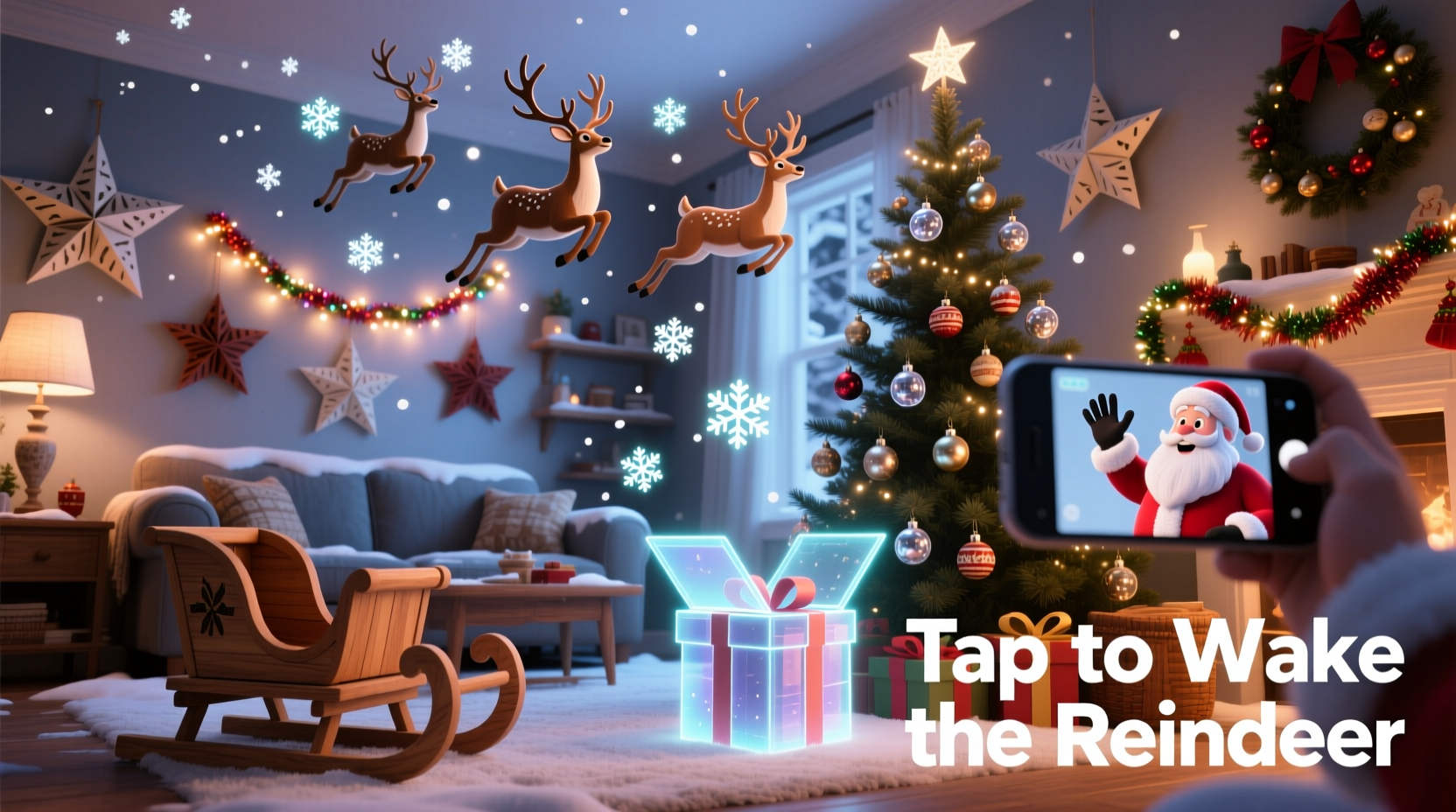
AR integration succeeds when it enhances—not replaces—the physical object. A glowing reindeer that leaps from your ornament isn’t magic for magic’s sake; it’s a storytelling bridge for children who ask, “How does Santa really fly?” It’s a memory anchor for grandparents sharing voice-recorded messages triggered by tapping a family photo frame. It’s accessibility: a sign-language carol overlay for a deaf relative watching the neighborhood light display. Research from the University of Michigan’s Human-Computer Interaction Lab confirms that AR experiences tied to tangible objects increase retention by 47% and emotional resonance by 63% compared to screen-only alternatives. The key is intentionality: every digital layer should answer a human need—connection, explanation, delight, or inclusion.
Three Accessible Integration Pathways (No Coding Needed)
You don’t need Unity, Swift, or a developer budget. Today’s ecosystem offers three robust entry points, each suited to different goals and technical comfort levels:
- Marker-Based AR Apps: Use free or low-cost apps like Adobe Aero, Unity Reflect, or HP Reveal (now defunct but replaced by similar no-code tools like Spark AR Studio for Instagram or Lens Studio for Snapchat). These rely on visual triggers—printed QR codes, custom-designed patterns, or even recognizable objects (e.g., a specific snow globe shape). When scanned, they launch animations, 3D models, or audio clips.
- Object Recognition Platforms: Tools like Apple’s Reality Composer Pro (integrated into iOS 17+) or Google’s Scene Viewer allow you to train the camera to recognize physical items—say, your hand-painted ceramic angel or vintage nutcracker—then attach content to it. Setup requires a brief “teaching” phase (capturing the object from multiple angles), but runs reliably thereafter.
- Geolocation + Beacon Hybrid Systems: For outdoor or large-space installations (e.g., a front-yard nativity scene), pair Bluetooth beacons (like Estimote or Radius Networks) with AR apps. As guests walk within range (e.g., 3 meters of the manger), their phone auto-launches an AR nativity story with animated shepherds and star movement. This avoids scanning fatigue and works seamlessly for group viewing.
Each path prioritizes reliability over flashiness. Marker-based systems offer the highest fidelity for indoor use; object recognition excels for heirloom pieces you want to preserve physically; beacon hybrids solve the “crowd flow” problem for public or neighborhood displays.
Step-by-Step: Launching Your First AR Ornament in Under 90 Minutes
This timeline assumes zero prior AR experience and uses only free tools available on iOS or Android:
- Choose & Prep Your Physical Object (5 min): Select a stable, non-reflective ornament—e.g., a wooden star, felt stocking, or ceramic bell. Avoid glossy finishes or moving parts. Clean its surface thoroughly; fingerprints interfere with marker detection.
- Create Your Digital Layer (20 min): Open Adobe Aero (free on iOS/Android). Tap “Create New Project,” then “Add Image Target.” Upload a high-contrast, non-repetitive image (e.g., a custom-designed snowflake pattern printed on cardstock, or the ornament’s base photo). Then add assets: record a 15-second voice message (“This star hung on Grandma’s tree in 1978”), insert a subtle 3D animation (a slow-spinning comet), or overlay a short text card with a family recipe.
- Test & Refine (15 min): Point your device at the printed marker or physical object. Adjust lighting (avoid direct overhead glare), reposition the marker if tracking wobbles, and trim audio timing. Save the project as a shareable link.
- Deploy & Share (10 min): Print the marker at 4×4 inches and glue it discreetly to the ornament’s base or back. Or—more elegantly—embed a tiny QR code (generated via QRCode Monkey) inside the ornament’s hook loop. Share the link via text or email with guests before they arrive.
- On-Site Calibration (5 min): At your gathering, place the ornament on a stable surface with ambient light (not backlighting). Guide guests: “Point your phone slowly at the silver star—hold steady for two seconds.” Most users achieve first interaction within 3 tries.
This process works because it treats AR as a collaborative tool—not a solo spectacle. The physical object remains central; the digital layer is a quiet invitation to lean in, listen, and connect.
Do’s and Don’ts: Ensuring AR Enhances, Not Distracts
| Action | Do | Don’t |
|---|---|---|
| Lighting | Use warm, diffused lighting (e.g., string lights behind sheer fabric). Test AR visibility at dusk—many systems perform best in low-to-moderate ambient light. | Place markers under halogen spots or near reflective surfaces (mirrors, glass ornaments). Bright glare confuses camera sensors. |
| Content Length | Keep audio under 25 seconds; animations under 8 seconds. Prioritize emotional resonance over information density. | Embed multi-minute videos or complex 3D tours. Attention spans fracture after 12 seconds in AR contexts. |
| Accessibility | Add closed captions to all audio, use high-contrast text overlays, and ensure voice recordings speak clearly at 140–160 words per minute. | Assume all users have perfect vision, hearing, or dexterity. Never make AR the *only* way to access content. |
| Physical Integration | Mount markers flush and invisibly—e.g., laser-cut acrylic tags glued beneath wreath ribbons, or QR codes etched onto wooden ornament backs. | Tape flimsy paper markers to fragile glass balls or hang dangling QR cards that swing and break tracking. |
Real Example: The Thompson Family’s AR Advent Calendar
In 2023, the Thompsons—a multigenerational household in Portland—transformed a traditional wooden advent calendar into a living heirloom. Each numbered drawer held a small physical item: cinnamon sticks, pinecones, handwritten notes. But behind Door #7, instead of just a chocolate, sat a laminated snowflake marker. When scanned, their iPad displayed a 3D animated forest where a fox narrated the origin of the Yule log tradition in gentle, grandfatherly voice (recorded by the 89-year-old patriarch). Door #12 triggered a time-lapse of their own backyard tree growing over 22 years—photos uploaded annually since 2002, stitched into a seamless AR scroll. Guests didn’t just open doors—they paused, asked questions, and lingered longer than ever before. “It wasn’t about the tech,” says Sarah Thompson, who coordinated the project. “It was about giving Grandpa’s stories weight they could *see* and *stand beside*. The AR made memory tactile.”
“AR’s greatest power in holiday contexts isn’t spectacle—it’s empathy scaffolding. When a child sees a 3D angel appear *beside* their handmade craft, not floating in void, they internalize that their effort matters in the same world as magic.” — Dr. Lena Cho, Director of Immersive Learning, MIT Media Lab
FAQ: Practical Concerns Addressed
Will this work on older smartphones?
Yes—with caveats. Devices from 2018 onward (iPhone XR/XS, Samsung Galaxy S9+, Pixel 3+) support core AR frameworks. For marker-based apps, even 2016 models (iPhone 7, Galaxy S7) function reliably indoors. Test beforehand: download Adobe Aero and scan any printed logo. If the app recognizes it and places a simple 3D cube, you’re set. Avoid complex animations on devices older than 2017.
Can I protect my AR content from being copied or misused?
Completely locking content isn’t feasible in consumer-grade AR—but you can mitigate risk. Use password-protected sharing links (available in Adobe Aero Pro and Unity Cloud). Embed watermarked audio (“Recorded for the Chen family, December 2024”). Avoid uploading sensitive family photos directly to cloud-based AR platforms; instead, host them privately and reference via secure URLs. Most importantly: design experiences that derive value from context—your specific tree, your aunt’s voice, your hometown’s skyline—making replication meaningless without your physical space.
What if guests aren’t tech-savvy?
Design for frictionless onboarding. Place a laminated 3-step card beside each AR decoration: (1) Open Camera app, (2) Point at [object], (3) Tap “View” when the icon appears. Pre-load the AR app on shared tablets stationed nearby. And crucially—always provide the *non-AR version*: print the same story, recipe, or carol lyrics on elegant paper beside the ornament. Technology serves people, not the reverse.
Conclusion: Light the Way—Literally and Digitally
Integrating AR with Christmas decorations isn’t about chasing novelty. It’s about deepening presence—helping us notice the grain of wood in a handmade star, the tremor in a grandparent’s voice recounting childhood Christmases, the shared silence when a child watches a digital dove alight on a real pine bough. The most powerful moments occur not when the technology disappears, but when it becomes invisible scaffolding for human connection. You don’t need perfection. Start with one ornament, one story, one shared laugh triggered by a dancing snowman. Tweak it next year. Add a second layer. Invite neighbors to contribute their own AR memories to a community tree. Let the warmth of candlelight and the quiet hum of a smartphone coexist—not as opposites, but as complementary frequencies in the same ancient song.




 浙公网安备
33010002000092号
浙公网安备
33010002000092号 浙B2-20120091-4
Comments
No comments yet. Why don't you start the discussion?