
The holiday season brings joy, warmth, and a chance to get creative with home decor. For pet owners, especially those with energetic dogs, the festive atmosphere can be elevated by involving their furry companions in seasonal displays. One innovative way to do this is by syncing Christmas lights with pet activity trackers so that lights respond dynamically when a dog enters a room. This integration blends smart pet technology with ambient lighting to create an interactive, joyful experience for both pets and humans.
This isn’t just about aesthetics—it’s about engagement. Dogs may not understand the concept of Christmas, but they react positively to movement, sound, and attention. When a dog triggers a burst of twinkling lights simply by walking into a room, it reinforces their sense of presence and importance in the household. Beyond the fun factor, such systems promote smarter homes where devices work together seamlessly, enhancing daily life through automation.
Understanding the Components: Pet Trackers and Smart Lights
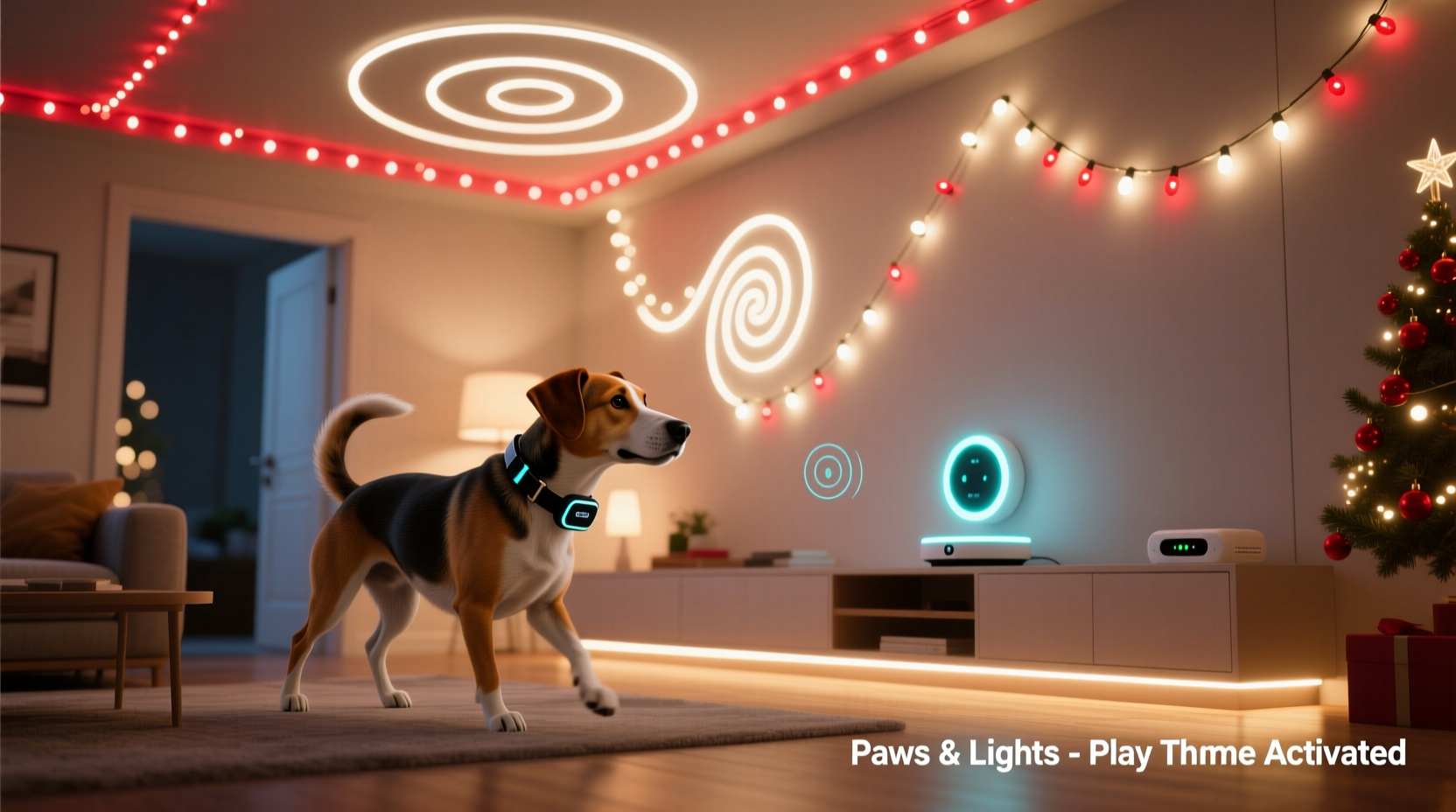
To successfully link pet behavior with lighting effects, two primary technologies must be synchronized: pet activity trackers and addressable LED lighting systems. Each plays a distinct role in enabling responsive environmental changes based on real-time animal movement.
Pet Activity Trackers are wearable devices—usually attached to collars—that monitor behaviors like motion, rest, feeding patterns, and location. Advanced models, such as the Whistle GO Explore or Fi Series 3, include GPS, Bluetooth, and Wi-Fi connectivity, allowing them to send data to cloud platforms or home automation hubs. Some even offer geofencing features, which detect when a pet enters or leaves a defined area—perfect for triggering events indoors.
Smart Christmas Lights, particularly Wi-Fi-enabled LED strips like Philips Hue Lightstrips, Nanoleaf Shapes, or Govee RGBIC Flexibles, support programmable color sequences, brightness adjustments, and motion-based triggers. These lights connect to home networks via bridges or direct Wi-Fi and can be controlled through apps or integrated into broader automation ecosystems like Apple HomeKit, Google Home, or IFTTT (If This Then That).
The key to integration lies in creating a communication pathway between the tracker’s “entry detection” signal and the lighting system’s command interface. While no out-of-the-box solution currently exists for this specific use case, open APIs and automation tools make it achievable with moderate technical effort.
Step-by-Step Guide: Creating the Trigger System
Implementing this setup requires planning across hardware selection, network configuration, and rule creation. Follow these steps to build a reliable system that activates lights when your dog enters a designated space.
- Choose a compatible pet tracker – Select one that supports real-time location alerts and integrates with automation platforms. The Fi Smart Collar, for instance, sends entry/exit notifications for home zones via its mobile app and connects to IFTTT.
- Install smart LED lighting – Mount addressable LED strips around doorframes, under shelves, or along baseboards in target rooms. Ensure they’re powered and connected to your Wi-Fi network through a hub if required.
- Set up a geofence zone – In your pet tracker’s app, define a virtual boundary around the room you want to monitor. Most apps allow setting a radius starting from your home’s main GPS point. Refine the size to avoid false triggers from nearby areas.
- Link tracker to automation platform – Connect your pet tracker account to IFTTT or Home Assistant. For example, create an IFTTT applet where “If Dog Enters Home Zone” (as reported by Fi or Whistle), then “Trigger Action.”
- Program the light response – Assign a specific animation sequence to activate upon receiving the trigger. Using Govee’s API or Hue’s Scene feature, set patterns like “jingle bell sparkle,” “candy cane swirl,” or “snowfall fade.”
- Test and refine sensitivity – Walk your dog through the doorway multiple times to verify accurate detection. Adjust geofence size or delay thresholds to prevent flickering or missed triggers.
For advanced users, running a local server with Home Assistant provides greater reliability and privacy. You can ingest MQTT data directly from certain trackers, process location events internally, and issue commands to Zigbee or Wi-Fi lights without relying on cloud intermediaries.
Optimizing Light Animations for Pet-Friendly Effects
While dazzling light shows excite humans, consider your dog’s sensory experience. Canines perceive colors differently—mainly blues, yellows, and grays—and are more sensitive to rapid flicker than people. A strobe-like effect may cause stress or discomfort, especially in breeds prone to anxiety.
To ensure the display is playful rather than overwhelming:
- Use slower transitions between hues instead of abrupt flashes.
- Favor blue and yellow tones, which dogs see most clearly.
- Limited brightness during evening hours prevents startling.
- Avoid frequencies above 70 Hz, though most quality LEDs operate beyond visible flicker range.
Animations should last 10–15 seconds—long enough to register excitement but short enough not to become background noise. Consider pairing the light cue with a recorded voice message (“Good boy!”) played over a smart speaker for positive reinforcement.
| Animation Type | Dog-Friendliness | Suggested Use Case |
|---|---|---|
| Slow Rainbow Fade | High | General welcome effect in living room |
| Twinkle Sparkle | Moderate | Holiday parties (limit duration) |
| Strobe Pulse | Low | Avoid unless supervised and brief |
| Wave Sweep (blue/yellow) | High | Playroom or hallway entrance |
“Pets thrive on routine and recognition. When their actions lead to visible responses in their environment, it strengthens their emotional connection to the home.” — Dr. Rebecca Langley, Veterinary Ethologist
Real Example: The Holiday Home of Max the Golden Retriever
In Denver, Colorado, tech-savvy pet owner Daniel Reyes installed a custom system for his 3-year-old golden retriever, Max. Using a Fi Series 3 collar and Philips Hue Lightstrips around the family room doorway, he created a “Max Mode” that activates when Max returns from backyard play.
Daniel used IFTTT to link Fi’s geofence alert (“Max has re-entered home perimeter”) to a Hue scene called “Golden Welcome”—a warm amber wave that sweeps upward like rising sun rays. He programmed the lights to dim after 12 seconds, avoiding overstimulation. Within days, Max began lingering near the doorway after coming inside, seemingly enjoying the attention and glow.
Daniel later added a motion-sensitive camera feed that logs each activation, confirming the system works 94% of the time. On rare occasions, delays occurred due to temporary GPS drift, which he resolved by tightening the geofence radius and adding a secondary Bluetooth beacon near the patio door.
The project became a hit during holiday gatherings. Guests loved watching Max “turn on” the lights, and children were delighted by the magic of it. More importantly, Daniel noticed Max appeared calmer and more engaged during December evenings—a period when reduced daylight often affects canine mood.
Troubleshooting and Best Practices
Even well-designed systems encounter hiccups. Here are common issues and how to resolve them:
- Delayed or missed triggers: Check GPS accuracy indoors. Walls and roofs weaken satellite signals. Supplement with Bluetooth beacons or use Wi-Fi positioning if supported.
- Lights don’t turn off: Set automatic timeouts in your smart lighting app. Never leave animations running indefinitely.
- False positives: A neighbor’s dog passing outside might trigger alerts if the geofence is too large. Keep boundaries tight—ideally under 15 feet in diameter.
- Wi-Fi congestion: During high-traffic times (e.g., holiday streaming), network lag can delay commands. Prioritize IoT devices using QoS settings on your router.
Checklist: Successful Integration in 7 Steps
- ✔️ Select a pet tracker with automation compatibility (Fi, Whistle, etc.)
- ✔️ Install and test smart LED lighting in desired rooms
- ✔️ Define precise geofence zones in the tracker app
- ✔️ Connect tracker and lights to a unified automation platform (IFTTT/Home Assistant)
- ✔️ Design pet-safe light sequences with appropriate colors and durations
- ✔️ Test system with actual dog entries; adjust timing and sensitivity
- ✔️ Monitor performance over several days and refine as needed
Frequently Asked Questions
Can any dog tracker work with smart lights?
No—not all trackers provide external integrations. Only models with API access or IFTTT/Zapier support can send commands to other devices. Check manufacturer documentation before purchasing.
Will flashing lights scare my dog?
Potentially. Avoid rapid strobing or intense white light. Start with gentle, slow-moving color shifts in blue or yellow and observe your dog’s reaction. Discontinue use if signs of stress appear (panting, avoidance, whining).
Is this possible without a smartphone?
Not practically. The system relies on apps, internet connectivity, and cloud services to relay data between devices. A smartphone or tablet is essential for setup and monitoring.
Conclusion: Bringing Joy Through Smart Pet Engagement
Integrating Christmas lights with pet activity trackers transforms passive decoration into active celebration—one that acknowledges and celebrates your dog’s presence. It’s a small technological marvel that delivers big emotional rewards, especially during a season centered on togetherness.
Beyond the holidays, the same framework can support year-round applications: calming night-lights triggered by midnight movements, exercise reminders when inactivity exceeds a threshold, or even security cues when unfamiliar animals approach your yard. As smart pet tech evolves, the line between utility and delight continues to blur—in the best possible way.




 浙公网安备
33010002000092号
浙公网安备
33010002000092号 浙B2-20120091-4
Comments
No comments yet. Why don't you start the discussion?