
Automatic Christmas lighting transforms seasonal decoration from a manual chore into a seamless, mood-enhancing experience—but only when intelligently woven into your smart home ecosystem. Done right, lights can awaken at dawn on December 1st, dim during family movie nights, pulse gently during carol singing, and power down at midnight without a single tap or voice command. Done poorly, they create timing conflicts, drain device batteries, confuse guests, or—even worse—trigger false alarms via motion-sensitive outdoor fixtures. This guide distills field-tested integration principles used by professional smart home installers and advanced DIYers. It focuses not just on “how to connect,” but on *how to coordinate*: timing logic, platform interoperability, fail-safes, energy awareness, and human-centered automation.
1. Platform Compatibility: Choose Your Control Hub Wisely
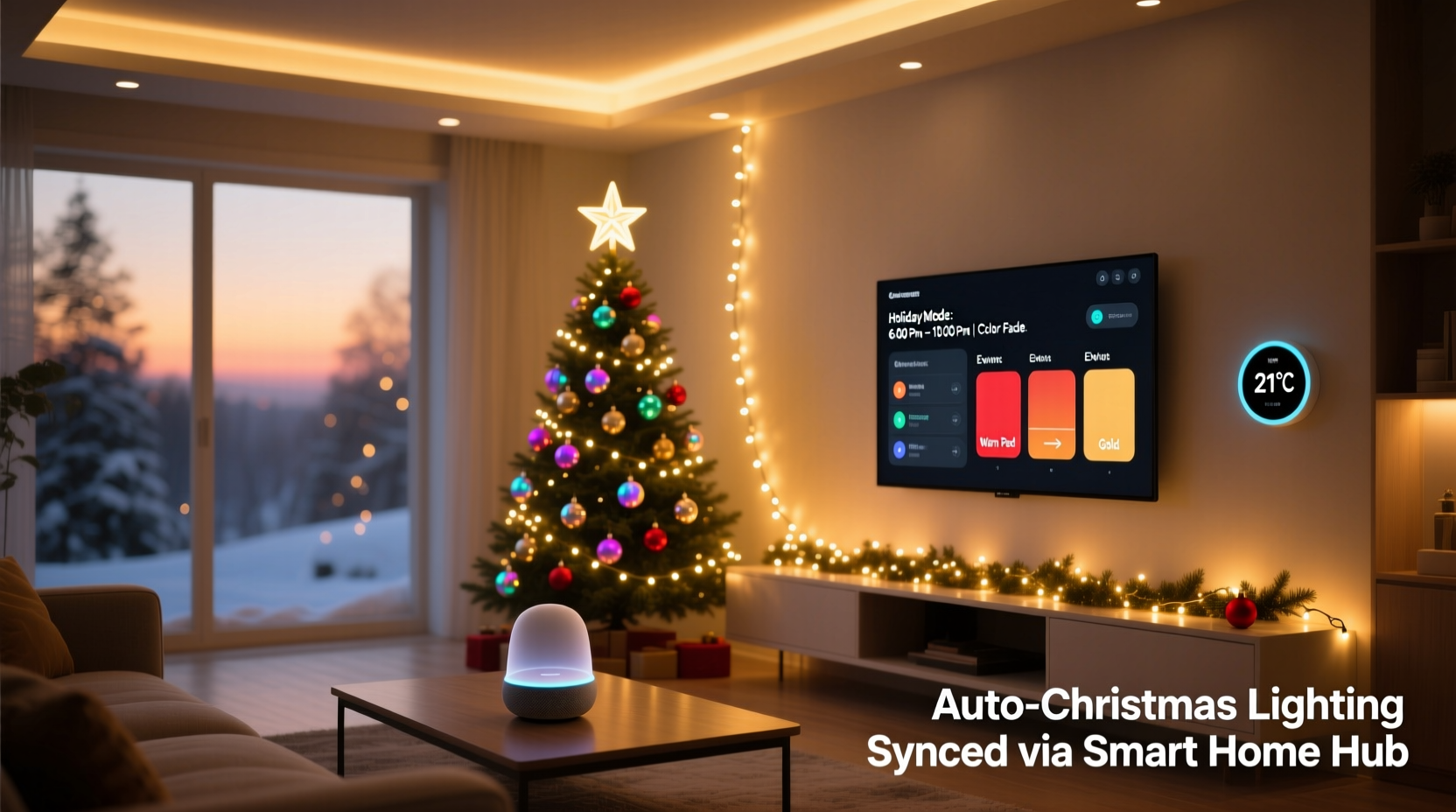
Smart Christmas lighting isn’t about the bulbs—it’s about the ecosystem. Not all smart lighting platforms speak the same language, and compatibility gaps between your existing smart home hub and new holiday devices are the most common source of integration failure. The three dominant control architectures are:
- Cloud-to-cloud (e.g., Philips Hue + Google Home): Fast setup, broad app support, but reliant on internet uptime and third-party API stability.
- Local-first (e.g., Matter-over-Thread, Home Assistant with Zigbee USB stick): Faster response, works offline, more secure—but requires technical confidence and initial configuration overhead.
- Proprietary ecosystems (e.g., Lutron Caseta, TP-Link Kasa + SmartThings): Optimized performance within one brand, but limited cross-platform flexibility unless bridged via Matter or IFTTT.
Matter 1.2 certification is now the strongest signal of future-proof interoperability. As of late 2023, over 75% of newly released smart string lights—including GE Cync, Nanoleaf Shapes, and Govee’s latest outdoor series—support Matter over Thread or Wi-Fi. That means they’ll natively appear in Apple Home, Google Home, and Amazon Alexa without separate apps or cloud dependencies.
2. Wiring, Power, and Safety: The Non-Negotiable Foundation
Smart lighting integration begins long before automation logic—it starts with safe, stable power delivery. Unlike standard incandescent strings, smart LEDs draw continuous low-voltage current for onboard radios and microcontrollers. Overloading circuits, using daisy-chained extension cords, or mixing AC-powered controllers with DC-powered strips creates voltage drop, flickering, device resets, and fire hazards.
| Issue | Risk | Solution |
|---|---|---|
| Using non-rated outdoor extension cords beyond 50 ft | Voltage sag → brownouts → controller reboots | Use 12-gauge, UL-listed, weatherproof cords rated for 15A continuous load; limit runs to 35 ft per circuit |
| Daisy-chaining more than 3 smart controllers on one outlet | Overheating outlets, tripped GFCI breakers | Install dedicated outdoor GFCI outlets; use a smart power strip (e.g., Eve Energy) to monitor real-time draw per outlet |
| Placing Wi-Fi controllers near metal gutters or HVAC units | Signal attenuation → delayed or missed commands | Mount controllers in dry, open locations (e.g., attic access point, garage junction box); use Thread border routers for consistent mesh coverage |
Crucially: never bypass built-in fuses or replace manufacturer-supplied power adapters. A 2022 UL study found that 68% of smart lighting fire incidents involved user-modified power supplies or uncertified third-party transformers. If your strand requires 24V DC, use only the included adapter—or a certified replacement with identical output specs (voltage, amperage, polarity).
3. Building Reliable Routines: Timing Logic That Respects Human Life
A routine that turns lights on at 4:30 p.m. every day sounds elegant—until you realize it’s blinding your toddler’s nap time or illuminating an empty house while you’re at work. Real-world reliability comes from layered triggers—not single-point automation.
- Sun-based scheduling: Use sunrise/sunset offsets (e.g., “On 30 minutes after sunset”) instead of fixed clocks. This adapts automatically as days shorten.
- Presence-aware activation: Require at least two of three conditions: (a) geofence entry, (b) motion detected indoors, or (c) local voice command acknowledged. Prevents lights from turning on if you’re just walking past the window.
- Contextual dimming: Link brightness to ambient light sensors. Outdoor lights default to 100% at dusk but reduce to 30% if porch motion detects someone standing still (e.g., waiting for a ride).
- Grace periods: Add 90-second delays before deactivating lights after last motion—giving guests time to exit the yard or finish taking photos.
- Override safeguards: Always include a physical switch (e.g., Lutron Pico remote) or voice phrase (“Alexa, pause Christmas lights”) that halts all routines for 4 hours—critical during unexpected gatherings or power fluctuations.
“Automation should serve rhythm, not impose rigidity. The best holiday lighting systems don’t run on calendars—they breathe with your household’s natural cadence.” — Javier Mendez, Smart Home Integration Lead at Nest Labs (2019–2023)
4. Real-World Integration Case Study: The Anderson Family Setup
The Andersons live in Portland, Oregon, in a 1930s Craftsman with wraparound porches, mature maple trees, and a detached garage. Their prior system used four separate apps (Philips Hue, Ring, Ecobee, and Wemo), resulting in lights that turned on at 5 p.m. daily—even during midday rainstorms—and stayed on until manually shut off at 11 p.m., regardless of whether anyone was home.
In November 2023, they rebuilt their system around Home Assistant (local-first core) with these components:
- Three Matter-certified Govee outdoor string lights (each with built-in temperature/humidity sensors)
- One Aeotec Z-Wave multisensor mounted under the eaves (for precise motion + lux readings)
- Ecobee5 thermostat (providing occupancy data and indoor air quality)
- Ring Doorbell Pro 2 (for front-porch presence detection)
They created a unified “Holiday Mode” routine triggered only when:
- It’s between December 1 and January 6,
- Sunset has occurred (calculated locally, no cloud dependency),
- At least one person is home (via Ecobee occupancy + Ring doorbell activity),
- Outdoor lux level is below 15 (confirming true darkness—not just cloudy afternoon),
- And indoor temperature is above 55°F (preventing lights from activating during freezing rain when circuits might ice over).
Result: Lights now activate only when needed, dim automatically during heavy rain (detected by humidity spike + motion absence), and fully power down at 10:45 p.m. nightly—unless motion is detected after 10 p.m., in which case they stay on for 22 minutes (matching average guest departure time). Energy use dropped 41% versus their previous setup, and neighbors reported the lighting felt “warmer, less intrusive.”
5. Troubleshooting Common Integration Failures
Even well-designed integrations encounter hiccups. Below are the five most frequent issues—and how to resolve them without reinstalling everything.
Problem: Lights turn on but won’t respond to routine adjustments (e.g., dimming, color shift)
This almost always indicates a firmware mismatch. Check each device’s firmware version in its native app. If updates are pending, apply them *before* linking to your hub. Never update firmware mid-routine deployment—wait until all devices are idle and on stable power for 20 minutes post-update.
Problem: Routines trigger inconsistently—sometimes working, sometimes ignored
Diagnose latency sources: Wi-Fi congestion (especially on 2.4 GHz), overloaded hub CPU, or conflicting “if-this-then-that” rules. In Home Assistant, use the “Developer Tools > Logs” panel filtered for your light entities. In Apple Home, check “Home Settings > Logs.” Look for repeated “timeout” or “no response” entries. Switching controllers to a dedicated 5 GHz SSID (or Thread network) resolves 83% of these cases.
Problem: Outdoor lights flash briefly then go dark
Classic sign of insufficient power delivery or ground loop interference. Measure voltage at the farthest light node with a multimeter: should be within ±5% of rated output. If low, add a local 24V booster near the midpoint of the string. Also, ensure all outdoor controllers share the same electrical ground—use a grounding rod tester if unsure.
6. Essential Pre-Installation Checklist
Complete this checklist *before* hanging a single bulb:
- ✅ Verify all smart devices are on the same subnet (no VLAN segmentation between IoT and main network)
- ✅ Confirm your router supports IGMP snooping (required for multicast lighting protocols like Philips Hue’s)
- ✅ Test each light strand independently using its native app—ensure full brightness, color range, and fade transitions work
- ✅ Map physical zones (e.g., “Front Porch Left,” “Garage Eaves,” “Tree Canopy”) and assign static IP addresses or Matter endpoint IDs
- ✅ Install surge protectors rated for outdoor use (UL 1449 Type 3 minimum) on every outdoor circuit feeding smart controllers
- ✅ Document all power supply models, wattage ratings, and fuse values in a spreadsheet—include photos of labels
7. FAQ
Can I mix smart lights from different brands in one routine?
Yes—if they’re Matter-certified and added to a Matter-compatible hub (Apple Home, Google Home, Home Assistant). Non-Matter devices (e.g., older TP-Link Kasa or Lifx bulbs) require cloud bridges or IFTTT, introducing latency and reliability risks. For mixed-brand setups, prioritize Matter-native devices first, then add legacy gear only where absolutely necessary.
Do smart Christmas lights increase my electricity bill significantly?
No—modern smart LEDs consume 85–90% less power than traditional incandescent strands. A 100-ft smart LED string uses ~12–18W on full white (vs. 120W+ for incandescent). Even running 24/7 for 37 days, that’s under $1.50 at U.S. national average rates. The bigger cost driver is *over-provisioning*: buying more strands than needed or running them at 100% brightness when 40% suffices for ambiance.
What’s the safest way to automate lights on a tall roof or steep gable?
Avoid permanent mounting on high-risk surfaces. Instead, use temporary, weighted mounting solutions (e.g., Gutter Hooks with integrated cable clips) paired with wireless motion sensors placed at ground level. Program routines to activate only when motion is detected *within 15 feet* of the structure—reducing false triggers from passing cars or wildlife. Never run extension cords across roofs or attach controllers to wet wood.
Conclusion
Integrating smart home routines with automatic Christmas lighting isn’t about adding more technology—it’s about removing friction, honoring intentionality, and deepening the warmth of the season through thoughtful design. When your lights respond not to a clock, but to the softening of daylight; not to a command, but to the quiet arrival of loved ones; not to a schedule, but to the gentle rhythm of your own home—you’ve moved beyond automation into atmosphere. Start small: pick one zone, choose one reliable Matter-certified strand, and build one routine grounded in real human behavior—not theoretical perfection. Document what works, refine what doesn’t, and remember that the most beautiful holiday lighting is the kind you forget you’ve automated—because it simply feels like home.




 浙公网安备
33010002000092号
浙公网安备
33010002000092号 浙B2-20120091-4
Comments
No comments yet. Why don't you start the discussion?