
The holiday season brings joy, warmth, and a tradition many look forward to: decorating with festive lights. But manually turning on and off strings of Christmas lights every evening can become tedious. Enter the modern solution—smart home technology. By integrating smart sensors with your Christmas light routines, you can automate your display based on real-world conditions like motion, ambient light, or even weather. This not only enhances convenience but also improves energy efficiency and security during the holidays.
Whether you're managing indoor string lights or an elaborate outdoor display, connecting sensors to your lighting setup transforms static decorations into responsive, intelligent systems. From dusk-to-dawn automation using light sensors to triggering animations when guests approach, the possibilities are both practical and magical. The key lies in understanding which sensors work best, how they communicate with smart lighting systems, and how to configure reliable automations.
Understanding Smart Home Sensors and Lighting Systems
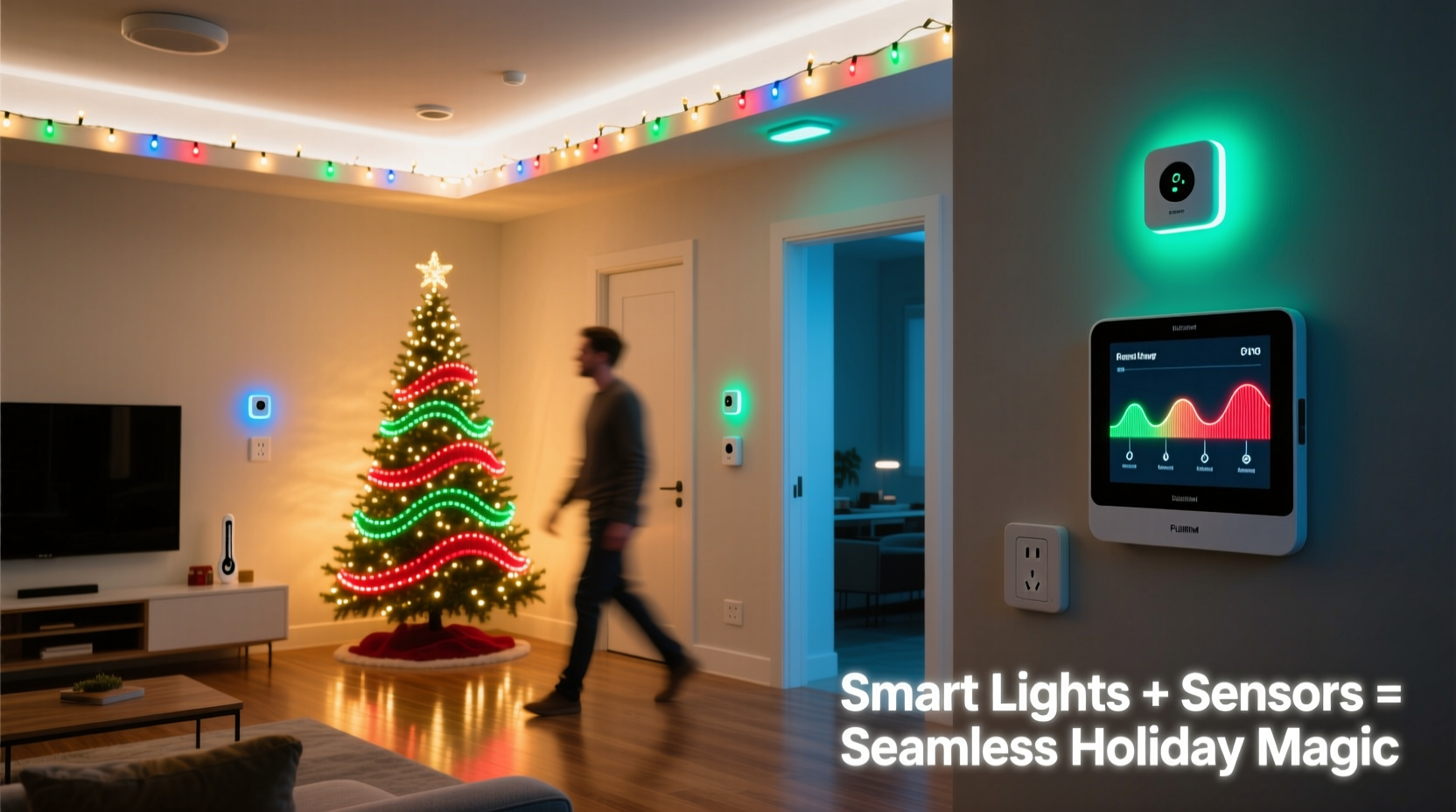
Smart home ecosystems rely on interconnected devices that communicate via hubs, Wi-Fi, Bluetooth, Zigbee, or Z-Wave protocols. To integrate sensors with Christmas lights, you need compatible components across three categories: sensors, smart plugs or controllers, and a central automation platform (such as Google Home, Apple HomeKit, Amazon Alexa, or Hubitat).
Common sensor types used in holiday lighting setups include:
- Light (ambient) sensors – Detect natural light levels to trigger lights at sunset and turn them off at sunrise.
- Motion sensors – Activate lights when movement is detected near entryways or walkways.
- Temperature sensors – Useful in cold climates; can prevent light operation during freezing conditions if wiring is vulnerable.
- Door/window contact sensors – Can initiate a “welcome home” light sequence when the front door opens.
- Weather sensors – Connected via internet APIs, these allow cancellation of routines during high wind or storms.
Christmas lights themselves don’t usually have built-in intelligence, so they must be connected through smart outlets or addressable LED controllers like those from Nanoleaf, Philips Hue, or TP-Link Kasa. These act as intermediaries between your physical lights and digital commands.
“Automation isn't just about convenience—it's about creating experiences. A well-timed glow triggered by presence or darkness adds emotional resonance to holiday decor.” — Daniel Reeves, Smart Living Architect at HomeLogic Labs
Step-by-Step Guide to Integration
Follow this structured process to successfully link sensors with your Christmas light routines:
- Inventory Your Equipment: List all existing smart devices, including bulbs, plugs, sensors, and voice assistants. Confirm compatibility (e.g., whether your motion sensor works within the same ecosystem as your smart plug).
- Install Hardware: Place outdoor motion sensors near pathways or entrances. Mount ambient light sensors away from artificial glare. Plug Christmas lights into smart outlets positioned safely indoors or under weatherproof enclosures outdoors.
- Connect Devices to a Central Platform: Use a hub like Samsung SmartThings, Hubitat Elevation, or Apple TV (as a HomeKit hub) to ensure reliable communication between sensors and lights.
- Create Automations: In your chosen app (e.g., Alexa Routines, Apple Shortcuts, Google Home App), build rules such as:
- If ambient light falls below 50 lux → Turn on porch lights.
- If motion detected between 4 PM and 9 PM → Flash tree lights for 30 seconds.
- Test and Refine: Run tests at different times of day. Adjust sensitivity settings on motion detectors to avoid false triggers from pets or passing cars.
Real Example: A Responsive Front Yard Display
Consider Sarah, a homeowner in Portland, Oregon, who wanted her Christmas display to feel alive without running lights all night. She installed two wireless motion sensors—one near her driveway gate and another beside the sidewalk—and connected her roofline and tree lights to four TP-Link Kasa smart plugs.
Using the Kasa app, she created multiple routines:
- Sunset Activation: At dusk, determined by geolocation and confirmed by an ambient light sensor, all lights turn on at 70% brightness.
- Guest Welcome Sequence: When motion is detected after dark, the system triggers a 20-second rainbow animation across her RGB strip lights wrapped around the porch columns.
- Auto-Shutdown: All lights power down at 11 PM unless overridden by manual command.
She later added a weather-based rule: if local forecasts predict winds over 35 mph, the routine disables until conditions improve—preventing damage to fragile connections. Over the season, her display drew compliments while reducing energy usage by 40% compared to previous years.
Do’s and Don’ts: Sensor Integration Best Practices
| Action | Recommendation |
|---|---|
| Do use geofencing alongside motion detection | Leverage phone location to activate full displays only when family members are nearby, saving energy when no one’s home. |
| Do group lights logically | Separate indoor, outdoor, and accent lights into distinct zones for precise control. |
| Don’t overload a single smart plug | Check wattage limits. Most smart outlets support up to 1,800 watts; exceeding this risks overheating. |
| Don’t place motion sensors where snow accumulation is likely | Winter precipitation can block detection fields. Mount above eaves or use heated enclosures. |
| Do update firmware regularly | Manufacturers often release stability improvements and new automation features. |
Expanding Functionality with Voice and Scheduling
While sensors provide reactive control, combining them with scheduled routines creates a hybrid system that’s both dynamic and predictable. For example:
- Set lights to begin operating daily at 4 PM from December 1–31.
- Within that window, allow motion or darkness to determine actual activation moments.
- Add voice commands: “Alexa, start the holiday ambiance” could override default behavior for special gatherings.
Advanced users may employ tools like IFTTT (If This Then That) or Node-RED to create complex logic. One popular recipe uses data from Weather Underground: if the temperature drops below freezing and snow is forecasted, the system sends a notification and activates heated pathway markers while dimming decorative non-essential strands.
Checklist: Preparing Your Sensor-Driven Light Setup
Before launching your automated holiday display, complete the following steps:
- ✅ Verify all smart plugs and sensors are powered and online.
- ✅ Test individual components outside of routines (turn lights on/off manually).
- ✅ Confirm time zone and location settings are accurate in your smart home app.
- ✅ Program seasonal start and end dates for automations.
- ✅ Adjust motion sensor range and angle to cover desired areas.
- ✅ Implement a backup schedule in case sensor signals fail.
- ✅ Share access with household members via the app for collaborative control.
Frequently Asked Questions
Can I use regular Christmas lights with smart sensors?
Yes, absolutely. As long as the lights are plugged into a smart outlet or controlled by a compatible smart switch or LED controller, they can be integrated into sensor-based routines. Just ensure the total power draw stays within the device’s rated capacity.
What happens if my internet goes down?
This depends on your setup. Systems relying solely on cloud services (like basic Alexa Routines) may stop functioning. However, platforms with local execution (Apple HomeKit, Hubitat, or newer Thread-enabled devices) can continue running automations even without internet. For critical functions, prioritize locally processed rules.
Are there privacy concerns with motion sensors?
Most indoor-capable motion sensors do not record video or audio—they detect infrared changes indicating body heat and movement. Outdoor models typically lack storage capabilities. Always review manufacturer privacy policies and disable cloud logging if unnecessary. Avoid pointing sensors toward neighbors’ properties to maintain good relations.
Conclusion: Bring Intelligence to Holiday Magic
Integrating smart home sensors with Christmas light routines elevates seasonal traditions from static displays to interactive experiences. With thoughtful planning, you can craft lighting sequences that respond to people, time, and environment—adding delight while conserving energy and simplifying maintenance.
The technology is accessible, affordable, and increasingly intuitive. Whether it’s welcoming guests with a gentle glow, syncing lights to twilight hours, or protecting equipment during storms, automation puts you in control without demanding constant attention. As smart homes evolve, the line between practicality and enchantment continues to blur—in the best possible way.




 浙公网安备
33010002000092号
浙公网安备
33010002000092号 浙B2-20120091-4
Comments
No comments yet. Why don't you start the discussion?