
In recent years, smart home technology has transformed the way we celebrate the holidays. One of the most captivating innovations is the integration of smart mirrors with ambient Christmas lighting. These reflective surfaces do more than just show your reflection—they can respond to music, shift colors in sync with seasonal themes, and even project festive animations onto surrounding walls. When paired with dynamic lighting systems, smart mirrors become immersive focal points that elevate your holiday decor from traditional to futuristic.
The fusion of smart mirrors and ambient lighting isn’t just about aesthetics; it’s about creating an experience. Whether you’re hosting a holiday gathering or enjoying a quiet evening by the tree, this combination delivers ambiance, personalization, and interactivity. This guide walks through the technical and creative aspects of integrating these two technologies, offering practical steps, expert insights, and real-world examples to help you bring your vision to life.
Understanding Smart Mirrors and Ambient Lighting Systems
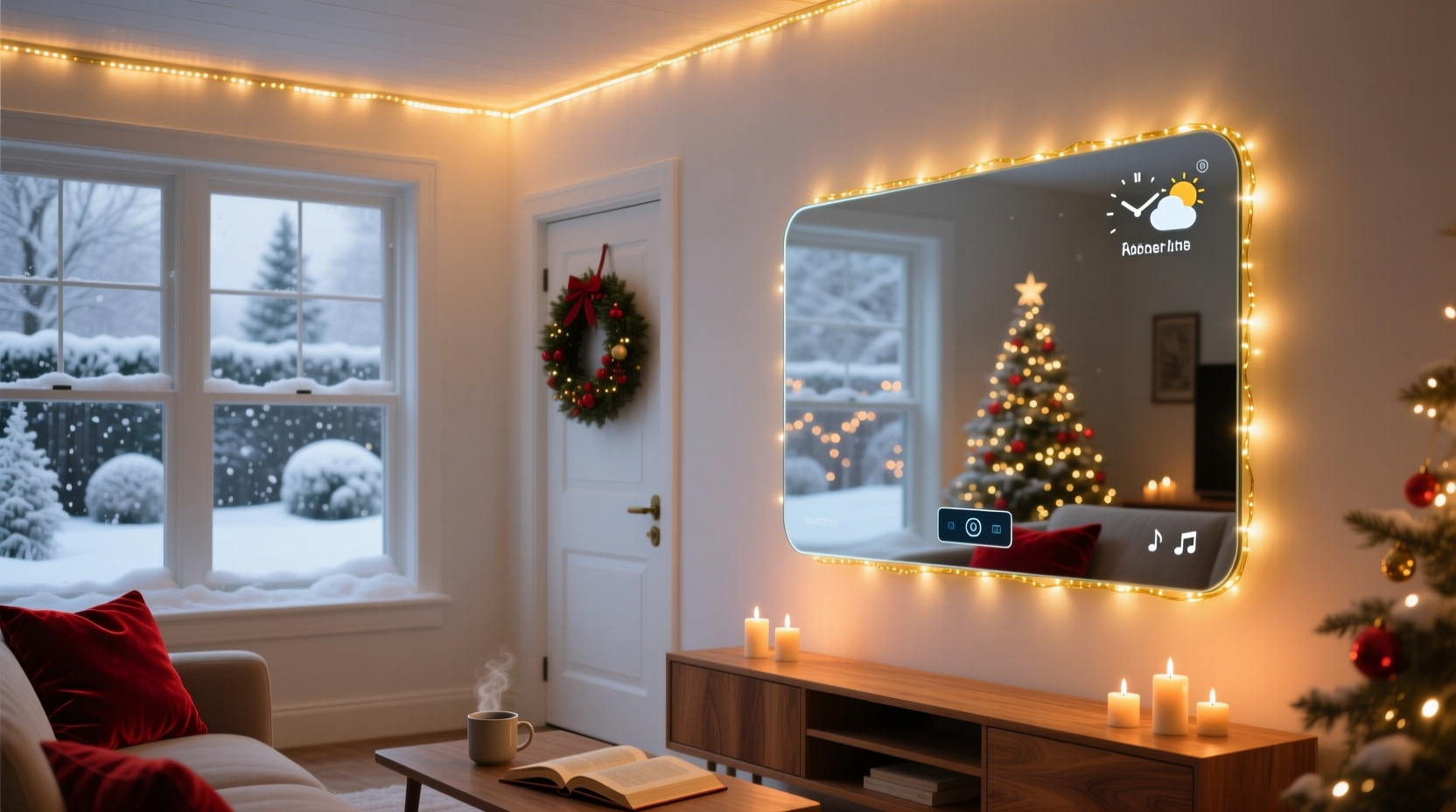
Before diving into integration, it's essential to understand what each component brings to the table. A smart mirror is typically a two-way mirror with an embedded display behind it, running on a small computer like a Raspberry Pi. It displays information such as weather, time, news, or custom graphics—often controlled via voice commands, mobile apps, or motion sensors.
Ambient lighting refers to soft, indirect illumination designed to enhance mood and atmosphere. In the context of Christmas, this often includes programmable LED strips (like Philips Hue, Nanoleaf, or Govee), light bulbs, and projection systems that change color, brightness, and pattern based on settings or triggers.
When combined, the smart mirror can act as both a control hub and a visual amplifier. For example, when the lights shift to red and green, the mirror might reflect those hues while displaying falling snowflakes or a holiday countdown. The synergy lies in synchronization: both systems should react to the same inputs—time of day, sound, user commands, or seasonal schedules.
Step-by-Step Guide to Integration
Successfully merging smart mirrors with ambient Christmas lighting requires planning, compatible hardware, and software configuration. Follow this timeline to ensure a seamless setup before the holiday season begins.
- Week 1: Assess Your Devices – Inventory your current smart lighting system and smart mirror capabilities. Check if they are on the same ecosystem (e.g., both support MQTT or IFTTT). If not, consider adapters or hubs like Samsung SmartThings.
- Week 2: Upgrade Firmware & Apps – Ensure all devices run the latest firmware. Update companion apps and test individual functionality. Verify Wi-Fi stability, as lag can disrupt synchronization.
- Week 3: Set Up Central Control – Use a central automation platform. Node-RED is ideal for advanced users, while IFTTT or Home Assistant works well for beginners. Create a “Christmas Mode” routine.
- Week 4: Program Lighting and Mirror Effects – Design synchronized scenes. For instance, set lights to pulse gently in red and green while the mirror overlays animated holly patterns. Test timing and transitions.
- Week 5: Add Triggers – Implement triggers such as voice commands (“Hey Google, start holiday mode”), motion detection, or scheduled times (e.g., 5 PM daily from December 1–25).
- Week 6: Final Testing & Tweaking – Run full simulations. Adjust brightness levels so reflections don’t overpower the room. Fine-tune delays between mirror visuals and lighting changes.
This phased approach prevents last-minute troubleshooting and ensures reliability during high-use periods like Christmas Eve.
Optimizing Visual Harmony: Matching Light and Reflection
One of the biggest challenges in integration is avoiding visual clutter. A mirror doubles everything—including chaotic lighting. To maintain elegance, focus on cohesion between color schemes, movement, and intensity.
Use a unified color palette. While classic red and green are festive, consider softer tones like warm white, gold, and deep crimson for a more refined look. Many smart LEDs allow precise color calibration using HEX or RGB values. Match these across your lighting strips and mirror display backgrounds.
Motion matters too. Avoid rapid strobing unless used sparingly for effect. Instead, opt for slow fades, gentle pulsing, or wave-like transitions that complement the mirror’s animations. For example, if the mirror shows a looping video of a snowy forest, program the lights to dim gradually like dusk settling.
| Lighting Effect | Mirror Visual Pairing | Best Use Case |
|---|---|---|
| Slow fade between red and green | Falling snow animation with holiday text | Daily ambient mode |
| Synchronized music-reactive pulses | Animated Christmas tree with blinking lights | Parties or family gatherings |
| Static warm white glow | Minimalist holiday greeting overlay | Evening relaxation |
| Color wave (blue to silver) | Icy fractal patterns or Northern Lights simulation | Winter theme nights |
Positioning also affects perception. Mount the mirror opposite or adjacent to primary light sources to maximize reflection without glare. Angling the mirror slightly upward can project effects onto the ceiling, creating a “starlight” illusion.
“Synchronization isn’t just technical—it’s emotional. When light and reflection move together, they create a sense of magic that resonates deeper than either element alone.” — Lena Petrov, Interactive Environment Designer, MIT Media Lab
Tips for Seamless Automation and User Experience
Even the most beautiful setup fails if it’s difficult to use. Prioritize simplicity and reliability in your automation design.
- Label all scenes clearly (e.g., “Holiday Cozy,” “Festive Party,” “Midnight Glow”) so family members can activate them easily.
- Use geofencing to trigger “Coming Home” scenes—when your phone enters the driveway, the mirror greets you with a holiday message while the lights warm up.
- Include manual override options. Not every moment calls for full spectacle; allow quick toggles to disable effects without resetting configurations.
- Minimize latency. If the mirror lags behind the lights by more than half a second, the illusion breaks. Use local processing where possible instead of cloud-dependent actions.
Mini Case Study: The Johnson Family Holiday Living Room
The Johnsons in Portland, Oregon, wanted to modernize their annual Christmas display without losing warmth. They installed a 32-inch smart mirror above their mantel and wrapped LED strips around shelves, windows, and the base of their tree. Both systems were connected via Home Assistant.
They created three primary modes: “Morning Cheer” activated at 7 AM with soft golden light and a mirror display showing the day’s Advent calendar door. “Evening Glow” began at sunset, syncing amber and pine-green lighting with a gently rotating 3D snow globe on the mirror. Finally, “Party Mode” responded to music volume, making lights and mirror visuals pulse in rhythm during gatherings.
Within two weeks, their children were using voice commands to “make it feel like Christmas,” and guests consistently remarked on the enchanting atmosphere. The key to success was consistency in color, smooth transitions, and intuitive controls—proving that high-tech holiday setups can still feel personal and inviting.
Checklist: Pre-Integration Preparation
Before connecting your smart mirror and lighting system, complete this checklist to avoid compatibility issues and frustration.
- Confirm both devices are on the same Wi-Fi network (or mesh system).
- Verify API access or automation support (e.g., Hue Bridge, MQTT, REST).
- Install and test central automation software (Home Assistant, Node-RED, IFTTT).
- Design at least two holiday-themed scenes with matching visuals and lighting.
- Test reflection angles and adjust fixture placement to reduce glare.
- Set up backup controls (mobile app, physical switch) in case of failure.
- Document device IPs, login details, and scene names in a secure location.
Completing this checklist ensures a smoother integration process and reduces downtime during the holidays.
Common Pitfalls and How to Avoid Them
Even experienced smart home users encounter issues when blending multiple systems. Awareness of common problems can save time and enhance performance.
Over-saturation of effects: Too many flashing lights and moving images can overwhelm. Stick to one dominant animation at a time. Let the mirror or the lights take center stage—never both simultaneously unless carefully choreographed.
Network congestion: During peak usage, especially with streaming or video calls, Wi-Fi interference may delay commands. Consider setting up a dedicated 2.4 GHz band for IoT devices or using Zigbee/Z-Wave for lights.
Power overload: Long LED runs and always-on displays draw power. Use surge protectors and check total wattage against circuit limits. Include a UPS (uninterruptible power supply) to prevent abrupt shutdowns.
Lack of fallback plan: If the smart mirror crashes, your lighting shouldn’t go dark. Program default scenes directly into the lighting controller so basic effects continue even if the mirror is offline.
FAQ
Can I integrate any smart mirror with any lighting system?
Not all combinations work out of the box. Compatibility depends on shared protocols (like MQTT, HTTP APIs, or voice assistant ecosystems). Open-source platforms like Home Assistant offer broader integration than proprietary apps. Always verify interoperability before purchasing.
Do I need coding skills to synchronize the systems?
Basic setups using IFTTT or Alexa Routines require no coding. However, advanced synchronization—such as music-reactive visuals with precise timing—may require simple scripting in Node-RED or Python. Tutorials and community forums make learning accessible even for beginners.
How can I make the setup child-friendly?
Create preset buttons via apps like Tasker or Blynk that let children activate scenes with a tap. You can also use physical smart switches labeled with icons (e.g., a snowflake for “Winter Mode”). Voice activation with wake-word customization (e.g., “Hey Santa, turn on Christmas”) adds fun and ease.
Conclusion: Bring Magic Home This Holiday Season
Integrating smart mirrors with ambient Christmas lighting transforms your space into a living holiday story. It blends cutting-edge technology with timeless tradition, offering a personalized, immersive experience that delights both young and old. With careful planning, compatible tools, and attention to detail, you can create moments of wonder that go beyond decoration.
The true value isn’t just in the lights or the screen—it’s in the shared glances of awe, the spontaneous dance parties under synchronized glows, and the quiet joy of a room that feels truly alive. This holiday season, don’t just decorate. Innovate. Illuminate. Inspire.




 浙公网安备
33010002000092号
浙公网安备
33010002000092号 浙B2-20120091-4
Comments
No comments yet. Why don't you start the discussion?