
Gaming mousepads are more than just accessories—they're precision tools that influence tracking accuracy, responsiveness, and overall gameplay performance. Over time, dust, oils from skin, and debris accumulate on the surface, degrading glide quality and potentially affecting sensor behavior. While cleaning seems straightforward, using the wrong method can permanently damage the fabric, warp stitched edges, or degrade coatings. The key is knowing exactly how to clean your mousepad properly—without compromising its integrity.
Whether you own a soft fabric pad, a hard plastic surface, or a hybrid model with micro-textured finishes, each requires specific care. This guide outlines safe, tested techniques backed by both user experience and manufacturer recommendations to keep your gaming mousepad in peak condition for years.
Understand Your Mousepad Material First
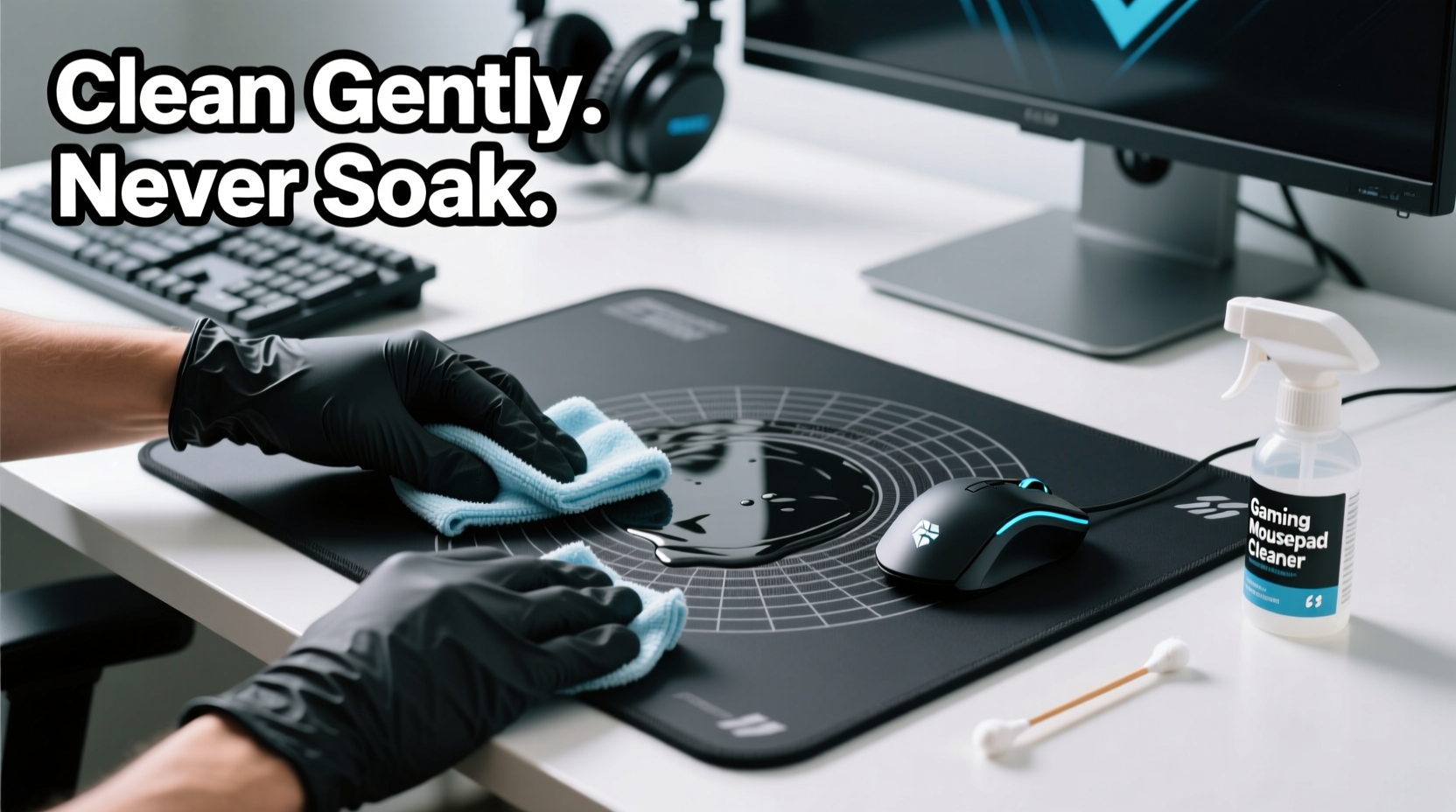
Not all mousepads are created equal. The cleaning approach depends heavily on the material composition. Using a one-size-fits-all method risks ruining high-end surfaces designed for competitive play. Here’s a breakdown of common types:
- Fabric (Cloth) Pads: Most popular among gamers, these offer balanced control and glide. Typically made from woven polyester or nylon with rubber backing. Sensitive to harsh scrubbing and soaking.
- Hard Surface Pads: Made from plastic, glass, or resin-coated boards. Provide ultra-fast tracking but can scratch easily if cleaned improperly.
- Hybrid Pads: Combine a smooth top layer with a textured base. Often have dual surfaces—one optimized for speed, another for control. Require careful attention to seams and layered construction.
“Many users assume their mousepad can handle any cleaner, but even mild chemicals like alcohol can break down polymer binders in premium fabrics.” — Daniel Reyes, Peripheral Engineer at GameGear Labs
Cleaning without identifying the type first increases the risk of irreversible damage. Always check the manufacturer’s care label or product manual before proceeding.
Step-by-Step Cleaning Process for Fabric Mousepads
Fabric pads collect the most grime due to their porous nature. However, they’re also the most vulnerable to warping and fraying when mishandled. Follow this precise sequence to clean without harm:
- Remove Debris with a Dry Method: Use a soft-bristled brush (like a clean makeup or lens brush) to sweep away loose dust and particles. Gently stroke in one direction to avoid fiber disruption.
- Spot Clean Stains (If Present): Dampen a microfiber cloth with distilled water only. Lightly dab stained areas—never rub aggressively. For stubborn smudges, mix one drop of mild dish soap into two tablespoons of water. Test on an inconspicuous edge first.
- Wipe the Entire Surface: Fold the damp microfiber into quarters to maintain cleanliness. Wipe the pad in straight lines from top to bottom, applying minimal pressure. Never saturate the surface.
- Air-Dry Flat: Lay the mousepad on a clean, dry towel in a well-ventilated area. Keep it away from direct sunlight or heat sources, which can cause curling or adhesive separation. Allow 6–12 hours for full drying.
- Final Brush (Optional): Once completely dry, lightly brush the surface again to restore texture uniformity.
Safe Cleaning for Hard and Hybrid Surfaces
Hard mousepads require less frequent cleaning but demand greater caution against abrasion. Their slick surfaces enhance tracking speed but are prone to fine scratches that disrupt glide consistency.
To clean a hard or hybrid pad:
- Spray a small amount of screen-safe electronics cleaner onto a microfiber cloth—not directly onto the pad.
- Wipe gently in circular motions, focusing on oily spots near where your hand rests.
- For dried residue (like dried sweat crystals), lightly moisten the cloth with distilled water and re-wipe.
- Dry immediately with a second clean microfiber to prevent streaks.
Do not use glass cleaners containing ammonia (e.g., Windex) as they can cloud coated surfaces over time. Similarly, avoid wipes with alcohol or solvents unless explicitly approved by the manufacturer.
Maintenance Frequency by Usage Level
| Usage Level | Fabric Pad Cleaning | Hard Surface Cleaning | Deep Cleaning Needed |
|---|---|---|---|
| Light (Casual use, 1–3 hrs/week) | Every 4–6 weeks | Every 6–8 weeks | Every 6 months |
| Moderate (Daily gaming, ~1 hr/day) | Every 2–3 weeks | Every 3–4 weeks | Every 3–4 months |
| Heavy (Competitive, 4+ hrs/day) | Weekly spot clean, bi-weekly wipe | Weekly | Every 6–8 weeks |
This schedule ensures optimal performance while minimizing wear from over-cleaning. Consistency beats intensity—regular light maintenance prevents buildup better than infrequent deep cleans.
Common Mistakes That Damage Mousepads
Even well-intentioned cleaning can backfire. These mistakes are frequently reported in gaming forums and repair logs:
- Soaking the Pad: Submerging fabric mousepads causes the rubber base to delaminate and promotes mold growth between layers.
- Using Household Cleaners: Bleach, vinegar, or multi-surface sprays strip protective coatings and degrade fibers.
- Machine Washing or Drying: Despite viral \"life hacks,\" washing machines distort shape and ruin stitching. Dryers apply fatal heat levels.
- Scrubbing with Rough Tools: Toothbrushes, sponges, or abrasive cloths create micro-tears that worsen over time.
- Rolling While Wet: Rolling a damp mousepad traps moisture inside, leading to bubbles, warping, or permanent creases.
“I’ve seen dozens of Razer and Logitech pads ruined by dishwasher ‘cleaning hacks.’ No peripheral is worth that risk.” — Lena Cho, Tech Support Lead at GearFix Hub
When in doubt, less is more. A slightly dusty pad performs better than a damaged one.
Prevention: Reduce Cleaning Needs Through Smart Habits
The best way to preserve your mousepad is to minimize contamination in the first place. Small behavioral changes dramatically extend cleaning intervals and lifespan.
Consider integrating these habits:
- Keep a dedicated microfiber cloth nearby for quick mid-session wipes.
- Use a wrist rest made of non-porous material (like silicone or treated leather) to reduce contact grime.
- Store the mousepad flat when not in use for extended periods—avoid folding or placing heavy objects on top.
- Use a desk mat underneath if your setup is on wood or laminate to prevent sliding and edge wear.
Mini Case Study: Competitive Player Extends Pad Life by 3 Years
Mark T., a semi-professional CS2 player from Berlin, used the same Artisan ProWeave XL mousepad for over three years—far exceeding the typical 12–18 month lifespan reported by peers. His routine was simple but consistent:
- Wiped the surface with a dry microfiber after every session.
- Performed a damp clean every two weeks using only distilled water.
- Avoided eating or drinking near his desk.
- Stored the pad flat in a low-humidity room when traveling to tournaments.
He noted: “I used to replace pads every season. Now I get longer consistency in tracking and save nearly $150 a year.” His pad shows minimal wear, with no fraying or discoloration—even under intense daily use.
Checklist: Safe Mousepad Cleaning Routine
Follow this checklist every time you clean your mousepad:
- ✅ Identify the material type (fabric, hard, hybrid).
- ✅ Remove loose debris with a soft brush or dry microfiber.
- ✅ Use only distilled water or manufacturer-approved cleaner.
- ✅ Apply liquid to cloth—not directly on the pad.
- ✅ Wipe gently in straight lines or circles (no scrubbing).
- ✅ Air-dry completely on a flat surface, away from heat/sunlight.
- ✅ Inspect for residue or texture changes before next use.
- ❌ Never soak, machine wash, or use alcohol-based products.
FAQ
Can I use isopropyl alcohol to disinfect my mousepad?
No. While isopropyl alcohol kills germs, it breaks down adhesives and synthetic fibers in most gaming pads. Even 50% dilution can degrade surface coatings over time. Stick to water-only methods or use a screen-safe electronics wipe labeled as non-corrosive.
How do I remove ink stains from a fabric mousepad?
Ink is extremely difficult to remove without damage. Attempting to lift it often spreads the stain or weakens fibers. If the mark is minor, try a single drop of dish soap mixed with water, applied with a cotton swab only to the affected spot. Blot—don’t rub—and rinse with a damp cloth immediately. Full removal is unlikely; prevention (keeping pens away) is better.
Is it safe to vacuum a mousepad?
Only with extreme caution. Standard vacuum attachments generate strong suction that can lift edges or distort thin pads. If necessary, use the soft brush attachment on the lowest setting and pass lightly over the surface without pressing down. A handheld dust blower or manual brushing is safer and more effective.
Conclusion: Maintain Performance, Protect Your Investment
Your gaming mousepad is a precision interface between you and your game. Treating it with care isn’t just about cleanliness—it’s about preserving performance, consistency, and longevity. By understanding your pad’s material, avoiding aggressive cleaning myths, and adopting gentle, regular maintenance, you ensure reliable tracking and a smoother glide every session.
High-quality mousepads represent a real investment, often costing $30 to $100 or more. With proper care, they can last several years instead of burning out in months. The habits you build today—like wiping down after use, storing flat, and choosing the right tools—compound into long-term reliability.




 浙公网安备
33010002000092号
浙公网安备
33010002000092号 浙B2-20120091-4
Comments
No comments yet. Why don't you start the discussion?