
Moving to a new mobile carrier can save you money, improve coverage, or offer better plans—but the thought of losing your phone number might hold you back. The good news: in most cases, you don’t have to. Thanks to a process called number portability, you can switch carriers while keeping your existing number intact. Whether you're upgrading, cutting costs, or escaping poor service, this guide walks you through every step to ensure a smooth transition—without missing a call.
Understanding Number Portability
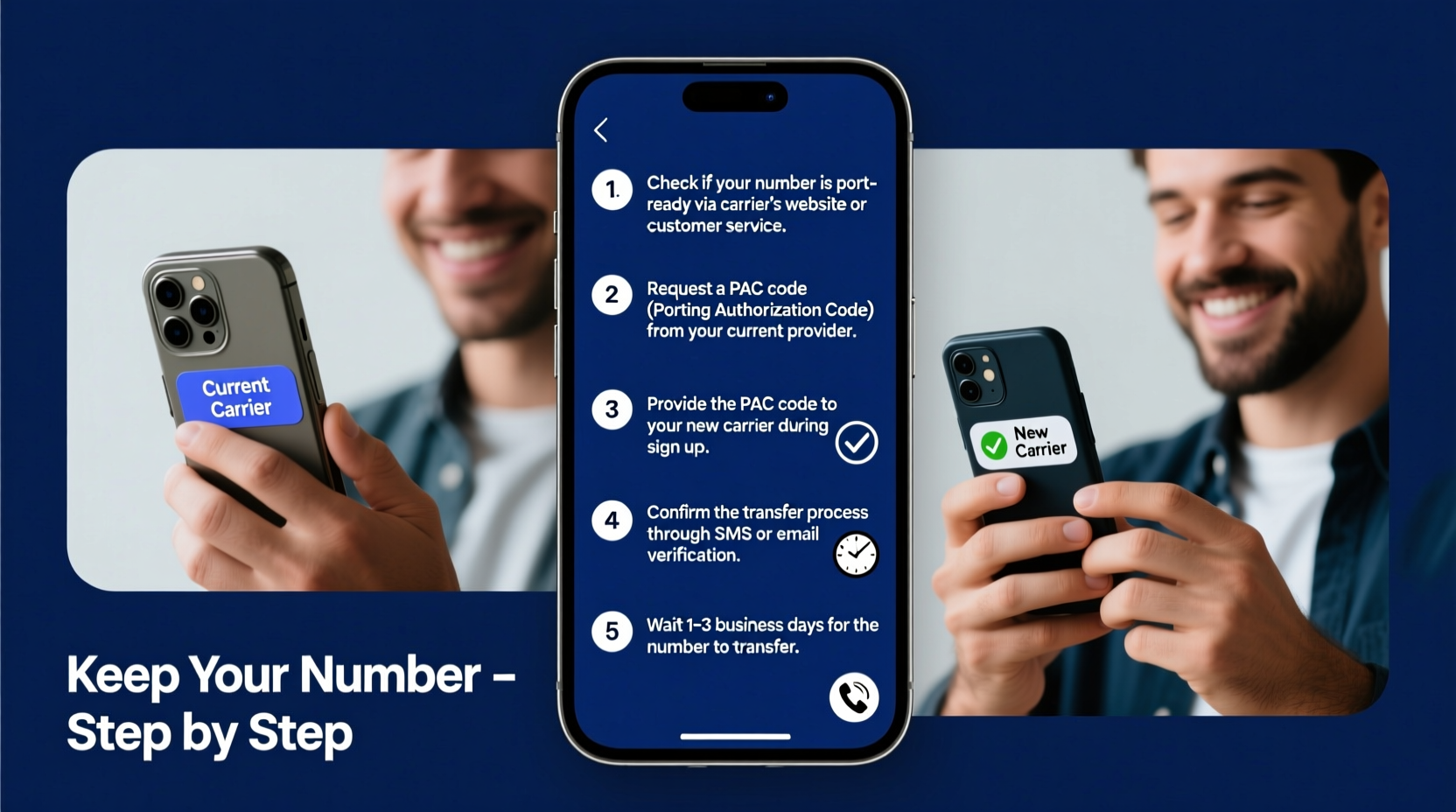
Number portability is a regulatory requirement in many countries, including the United States under FCC rules, that allows consumers to retain their phone numbers when changing service providers. This applies to both wireless and landline services. The system was designed to promote competition among carriers and give users more freedom to choose the best plan for their needs.
When you initiate a port, your new carrier requests your number from your current provider. Once approved, the number is transferred within a few hours to a few days. During this time, your old service remains active until the transfer completes—ensuring minimal downtime.
“Number portability has fundamentally changed consumer power in the telecom industry. It removes one of the biggest barriers to switching carriers.” — David Lin, Telecommunications Policy Analyst
Step-by-Step Guide to Keep Your Old Number
Transferring your number successfully requires preparation and attention to detail. Follow these steps carefully to avoid delays or errors.
- Verify eligibility: Confirm that your number is eligible for porting. Most local and national numbers are, but some VoIP (Voice over IP) or international numbers may not be. Also, ensure your account is in good standing with no outstanding balances.
- Gather required information: You’ll need your full name as it appears on the account, the phone number you want to transfer, the account number with your current carrier, and the PIN or password associated with your line (often called a “wireless number PIN” or “account security code”).
- Choose your new carrier: Research and select a new mobile provider that meets your needs. Make sure they support number porting—nearly all do, but confirm during sign-up.
- Initiate the port request: When signing up with the new carrier (online, in-store, or over the phone), explicitly state that you want to keep your current number. Provide all requested details accurately.
- Wait for confirmation: The new carrier will contact your current provider to begin the transfer. You’ll receive a confirmation message once the process starts. Avoid canceling your old service prematurely.
- Complete the transfer: Most ports take 24 hours for wireless numbers and up to 72 hours for landlines. Your new SIM card should activate automatically once the number is assigned.
- Test your service: After activation, make a test call, send a text, and check data connectivity. Verify that caller ID displays your old number correctly.
Essential Checklist Before Switching
Use this checklist to ensure you’re fully prepared before initiating a number transfer:
- ✅ Confirm your number is eligible for porting
- ✅ Locate your account number and PIN with your current carrier
- ✅ Ensure your device is unlocked (if using a different network)
- ✅ Back up contacts, messages, and photos
- ✅ Choose a new carrier and plan that fits your usage
- ✅ Order a new SIM card if required
- ✅ Initiate port during business hours for faster processing
- ✅ Keep your old phone powered on until the transfer completes
Common Pitfalls and How to Avoid Them
Even with a straightforward process, mistakes happen. Here’s a comparison of common errors and how to prevent them:
| Do’s | Don’ts |
|---|---|
| Provide accurate account information to the new carrier | Don’t guess or estimate your account number or PIN |
| Keep your old phone active until the port finishes | Don’t cancel your old plan before confirmation |
| Double-check spelling and digits when submitting details | Don’t submit incomplete or mismatched personal info |
| Contact customer support if the port takes longer than 72 hours | Don’t assume the transfer failed without verifying |
A Real-World Example: Sarah’s Smooth Carrier Switch
Sarah had been with her original carrier for eight years. Her contract ended, and she found a better unlimited data plan with a smaller regional provider offering free hotspot use. She was ready to switch but worried about losing her number—a personal line she’d used since college.
She followed the steps: backed up her phone, located her account number and PIN, and contacted the new carrier online. During sign-up, she selected “keep my number” and entered her details precisely. The new carrier processed the request the same day. Within 12 hours, her number was active on the new SIM. She tested calls and texts immediately. Her old service shut down automatically after verification, and she canceled the final bill manually.
The entire process took less than a day, cost nothing, and she saved $35 per month—all without changing her number.
Frequently Asked Questions
Can I keep my number if I’m switching from a landline to a mobile carrier?
Yes, in most cases. Many mobile providers support porting landline numbers. However, the process may take longer—up to five business days—and may require additional verification.
What happens if my number transfer fails?
If the port fails, your new carrier will notify you with a reason—such as incorrect account details or an active block on the line. Correct the issue and resubmit. Your old service remains active, so you won’t lose connectivity.
Will I lose service during the transfer?
There may be a brief window of 30 minutes to a few hours with no service during the final switch. Avoid scheduling important calls during this period. Your old service stays active until the moment of transfer.
Final Tips for a Seamless Transition
Timing matters. Start the port process early in the week and during regular business hours. Weekend or holiday submissions may face delays due to limited inter-carrier communication. Also, ensure your device is compatible with the new network—especially if switching from CDMA (Verizon, formerly Sprint) to GSM (AT&T, T-Mobile) or vice versa.
If you're transferring multiple lines, initiate each port separately to reduce confusion. Family plans often allow number retention for all members, but each line must meet eligibility requirements.
“Customers who prepare their account details in advance complete the porting process 70% faster than those who don’t.” — National Consumer Telecom Council
Take Control of Your Mobile Experience
Keeping your old phone number while switching carriers is not only possible—it’s standard practice. With the right preparation, the process is quick, free, and seamless. Don’t let fear of losing your number trap you in an expensive or underperforming plan. Use this guide to confidently move to a better provider, reduce your bill, and maintain your digital identity.




 浙公网安备
33010002000092号
浙公网安备
33010002000092号 浙B2-20120091-4
Comments
No comments yet. Why don't you start the discussion?