
Music enhances storytelling, sets the mood, and keeps viewers engaged. But one wrong track can trigger a copyright claim, demonetization, or even a video takedown. Thousands of creators unknowingly violate copyright law simply by adding background music they assume is “safe.” The truth is, there’s no such thing as “fair use” just because you’re not monetizing. If you want long-term success on YouTube, you need a strategy for using music legally—without sacrificing quality or creativity.
The good news: it’s entirely possible to use high-quality music in your videos while staying compliant with YouTube’s policies and international copyright laws. It requires understanding licensing, knowing where to source safe music, and planning ahead. This guide breaks down exactly how to do it—step by step.
Understanding Music Copyright on YouTube
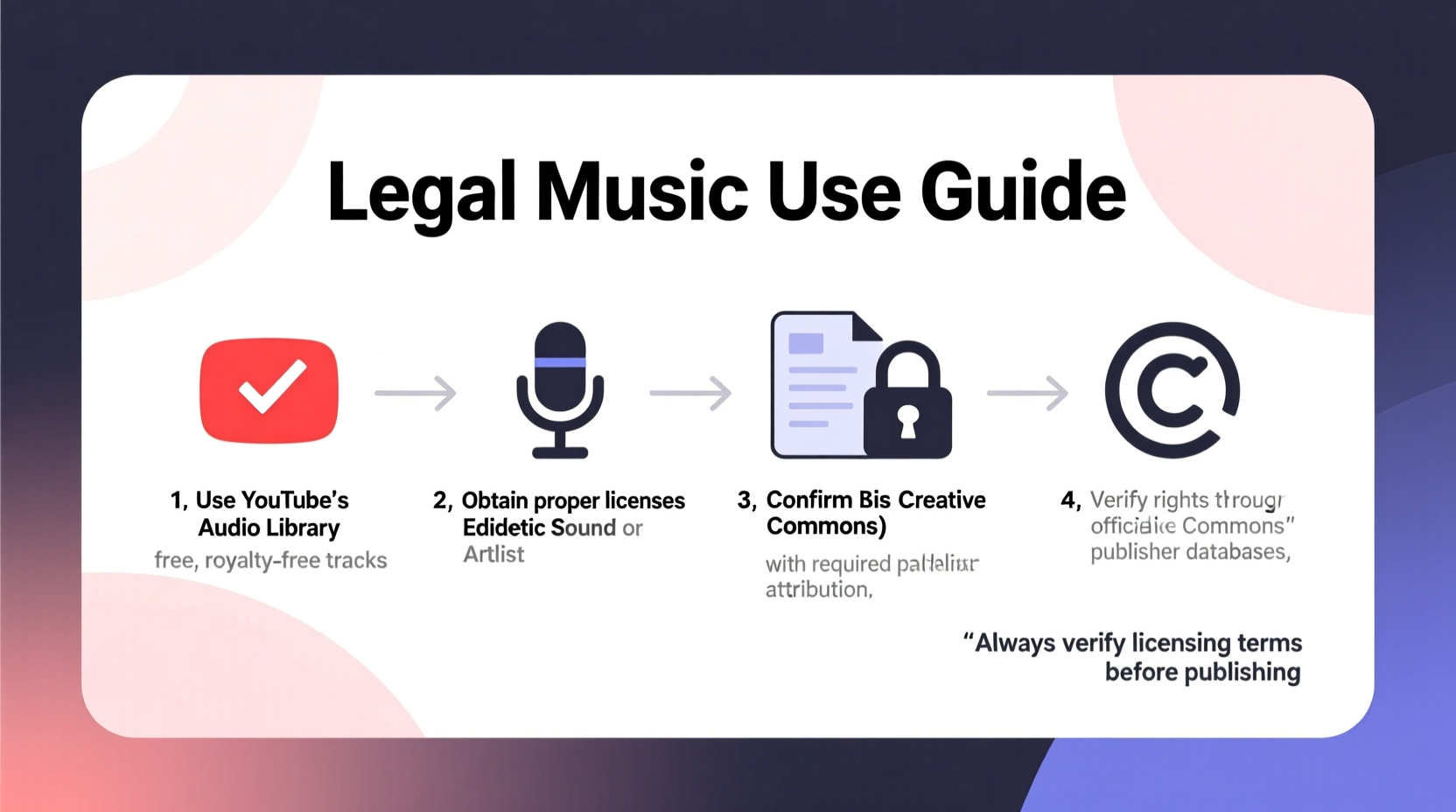
Every piece of music is protected by copyright from the moment it's created and fixed in a tangible form. On YouTube, two types of rights apply:
- Master Rights: Owned by the record label or artist who recorded the song.
- Composition Rights: Held by the songwriter or publisher who wrote the melody and lyrics.
When you use a copyrighted song—even 10 seconds—both rights holders may be detected by YouTube’s Content ID system. This can result in:
- A copyright claim (ads run on your video; revenue goes to the owner)
- Demonetization of your video
- Muted audio or blocked playback in certain regions
- Strikes against your channel if disputed improperly
“Using copyrighted music without permission is like driving someone else’s car without a key. You might get in, but eventually, you’ll get caught.” — Daniel Rivera, Digital Media Attorney
Fair use is often misunderstood. It applies only in specific cases—like commentary, criticism, or education—and doesn’t automatically protect incidental music use. Relying on fair use without legal counsel is risky.
Sources of Legal Music for YouTube
You don’t have to sacrifice production value to stay legal. High-quality, licensed music is widely available. Here are the most reliable options:
1. Royalty-Free Music Libraries
Royalty-free means you pay once (or nothing) and can use the music indefinitely under the license terms. Popular platforms include:
- Artlist.io – High-end cinematic tracks, single subscription covers all projects
- Epidemic Sound – Widely used by YouTubers; includes sound effects and sync licensing
- Bensound, Free Music Archive, Incompetech – Free options with attribution required
2. Creative Commons (CC) Licensed Music
Some artists release music under Creative Commons licenses, which allow reuse with conditions. Always check the specific license type:
- CC BY: Credit the creator, commercial use allowed
- CC BY-SA: Must share under same license
- CC BY-NC: Non-commercial use only (not ideal for monetized channels)
3. Public Domain Music
Music enters the public domain when copyright expires (typically 70+ years after the composer’s death). Classical works by Beethoven or Mozart are free to use. However, modern recordings of those pieces may still be copyrighted—so use caution.
4. Direct Licensing from Artists
You can contact independent musicians directly and negotiate a sync license. Many artists welcome exposure and may offer affordable rates or even free use in exchange for credit.
Step-by-Step Guide to Using Music Legally
Follow this process before publishing any video with music:
- Plan Your Music Needs Early
Decide the mood, genre, and duration during pre-production. - Select a Trusted Source
Choose from reputable royalty-free libraries or CC platforms with clear licensing. - Download With License Proof
Save the license file or confirmation email. Keep it organized by project. - Edit Music Into Your Video
Adjust volume, fade-ins/outs, and sync to visuals. - Attribute When Required
If the license requires credit, include it in the video description clearly. - Upload and Monitor
After uploading, check YouTube Studio for Content ID claims within 24 hours.
If a claim appears despite using licensed music, submit proof of license through YouTube’s dispute process. Reputable providers like Artlist and Epidemic offer official dispute support.
Do’s and Don’ts: Music Usage Checklist
| Do | Don’t |
|---|---|
| Use music from licensed royalty-free platforms | Use popular songs from Spotify, Apple Music, or radio |
| Credit artists when required by license | Assume “no copyright intended” protects you |
| Keep records of licenses and permissions | Use music from “free download” blogs without checking origin |
| Use YouTube Audio Library tracks with proper filters | Think background volume makes copyrighted music acceptable |
| Verify commercial use rights for monetized content | Reuse music across multiple projects without checking license scope |
Real Example: How a Travel Vlogger Avoided Copyright Strikes
Lena runs a travel channel with over 200,000 subscribers. After two videos were demonetized due to background music from a mainstream pop song, she researched alternatives. She subscribed to Epidemic Sound ($15/month) and began tagging every video with: “Music licensed via Epidemic Sound.”
Within three months, her content was consistently monetized, and she received no further claims. When a false Content ID match occurred on an original composition, she submitted her subscription proof and resolved it in 48 hours. Lena now recommends licensed music services in her community posts, calling it “the best $15 I spend each month.”
Frequently Asked Questions
Can I use music from TikTok or Instagram Reels on YouTube?
No. Just because a song is available on one platform doesn’t mean it’s cleared for YouTube. Each platform has separate licensing agreements. Using TikTok sounds on YouTube risks copyright claims unless the track is explicitly labeled as royalty-free.
Is the YouTube Audio Library completely safe?
Yes, but with caveats. All tracks in the YouTube Audio Library are free to use, including for monetized videos. However, filter by “No attribution required” if you don’t want to credit. Also, avoid mixing unlicensed sounds with copyrighted music, as the entire audio track could be flagged.
What happens if I get a copyright claim on a licensed track?
Occasionally, automated systems misidentify music. If you’ve used a properly licensed track, dispute the claim in YouTube Studio. Upload your license or subscription proof. Services like Artlist and Epidemic provide official letters to help resolve disputes quickly.
Final Tips for Long-Term Success
Building a sustainable YouTube channel means respecting intellectual property. Think of music licensing as part of your production budget—just like lighting or editing software.
Rotate between a few trusted music providers. Develop a consistent sonic brand—your audience will begin to associate certain styles with your content. And never assume silence is better than safe music. A well-chosen instrumental track can elevate emotion, pacing, and retention.
Take Action Today
Don’t wait for a strike to act. Audit your existing videos for copyrighted music using YouTube Studio’s Copyright dashboard. Replace risky tracks with licensed alternatives. Subscribe to a royalty-free service or build a library of public domain and CC-BY tracks. Your future self—and your channel’s growth—will thank you.




 浙公网安备
33010002000092号
浙公网安备
33010002000092号 浙B2-20120091-4
Comments
No comments yet. Why don't you start the discussion?