
Radio has evolved far beyond the traditional AM/FM dial. Today, thousands of stations broadcast live online, offering everything from local news and talk shows to niche music genres and international programming. Whether you're homesick for your hometown station or eager to explore underground DJs in Berlin, streaming live radio is easier than ever. With the right tools and knowledge, you can tune in from anywhere in the world—on your phone, laptop, or smart speaker.
Why Stream Live Radio Online?
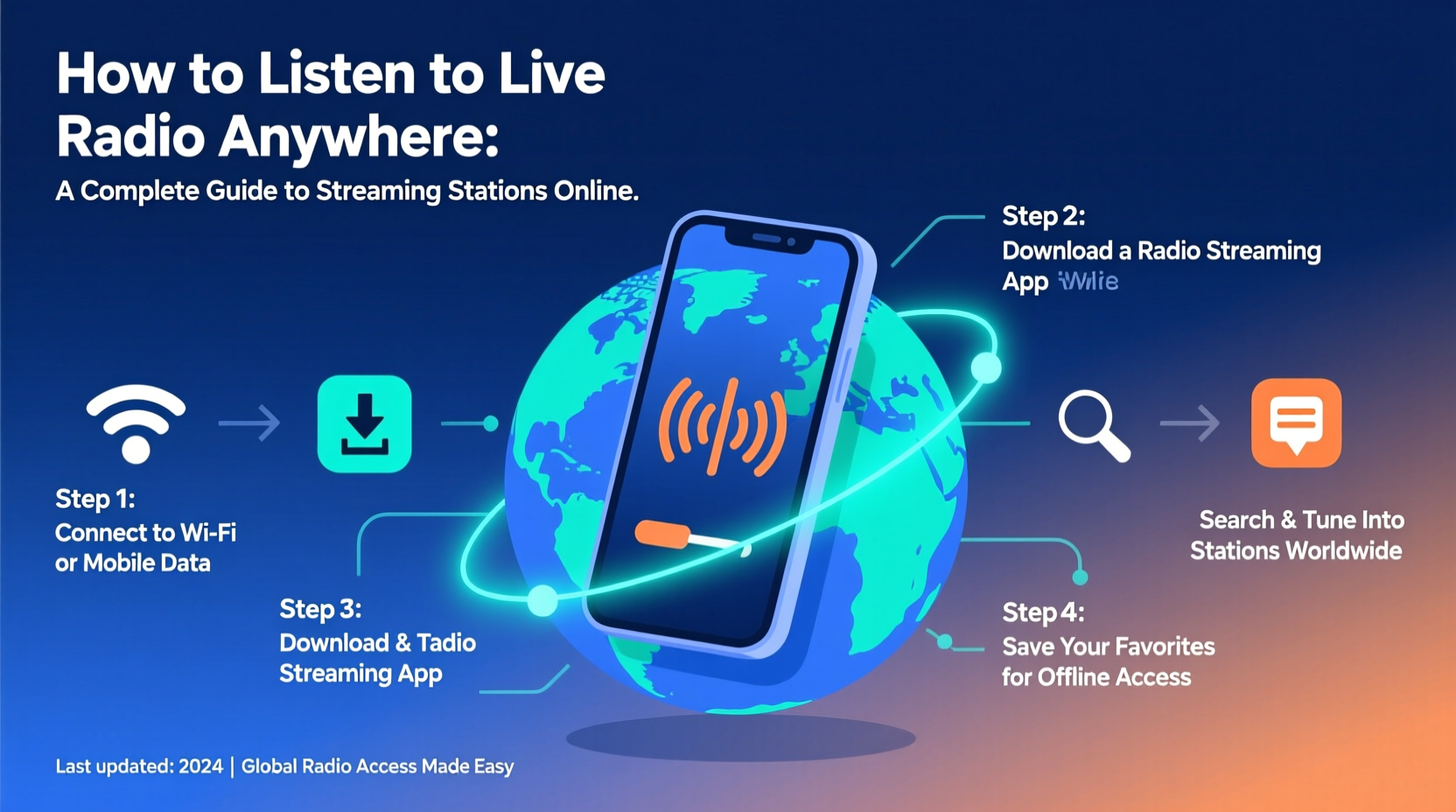
Live radio offers real-time connection. Unlike curated playlists or podcasts, it brings spontaneity: breaking news, live sports commentary, DJ banter, and unexpected song choices. For travelers, expats, or language learners, it’s a cultural lifeline. For music enthusiasts, it's a gateway to undiscovered artists and regional sounds not found on mainstream platforms.
Streaming also removes geographical limitations. A jazz station in New Orleans, a Bollywood channel in Mumbai, or a classical broadcaster in Vienna—all are accessible with an internet connection. Plus, most services are free, ad-supported, and require no subscription.
How to Find and Stream Live Radio Stations
The first step is discovering where stations are hosted. While some broadcasters run their own streams, many rely on third-party aggregators. Here’s how to locate them efficiently.
- Use Global Radio Directories: Websites like Radio Garden, TuneIn, and myTuner Radio index tens of thousands of stations by location, genre, and language.
- Search by City or Country: Type “[City] + live radio” into Google (e.g., “Tokyo jazz radio live”) to find local broadcasters with embedded players.
- Check Station Websites: Many public radio networks (like BBC, NPR, or Deutschlandfunk) offer direct live streams on their homepage.
- Leverage Apps: Mobile apps often provide better navigation and offline playlist saving than web browsers.
Once you’ve found a station, streaming is usually as simple as clicking “Play.” Most modern sites use HTML5 audio, eliminating the need for Flash or additional plugins.
Popular Platforms for Streaming Live Radio
| Platform | Best For | Free? | Mobile App | Notable Feature |
|---|---|---|---|---|
| TuneIn | Sports, news, global coverage | Yes (premium tier available) | iOS & Android | Integration with Alexa and Google Assistant |
| Radio Garden | Exploring stations by location | Yes | Web-based; limited app support | Interactive globe interface |
| myTuner Radio | Music genres and curated lists | Yes (with premium) | iOS & Android | Over 50,000 stations searchable by mood |
| Simple Radio | Reliable, fast streaming | Yes (Pro version $4.99) | iOS & Android | Favorites sync across devices |
| Live365 | Independent and user-created stations | Yes (limited) | Web-only | Host your own stream |
Step-by-Step Guide to Listening Anywhere
Follow this sequence to set up reliable, high-quality radio streaming on any device:
- Choose Your Device: Decide whether you’ll use a smartphone, tablet, desktop, or smart speaker. Each supports different apps and interfaces.
- Select a Platform: Install TuneIn or myTuner if you want broad access. Use Radio Garden for discovery. For U.S.-based listeners, iHeartRadio offers strong local station integration.
- Search Smartly: Use filters like “Language,” “Genre,” or “Country” to narrow results. Searching “Lisbon fado radio” yields more precise results than “Portuguese music.”
- Test the Stream: Some stations have buffering issues due to low bandwidth. If playback stutters, try a backup source or switch to a lower-quality stream if available.
- Save Favorites: Add frequently listened stations to a playlist or favorites list for one-tap access.
- Enable Background Play: On mobile, ensure the app allows background audio so you can listen while using other apps.
- Connect to Speakers: Use Bluetooth, AirPlay, or Chromecast to play through larger speakers at home or in the car.
Real Example: Staying Connected Abroad
When Maria moved from Buenos Aires to Oslo for work, she missed her favorite morning show on FM La Colifata, a community radio station run by mental health patients. She searched online and found the station listed on Radio Garden. By saving it in her myTuner app, she now listens every weekday during breakfast. Occasionally, the stream drops due to server instability, but she keeps the station’s official Facebook page open for live video broadcasts when needed. For Maria, the connection isn’t just about music—it’s emotional continuity in a new country.
Expert Insight on Digital Radio Trends
“Online radio is the most underutilized tool for cultural exchange. It preserves linguistic diversity and gives voice to communities that commercial media overlooks.” — Dr. Lena Patel, Media Anthropologist at King’s College London
Dr. Patel notes that over 70% of small-format radio stations now offer live streams, thanks to affordable cloud hosting and open-source broadcasting tools. This democratization means listeners aren’t limited to corporate-owned channels—they can explore hyperlocal content from villages in Indonesia or indigenous language programs in Canada.
Common Challenges and How to Solve Them
- Geo-Restrictions: Some stations block international listeners. Solution: Use a trusted VPN service to appear as if you’re accessing from within the country.
- Stream Downtime: Smaller stations may go offline unexpectedly. Solution: Follow them on social media for outage alerts or check alternative directories.
- Data Usage: Continuous streaming uses ~50MB per hour at standard quality. Solution: Connect to Wi-Fi when possible or download episodes if the station offers podcasts.
- Outdated Websites: Some broadcasters still use RealPlayer or Windows Media links. Solution: Use a browser with legacy plugin support or search for the same station on TuneIn.
Checklist: Start Listening in Under 10 Minutes
- ✅ Pick a streaming platform (e.g., TuneIn or Radio Garden)
- ✅ Install the app or open the website
- ✅ Search for a city, genre, or station name
- ✅ Click play to test the stream
- ✅ Save the station to your favorites
- ✅ Connect to external speakers (optional)
- ✅ Share the link with a friend who might enjoy it
Frequently Asked Questions
Can I listen to live radio without downloading an app?
Yes. Most stations and directories like Radio Garden or Streema work directly in your web browser. No installation is required.
Are there legal issues with streaming international radio?
No. Listening to live radio online is legal in virtually all countries. Broadcasters hold licenses for transmission, and streaming is considered part of that public service. However, re-broadcasting or downloading copyrighted content may violate terms.
Can I record a live broadcast for later?
Some apps allow recording, but be cautious. Copyright laws vary by country. Non-commercial personal use is generally tolerated, but redistribution is not permitted.
Final Thoughts
Streaming live radio breaks down borders—one frequency at a time. You don’t need special equipment or technical skills. With a few clicks, you can hear a preacher in Atlanta, a punk band in Warsaw, or a poetry reading in Cairo. The airwaves are no longer bound by towers or transmitters; they flow through fiber-optic cables and Wi-Fi signals, reaching anyone with curiosity and a connection.
Whether you're rediscovering childhood memories or exploring cultures firsthand, live radio remains one of the most authentic forms of digital storytelling. The world is broadcasting. All you need to do is press play.




 浙公网安备
33010002000092号
浙公网安备
33010002000092号 浙B2-20120091-4
Comments
No comments yet. Why don't you start the discussion?