
In an age where personal information is constantly at risk, maintaining control over who sees your phone number during a call has become more important than ever. Whether you're contacting a business, reaching out to someone cautiously, or simply protecting yourself from spam responses, hiding your caller ID can be a practical privacy tool. This guide provides a clear, responsible approach to making calls without revealing your identity—using built-in features, third-party apps, and carrier settings that are both accessible and legally compliant.
Understanding Caller ID and Why You Might Want to Hide It
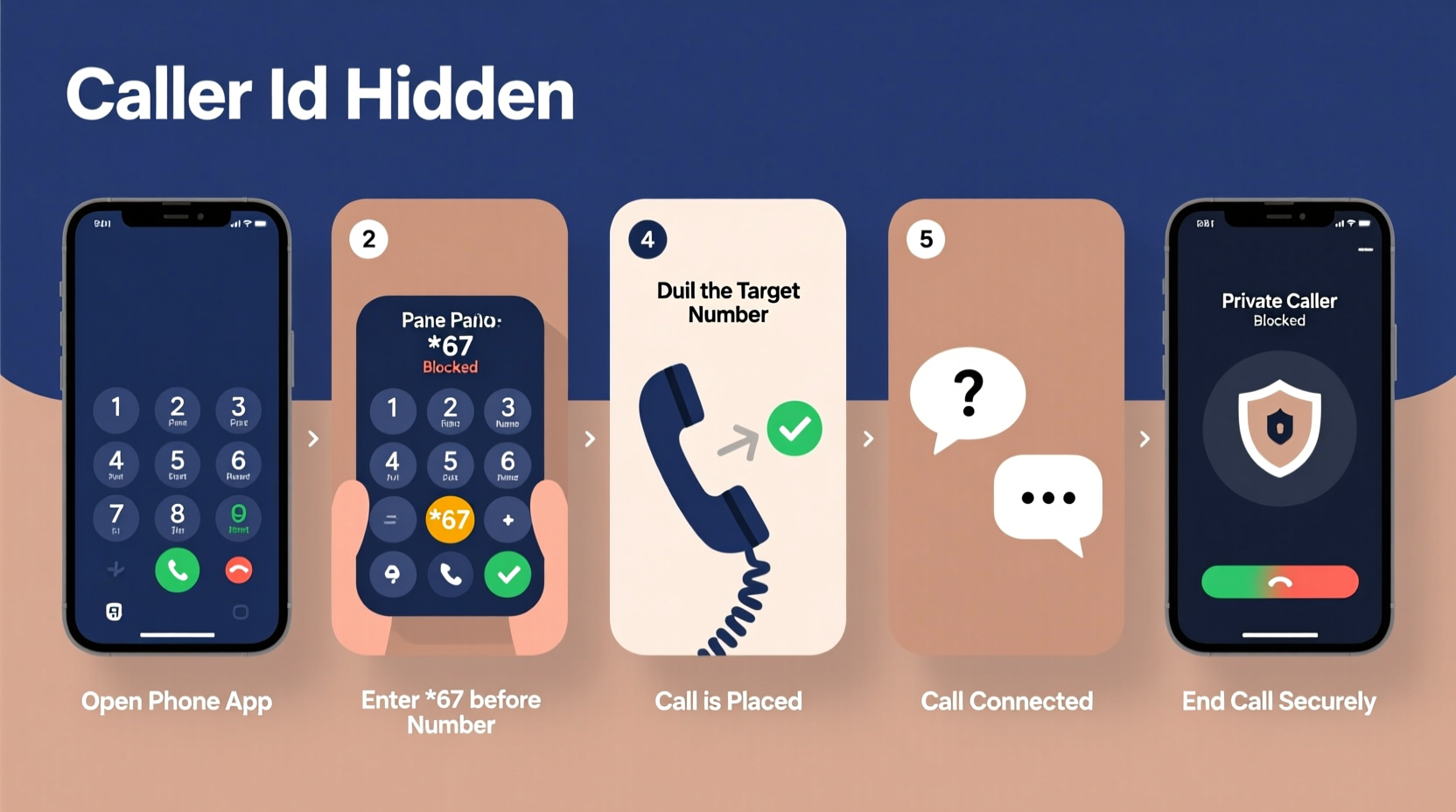
Caller ID is the feature that displays your phone number (and sometimes your name) on the recipient’s device when you place a call. While convenient for trusted contacts, it can expose your personal information in situations where discretion is necessary. Common reasons for hiding caller ID include:
- Contacting unfamiliar services or hotlines without leaving a traceable number.
- Protecting personal safety when dealing with sensitive conversations.
- Avoiding unwanted callbacks from businesses or telemarketers.
- Maintaining professional boundaries when using a personal line for work-related calls.
It's important to note that while masking your number is legal in most countries, using it for deceptive or malicious purposes—such as harassment or fraud—is not. Always use these tools responsibly and within the bounds of local laws.
Step-by-Step Guide to Making a Call with No Caller ID
You don’t need advanced technical skills to hide your number. Below is a straightforward, methodical process you can follow depending on your device and service provider.
- Determine Your Phone Type: Identify whether you’re using an iPhone, Android device, or landline, as steps may vary slightly.
- Use Built-In Settings (Recommended for Frequent Use):
- iOS: Go to Settings > Phone > Show My Caller ID and toggle it off.
- Android: Open the Phone app > Settings > Supplementary Services > Show My Number > Select “Hide.”
- Apply Temporary Suppression (For One-Time Calls): Dial *67 before entering the full phone number. For example:
*67 555-123-4567. This works on most U.S. carriers and many international networks. - Place the Call: After entering *67 + number, press call. The recipient will see “Private,” “Blocked,” or “Unknown” instead of your number.
- Verify Success: Ask a trusted contact to confirm your number did not appear, especially if this is your first time using the method.
- Re-enable Caller ID When Needed: To restore visibility, go back into settings or dial *82 before a number to unblock temporarily.
This sequence ensures flexibility—you can choose permanent hiding through settings or selective blocking per call using codes.
Alternative Methods: Apps and VoIP Services
If you frequently need to make private calls, relying solely on *67 or system settings may not be efficient. Third-party solutions offer enhanced functionality, including disposable numbers, voice masking, and encrypted calling.
| Method | How It Works | Best For |
|---|---|---|
| *67 Prefix | Temporarily blocks number on a per-call basis | Occasional use; no setup needed |
| Phone Settings | Disables caller ID globally until re-enabled | Users who want consistent privacy |
| Google Voice | Provides a secondary number; caller ID shows Google Voice number, not yours | Ongoing anonymous communication |
| Burner Apps (e.g., Burner, Hushed) | Generate temporary numbers for calls and texts | Short-term projects, dating, classifieds |
| VoIP Services (e.g., Skype, Line2) | Call over internet; display depends on account settings | International or business use |
Using apps like Google Voice allows you to maintain separation between your personal number and external interactions, adding a layer of digital hygiene. These tools are particularly useful for freelancers, real estate agents, or anyone managing multiple roles from one device.
“Privacy isn't about hiding something—it's about controlling what information you share and when.” — Dr. Lena Patel, Digital Security Researcher at MIT
Real-World Example: Protecting Yourself When Selling Online
Sophia decided to sell her old laptop on a local marketplace. Interested buyers started messaging, but she wasn’t comfortable sharing her personal phone number. Instead of avoiding calls altogether, she used *67 before dialing each potential buyer. This allowed her to discuss pickup details and answer questions without exposing her identity. Later, she downloaded a burner app to create a temporary number specifically for the sale, which expired automatically after five days. Her strategy protected her privacy while maintaining responsiveness—resulting in a smooth transaction without spam calls afterward.
This scenario reflects a growing trend: individuals leveraging simple technology to manage their digital footprint in everyday decisions.
Common Mistakes to Avoid
While hiding caller ID is generally safe, certain missteps can reduce effectiveness or lead to unintended consequences:
- Assuming all carriers support *67: Some rural or international providers may not recognize this code. Test first.
- Forgetting to re-enable caller ID: If you disable it globally, friends or family might not recognize incoming calls from you.
- Using unknown apps without research: Free “anonymous calling” apps may collect data or display ads aggressively. Stick to reputable platforms.
- Calling emergency services anonymously: Never block your number when dialing 911 or emergency lines—your location and callback info could be critical.
Frequently Asked Questions
Will the person know I blocked my number?
Yes, they’ll typically see “Private Number,” “Blocked,” or “Unknown” on their screen. They won’t know your actual number unless you reveal it during the conversation.
Can I receive calls if my caller ID is turned off?
Absolutely. Disabling caller ID only affects how your number appears when you initiate a call. It does not prevent others from calling you normally.
Does *67 work for text messages?
No. The *67 prefix only applies to voice calls. To send anonymous texts, you’d need a third-party app or web-based SMS service.
Final Thoughts and Responsible Use
Hiding your caller ID is a small but powerful way to take charge of your communication privacy. Whether you're using a quick dial code or setting up a long-term solution with a secondary number, the tools are readily available and easy to implement. The key is consistency and awareness—know when to use anonymity, when to be transparent, and always act ethically.
As digital interactions continue to blur the lines between public and private life, taking deliberate steps to protect your information isn’t paranoid—it’s prudent.




 浙公网安备
33010002000092号
浙公网安备
33010002000092号 浙B2-20120091-4
Comments
No comments yet. Why don't you start the discussion?