
Modern screens are delicate. Whether it’s the high-resolution display on your smartphone or the matte finish of your laptop, improper cleaning can lead to streaks, smudges, or even permanent damage. Commercial screen cleaners often contain harsh chemicals like ammonia or alcohol that may degrade anti-glare and oleophobic coatings over time. Fortunately, you don’t need expensive products to keep your screens spotless. With a few simple, non-toxic ingredients from your kitchen, you can create a safe, effective DIY screen cleaner that protects your devices while saving money.
Why You Should Avoid Store-Bought Cleaners
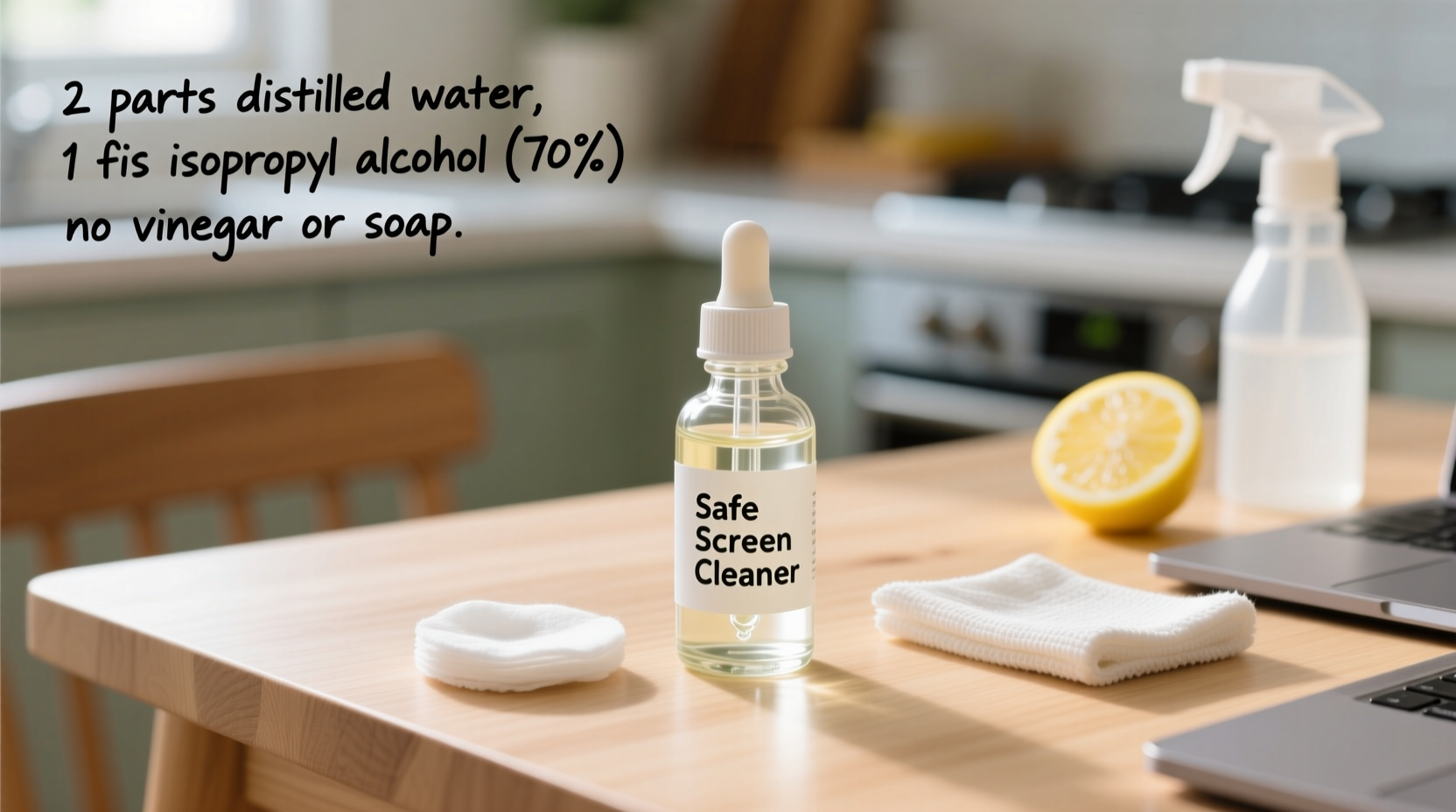
Many off-the-shelf screen cleaners include isopropyl alcohol, ammonia, or strong solvents to cut through grease and grime. While these substances may seem effective, they pose long-term risks:
- Ammonia-based solutions (like standard glass cleaners) can eat away at anti-reflective coatings and cause clouding on LCD and OLED panels.
- High-concentration alcohol (above 50%) dries out plastic bezels and degrades the oil-resistant layer on touchscreens, making them more prone to fingerprints.
- Abrasive additives in some sprays can micro-scratch surfaces, especially on softer phone screens.
“Using inappropriate cleaners is one of the top causes of premature screen degradation in consumer electronics.” — Dr. Lena Patel, Display Technology Researcher at MIT Media Lab
The safest approach? Make your own solution with controlled ingredients and apply it correctly.
Safe Ingredients for DIY Screen Cleaning
Creating an effective homemade screen cleaner starts with choosing the right components. The goal is to remove dust, oils, and bacteria without leaving residue or harming sensitive coatings.
Purified Water
Tap water contains minerals that can leave behind spots or deposits when dried. Always use distilled or purified water to avoid mineral buildup on your screen.
Isopropyl Alcohol (70%) – Optional but Recommended
A small amount of isopropyl alcohol (preferably 70%) helps dissolve oils and disinfects the surface without drying out the screen coating. Higher concentrations (90%+) are too aggressive and should be avoided.
White Vinegar – Use with Caution
Vinegar is a natural degreaser, but its acidity can damage certain screen coatings if used undiluted or too frequently. It’s best reserved for non-touchscreen monitors or as an occasional deep-clean agent—never for smartphones or tablets.
Microfiber Cloth – The Unsung Hero
No solution works well without the right application tool. A soft, lint-free microfiber cloth (like those used for eyeglasses) lifts dirt without scratching. Never use paper towels, tissues, or clothing, which can scratch or leave fibers behind.
Step-by-Step Guide: Making Your Own DIY Screen Cleaner
Follow this tested method to create a gentle yet effective cleaner suitable for most modern screens, including smartphones, tablets, laptops, and monitors.
- Gather Supplies: You’ll need a clean spray bottle (preferably 4–8 oz), ½ cup distilled water, ½ cup 70% isopropyl alcohol, and optionally, 1–2 drops of mild dish soap (phosphate-free).
- Mix the Solution: Pour equal parts distilled water and 70% isopropyl alcohol into the spray bottle. If your screen has heavy oil buildup, add 1–2 drops of gentle dish soap. Shake gently to mix.
- Label the Bottle: Clearly mark the container “Screen Cleaner – For Electronics” to avoid accidental misuse.
- Test First: Spray a small amount onto a corner of a microfiber cloth and test on an inconspicuous area of your device (e.g., near the bezel). Wait 30 seconds to check for any adverse reactions.
- Clean Safely: Lightly mist the cloth (never spray directly on the screen), then wipe the display in gentle circular motions. Focus on oily areas like fingerprints. Finish with a dry section of the cloth to eliminate streaks.
Alternative Recipe for Sensitive Screens
If your device has a matte anti-glare coating (common on professional laptops), skip the alcohol entirely. Use only distilled water and a drop of dish soap. This ultra-mild version prevents coating erosion while still lifting everyday smudges.
Do’s and Don’ts of Screen Cleaning
| Do’s | Don’ts |
|---|---|
| Use a microfiber cloth | Use paper towels or napkins |
| Spray solution onto the cloth, not the screen | Spray liquid directly onto the device |
| Power off the device before cleaning | Clean a powered-on screen |
| Clean weekly to prevent buildup | Wait until the screen is heavily soiled |
| Use 70% isopropyl alcohol in moderation | Use window cleaners like Windex |
| Store cleaner in a cool, dark place | Leave solution in direct sunlight |
Real Example: How One User Prevented Screen Damage
Mark, a freelance graphic designer from Portland, noticed his MacBook Pro’s screen was becoming increasingly streaky and difficult to read. He had been using a multipurpose cleaner he bought at a gas station, spraying it directly on the screen and wiping with a cotton T-shirt. After two months, the anti-glare coating began peeling in patches along the edges.
He consulted an Apple technician, who confirmed the damage was due to solvent exposure and abrasive wiping. Mark switched to a DIY cleaner made with equal parts distilled water and 70% isopropyl alcohol, applied with a fresh microfiber cloth. Within weeks, his screen looked clearer than ever—and more importantly, no further degradation occurred. He now cleans his devices every Friday evening as part of his workspace routine.
“Switching to a safe DIY solution didn’t just fix the problem—it saved me from a $300 screen replacement.” — Mark T., UX Designer
Frequently Asked Questions
Can I use vinegar to clean my phone screen?
Not recommended. While white vinegar cuts grease effectively, its acidity can compromise the oleophobic (oil-repelling) coating on smartphones and tablets. Over time, this leads to increased fingerprint visibility and reduced touch sensitivity. Stick to distilled water and diluted alcohol instead.
How often should I clean my laptop screen?
Weekly cleaning is ideal for most users. If you work in a dusty environment or frequently touch the screen (e.g., on a convertible laptop), consider cleaning twice a week. Daily wiping with a dry microfiber cloth is fine for removing light dust.
Is it safe to use alcohol wipes on screens?
Pre-moistened alcohol wipes can be risky. Many contain high concentrations of alcohol (90% or more) and added fragrances or surfactants that aren’t screen-safe. If you must use wipes, choose ones specifically labeled for electronics and verify they contain no ammonia or bleach. Even then, use them sparingly.
Diy Screen Cleaner Checklist
Use this checklist to ensure you’re preparing and applying your DIY screen cleaner correctly:
- ☐ Gather supplies: distilled water, 70% isopropyl alcohol, microfiber cloth, spray bottle
- ☐ Mix equal parts water and alcohol (add 1–2 drops of dish soap if needed)
- ☐ Label the bottle clearly
- ☐ Power off the device before cleaning
- ☐ Mist the cloth—not the screen—with the solution
- ☐ Wipe gently in circular motions
- ☐ Buff with a dry section of the cloth
- ☐ Store the solution away from heat and sunlight
- ☐ Wash microfiber cloths weekly
- ☐ Reassess screen condition monthly for signs of coating wear
Final Thoughts: Care Today Prevents Costly Repairs Tomorrow
Your phone and laptop screens represent some of the most advanced—and fragile—components in your tech arsenal. A little preventive care goes a long way in preserving clarity, responsiveness, and longevity. By making your own DIY screen cleaner, you gain full control over what touches your devices. You avoid harmful chemicals, reduce plastic waste from commercial bottles, and save money—all while achieving superior results.
The process takes less than five minutes and requires minimal investment. Once you see how much clearer your screen looks after a proper clean, you’ll wonder why you ever relied on random wipes or unsafe sprays. Start today: mix a batch, grab a microfiber cloth, and give your devices the care they deserve.




 浙公网安备
33010002000092号
浙公网安备
33010002000092号 浙B2-20120091-4
Comments
No comments yet. Why don't you start the discussion?