
For years, holiday lighting meant static strings, basic timers, or expensive commercial controllers requiring proprietary software and steep learning curves. That changed with the rise of affordable, open-source WiFi-enabled controllers like ESP32- and ESP8266-based devices. Today, homeowners—not just engineers—can design synchronized, music-reactive, color-shifting displays that respond to weather data, voice commands, or smartphone apps. This isn’t about blinking white lights on a timer. It’s about turning your porch, roofline, or yard into a programmable canvas—one where every pixel tells a story.
The real advantage lies in control: no more ladders at midnight to swap sequences, no rewiring for new effects, and no vendor lock-in. With the right setup, you’ll update animations from your couch, schedule sunrise dimming, or trigger a “snowfall” effect when guests arrive—all over WiFi. This guide walks through every practical decision: which controller fits your scale and skill level, how to wire safely for 100+ pixels, how to sequence without writing code, and how to avoid the three most common pitfalls that turn festive projects into tangled frustration.
Choosing the Right WiFi Controller for Your Scale and Goals
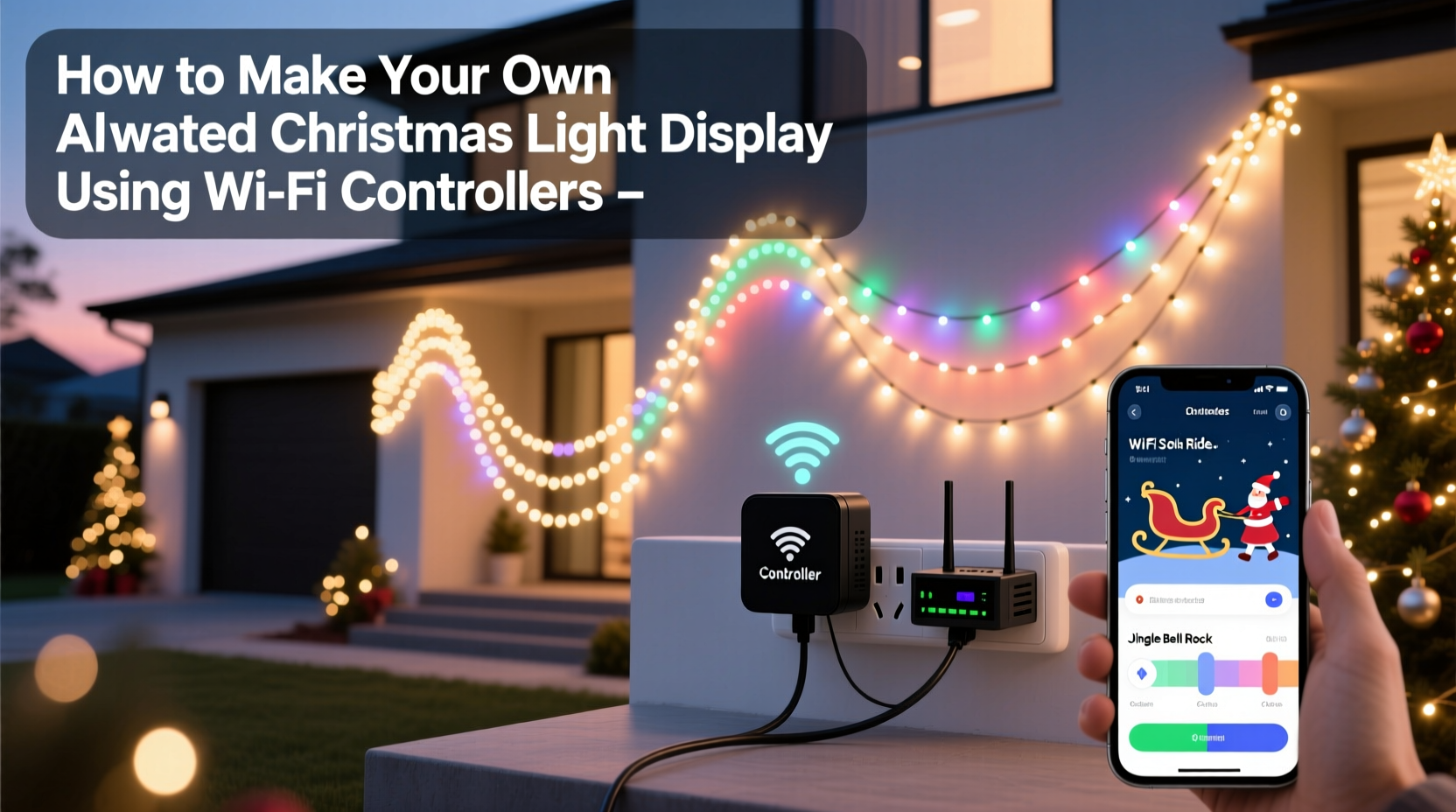
Not all WiFi controllers are equal—and mismatching hardware to your project is the fastest path to disappointment. The market falls into three functional tiers, each with trade-offs in cost, expandability, and ease of use.
| Controller Type | Best For | Max Pixels (Single Output) | Key Strengths | Limitations |
|---|---|---|---|---|
| ESP8266-based (e.g., WLED-compatible NodeMCU) | Small to medium displays (porch, tree, window frame) | 1,500–2,000 | Low cost ($8–$12), massive community support, intuitive web UI, built-in effects | Limited RAM; struggles with >3000 pixels or complex audio sync |
| ESP32-based (e.g., ESP32 DevKit + APA102 driver) | Large displays (full roofline, multi-tree setups, driveway borders) | 4,000–6,000+ | Dual-core processing, Bluetooth + WiFi, native I2S audio input, stable high-speed PWM | Slightly steeper initial setup; requires careful power management |
| Dedicated commercial units (e.g., Falcon F16v3, xLights-compatible) | Professional-grade or highly synchronized multi-zone installations | 10,000–32,000+ | Industrial reliability, ESD protection, multiple independent outputs, SMPTE timecode sync | $150–$400+, requires desktop sequencing software, less DIY-friendly |
For most homeowners starting out, an ESP32-based WLED controller strikes the ideal balance: it handles 3,000–4,000 pixels reliably, supports microphone-based music visualization out of the box, and integrates seamlessly with Home Assistant and Alexa. Avoid the cheapest generic “WiFi LED controllers” sold on mass-market platforms—they often use outdated firmware, lack OTA (over-the-air) updates, and omit critical safety features like current limiting or thermal shutdown.
Wiring, Power, and Safety: The Foundation Most Skip
A stunning animation means nothing if your display shuts down at 7:03 p.m. due to voltage drop—or worse, overheats near dry pine boughs. Proper power distribution isn’t optional; it’s the difference between a 30-night run and a melted connector.
Start with pixel density and voltage. WS2812B and SK6812 strips draw ~60mA per pixel at full white. A 100-pixel strip consumes 6A at 5V—requiring 30W. But voltage drop across long runs causes dimming and color shifts toward yellow at the far end. The fix isn’t bigger wires alone—it’s distributed injection.
Here’s the proven method: power every 2–3 meters *and* inject at both ends of any strip longer than 1 meter. Use 16 AWG stranded copper wire for main feeds, and solder direct connections (not barrel jacks) to strip endpoints. Never daisy-chain power beyond 2 meters without reinjection.
Grounding matters too. All controllers and power supplies must share a common ground. If using multiple PSUs, tie their ground terminals together with 14 AWG wire before connecting to the controller. Skipping this causes erratic resets and “ghost” pixels.
“Over 70% of ‘intermittent pixel failure’ reports we troubleshoot trace back to undervoltage or floating grounds—not faulty hardware.” — Rajiv Mehta, Firmware Lead at WLED Project
Sequencing Without Code: Building Animations in Minutes
You don’t need to write C++ to create compelling effects. Modern tools let you design sequences visually, assign them to zones, and trigger them by time, sound, or sensor input—all through a browser interface.
The workflow centers on WLED, the open-source firmware powering most ESP-based controllers. Once flashed (a 5-minute process using the official WLED installer), your device appears as a local web server—accessible via http://wled-ip-address on any device on your network.
From there, sequencing is drag-and-drop simple:
- Define “segments”—logical groupings like “front eaves,” “garage door border,” or “tree base.” Each can run independent effects.
- Select from 120+ built-in effects (e.g., “Blink Rainbow,” “Sinelon,” “Fire 2012”) or upload custom palettes.
- Adjust speed, intensity, and direction per segment. Want snowflakes falling downward on the roof but swirling upward on the tree? Done.
- Schedule scenes: Set “Warm White Glow” from dusk to 8 p.m., switch to “Pulse Blue” for evening hours, then fade to “Off” at midnight—all without physical interaction.
- Add interactivity: Enable the onboard microphone for real-time music reactivity, or connect a DS18B20 temperature sensor to shift colors from icy blue (below 5°C) to amber (above 15°C).
For advanced choreography—like syncing to a specific song—export your WLED segments to xLights (free desktop software), map timing precisely, then import the final .json file back into WLED. This hybrid approach gives you visual simplicity for daily use and precision control when needed.
Real-World Example: The Henderson Family’s First Animated Display
The Hendersons in Portland, Oregon, wanted to replace their aging incandescent roofline lights with something dynamic—but had zero electronics experience. Their goal: a display that cycled through four seasonal themes (snow, holly, stars, and candlelight), responded to their kids’ laughter (via a simple mic), and turned off automatically when their Nest thermostat detected they’d left home.
They started with two ESP32-WROVER boards running WLED, each controlling 1,200 pixels: one for the front roofline (WS2812B), another for the garage and side-yard bushes (SK6812 RGBW for richer whites). They used 5V/60A Mean Well power supplies, injecting power every 2.5 meters with 16 AWG feed lines and grounding all components to a single copper rod driven into their garden soil.
Using WLED’s web UI, they created named segments (“North Eave,” “Garage Arch,” “South Bushes”) and assigned distinct palettes: “Frost” for snow, “Berry Red” for holly, “Nebula” for stars. They enabled the microphone effect only on the bush segment—so laughter triggered gentle “bloom” animations there. Finally, they integrated with Home Assistant via MQTT to read their thermostat’s occupancy status and trigger a “Sleep Mode” scene (soft amber fade) when the house was empty.
Setup took 14 hours over three weekends—including mounting, wiring, testing, and tweaking. The result? A display that feels alive, adapts to their family’s rhythm, and draws consistent compliments from neighbors. Crucially, when their youngest accidentally unplugged a power supply mid-display, WLED’s auto-reconnect feature restored full functionality within 12 seconds—no manual reset required.
Troubleshooting: Fixing the Top 3 Real-World Failures
No project runs flawlessly. Here’s how to diagnose and resolve what actually breaks—based on thousands of user reports in WLED and xLights forums.
Problem 1: First 30–50 pixels work; the rest show random colors or stay dark
This is almost always voltage drop or signal degradation. Check: (1) Is power injected at both ends of the strip? (2) Are you using a logic-level shifter for strips longer than 1m? (3) Is your data wire twisted with a ground wire to reduce noise? If yes to all, try reducing the data rate in WLED’s “LED Preferences” from 800kHz to 400kHz—this increases signal margin at the cost of minimal refresh speed loss.
Problem 2: Controller disconnects from WiFi after 2–3 hours
Caused by memory fragmentation in low-RAM ESP8266 devices under heavy load (e.g., audio reactive mode + multiple segments + web UI open). Solution: Switch to an ESP32, or in WLED settings, disable “Live Preview” and “WebSockets” if you’re not actively sequencing. Also ensure your router isn’t assigning duplicate IPs—set a static IP reservation for the controller in your router’s DHCP settings.
Problem 3: Colors shift yellow/orange on long runs, especially at high brightness
This indicates voltage sag below 4.75V at the far end of the strip. Measure voltage at the last pixel with a multimeter while the strip is at full white. If below 4.8V, add a parallel 5V feed at the midpoint. Do not increase PSU voltage—this risks burning out pixels. Instead, use thicker wire or add a second identical PSU wired in parallel (with diodes to prevent backfeed).
FAQ
Can I mix different LED types (e.g., WS2812B and APA102) on the same controller?
No. Each protocol requires specific timing and voltage levels. WS2812B uses single-wire 5V data with strict timing; APA102 uses separate clock/data lines and 12V operation. Mixing them on one output will cause unpredictable behavior or damage. Use separate controller outputs or dedicated boards per protocol.
Do I need a separate WiFi network for my lights?
Not unless you’re running 50+ controllers. Modern dual-band routers handle WLED traffic easily. However, place your controller on the 2.4GHz band (not 5GHz)—it has better range through walls and foliage, and WLED doesn’t require high bandwidth. Reserve 5GHz for streaming and video calls.
How do I protect my controller from rain and cold?
Mount it in a NEMA 3R-rated outdoor enclosure (e.g., Bud Industries N2112) with a silicone gasket. Drill entry holes for wires, seal with waterproof cable glands, and add silica gel packs inside. Avoid plastic food containers or tape—condensation will form and corrode contacts within days.
Conclusion
Building an animated Christmas light display with WiFi controllers isn’t about technical heroics—it’s about intentionality, iteration, and smart tool selection. You don’t need a lab coat or a degree in embedded systems. You need clarity on your goals, respect for electrical fundamentals, and the willingness to start small: automate one string, master one effect, then expand. Every pixel you bring to life is a quiet act of craftsmanship in a season often dominated by consumption.
What begins as a weekend project—a roofline that breathes with soft color—often becomes a family tradition: the moment kids recognize the “snowflake pulse” as their cue to hang stockings, or the way neighbors pause on the sidewalk to watch the “candlelight waver” effect mimic real flame. These aren’t just lights. They’re shared language, made visible.
Your display won’t be perfect on night one. It might reboot during a storm, or your first audio-reactive sequence might look more like a seizure than a symphony. That’s expected. What matters is that you now hold the tools—and the knowledge—to refine it, adapt it, and make it wholly yours.




 浙公网安备
33010002000092号
浙公网安备
33010002000092号 浙B2-20120091-4
Comments
No comments yet. Why don't you start the discussion?