
Every holiday season, homes across neighborhoods light up with synchronized music and dancing LEDs. What once seemed like a spectacle reserved for theme parks or tech millionaires is now accessible to anyone with a few hundred dollars, a computer, and some patience. You don’t need commercial-grade equipment to create an impressive animated Christmas light show. With affordable controllers, open-source software, and a bit of planning, you can choreograph dazzling displays that delight your family and community.
The key lies in understanding the components: lights, controllers, sequencing software, and audio synchronization. When combined intelligently, these elements transform static strands into dynamic performances. This guide walks through building a budget-friendly, fully customizable light show that runs on reliable, widely supported tools—without sacrificing quality.
Choose the Right Lights and Controllers
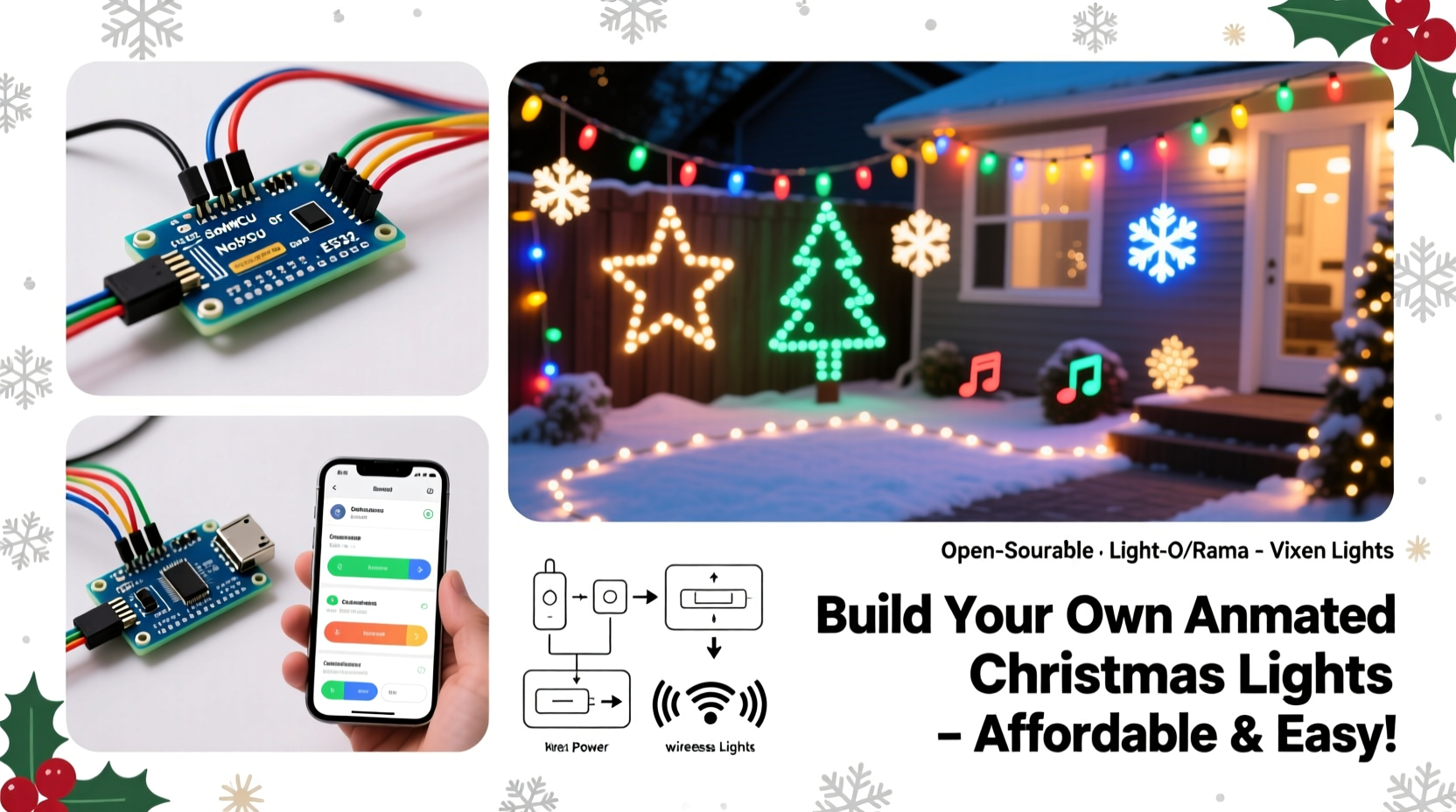
The foundation of any animated light show is the hardware. While traditional incandescent strings are inexpensive, they offer no control beyond simple on/off switching. For animation, you need individually addressable LED strips or digital nodes, paired with compatible controllers.
Most modern DIY shows use **WS2811** or **WS2812B** (NeoPixel) LEDs. These allow each bulb or segment to be programmed independently, enabling effects like color waves, chases, and pixel mapping. They’re low-voltage (5V or 12V), energy-efficient, and available in waterproof variants for outdoor use.
To manage these LEDs affordably, consider using ESP-based microcontrollers such as the **ESP8266** or **ESP32**. These Wi-Fi-enabled boards cost under $10 each and can be flashed with firmware like WLED or ESPixelStick, turning them into network-accessible lighting controllers. Multiple controllers can be synchronized over a local network using protocols like Art-Net or E1.31 (sACN).
Set Up Your Controller Network
One controller isn’t enough for large displays. A typical home setup might require five to ten zones—roof lines, trees, lawn figures, and window outlines—each needing its own data channel. Instead of buying proprietary systems costing thousands, build a distributed control network using low-cost hardware.
Each ESP device connects to a power supply and a segment of LEDs. Power injection may be necessary for long runs (over 5 meters) to prevent voltage drop and color distortion at the end of the strip. Use a common ground between the controller and power supply, and keep data lines short or shielded to reduce signal interference.
Connect all controllers to your home Wi-Fi or a dedicated access point. Assign static IP addresses or use DHCP reservations to ensure consistent connectivity. Once online, they can receive lighting data via sACN—a standard protocol used in stage lighting that’s supported by most free sequencing software.
“We’ve seen hobbyists run 50-channel displays using nothing but ESP8266 modules and repurposed routers. The barrier to entry has never been lower.” — Derek Lin, Open Lighting Project Contributor
Step-by-Step Guide to Building the Display
Follow this sequence to go from concept to working show in under four weekends.
- Plan Your Layout (Week 1): Sketch your house and yard. Mark where lights will go—eaves, trees, driveway, etc. Group areas into logical channels (e.g., front roofline = Channel 1, tree skirt = Channel 2). Estimate total LED count per zone.
- Source Components (Week 1): Purchase WS281x strips, ESP8266/ESP32 boards, 5V/12V power supplies (with sufficient amperage), barrel jacks, soldering tools, and weatherproof enclosures. Include spare connectors and fuses.
- Assemble and Test Controllers (Week 2): Flash each ESP with WLED firmware using a USB-to-TTL adapter. Configure Wi-Fi settings and assign fixed IPs. Test each controller with a short LED strip indoors before outdoor installation.
- Install Lights and Wiring (Week 3): Mount strips securely using clips or adhesive backing. Run low-voltage wires through gutters or along baseboards. House controllers in sealed enclosures near outlets. Label every cable.
- Create Sequences (Week 4): Use free software like xLights or Light-O-Rama S4 to design animations. Import music tracks, map channels to physical locations, and sync effects beat-by-beat.
- Test and Refine (Ongoing): Run full sequences at night. Adjust brightness, timing, and transitions. Optimize for visibility and rhythm. Share preview videos with neighbors if running audio externally.
Software Tools That Make Animation Accessible
Choreographing hundreds of lights requires software capable of timeline editing, audio waveform visualization, and output streaming. Fortunately, powerful options exist at no cost.
xLights is the most popular choice among DIY enthusiasts. It supports pixel mapping, model building (for 3D effects like spinning snowflakes), beat detection, and real-time preview. It outputs directly to sACN-compatible devices, including ESP-based controllers running compatible firmware.
For simpler setups, FPP (Falcon Player) offers a streamlined interface. Preload sequences onto an SD card or Raspberry Pi, then trigger playback locally without relying on a PC during operation.
Both platforms support importing MP3/WAV files and automatically detect tempo and beats. You can apply pre-built effects—twinkles, fades, sweeps—or write custom scripts for unique movements.
| Software | Best For | Controller Support | Learning Curve |
|---|---|---|---|
| xLights | Complex, multi-channel displays | sACN, Art-Net, E1.31 | Moderate to high |
| Falcon Player (FPP) | Standalone playback, Raspberry Pi | Falcon, sACN | Low to moderate |
| Light-O-Rama S4 | Beginners, basic sequencing | LOR hardware, limited sACN | Low |
| WLED UI | Simple patterns, testing | Single node only | Very low |
Mini Case Study: The Johnson Family’s First Light Show
The Johnsons in suburban Ohio wanted to spread holiday cheer after two quiet pandemic years. With a budget of $400, they set out to create a synchronized display visible from the street.
They began by outlining their roofline and porch columns with 12V WS2812B strips (150 LEDs total), adding a 6-foot inflatable tree wrapped with another 50-pixel strip. Three ESP8266 modules were configured—one for the roof, one for columns, one for the tree—each powered by a 5A supply.
Using xLights, they sequenced a 90-second version of “Jingle Bell Rock,” applying beat-synced flashes to the roof and color waves to the columns. The tree pulsed in time with the bass. After testing, they added a fade-in intro and dimmed peak brightness to avoid glare.
On opening night, more than 70 cars stopped by. Local news featured them in a “Community Cheer” segment. Total cost: $387. Time invested: about 30 hours over three weeks.
Their advice? “Don’t aim for perfection your first year. Focus on fun, clarity, and safety. We’re already planning next year’s upgrade with motion sensors and voice activation.”
Essential Checklist Before Going Live
- ✅ All controllers are on the same network and reachable via ping
- ✅ Power supplies provide adequate current (calculate: total LEDs × 0.3A max draw)
- ✅ Data lines are secure and protected from moisture
- ✅ Each lighting zone is labeled and mapped correctly in software
- ✅ Music file matches sequence length exactly
- ✅ Backup copy of sequence files stored offline
- ✅ Outdoor electrical connections are GFCI-protected
- ✅ Neighbors notified if using external speakers
Frequently Asked Questions
Can I run the show without a computer running all night?
Yes. Use a Raspberry Pi loaded with Falcon Player or V2Pi OS. Upload sequences once, then trigger playback via schedule or remote button. No PC needed after setup.
Are these controllers safe for outdoor use?
Only if properly enclosed. Use IP65-rated boxes with sealed cable glands. Keep electronics off the ground and away from standing water. Never expose bare circuit boards to rain.
How many lights can one ESP8266 handle?
Typically up to 500 WS2812B LEDs per controller, depending on power and signal integrity. For longer runs, split across multiple controllers or use signal boosters.
Maximize Impact Without Breaking the Bank
Affordability doesn’t mean compromise. By leveraging open-source firmware and consumer-grade hardware, you gain flexibility and scalability. A single ESP8266 can replace a $150+ proprietary controller. Free software eliminates licensing fees. And because everything runs on standard networking, expansion is straightforward—just add another node.
Consider reusing last year’s lights. Most addressable strips last 3–5 seasons if stored dry and handled gently. Upgrade incrementally: add a new prop each year, refine sequences, or integrate smart home triggers (e.g., “Turn on lights when doorbell rings”).
Community engagement amplifies joy. Some organizers collect toy donations; others share sequence files online. One group in Colorado hosts a “Light Walk” where families stroll safely while music plays over a low-power FM transmitter.
“The magic isn’t in the technology—it’s in the shared moment. A child’s gasp when the lights dance to ‘Sleigh Ride’? That’s what keeps us building bigger each year.” — Maria Tran, Founder of DIYHolidayLights.org
Final Steps: Launch and Share Your Show
Once your system is tested and polished, invite your neighborhood. Post your address and showtimes on Nextdoor or social media. Include accessibility notes—mention if sidewalks are cleared or if there’s parking nearby.
If using external audio, keep volume moderate. Offer a silent mode option via QR code linking to a YouTube stream. Collect feedback—you’ll likely get requests for favorite songs or suggestions for next year.
Document your build. Photos, wiring diagrams, and sequence previews help others learn. Upload tutorials to forums like r/lightshow on Reddit or the xLights Facebook group. The DIY lighting community thrives on collaboration.
Conclusion
Creating your own animated Christmas light show isn’t just possible on a budget—it’s rewarding, creative, and deeply personal. With affordable controllers like ESP8266, free software like xLights, and careful planning, you can produce a professional-quality display that becomes a local tradition.
You don’t need engineering credentials or a six-figure income. You need curiosity, attention to detail, and a love for the holidays. Start small, learn as you go, and let your imagination shine as brightly as your lights.




 浙公网安备
33010002000092号
浙公网安备
33010002000092号 浙B2-20120091-4
Comments
No comments yet. Why don't you start the discussion?