
Christmas lights have evolved far beyond simple strings of white or multicolored incandescent bulbs. With the rise of smart home technology, homeowners can now design dynamic, programmable light displays that respond to music, change colors on command, and even sync with holiday themes. At the heart of this transformation are RGB smart bulbs—versatile, energy-efficient, and fully controllable from a smartphone or voice assistant. Creating your own Christmas light display using these bulbs is not only achievable but also deeply rewarding. Whether you're decorating a single tree or illuminating an entire house facade, this guide walks through the process with practical advice, technical insights, and real-world application.
Understanding RGB Smart Bulbs and Their Advantages
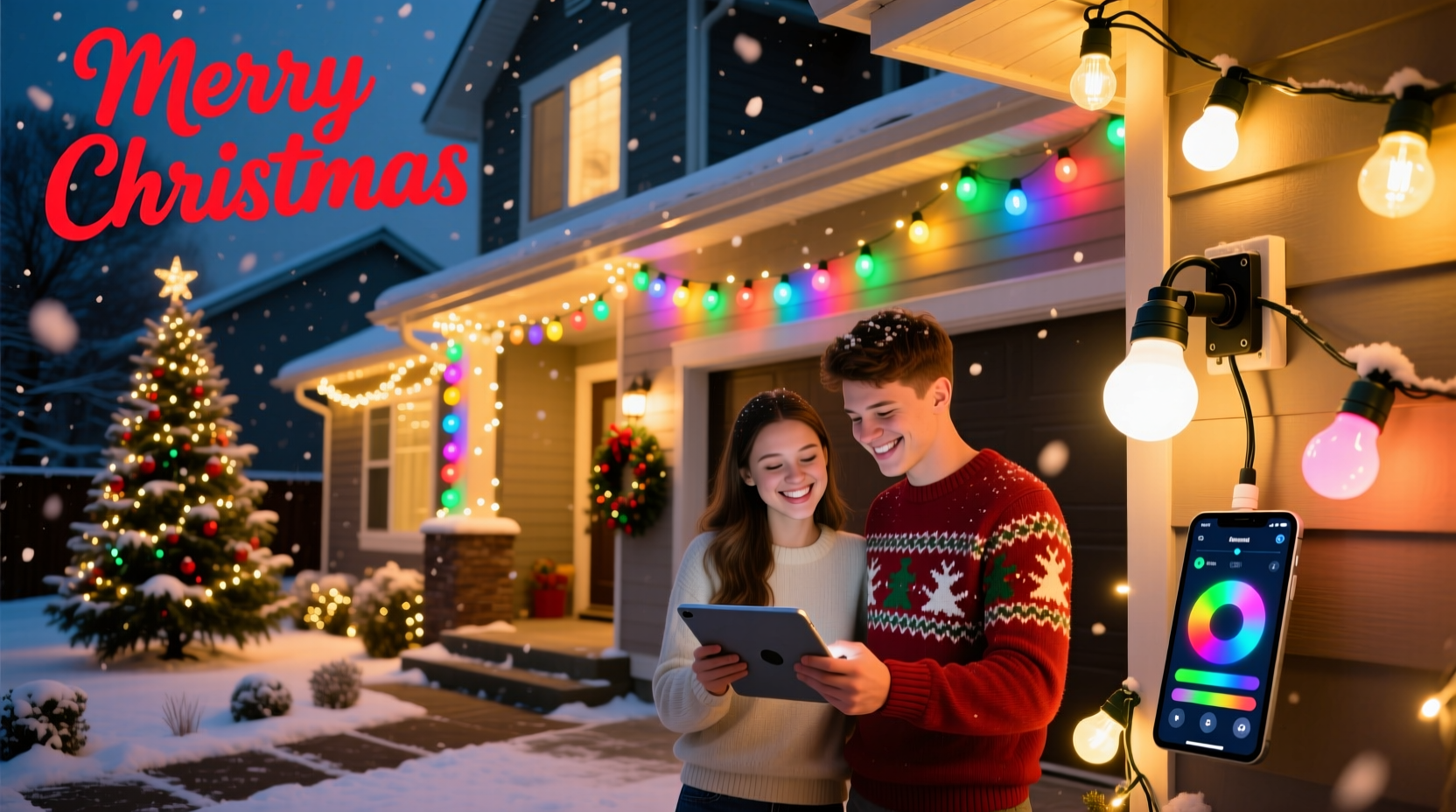
RGB stands for Red, Green, Blue—the three primary colors used in additive color mixing. By varying the intensity of each color channel, RGB smart bulbs can produce millions of hues, including whites, pastels, and vibrant tones. Unlike traditional bulbs, they connect to your home Wi-Fi network or a hub-based system (like Zigbee or Z-Wave), allowing remote control via apps, voice commands, or automation routines.
The benefits of using RGB smart bulbs for holiday lighting go beyond aesthetics:
- Customization: Choose any color combination or animation effect without replacing physical bulbs.
- Energy Efficiency: LED-based smart bulbs consume significantly less power than incandescent sets.
- Longevity: Most last 15,000–25,000 hours, reducing annual replacement costs.
- Remote Control: Adjust brightness, color, and effects from inside your home or while traveling.
- Automation: Schedule lights to turn on at sunset or fade out at bedtime.
“Smart lighting has democratized professional-grade holiday displays. What once required commercial controllers and electricians can now be done by anyone with a router and a few bulbs.” — Mark Tran, Home Automation Engineer and Holiday Lighting Enthusiast
Planning Your Display: Layout, Zones, and Control Strategy
Before purchasing a single bulb, sketch out your intended layout. Consider which areas you want to illuminate—roofline, porch railing, trees, walkway, or indoor spaces like the mantle or staircase. Divide your space into “zones” based on visibility and function. For example:
- Zone 1: Roof perimeter – best for sweeping color waves.
- Zone 2: Front door frame – ideal for static festive colors.
- Zone 3: Yard trees – great for pulsing or twinkling effects.
- Zone 4: Indoor tree – perfect for music-synced animations.
Each zone should ideally be controlled independently. This requires either individual smart bulbs or smart light strips/channels grouped under separate device names in your app. Using zones allows you to run different effects simultaneously—perhaps a slow rainbow scroll outside while the indoor tree pulses to holiday music.
Choosing the Right Type of Smart Lighting Products
Not all smart bulbs are created equal when it comes to outdoor holiday use. Here’s a breakdown of common formats and their best applications:
| Product Type | Best For | Limits |
|---|---|---|
| E26/E27 Smart Bulbs (A19) | Indoor trees, lamp post caps, decorative fixtures | Limited weather resistance; not ideal for exposed outdoor runs |
| Smart Light Strips (LED Tape) | Rooflines, soffits, stair edges, window frames | Requires clean surface; may need adhesive reinforcement in cold climates |
| Smart Rope Lights | Outdoor railings, archways, tree trunks | Fewer color options; often proprietary connectors |
| Smart G12/G20 Bulbs (C7/C9 equivalents) | Traditional string lighting setups; retrofitting old strands | Higher cost per bulb; check voltage compatibility |
| Addressable LED Pixels (e.g., WS2812B) | Advanced users: custom shapes, matrices, music synchronization | Requires controller (e.g., ESP8266), soldering, and coding knowledge |
If you’re new to smart lighting, start with pre-assembled Wi-Fi or Bluetooth-enabled light strips or standard E26 smart bulbs rated for outdoor use. Brands like Philips Hue, LIFX, Nanoleaf, and Govee offer reliable entry points with strong app support.
Step-by-Step Guide to Installing and Configuring Your Display
Follow this timeline to build your display efficiently before the holiday season begins.
- Week 1: Design & Purchase
Create a sketch of your property highlighting planned zones. Measure linear feet for strips and count sockets for bulbs. Buy products with consistent protocols (e.g., all Wi-Fi or all Zigbee). - Week 2: Install Hardware
Mount light strips along rooflines using clips or adhesive backing. Insert bulbs into sockets. Ensure all connections are secure and protected from moisture. Use conduit or weatherproof covers where needed. - Week 3: Connect & Name Devices
Power on each device and follow manufacturer instructions to pair with your app. Assign clear names: “Front Roof,” “Porch Left Tree,” “Indoor Tree Top.” - Week 4: Test Effects & Sync Timing
Apply basic effects like “Candy Cane” or “Snowfall” to test responsiveness. Check for lag or dropouts, especially in larger setups. - Week 5: Program Schedules & Automations
Set daily on/off times. Link to sunrise/sunset data via geolocation. Create scenes like “Evening Glow” or “Party Mode.” - Week 6: Add Music Sync (Optional)
Use apps with built-in microphones or audio analysis (e.g., Govee Home, Flux Studio) to make lights pulse to music during gatherings.
Enhancing Your Display with Advanced Features
Once your base setup works reliably, explore advanced features that elevate your display from neat to neighborhood-famous.
Music Synchronization
Syncing lights to music creates a captivating sensory experience. Most smart bulb apps include a “music mode” that uses your phone’s microphone to detect beats and adjust brightness or color accordingly. For greater precision, use third-party software like Flux Studio or Audio Reactive LED (with WLED firmware on addressable strips). These tools analyze audio input and map frequency bands to specific light segments—for example, bass triggers red flashes, mids drive green pulses, and highs spark blue twinkles.
Scene Automation with Triggers
Leverage automation platforms like Apple Shortcuts, Google Routines, or IFTTT to trigger lighting scenes based on events:
- Turn on “Merry Mode” every day at 5 PM from December 1–25.
- Flash red and green when a family member arrives home (via geofencing).
- Switch to “Candlelight” effect during dinner parties.
Integration with Voice Assistants
Link your smart bulbs to Alexa, Google Assistant, or Siri for hands-free control. Say, “Hey Google, set the Christmas lights to twinkling gold,” or “Alexa, turn off all holiday lights.” You can even create routines that activate multiple zones at once.
Using Physical Controllers
For ease of use—especially for guests or children—pair your setup with a physical remote or smart switch. Some brands offer dedicated remotes with preset effects. Alternatively, install a Lutron Caséta switch labeled “Holiday Lights” that toggles between scenes with a button press.
Real Example: A Suburban Family’s First Smart Light Display
The Reynolds family in Portland, Oregon, wanted to upgrade their modest holiday decor without spending thousands. They began with a $120 budget and focused on high-impact areas: the front porch columns and living room Christmas tree.
They purchased two 16.4-foot Govee Wi-Fi LED strips for the porch columns and replaced the top 10 bulbs on their indoor tree with Philips Hue White and Color Ambiance bulbs. After installing the strips with silicone clips and naming devices in the app, they programmed a nightly schedule: lights turned on at dusk (determined by GPS), ran a gentle “Color Wave” effect until 10 PM, then faded out.
During weekend visits from relatives, they activated “Music Sync” mode using the Govee app, playing classic carols through a Bluetooth speaker. The kids loved shouting color changes: “Make it purple!” The entire display was controllable from one family member’s phone, and no ladders were needed after installation.
By mid-December, neighbors started stopping by to ask how they did it. The Reynolds plan to expand next year with roofline strips and driveway markers—all managed from the same ecosystem.
Checklist: Building Your Smart Christmas Light Display
Use this checklist to ensure nothing is missed during planning and execution:
- ☐ Sketch your property and define lighting zones
- ☐ Measure lengths for strips and count bulb sockets
- ☐ Select weather-rated, compatible smart lighting products
- ☐ Verify Wi-Fi strength near installation areas
- ☐ Install hardware securely; protect connections from moisture
- ☐ Pair all devices and assign descriptive names
- ☐ Test basic on/off and color functions
- ☐ Program daily schedules based on sunset/sunrise
- ☐ Experiment with animations: fade, strobe, chase
- ☐ Enable music sync or automation for special occasions
- ☐ Share control with family via app permissions
- ☐ Label power sources and keep spare fuses/fuses nearby
Frequently Asked Questions
Can RGB smart bulbs work outdoors in cold weather?
Yes, but only if they are explicitly rated for outdoor use. Most quality LED strips and bulbs operate between -4°F to 122°F (-20°C to 50°C). However, extreme cold can reduce battery-powered remote performance and make plastic housings brittle. Always check IP ratings—IP65 or higher ensures dust and water resistance.
Do I need a hub for smart Christmas lights?
It depends on the protocol. Wi-Fi and Bluetooth bulbs connect directly to your network or phone. However, Zigbee or Z-Wave bulbs (like Philips Hue) require a central hub. Hubs offer better range, lower latency, and support for larger installations, making them ideal for complex displays.
How do I prevent my lights from interfering with my Wi-Fi?
Wi-Fi bulbs operate on the 2.4 GHz band, which can congest your network. To minimize interference:
- Leverage a dual-band router and reserve 5 GHz for high-bandwidth devices.
- Limit the number of Wi-Fi bulbs to under 20 unless you have a strong access point.
- Consider switching to a hub-based system for large setups.
Final Thoughts: Bring Magic Home, One Pixel at a Time
Creating your own Christmas light display with RGB smart bulbs blends tradition with innovation. It transforms seasonal decoration into an interactive experience—one that delights children, impresses neighbors, and brings warmth during the darkest time of year. The initial effort pays off in years of reusable, reprogrammable joy. No longer limited by fixed colors or manual timers, you gain full creative control over mood, motion, and meaning.
Start small. Master one zone. Then expand. With each added strip or bulb, your confidence grows. Soon, you might find yourself experimenting with holiday-themed light shows, countdowns to Christmas, or even animated snowflakes dancing across your eaves. The technology is accessible, the results are stunning, and the memories are lasting.




 浙公网安备
33010002000092号
浙公网安备
33010002000092号 浙B2-20120091-4
Comments
No comments yet. Why don't you start the discussion?