
For years, synchronized holiday light displays were the domain of professionals with six-figure budgets, industrial-grade controllers, and engineering degrees. That changed with the rise of open-source software, plug-and-play hardware, and the DIY electronics renaissance. Today, a compelling, music-synchronized light show is achievable for under $300—and many homeowners do it entirely in their garage over a single weekend. This isn’t about approximating a professional installation; it’s about building something expressive, reliable, and uniquely yours using accessible tools, clear logic, and zero vendor lock-in.
Why affordability doesn’t mean compromise
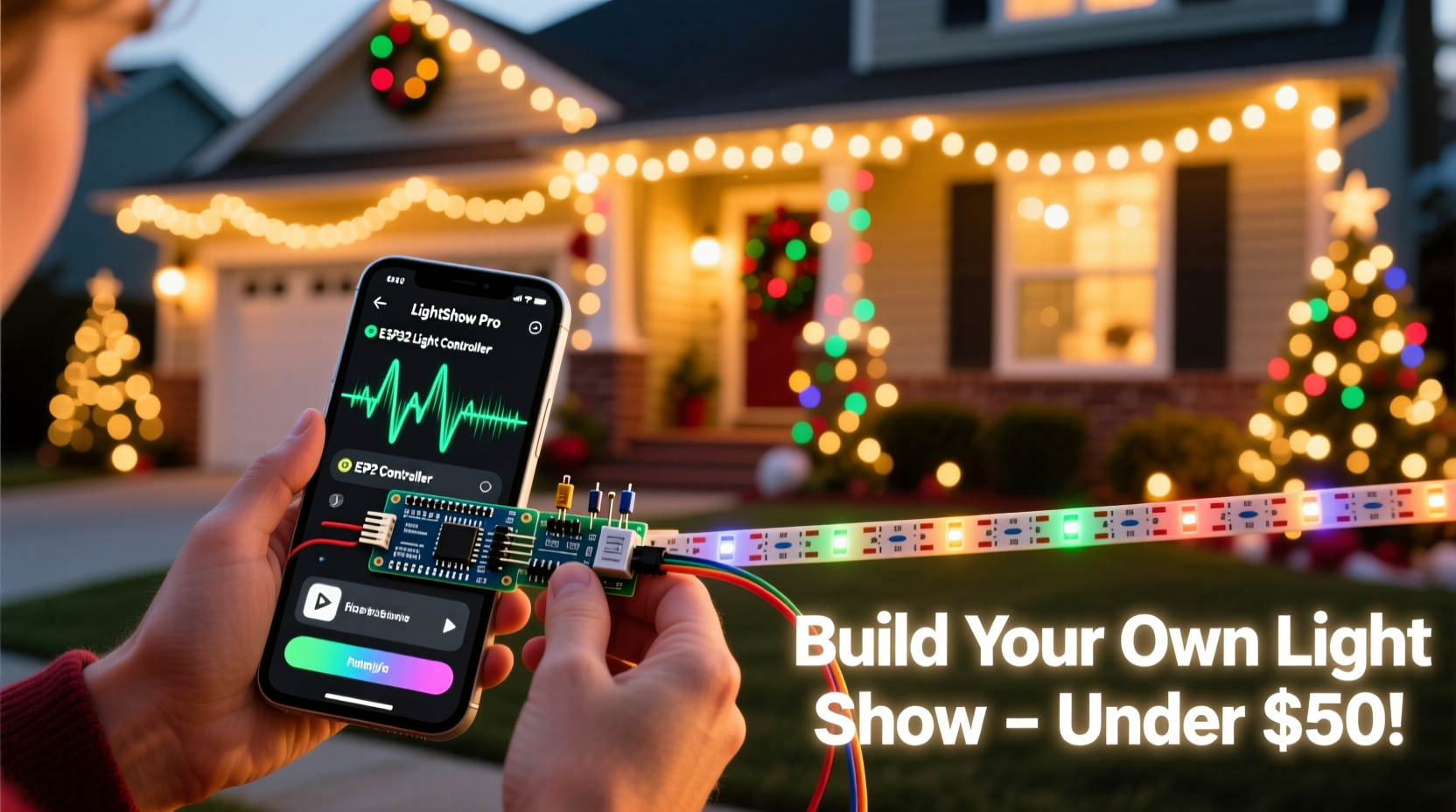
The misconception that “budget” equals “basic” persists—but modern LED technology and community-driven software have flattened the learning curve. Inexpensive 12V DC pixel strings (like WS2811 or WS2812B) offer full RGB control per bulb, millisecond-level timing accuracy, and compatibility with open-source platforms like xLights and FPP (Falcon Player). Unlike proprietary systems that charge $50–$100 per song license or require annual subscriptions, these tools are free, actively maintained by thousands of users, and supported by detailed documentation and responsive forums.
What matters most isn’t the price tag of a component—it’s how well it integrates into your workflow. A $25 ESP32-based controller outperforms a $199 closed-system box when you can flash new firmware, adjust timing in real time, and export sequences to multiple devices without licensing hurdles.
Core affordable tools you actually need (and what to skip)
You don’t need every gadget sold under “Christmas light controller.” Focus on four foundational components—each chosen for reliability, community support, and cost efficiency:
| Component | Recommended Affordable Option | Why It Works | Avoid |
|---|---|---|---|
| Controller | Falcon F16v3 (or ESP32-based Pixel Controller v4) | Open architecture, supports up to 16 universes (68,000+ pixels), built-in Wi-Fi, no monthly fees. F16v3 ~$179; ESP32 board + breakout ~$35. | Proprietary “smart” plugs that only work with one app or brand-specific hubs. |
| Light Strings | WS2812B 5V IP65-rated pixels (30–60/meter) | Consistent color output, easy to cut and solder, widely supported in xLights. Bulk 100-count strings: $18–$24. | Non-addressable RGB strips requiring analog dimming—no per-bulb control or sequencing precision. |
| Software | xLights (free, Windows/macOS/Linux) + FPP (free, Raspberry Pi) | xLights handles design, sequencing, and audio sync; FPP runs shows headlessly. Both updated weekly, with video tutorials for every feature. | Subscription-based cloud sequencers or desktop apps that limit export options or watermark exports. |
| Power & Wiring | Mean Well HLG-120H-5A (5V/24A) + 16AWG stranded copper wire + waterproof connectors | Industrial-grade efficiency (94%), fanless operation, UL-listed. Powers ~1,440 pixels per unit. Connectors prevent corrosion and voltage drop. | Generic “5V power adapters” from unknown brands—often under-spec’d, unstable, and prone to brownouts mid-show. |
Your step-by-step build timeline (4 hours, start to first sync)
- Day 1, Hour 1: Setup & Calibration
Install xLights on your laptop. Create a new model (e.g., “Front Porch Tree”) using the visual editor. Import your MP3 file. Run the Audio Analysis tool—it automatically detects beats, tempo, and dynamic range. Export the analysis as a .beat file. - Day 1, Hour 2: Hardware Assembly
Solder or crimp power wires to your first light string. Connect it to the controller’s data and power terminals. Plug in the Mean Well PSU (with proper grounding) and verify all pixels light uniformly. Use xLights’ “Test All” function to confirm communication. - Day 1, Hour 3: First Sequence
In xLights, drag your tree model onto the timeline. Apply the “Beat Track” effect synced to your .beat file. Add a simple “Color Wash” on beat 1, “Twinkle” on beat 4. Preview in real time—adjust fade duration and intensity until it feels musical, not mechanical. - Day 1, Hour 4: Deploy & Refine
Copy your sequence folder to an SD card. Insert into a Raspberry Pi running FPP. Configure FPP to auto-start your show at dusk via its built-in scheduler. Watch it run outside—then tweak brightness levels and transition timing based on ambient light and viewing distance.
This timeline assumes no prior experience. Most first-timers complete steps 1–3 in under three hours. The fourth hour is where personalization begins: adding motion effects to roof lines, syncing snowfall animations to quiet passages, or layering subtle white twinkle behind red/green pulses.
Real example: The Hendersons’ neighborhood favorite (built for $287)
When Mark Henderson retired in 2022, he wanted to surprise his grandchildren—not install a commercial system. He started with a $32 ESP32-WROVER dev board, $21 for 200 WS2812B pixels (cut into 4 strands), and $19 for a Mean Well PSU. Using xLights’ free tutorial series, he mapped his front yard: 48 pixels on the roofline, 60 on the porch railing, 42 on the tree, and 50 scattered across bushes.
His breakthrough came not from complexity—but consistency. He used only three effects per song: “Pulse” for bass hits, “Comet” for rising melodies, and “Sparkle” for high-hats. Each was timed manually to match waveform peaks he marked in Audacity (free audio editor). Neighbors began stopping traffic—not for spectacle, but because the show felt intentional, warm, and musically literate. By Thanksgiving 2023, he’d added a second controller for backyard lights and shared his xLights model library publicly on GitHub. Total spend: $287. Total time invested: 11 hours over three weekends.
“Affordability isn’t about cutting corners—it’s about eliminating friction between idea and execution. When your controller speaks the same language as your sequencer, and your lights respond predictably to MIDI triggers, creativity becomes the only bottleneck.” — Dr. Lena Torres, Embedded Systems Educator & xLights Core Contributor
Essential checklist before your first outdoor test
- ✅ All power supplies grounded and rated for outdoor use (UL/cUL listed)
- ✅ Pixel strings tested *individually* with continuity checker (no dead segments)
- ✅ Data line shielded or twisted-pair (prevents EMI interference from HVAC units or garage door openers)
- ✅ FPP or xLights scheduled to start 15 minutes after sunset (use built-in astronomical clock—not manual timers)
- ✅ One backup SD card pre-loaded with a fallback “static white” sequence (in case of corruption)
- ✅ All connectors sealed with dielectric grease and heat-shrink tubing (not just electrical tape)
FAQ: Practical questions from first-time builders
Can I use my existing incandescent mini-lights?
No—not directly. Incandescent strings lack per-bulb addressing and draw too much current for modern controllers. However, you *can* integrate them using a relay board (like the SainSmart 16-Channel) triggered by your xLights timeline. Assign “on/off” events to specific beats. It won’t pulse or fade, but it adds nostalgic texture alongside your pixel elements.
How do I prevent flicker or desync during songs?
Flicker almost always traces to insufficient power or poor grounding. Measure voltage at the *end* of each string—if it drops below 4.75V, add a parallel power feed (“power injection”). Desync happens when audio files aren’t properly analyzed: re-import your MP3 into xLights, click “Analyze Audio,” and ensure “Use Beat Detection” is enabled. Never rely on imported .beat files from other sources—they’re tied to specific sample rates and bit depths.
Do I need a Raspberry Pi if I’m running xLights on my laptop?
Only for unattended, 24/7 operation. xLights can output directly to your controller via USB-to-serial or E1.31 (network), but your laptop must stay powered on, awake, and connected. A $35 Raspberry Pi 4 with FPP runs silently, draws 5W, fits in a weatherproof box, and starts automatically after power loss. For seasonal use, it’s the smarter long-term choice.
Where to go deeper—and what to ignore
Community knowledge is your greatest asset. The xLights Forum has 18,000+ members and searchable archives dating back to 2012. Search for your exact controller model + “troubleshooting”—you’ll likely find a thread with photos, wiring diagrams, and firmware fixes. Likewise, the Falcon Christmas Discord offers live voice support every evening EST.
Ignore anything promising “one-click magic.” Sequencing is part craft, part listening. The best shows emerge from watching your neighbor’s reaction to a particular bar—not from algorithmic automation. Spend less time hunting for “perfect plugins” and more time adjusting the opacity of a snowfall effect until it reads as gentle, not frantic.
Conclusion: Your show isn’t about scale—it’s about signature
A custom Christmas light show isn’t measured in pixel count or song length. It’s measured in the pause a child makes mid-snowball fight to watch your roofline ripple like ocean waves. In the way your elderly neighbor leans on her walker just a little longer to hear the final chord resolve into soft gold. In the quiet pride you feel knowing every flicker, every swell, every breath-like fade was placed by your hand—not outsourced to a template or a technician.
You already have everything you need: curiosity, patience, and access to tools that cost less than a high-end gaming headset. Start small—sequence just your porch railing to one 90-second carol. Test it at dusk. Adjust the timing until it feels inevitable, not engineered. Then add the tree. Then the driveway. Each iteration compounds your confidence and refines your voice.




 浙公网安备
33010002000092号
浙公网安备
33010002000092号 浙B2-20120091-4
Comments
No comments yet. Why don't you start the discussion?