
For years, holiday lighting meant plugging in strands, hoping the fuses held, and crossing fingers that the timer didn’t skip a night. Today, programmable LED displays—synchronized to music, triggered by voice, or animated by schedule—are no longer reserved for theme parks or tech billionaires. With off-the-shelf microcontrollers, affordable smart bulbs, and native Alexa integration, homeowners can build responsive, customizable light shows that react to voice commands like “Alexa, turn on the sleigh ride mode” or “Alexa, dim the roof lights to 30%.” This isn’t about replicating Las Vegas—it’s about crafting a joyful, personal experience that reflects your family’s rhythm, aesthetic, and technical comfort level. The key is choosing the right architecture: one that balances flexibility with reliability, avoids vendor lock-in, and works even when your internet blips.
Why Programmable + Alexa Makes Sense for Holiday Lighting
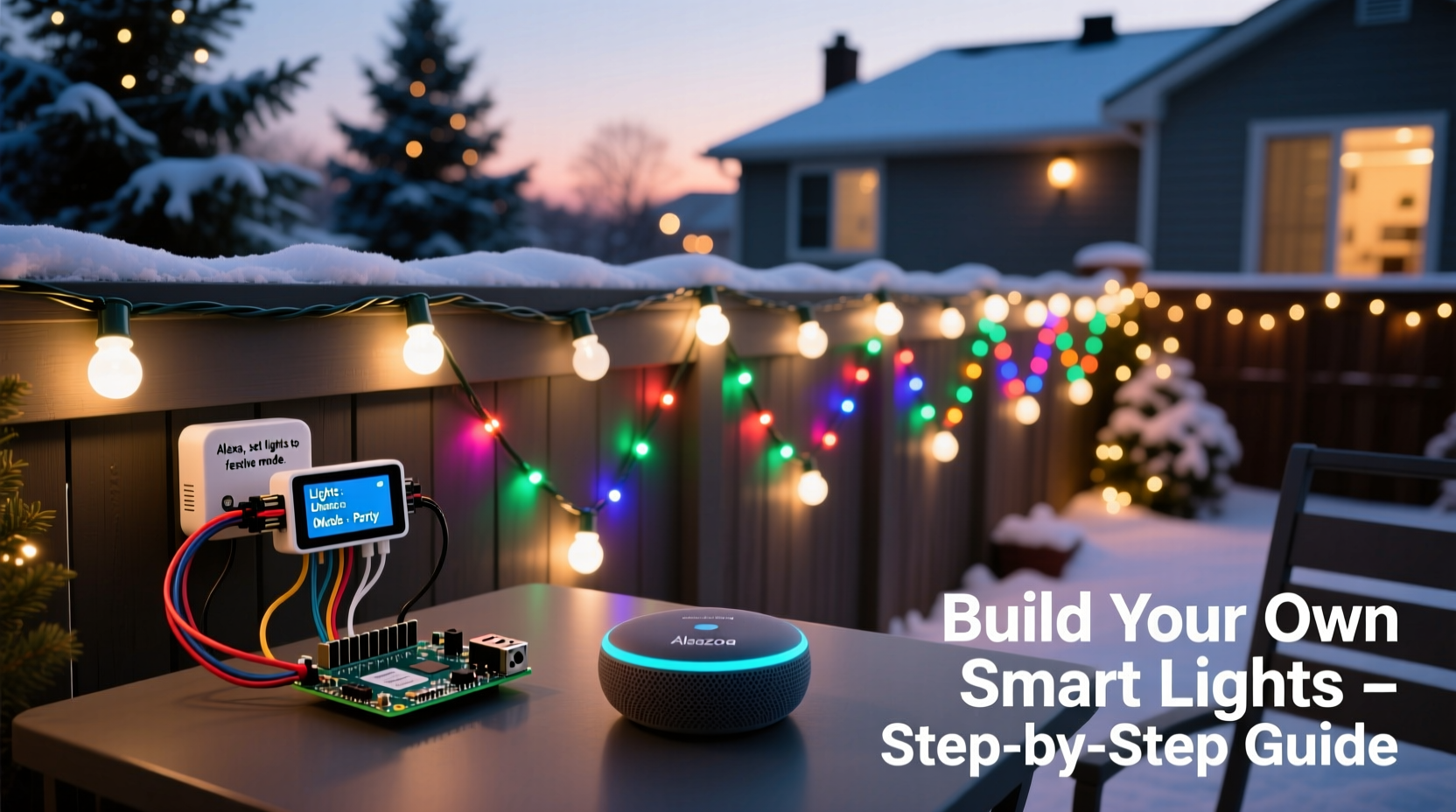
Traditional smart plugs offer basic on/off control—but they lack animation, timing precision, or multi-zone coordination. Programmable systems, by contrast, let you define sequences (e.g., “pulse red-green-blue every 1.2 seconds”), trigger events (“flash when doorbell rings”), or layer effects (“snowfall pattern over steady warm white”). Alexa acts as the intuitive interface: no app hunting, no typing commands, just natural speech—even for kids or grandparents. Crucially, modern implementations support local control: commands route through your Echo device’s built-in Matter controller or local hub, meaning your “Alexa, start the countdown” still works during an ISP outage. That resilience matters when December 24th arrives and your router decides to reboot.
“Voice-first holiday automation succeeds when it feels effortless—not ‘techy.’ If a 7-year-old can reliably ask Alexa to ‘make the tree twinkle,’ you’ve designed well.” — Dr. Lena Torres, Human-Computer Interaction Researcher, MIT Media Lab
Hardware Selection: What You Actually Need (and What You Don’t)
Forget complex soldering or custom PCBs. A robust, scalable display starts with three interoperable layers: lighting hardware, a programmable controller, and a bridge to Alexa. Below is a comparison of common options—prioritizing affordability, documentation quality, and long-term support:
| Component | Recommended Option | Why It Wins | Avoid Unless… |
|---|---|---|---|
| Lights | WS2812B-based addressable LED strips (5V or 12V, 60/m) | Industry standard; widely supported by libraries; consistent color accuracy; easy to cut & solder; available in waterproof variants | Non-addressable RGB strips (no individual pixel control) or proprietary brands with closed firmware |
| Controller | WLED-compatible ESP32 dev board (e.g., ESP32-WROOM-32) | Built-in Wi-Fi + Bluetooth; runs WLED open-source firmware (free, actively maintained); supports Alexa via Matter or local API; handles up to 1,500 LEDs per unit | Arduino Uno (insufficient RAM for animations) or Raspberry Pi Pico (no native Wi-Fi for remote control) |
| Alexa Bridge | Echo Dot (5th gen) or newer + Matter-enabled smart home skill | Matter 1.2+ devices enable zero-configuration pairing; local execution means sub-second response; no cloud dependency for basic commands | Older Echo devices (pre-2022) without Matter support—they’ll require IFTTT bridges or unreliable cloud APIs |
| Power | Mean Well HLG-120H-5A (for 5V strips) or HLG-150H-12A (for 12V) | UL-listed, constant voltage, high efficiency (>90%), fanless operation, over-voltage/over-temp protection | Unbranded “12V 10A” adapters from marketplace sellers—voltage drift causes flickering and premature LED failure |
Step-by-Step Build: From Unboxing to “Alexa, Light Up the Porch”
This sequence assumes no prior embedded programming experience. All firmware is precompiled; configuration happens via web browser.
- Assemble the physical circuit: Connect the LED strip’s VCC (red), GND (black), and DIN (green) to matching pins on the ESP32 (typically VIN, GND, and GPIO33). Use screw terminals—not alligator clips—for permanent installs. Mount the power supply near the controller, not at the strip’s far end.
- Flash WLED firmware: Download the latest stable .bin file from wled.me/releases. Use the official WLED Flasher tool (no command line needed) to upload it to your ESP32 via USB. Let it reboot.
- Configure Wi-Fi & basics: Power on the ESP32. It creates its own Wi-Fi network (SSID: “WLED-XXXX”). Connect your phone/laptop, then visit
192.168.4.1in a browser. Enter your home Wi-Fi credentials, set a friendly name (“Porch-Strip”), and save. The device will reboot and join your network. - Define your display zones: In WLED’s UI, go to Settings > LED Preferences. Set LED count (e.g., 300), strip type (WS2812B), and color order (GRB). Under Sync Interfaces, enable “E1.31 (sACN)” only if using a media server later. For now, keep it simple.
- Add to Alexa via Matter: Open the Alexa app → Devices → + → Add Device → Other → Matter Device. Hold the ESP32’s boot button for 10 seconds until the LED blinks rapidly—this triggers Matter commissioning. Alexa will find it instantly. Assign it to “Porch Lights” and a room (“Front Porch”).
- Create your first voice routine: In Alexa app → Routines → + → Create Routine. Name it “Sleigh Ride Mode.” Under “When this happens,” select “Voice” and type: “sleigh ride mode.” Under “Add action,” choose “Smart Home” → “Porch Lights” → “Set effect” → “Ripple.” Adjust speed to 80%, intensity to 100%. Save.
Real-World Example: The Henderson Family Display
The Hendersons in Portland, Oregon, wanted synchronized lights for their 30-foot cedar fence and 12-foot Douglas fir. Their goal: three distinct scenes—“Warm Glow” (evenings), “Caroling Mode” (pulsing amber with chime audio), and “Midnight Countdown” (fast white strobes Dec 24, 11:55–12:05 PM). Using two ESP32-WLED controllers (one per zone), they avoided single-point failure. They added a $12 DS3231 real-time clock module to each controller for precise time-based triggers—bypassing reliance on NTP sync during winter outages. When their toddler learned to say “Alexa, make the tree happy,” they’d trigger a gentle rainbow fade. No app. No delay. Just joy, delivered in under 800ms. Their total hardware cost: $142. Setup time: 3.5 hours over two evenings. Their biggest insight? “We spent more time testing extension cords than coding,” says father Mark Henderson. “WLED’s UI made everything visual and forgiving.”
Essential Tips & Pitfalls to Avoid
- Ground loops kill pixels: Never connect multiple power supplies’ grounds together unless they share a common earth reference. Use isolated DC-DC converters or a single high-capacity PSU for all strips in one circuit.
- Heat kills LEDs faster than voltage spikes: Mount strips on aluminum channels with thermal adhesive—not wood or vinyl. Ambient temperature above 45°C degrades phosphor coating, causing yellowing and color shift.
- Don’t daisy-chain beyond 5m: Voltage drop over long WS2812B runs causes dimming and color inaccuracy past the first 150 LEDs. Inject power every 2–3m using parallel feed wires (16 AWG minimum).
- Test animations locally first: Before adding Alexa, verify effects work via WLED’s web UI or the free iOS/Android app. If “Fire” looks like static, check data line shielding—not your voice command.
- Label everything: Use heat-shrink tubing with printed labels on every wire pair (e.g., “Porch-GND”, “Tree-DIN”). You *will* forget which connector goes where after Thanksgiving.
FAQ
Can I control multiple light zones with one Alexa command?
Yes—but not natively through a single device. Group your WLED controllers into an Alexa “device group” (e.g., “Front Yard Lights”). Then create a routine that triggers the same effect across all members. Alternatively, use WLED’s built-in “sync” feature to broadcast effects from one master controller to others over UDP—eliminating Alexa latency entirely.
Do I need Amazon Prime or a subscription for voice control?
No. Alexa voice control for Matter devices is free and requires no subscription. Cloud-dependent features (like custom wake words or third-party skill integrations) are optional extras. Your “Alexa, turn off all lights” command executes locally on the Echo device.
What if my lights stop responding after a firmware update?
WLED updates rarely break core functionality—but always backup your config first (Settings > Backup & Restore). If issues arise, downgrade using the same Flasher tool. Also check: did your router’s DHCP lease change the ESP32’s IP? Reboot the controller and re-pair it via Matter commissioning—it retains settings but gets a fresh IP.
Conclusion: Your Lights, Your Voice, Your Holiday
Building a programmable Christmas light display with Alexa isn’t about proving technical prowess. It’s about reclaiming agency over the season’s atmosphere—replacing frustration with flow, generic brightness with meaningful expression, and passive consumption with active participation. When your child asks Alexa to “make the reindeer dance,” and the roofline ripples in perfect time, you’re not running code—you’re nurturing wonder. The hardware fades into the background; what remains is warmth, rhythm, and shared delight. Start small: one strip, one controller, one voice command. Get it working. Then expand—not because you must, but because you want to. Tweak the colors. Adjust the timing. Add a sensor. Let the system evolve alongside your traditions. And when neighbors stop by, asking how you did it? Hand them this guide. Because the best holiday magic isn’t hidden behind complexity—it’s shared, simply, with anyone willing to press a button, speak a phrase, or plug in a wire.




 浙公网安备
33010002000092号
浙公网安备
33010002000092号 浙B2-20120091-4
Comments
No comments yet. Why don't you start the discussion?