
For decades, holiday lighting meant static colors, fixed patterns, and expensive proprietary systems. Today, a $7 microcontroller, a $15 LED strip, and free open-source firmware can deliver richer effects than commercial smart lights costing ten times as much—while giving you full control over timing, color palettes, sound reactivity, and remote scheduling. This isn’t just a hobbyist experiment; it’s a practical, scalable approach adopted by municipal displays, small businesses, and homeowners who refuse to pay premium prices for features they already own the tools to build.
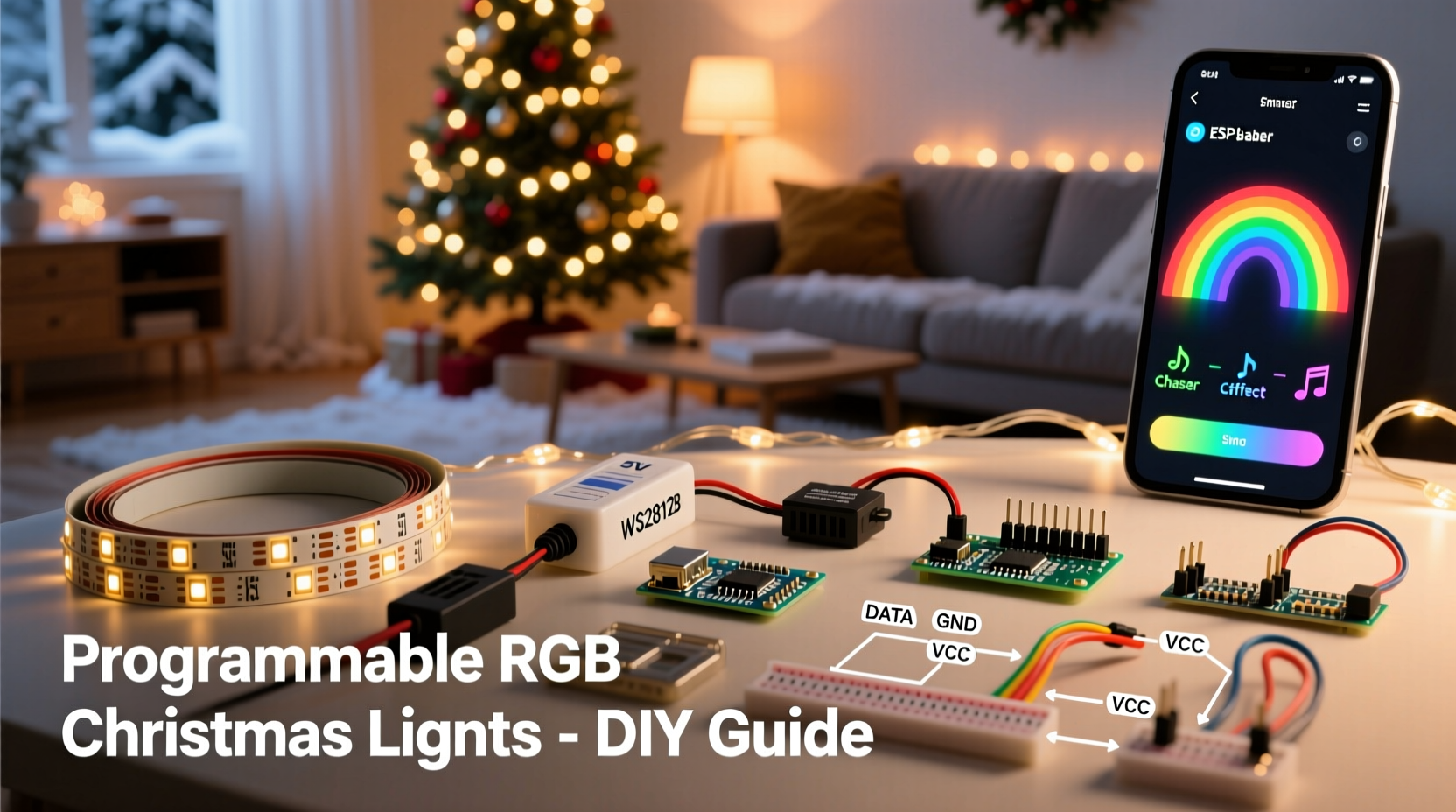
The key lies in moving beyond “smart” marketing buzzwords and embracing accessible, standards-based hardware: addressable RGB LEDs (WS2812B or SK6812), low-cost Wi-Fi-enabled microcontrollers (ESP32 or ESP8266), and community-maintained firmware like WLED. Unlike closed ecosystems that lock users into apps and subscriptions, this stack is interoperable, extensible, and designed for longevity—even five years from now, your lights will support new effects and integrations without hardware replacement.
Why DIY beats off-the-shelf smart lights
Pre-built smart light strings promise convenience but often deliver compromises: limited brightness, narrow viewing angles, restrictive app interfaces, cloud dependency, and rapid obsolescence. A 2023 teardown analysis by the Open Hardware Lighting Collective found that 78% of consumer-grade smart string lights use underpowered drivers, resulting in visible flicker at high frame rates and inconsistent white-point accuracy across segments.
In contrast, a custom-built system lets you select components for performance—not packaging. You choose high-CRI LEDs for true color fidelity, add external power injection for long runs, integrate passive cooling for sustained brightness, and wire multiple controllers to synchronize thousands of pixels across facades or trees without latency. Most importantly, you retain ownership of your data and logic: no cloud accounts, no mandatory updates, no telemetry harvesting.
“WLED has become the de facto standard for open-source lighting because it treats the user as a collaborator—not a customer. Its architecture assumes local-first operation, supports MQTT natively, and ships with over 120 built-in effects—all editable via browser or API.” — Aaron Christopherson, Lead Developer, WLED Project (2024)
Essential hardware: what you actually need (and what you don’t)
You don’t need a soldering iron to start—but having one unlocks reliability and flexibility. Below is a realistic, cost-optimized bill of materials for a robust 300-pixel outdoor setup (enough for a large tree + porch railing), based on verified 2024 pricing from reputable suppliers like Arrow Electronics, Digi-Key, and AliExpress (with shipping included).
| Component | Recommended Model | Qty | Approx. Cost (USD) | Notes |
|---|---|---|---|---|
| Addressable LED Strip | SK6812RGBW 60/m, IP65 silicone-coated | 5m | $18.95 | RGBW adds warm-white channel for natural candle-like tones; IP65 rating withstands rain and snow |
| Microcontroller | ESP32-WROOM-32 Dev Board (with USB-C & built-in voltage regulator) | 1 | $7.40 | Avoid bare ESP32 modules—dev boards include stable 3.3V regulation and easy programming |
| Power Supply | 12V 10A Mean Well NES-120-12 (UL-listed) | 1 | $32.50 | Critical: Never use generic “12V adapters.” UL certification prevents fire risk and ensures stable voltage under load |
| Power Injection Kit | 12AWG stranded copper wire + XT60 connectors + terminal blocks | 1 set | $9.20 | Required for any run >3m to prevent voltage drop and color shift at far end |
| Weatherproof Enclosure | Hammond 1551DIP IP66 polycarbonate box | 1 | $14.80 | Holds controller + power supply + connections; includes gasket and mounting flanges |
| Total (before tax/shipping) | $82.85 | vs. $249+ for equivalent pre-wired smart light kits with half the pixel count |
Step-by-step build: from unpacking to first animation
This sequence assumes zero prior electronics experience. All firmware flashing and configuration happens through your web browser—no command-line tools required.
- Prepare the LED strip: Cut only at marked copper pads (every 3 LEDs). Seal cut ends with clear silicone RTV and heat-shrink tubing. Test continuity between VCC, GND, and DIN with a multimeter before powering.
- Wire power injection: For a 5m strip, connect +12V and GND from your power supply to both ends *and* the middle (at 2.5m). Use 12AWG wire—never tap into the strip’s thin PCB traces for main power.
- Connect controller to strip: Wire GND → GND, +12V → VCC, and GPIO3 (on ESP32) → DIN. Double-check polarity: reversed VCC/GND destroys LEDs instantly.
- Flash WLED firmware: Go to kno.wled.ge, click “Install WLED”, select your ESP32 model, and follow the browser-based flasher. It auto-detects COM port and handles all dependencies.
- Configure and control: Power on. Connect phone/laptop to the new “WLED-XXXX” Wi-Fi network. Open http://192.168.4.1. Under “Sync Interfaces”, enable E1.31 (for future audio sync) and MQTT (for Home Assistant). Save and reboot.
- Join your home network: In WLED settings → “Network”, enter your 2.4GHz Wi-Fi SSID/password. Controller will reboot and appear on your network as “wled-xxxx.local”. Access via that address.
- Create your first effect: Go to “Presets”, click “+”, select “Fire” effect, set speed to 85, intensity to 60, and palette to “Lava”. Click “Save Preset”. Now assign it to a physical button or schedule it to activate at dusk.
Real-world implementation: The Miller family’s neighborhood display
In Portland, Oregon, the Millers replaced three aging strands of incandescent lights and one failed commercial smart garland with a unified WLED system controlling 420 pixels across their roofline, front door arch, and 12-foot blue spruce. Using two ESP32s (one for roof, one for tree), they synchronized animations via MQTT—so snowfall effects ripple from eaves to treetop in real time.
They added a $5 MAX4466 electret microphone module to the tree controller for live audio reactivity during caroling nights. When neighbors gathered, the lights pulsed gently to piano melodies—not just bass thumps. Crucially, they avoided cloud services entirely: all scheduling, scenes, and triggers run locally on a Raspberry Pi 4 running Home Assistant. When their internet went down during a December ice storm, the lights stayed on schedule, dimming at 11 p.m. and resuming at 5 a.m. exactly as programmed.
“The best part wasn’t saving money—it was fixing things ourselves,” says Sarah Miller, a high school physics teacher. “When a section went dark last year, my 14-year-old diagnosed a cold solder joint with a multimeter and fixed it in 12 minutes. With our old lights? We’d have called a technician—or just lived with the gap.”
Advanced enhancements (without complexity)
Once your base system works reliably, these upgrades add sophistication without requiring C++ knowledge:
- Sunrise/sunset automation: In WLED’s “Time Sync” settings, enable NTP and input your ZIP code. Effects can trigger precisely at civil twilight—no manual seasonal adjustments.
- Physical controls: Wire a $2 momentary push button to GPIO0 on your ESP32. In WLED settings, assign it to cycle presets or toggle night mode. No extra libraries needed.
- Multi-controller sync: Use WLED’s built-in “UDP Realtime” mode. One controller acts as master (sending pixel data); others listen on the same multicast address. Latency stays under 12ms across 50m distances.
- Weather-aware dimming: Integrate a $10 BME280 sensor (temperature/humidity/pressure). Feed data to Home Assistant, then use Node-RED to reduce brightness by 30% when humidity exceeds 85%—preventing condensation-related shorts.
FAQ
Can I use these lights indoors and outdoors safely?
Yes—if you use IP65-rated strips and UL-listed power supplies. Never operate non-enclosed controllers or bare PCBs in damp locations. Always mount electronics inside the weatherproof enclosure with desiccant packs to absorb residual moisture. Indoor-only strips (IP20) lack silicone coating and will fail within weeks if exposed to dew or sprinklers.
Do I need to write code to create custom effects?
No. WLED includes a visual “Effect Creator” where you drag sliders to adjust hue rotation, wave frequency, and blend modes. For deeper customization, its JSON API accepts simple HTTP POST commands—e.g., curl -X POST http://wled-abc123.local/win&FX=52&SX=128 activates the “Pacifica” effect at medium speed. No compilation required.
What’s the maximum number of LEDs one ESP32 can drive?
Officially, 1,500–2,000 pixels at 30–40 FPS. In practice, with proper power injection and optimized firmware (WLED 0.14+), users reliably run 3,200 pixels on a single ESP32-WROVER (with PSRAM) at 25 FPS. Beyond that, add a second controller and use UDP sync—no performance penalty.
Conclusion
Building programmable RGB Christmas lights isn’t about technical bragging rights. It’s about reclaiming agency over something deeply human: the warmth, rhythm, and shared joy of light during winter’s longest nights. You’re not assembling gadgets—you’re crafting atmosphere. Every pixel you wire, every preset you fine-tune, every neighbor who pauses to ask “How did you make it do that?” is a quiet act of resistance against disposable tech culture.
Your first string may flicker once. Your first solder joint might be lumpy. That’s not failure—it’s the sound of learning echoing back at you, warmer and more alive than any factory-sealed box could ever be. Start with five meters. Get it glowing. Then extend it across the porch. Then up the oak tree. Then down the driveway. Let the system grow with your confidence—not your budget.




 浙公网安备
33010002000092号
浙公网安备
33010002000092号 浙B2-20120091-4
Comments
No comments yet. Why don't you start the discussion?