
Creating your own website used to require technical knowledge, expensive software, and coding skills. Today, that’s no longer true. With user-friendly platforms and free tools, anyone can build a professional-looking website in under an hour—no experience required. Whether you're launching a personal blog, showcasing a portfolio, or testing a business idea, this guide walks you through every essential step to get your site online for free.
1. Define Your Website’s Purpose
Before touching any tools, clarify why you’re building the site. A clear purpose shapes everything from design to content. Common goals include sharing ideas (blog), displaying work (portfolio), promoting a service (personal brand), or starting a small online store.
Ask yourself:
- Who is my audience?
- What do I want them to do on my site?
- What message should they take away?
A focused goal helps you choose the right platform and avoid unnecessary features that complicate a free setup.
2. Choose a Free Website Builder
Modern website builders eliminate the need to code. They offer drag-and-drop interfaces, templates, and hosting—all included in a free plan. The best options balance ease of use with flexibility.
| Platform | Best For | Free Plan Limitations |
|---|---|---|
| Wix | Creative portfolios, small businesses | Wix-branded domain, ads on site |
| WordPress.com | Blogs, content-heavy sites | Limited themes, no plugins on free tier |
| Weebly | Straightforward websites, small stores | Basic features only, Weebly footer |
| Blogger | Beginner bloggers | Very limited customization |
| Google Sites | Internal sites, school projects, simple pages | Minimal design control |
For most beginners, Wix or WordPress.com offers the best mix of usability and design quality. Both allow responsive designs that look good on phones and desktops.
“Starting with a free website builder lowers the barrier to entry and lets people learn by doing.” — Maria Tran, Digital Literacy Educator
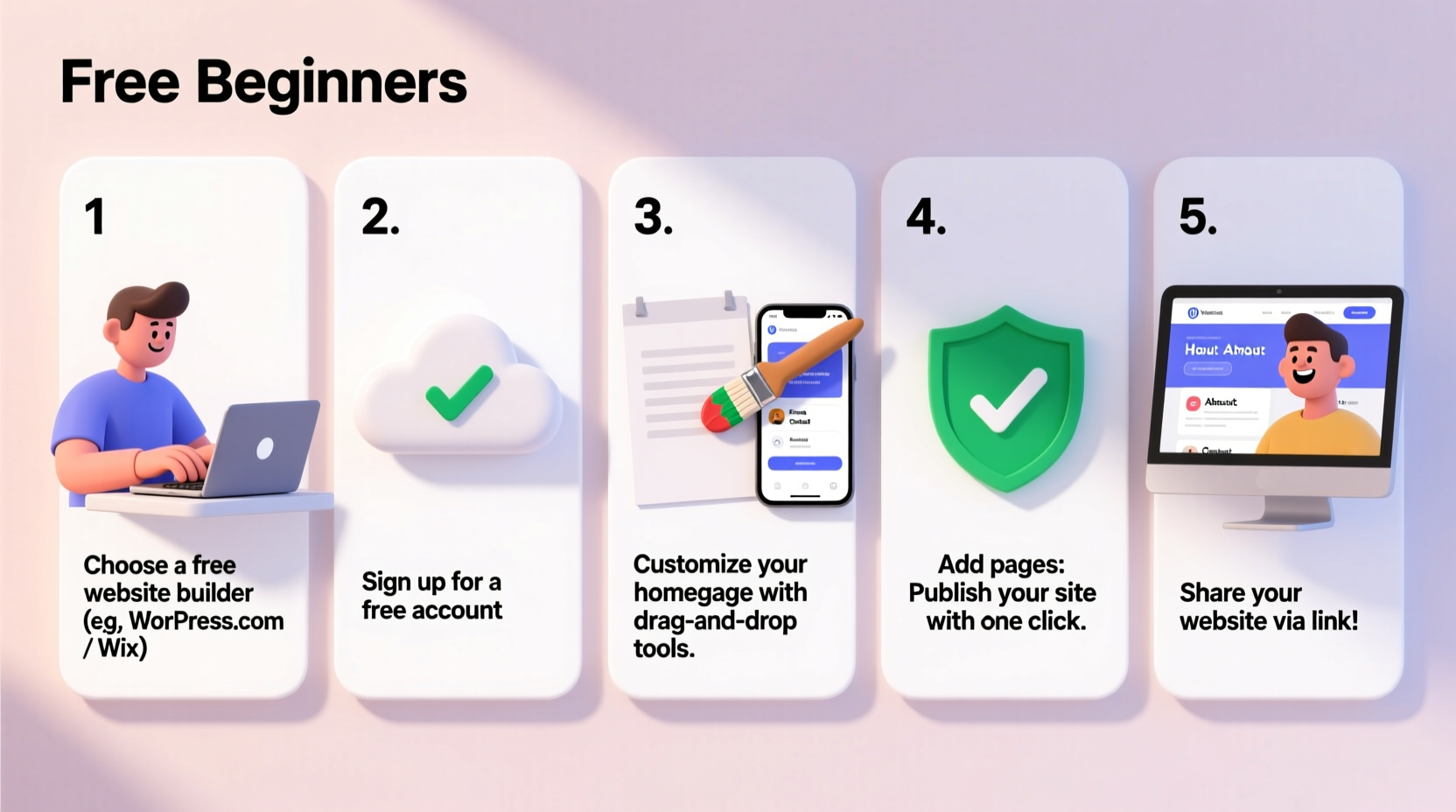
3. Step-by-Step: Building Your Site in 60 Minutes
Follow this timeline to launch your first website today:
- Sign up (5 minutes): Go to Wix.com or WordPress.com and create a free account with your email.
- Pick a template (10 minutes): Choose one based on your purpose—blog, portfolio, business. Preview several before deciding.
- Edit content (20 minutes): Replace placeholder text with your own. Add a short bio, upload a profile photo, and write a headline that explains who you are.
- Customize design (10 minutes): Change colors and fonts to match your personality or brand. Most builders let you preview changes instantly.
- Add key pages (10 minutes): Include an About page and Contact form. Even if it's just an email link, it builds trust.
- Publish (5 minutes): Click “Publish” to go live. Your site will have a free subdomain like yoursite.wixsite.com.
You now have a functioning website accessible to anyone with the link.
4. Real Example: How Sarah Launched Her Art Portfolio
Sarah, a recent art school graduate, wanted to share her paintings without spending money. She chose Wix because of its visual templates. Using the “Artist Portfolio” template, she uploaded 12 high-quality images, wrote a brief artist statement, and added an email contact button.
Within two days, a local gallery owner found her site through Instagram and invited her to display three pieces. The entire site cost nothing, and she built it over a single weekend. Her advice? “Don’t wait until it’s perfect. Just publish and improve later.”
5. Optimize for Visitors and Search Engines
A live site is just the beginning. Make it discoverable and user-friendly with these free optimizations:
- Add descriptive page titles: Instead of “Page 1,” use “About Me – Illustrator & Designer.”
- Use headings properly: Structure content with H2 and H3 tags so search engines understand it.
- Write unique image alt text: Describe what’s in each photo (e.g., “watercolor landscape of mountains”) for accessibility and SEO.
- Include keywords naturally: If you're a photographer, mention phrases like “portrait photography” in your text.
Even free sites can rank on Google when content is clear and relevant.
Checklist: Launch-Ready Website Essentials
- ✅ Clear purpose defined
- ✅ Platform chosen (Wix, WordPress.com, etc.)
- ✅ Template selected and customized
- ✅ Homepage with headline and photo
- ✅ About and Contact pages added
- ✅ Content proofread and error-free
- ✅ Site published and tested on phone
Common Questions (FAQ)
Can I use my own domain name for free?
No, custom domains (like www.yourname.com) usually require a paid upgrade. However, you can start with the free subdomain and switch later when you’re ready to invest.
Will my website have ads if I use a free plan?
Yes, most free plans display platform branding or ads. Wix shows a small banner at the bottom. If a clean look is critical, upgrading removes these, but many visitors won’t notice.
Can I make money from a free website?
Technically yes, but with limitations. You can add affiliate links or accept donations via PayPal, but full e-commerce features (like selling products) require a paid plan.
Conclusion: Your Website Is Closer Than You Think
Building a website doesn’t require technical expertise or a budget. With free tools and a clear goal, you can go from idea to live site in less than a day. The biggest mistake is waiting for perfection. Publish early, gather feedback, and improve over time. Every expert started exactly where you are now—with a blank screen and a desire to share something meaningful.




 浙公网安备
33010002000092号
浙公网安备
33010002000092号 浙B2-20120091-4
Comments
No comments yet. Why don't you start the discussion?