
Shopping online has transformed the way people purchase everyday items, electronics, clothing, and more. Among all e-commerce platforms, Amazon stands out as the most widely used, offering millions of products, fast shipping, and user-friendly navigation. For first-time shoppers, however, the process can seem overwhelming. Where do you start? How do you know if a product is trustworthy? What happens after you click “Place your order”? This guide walks you through every stage of ordering on Amazon—clearly, thoroughly, and without unnecessary jargon.
Create an Amazon Account
The first step to shopping on Amazon is setting up an account. While you can browse without signing in, purchasing requires registration. Visit amazon.com (or your country’s Amazon site) and click “Account & Lists” in the top-right corner. Then select “Start here” under the New customer? section.
You’ll need to provide:
- Your full name
- A valid email address
- A secure password
After submitting this information, Amazon will send a confirmation email. Click the link to verify your account. Once confirmed, you’re ready to shop.
Navigate the Amazon Interface
Familiarizing yourself with Amazon’s layout makes shopping faster and more efficient. The homepage features several key areas:
- Search bar: Type any product name, brand, or category here.
- Departments menu: Browse categories like Electronics, Books, Home & Kitchen, etc.
- Deals and recommendations: Personalized suggestions based on browsing history.
- Prime benefits: Highlighted offers for Prime members, including fast shipping and exclusive deals.
For first-time users, using the search bar is often the quickest way to find what you need. Be specific—instead of typing “shoes,” try “women’s running shoes size 8.”
Find and Evaluate Products
Once you’ve entered a search term, Amazon displays a list of relevant results. Each listing includes the product title, price, seller info, customer rating, and shipping details.
To make a smart choice, consider these factors:
- Customer Reviews: Look for products with at least 4-star average ratings and read recent reviews to spot recurring issues.
- Seller Reputation: Prefer items sold by “Amazon.com” or highly rated third-party sellers (usually 4.5 stars or higher).
- Price vs. Value: A low price isn’t always better. Check warranty, return policy, and included accessories.
- Shipping Options: Look for “Fulfilled by Amazon” for reliable handling and returns. Prime members enjoy free two-day shipping on eligible items.
| Feature | What to Look For | Red Flags |
|---|---|---|
| Product Rating | 4.0 stars or higher with many reviews | Average below 3.5 stars or fewer than 10 reviews |
| Seller | Amazon or seller with high feedback score | Unknown seller with negative comments |
| Shipping | Free or fast delivery, especially for Prime | Long delivery times or extra fees |
| Returns | 30-day return window, free returns | No returns accepted or restocking fees |
Add Items to Cart and Checkout
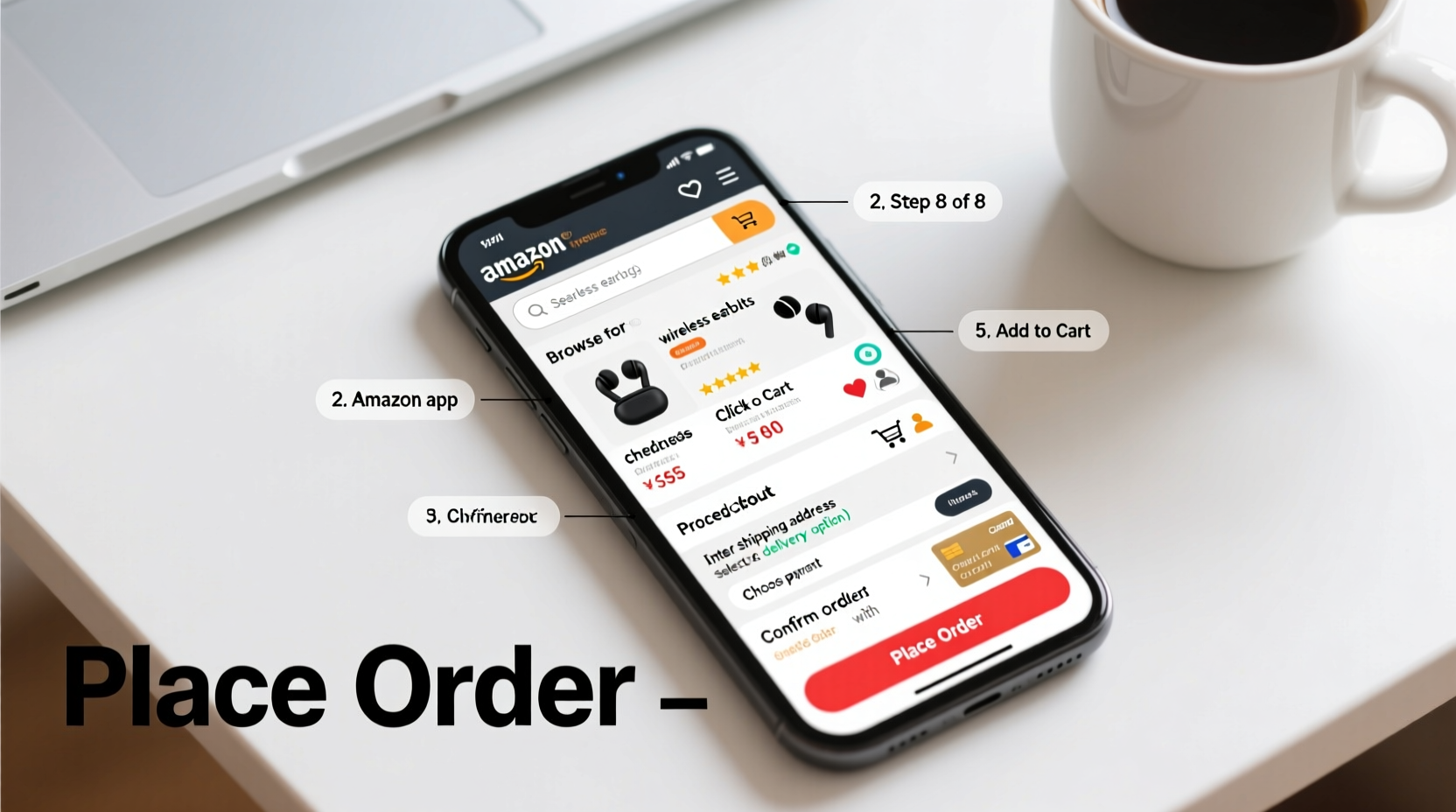
When you find the right product, click the “Add to Cart” button. You can continue shopping or proceed to checkout by clicking the cart icon in the top-right corner.
At checkout, you’ll go through several steps:
- Review Cart: Confirm item, quantity, color, size, and price.
- Choose Shipping Address: Enter or select a saved address. Ensure it’s accurate—this is where your package will be delivered.
- Select Delivery Speed: Options vary based on location and availability. Prime members see “FREE Two-Day Shipping” on eligible items.
- Payment Method: Add a credit/debit card, use Amazon gift cards, or link other payment options like PayPal (in some regions).
- Review Order: Double-check everything before confirming.
Click “Place your order” to complete the purchase. You’ll receive an email confirmation with order details and tracking information.
“Over 70% of Amazon customers say clear product descriptions and verified reviews are the main reasons they complete a purchase.” — Retail Insights Report, 2023
Track Your Order and Handle Delivery
After placing your order, Amazon provides real-time updates. To track your package:
- Go to “Your Orders” under “Account & Lists.”
- Find the purchase and click “Track Package.”
- View estimated delivery date, carrier, and current status (e.g., “Shipped,” “Out for Delivery”).
If you’re not home when delivery occurs, Amazon may leave the package in a safe place or require a signature, depending on the item’s value.
Mini Case Study: First-Time Buyer Success
Sarah, a college student in Ohio, needed a new laptop for her online classes. She had never ordered anything online before. Using this guide, she created an Amazon account, searched for “lightweight laptops for students under $600,” filtered by 4+ stars, and chose one sold by Amazon with free shipping. She used her parent’s credit card (with permission), completed checkout, and received tracking updates via email. The laptop arrived in two days. Sarah was able to start her semester on time—all because she took the process one step at a time.
Essential Tips for Safe and Smart Shopping
To ensure a smooth experience every time you shop on Amazon, follow this checklist:
- ✅ Create and verify your Amazon account
- ✅ Use precise search terms to find products
- ✅ Read customer reviews and check seller ratings
- ✅ Confirm shipping costs and delivery timeline
- ✅ Save payment methods securely in your account
- ✅ Review order summary before finalizing
- ✅ Track your package and prepare for delivery
- ✅ Know the return policy in case of issues
Frequently Asked Questions
Can I return an item if I don’t like it?
Yes. Most items sold by Amazon can be returned within 30 days for a full refund. Go to “Your Orders,” select the item, and choose “Return or Replace Item.” Follow the prompts to print a label (if applicable) and ship it back.
Is it safe to enter my credit card information?
Yes. Amazon uses advanced encryption and fraud detection systems to protect your financial data. For added safety, consider using virtual card numbers or digital wallets like Amazon Pay.
What is Amazon Prime, and do I need it?
Amazon Prime is a paid membership ($14.99/month or $139/year) that includes benefits like free two-day shipping, access to Prime Video, and exclusive deals. It’s not required, but it can save money and time if you shop frequently.
Final Steps and Confidence in Online Shopping
Ordering on Amazon doesn’t have to be intimidating. With a verified account, careful product selection, secure payment, and proper order tracking, even first-time shoppers can enjoy a seamless experience. The platform is designed to be intuitive, and tools like customer reviews, fast support, and easy returns add layers of trust.
Every expert shopper started exactly where you are now—with curiosity and caution. By following these steps, you’re not just learning how to buy something online; you’re gaining independence, convenience, and access to a world of products at your fingertips.




 浙公网安备
33010002000092号
浙公网安备
33010002000092号 浙B2-20120091-4
Comments
No comments yet. Why don't you start the discussion?