
A cluttered tech drawer is more than just an eyesore—it’s a daily frustration. Cables tangle like spaghetti, batteries roll freely, and adapters vanish into the abyss. The solution doesn’t require a trip to a specialty home goods store or a hefty investment. With a few smart choices from your local dollar store, you can transform that chaotic drawer into a model of efficiency. This guide walks through a practical, budget-friendly approach to reorganizing your tech drawer using only affordable, accessible supplies.
Why Dollar Store Supplies Work for Tech Organization
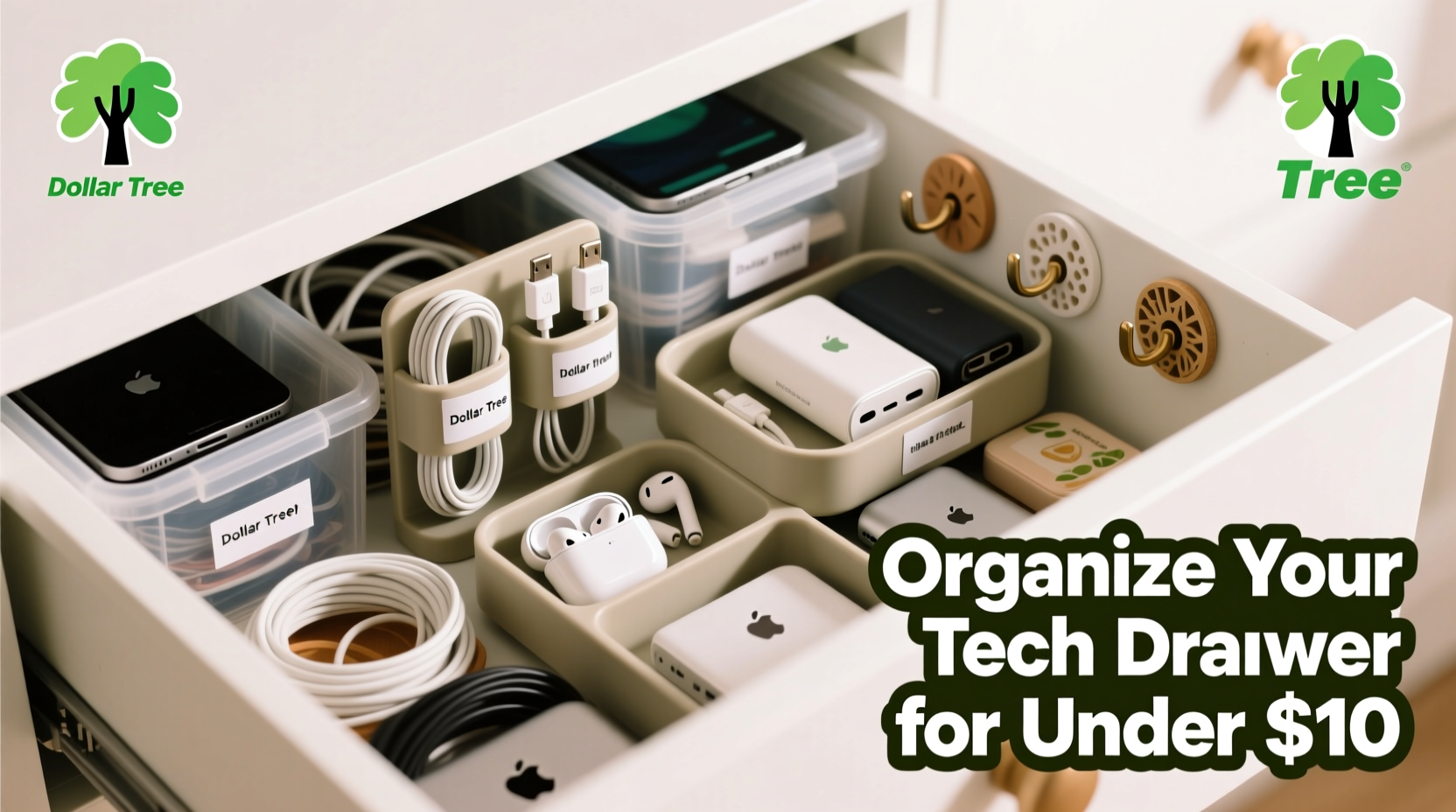
The misconception that organization requires high-end products persists, but in reality, simplicity often wins. Dollar stores stock a surprising range of containers, dividers, and adhesive solutions perfect for compartmentalizing small electronics and accessories. These items are lightweight, durable enough for everyday use, and most importantly, inexpensive enough that you can experiment without financial risk.
Plastic bins, ice cube trays, zip-top bags, and adhesive hooks commonly found at dollar stores are ideal for sorting cables, storing USB drives, or labeling spare parts. Their compact sizes match the dimensions of typical kitchen or desk drawers, making them easy to layer or stack. Plus, because they’re widely available, replacements are never an issue if something breaks or gets repurposed elsewhere.
Step-by-Step Guide to Reclaiming Your Tech Drawer
Organization begins not with buying supplies, but with assessing what you already have. Follow this timeline to systematically overhaul your drawer in under two hours.
- Empty Everything (10 minutes)
Remove all contents from the drawer. Place items on a clean surface where you can see and categorize them. - Sort & Purge (20 minutes)
Group similar items: chargers, cables, batteries, memory cards, tools, etc. Discard frayed cords, dead batteries, and obsolete gadgets. - Plan Zones (15 minutes)
Determine which categories need dedicated spaces. Prioritize frequently used items for easy access. - Shop Smart at the Dollar Store (30 minutes)
Purchase only what matches your zones—no impulse buys. Stick to the list. - Assemble & Label (25 minutes)
Arrange containers, secure them if needed, and label clearly for long-term maintenance. - Test & Adjust (10 minutes)
Open and close the drawer several times. Ensure nothing shifts or blocks closure.
This method prevents overwhelm by breaking the process into manageable stages. It also ensures every purchase has a purpose, eliminating wasted money and space.
Essential Dollar Store Supplies and How to Use Them
Not all dollar store items are equally useful. Focus on versatile, rigid containers that resist crushing and offer modularity. Below are proven picks and their applications.
| Item | Best For | Pro Tip |
|---|---|---|
| Plastic partition boxes (commonly sold for hardware) | Sorting batteries, screws, SD cards | Use multiple boxes side by side for expandable modular storage |
| Ice cube trays | Holding small items like earbuds, USB sticks, watch bands | Choose deep-cell trays to prevent rolling |
| Small food storage containers with lids | Storing longer cables coiled neatly | Label lids with contents using masking tape and marker |
| Velcro cable ties | Securing loose cords, bundling similar cables | Attach one end to the container so ties don’t get lost |
| Adhesive hooks (mini size) | Mounting inside drawer for hanging cords or tags | Clean surface with alcohol before applying for better adhesion |
| Zip-top sandwich bags (quart size) | Grouping related accessories (e.g., HDMI + adapter + extender) | Write contents directly on bag with dry-erase marker |
One often-overlooked item is the plastic cutlery organizer. Its long, narrow compartments are perfect for standing up phone chargers, styluses, or measuring tapes. Repurposing kitchenware for tech storage maximizes utility while minimizing cost.
Real Example: Sarah’s Home Office Drawer Makeover
Sarah, a freelance graphic designer, struggled with a deep kitchen-style drawer repurposed for tech gear. Her Apple Watch charger tangled with her laptop power brick, and she regularly misplaced micro-USB cables mid-project. After spending $7.50 at her local dollar store, she transformed the space.
She bought two plastic partition boxes—one for batteries and SIM ejector tools, another for SD and microSD cards. A large ice cube tray held wireless earbuds, charging cases, and styluses. Four quart-sized zip-top bags grouped cables by device: one for tablets, one for cameras, one for older Android phones, and one labeled “travel kit.” She used Velcro ties to keep each bundle snug and attached adhesive labels made from masking tape.
Within 90 minutes, her drawer went from chaos to clarity. “Now I grab what I need in seconds,” she said. “And when I travel, I just take the whole ‘travel kit’ bag. No more forgetting adapters.”
“Most people overbuy organizers. Success comes from matching the container to the item’s frequency of use and shape.” — Dana Ruiz, Professional Home Organizer
Do’s and Don’ts of Budget Tech Drawer Organization
To avoid common pitfalls, follow these guidelines when selecting and arranging dollar store supplies.
| Do | Don't |
|---|---|
| Measure your drawer interior before shopping | Buy containers that are too tall and block drawer closure |
| Label everything—even if you think you’ll remember | Assume color-coding alone will be enough |
| Use soft fabric bags inside hard containers to protect delicate items | Let metal connectors scratch against each other |
| Leave some empty space for future additions | Overfill containers until they won’t close |
| Group items by function or device, not just type | Store all cables together regardless of use |
One subtle but critical point: airflow matters. Avoid sealing batteries or lithium-powered devices in airtight containers inside enclosed drawers. Moisture buildup can accelerate corrosion. Opt for containers with slight venting or leave lids slightly ajar when appropriate.
Checklist: Your Dollar Store Tech Drawer Project
Follow this concise checklist to ensure a smooth, effective reorganization.
- ✅ Empty the drawer completely
- ✅ Sort items into logical categories
- ✅ Discard broken, outdated, or unused tech
- ✅ Measure drawer dimensions (depth, width, height)
- ✅ List needed zones (e.g., cables, batteries, tools)
- ✅ Purchase only necessary dollar store containers
- ✅ Assign a home for every remaining item
- ✅ Secure containers if drawer slides open forcefully
- ✅ Label all compartments clearly
- ✅ Test accessibility and adjust as needed
Completing this list ensures no step is skipped and sets the foundation for lasting order. The key is consistency—once organized, spend 30 seconds after each use returning items to their designated spots.
Frequently Asked Questions
Can I really organize a tech drawer well with only dollar store items?
Absolutely. While premium organizers exist, functionality depends more on layout and labeling than material cost. Dollar store containers are often made from the same polypropylene used in higher-priced brands. As long as they fit your space and withstand daily use, they’re effective.
How do I stop cables from tangling again?
Coil each cable using the over-under method (alternating loops to prevent twisting), then secure it with a Velcro tie or rubber band. Store each in its own container or labeled bag. Avoid stuffing multiple cables into one bin without separation.
What if my drawer is too deep and things get lost in the back?
Use shallow containers to bring items forward. Stack smaller bins on top of larger ones if depth exceeds usability. Alternatively, designate the back row for infrequently used backups and the front for daily essentials.
Maintaining Your Organized Tech Drawer
The true test of any organizational system isn’t how it looks on day one, but how it holds up over time. To maintain order, schedule a quick 10-minute review every three months. During this time, check for:
- New cables or devices that need homes
- Worn-out containers that may need replacing
- Items that have migrated out of place
- Batteries past their expiration date
Incorporate habits like “one in, one out”—if you buy a new charging cable, consider donating or recycling an old one. This prevents gradual re-cluttering and keeps the system sustainable.
Labeling plays a crucial role in longevity. Instead of relying on memory, use removable labels such as masking tape or sticky flags. Update them as your tech evolves. If you switch from Android to iPhone, re-label the “Android cables” bag accordingly—or repurpose it.
Conclusion: Small Changes, Lasting Results
Organizing a messy tech drawer doesn’t demand expertise or expense. With thoughtful planning and a handful of dollar store finds, you can create a system that saves time, reduces stress, and protects your devices. The real value isn’t just in tidiness—it’s in reclaiming control over the small but essential tools you use every day.
Start today. Empty that drawer, sort with intention, and build a setup that works for your life. You’ll be surprised how much difference a few plastic bins and a little creativity can make.




 浙公网安备
33010002000092号
浙公网安备
33010002000092号 浙B2-20120091-4
Comments
No comments yet. Why don't you start the discussion?