
Cluttered cables are more than an eyesore—they're a productivity drain, a safety hazard, and a source of daily frustration. Whether it's behind your desk, under your entertainment center, or in a server rack, tangled cords reduce efficiency and make troubleshooting a nightmare. The solution? A systematic approach using labeled clips and velcro ties. These simple tools, when used correctly, transform chaos into clarity. This guide walks you through a professional-grade cable management strategy that’s sustainable, scalable, and easy to maintain.
Why Cable Management Matters Beyond Aesthetics
Cable organization isn’t just about looking tidy. Poorly managed wires can lead to equipment damage, overheating, accidental disconnections, and extended downtime during repairs. According to the National Fire Protection Association (NFPA), improper electrical arrangements contribute to over 50,000 home fires annually. While not all stem from loose cables, overcrowded power strips and tangled wiring increase fire risk due to poor ventilation and strain on connectors.
Beyond safety, organized cables improve workflow. IT professionals report up to 30% faster troubleshooting times in environments where cabling is standardized and labeled. For remote workers and creatives, a clean setup reduces mental clutter, enhancing focus and reducing stress.
“Cable management is the foundation of any reliable tech environment. It’s not glamorous, but neglecting it costs time, money, and peace of mind.” — Marcus Tran, Senior Network Engineer at TechFlow Solutions
Choosing the Right Tools: Labeled Clips vs. Velcro Ties
Effective cable management starts with selecting the right tools. Not all organizers perform equally, and using the wrong type can cause long-term damage.
Labeled Clips: Precision Identification
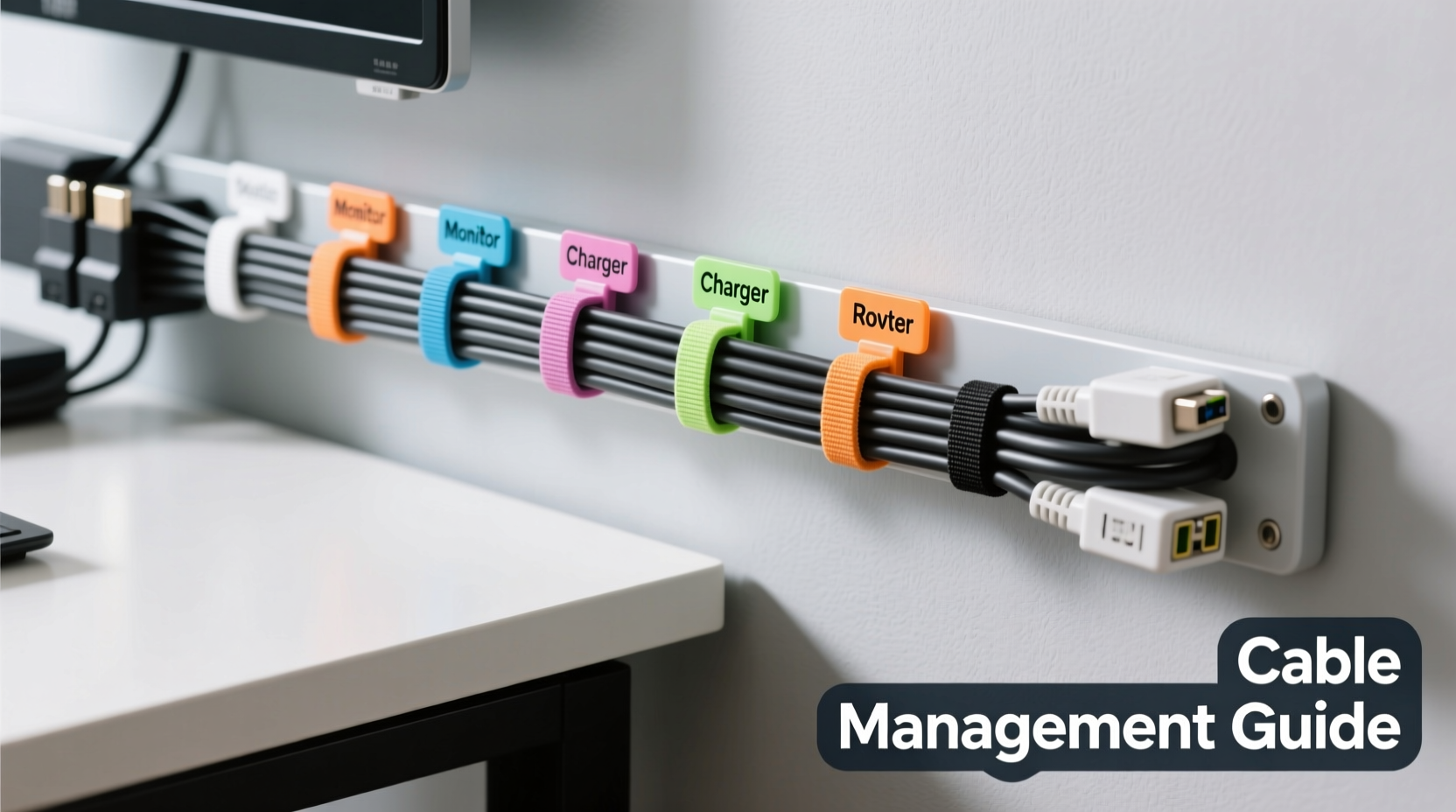
Labeled clips—typically made of plastic or nylon with adhesive backs—allow you to group and identify cables by function. They come in various sizes and often include write-on labels or reusable label inserts. These are ideal for:
- Grouping similar cables (e.g., monitor, audio, charging)
- Mounting near connection points (desk grommets, wall outlets)
- Creating visual pathways for frequent access
Velcro Ties: Flexible Bundling Without Damage
Unlike zip ties, which permanently bind and can damage insulation when overtightened, velcro ties are reusable, adjustable, and gentle on cables. They’re perfect for bundling multiple cords together without restricting airflow or creating tension.
Step-by-Step Guide to Neat Cable Organization
Follow this proven sequence to achieve a clean, functional setup in under an hour. This method works for home offices, media centers, workbenches, and small server setups.
- Power down and unplug everything. Safety first. Turn off devices and disconnect all cables from power sources and ports.
- Sort cables by category. Group them into types: power, HDMI/DisplayPort, USB, Ethernet, audio, charging, etc.
- Test each cable. Plug them back in temporarily to verify functionality. Discard or set aside any frayed, damaged, or non-working cables.
- Label at both ends. Use a label maker or waterproof marker to identify each cable’s purpose (e.g., “Monitor HDMI,” “Laptop Charger”). Do this before reattaching.
- Reroute cables logically. Plan the shortest, safest path from device to outlet or hub. Avoid sharp bends, high-traffic areas, and heat sources.
- Use velcro ties to bundle like cables. Wrap every 6–8 inches along longer runs. Don’t over-tighten—leave room for flexibility.
- Secure bundles with labeled clips. Mount clips near exit points (desk edge, TV stand) to anchor groups and display labels clearly.
- Route excess length neatly. Coil extra cable into figure-eights and secure with a loose velcro tie to prevent kinking.
- Final check. Power everything back on and test connections. Adjust positioning if needed.
Best Practices: Do’s and Don’ts
| Do’s | Don’ts |
|---|---|
| Use color-coded velcro ties for different systems (blue for network, red for power, etc.) | Use zip ties unless absolutely necessary—they’re hard to remove and can damage insulation |
| Label both ends of every cable | Assume you’ll remember what a cable is for later |
| Leave slack for mobility (especially on laptops or movable monitors) | Pull cables taut—this strains connectors and increases wear |
| Reevaluate your setup quarterly | Ignore dust buildup around cable clusters—dust conducts heat and traps moisture |
| Use adhesive-backed clips on desks, walls, or furniture edges | Run cables under rugs or across walkways where they pose tripping hazards |
Real-World Example: Transforming a Home Office Setup
Sarah, a freelance graphic designer, struggled with a chaotic desk setup. Her dual monitors, drawing tablet, external hard drives, and laptop charger created a jungle of indistinguishable black cords. Every time her internet dropped, she spent 15 minutes tracing the Ethernet cable. After one accidental disconnection during a client call, she decided to reorganize.
She followed the step-by-step process outlined above. She sorted nine cables into four categories, labeled each with a mini label maker, and used green velcro ties for data cables and black ones for power. She mounted labeled clips beneath her desk to route each group toward its destination.
The result? Setup time for new devices dropped from 10 minutes to under 2. Troubleshooting became instant—she could see at a glance which cable went where. More importantly, her workspace felt calmer, and she reported fewer distractions during creative sessions. Six months later, she reused the same system when upgrading her monitor, thanks to clear labeling and modular bundling.
Expert Tips for Long-Term Maintenance
Organization isn’t a one-time fix—it’s a habit. To keep your cables neat over time, incorporate these strategies into your routine.
- Create a cable log. Keep a simple spreadsheet or notebook listing each labeled cable, its purpose, and connected devices. Update it with changes.
- Use consistent labeling syntax. For example: [Device]_[Function] (e.g., “Printer_USB,” “TV_HDMI2”). This makes identification predictable.
- Invest in a cable management box. For power strips and wireless hubs, use a ventilated enclosure with cable ports to hide bulk while maintaining access.
- Check tension monthly. Over time, furniture movement or foot traffic can pull on cables. Inspect for strain and readjust velcro ties as needed.
“Labeling isn’t just for enterprise data centers. In any environment where uptime matters, knowing what does what saves hours—and prevents mistakes.” — Lena Patel, IT Infrastructure Consultant
Frequently Asked Questions
Can I reuse velcro ties after removing them?
Yes, high-quality hook-and-loop velcro ties are designed for hundreds of uses. Avoid cheap versions with weak adhesion or stiff material, which degrade quickly. Store them flat when not in use to preserve grip.
What kind of labels last the longest?
Waterproof, laminated labels or those printed with a thermal label maker (like Brother P-touch) resist fading and smudging. Avoid handwritten masking tape—it yellows and peels within weeks.
How short should I keep my cable bundles?
Bundles should be tight enough to stay organized but loose enough to allow airflow and movement. As a rule, you should be able to slide a finger between the cable and the velcro. Never compress cables so tightly that their shape deforms.
Essential Checklist for a Clean Cable System
Use this checklist to ensure no step is missed during your next cable organization project:
- ✅ Unplug and power down all devices
- ✅ Sort cables by type and function
- ✅ Test and discard damaged cables
- ✅ Label both ends of each cable clearly
- ✅ Choose appropriate-length replacements if needed
- ✅ Use velcro ties to bundle similar cables every 6–8 inches
- ✅ Install labeled clips at routing points (desk, wall, shelf)
- ✅ Secure excess cable with loose coils and secondary velcro
- ✅ Reconnect and test all devices
- ✅ Document your setup in a log or diagram
- ✅ Schedule a quarterly review
Conclusion: Turn Chaos Into Control
Organizing cables with labeled clips and velcro ties isn’t just a cosmetic upgrade—it’s an investment in efficiency, safety, and mental clarity. The tools are inexpensive, the process is straightforward, and the benefits compound over time. Once you’ve experienced the ease of identifying a cable at a glance or swapping devices without untangling a knot, you won’t want to go back.
Start small: pick one area—a desk, a TV stand, a workstation—and apply the steps in this guide. You’ll gain confidence and a visible improvement in your space. Then expand to other zones. With consistent labeling and thoughtful bundling, you’ll build a system that scales with your needs and stands the test of time.




 浙公网安备
33010002000092号
浙公网安备
33010002000092号 浙B2-20120091-4
Comments
No comments yet. Why don't you start the discussion?