
A cluttered desk undermines focus, productivity, and peace of mind. Among the most common sources of disarray are charging cables—snarled, tangled, and buried in drawers or draped across surfaces. For those pursuing a minimalist workspace, cable chaos is more than an eyesore; it’s a design failure. The good news: with thoughtful organization, you can streamline your charging setup so it’s efficient, accessible, and nearly invisible. This guide offers practical strategies to declutter your cables, integrate them seamlessly into a minimalist desk setup, and maintain order long-term.
Why Cable Clutter Happens (And Why It Matters)
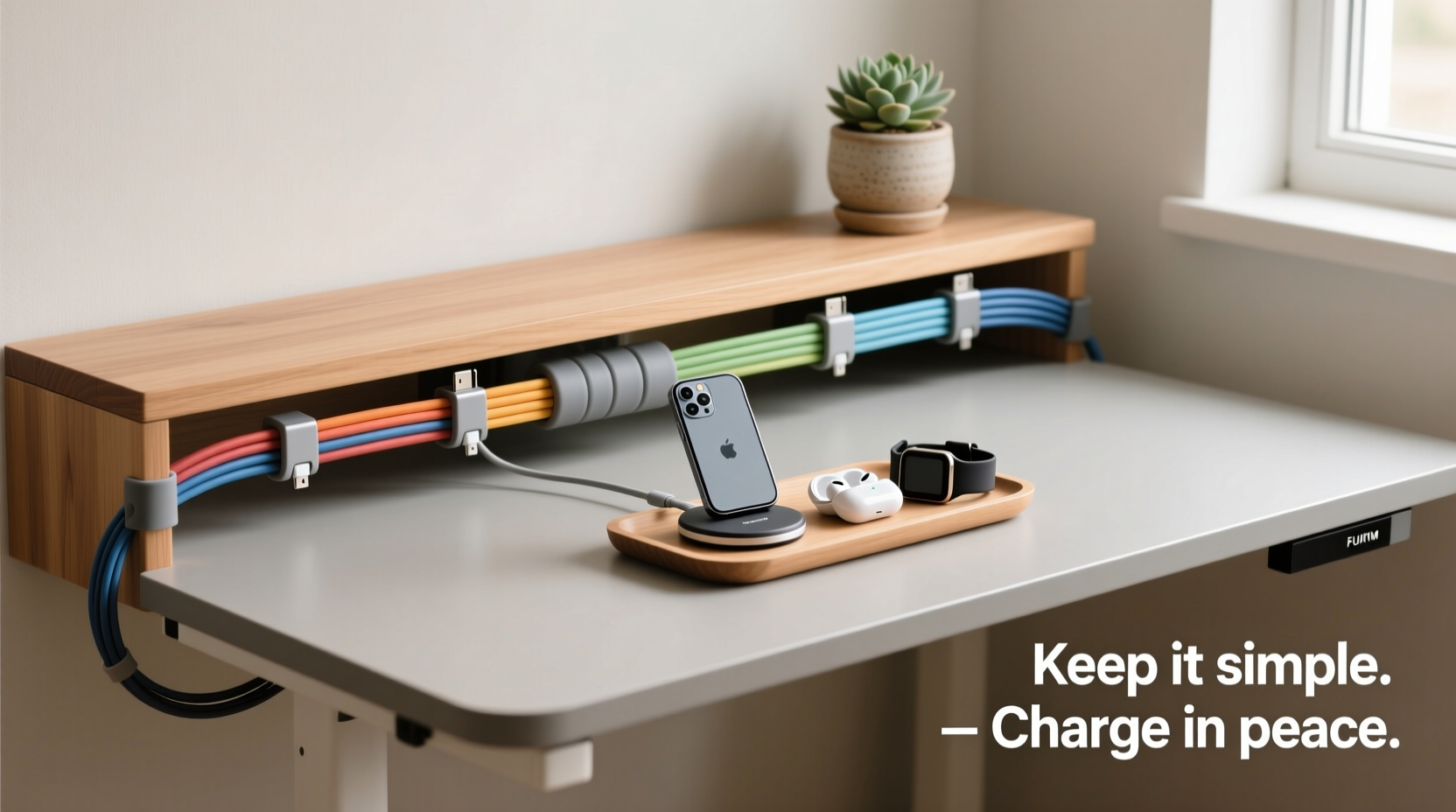
Cable clutter accumulates silently. A phone charger here, a laptop adapter there, a spare USB-C cable \"just in case\"—before you know it, your desk drawer becomes a black hole of coiled frustration. But beyond inconvenience, disorganized cables impact both functionality and psychology.
Studies show that visual clutter increases cognitive load, making it harder to concentrate. A 2011 Princeton University study found that physical mess competes for attention, reducing mental clarity and performance. In contrast, a clean, organized environment supports calm and efficiency. Minimalist desk setups aren’t just about aesthetics—they’re about creating space for thought, not tangles.
The root causes of cable chaos include:
- Lack of designated storage
- Keeping outdated or unused cables
- Poor labeling or identification
- Inconsistent charging habits
- Multiple devices requiring different connectors
Solving this requires more than just tidying—it demands a system.
Step-by-Step Guide to Decluttering Your Cables
Before organizing, you must first reduce. A minimalist approach begins with elimination. Follow this five-step process to reclaim control.
- Gather all cables: Collect every charging cord from drawers, bags, under furniture, and behind electronics. Centralize them on a table.
- Test each one: Plug each cable into a device. Discard any that don’t charge reliably or show fraying, exposed wires, or bent connectors.
- Identify duplicates: Keep only what you need. One USB-A to micro-USB, one USB-C to USB-C, one Lightning cable per user is typically sufficient.
- Label essential cables: Use small adhesive labels or colored tape to mark cables by device (e.g., “iPhone,” “Work Laptop”).
- Dispose responsibly: Don’t trash old electronics. Locate an e-waste recycling center or check with retailers like Best Buy or Apple that offer take-back programs.
This purge should reduce your cable count by at least 50%. Fewer cables mean simpler organization.
Minimalist Desk Setup Ideas for Cable Management
A minimalist desk isn’t defined by emptiness—it’s defined by intentionality. Every item earns its place. Here are proven ways to integrate charging into such a space without sacrificing form or function.
1. Use Under-Desk Cable Trays
Mount a slim cable management tray beneath your desk to store power strips, adapters, and coiled cords out of sight. These trays keep everything within reach but invisible, preserving clean lines above the surface.
2. Invest in a Multi-Port Charging Station
Replace individual wall chargers with a single multi-device charging hub. Units with built-in cable routing allow you to feed cords through desk grommets directly to the station below. Choose models with USB-C PD (Power Delivery) for fast, universal charging.
3. Embrace Magnetic Cable Organizers
Attach small magnetic cable clips to the side or underside of your desk. Wrap excess cord length around them neatly. They hold cables securely but release easily when needed—ideal for daily use.
4. Route Cables Through Desk Grommets
If your desk has a grommet hole (a pre-drilled opening for cables), use it strategically. Feed all power cords through it to a centralized outlet strip or surge protector on the floor. This prevents dangling wires and keeps the desktop clear.
5. Create a Dedicated Charging Drawer
Convert a shallow drawer into a charging zone. Line it with felt to prevent scratches, install a wireless charging pad, and cut a small notch in the back edge to route power cords. Store only active cables here—no backups or spares.
Comparison: Effective vs. Ineffective Cable Storage Methods
| Method | Pros | Cons | Minimalist-Friendly? |
|---|---|---|---|
| Drawer dump | Convenient access | Rapidly becomes chaotic; hard to find specific cables | No |
| Over-desk cable clips | Keeps cords visible and tidy | Can look cluttered if overused | Sometimes |
| Under-desk tray + power strip | Hidden, centralized, professional | Requires installation effort | Yes |
| Wireless charging pad | No cables needed for daily phone charging | Slower than wired; limited to compatible devices | Highly |
| Magnetic cable holders | Adjustable, silent, sleek | May not support heavy-duty cords | Yes |
Expert Insight: Designing for Simplicity
“Minimalism in workspace design isn't about removing utility—it's about integrating it invisibly. The best systems make technology feel effortless.” — Lena Torres, Interior Designer & Workspace Optimization Consultant
Torres emphasizes that the goal isn’t austerity, but flow. “When people say they want less stuff, what they really want is less friction. A charging system should work without thought—plug in, charge, unplug, go.”
Real Example: From Chaos to Calm – A Home Office Transformation
Mark, a freelance graphic designer in Portland, struggled with a desk overrun by cables. His setup included three monitors, a laptop, tablet, phone, smartwatch, and noise-canceling headphones—all needing regular charging. His drawer was a knot of wires, and he often wasted time untangling cords before client calls.
He applied the following changes:
- Discarded seven damaged or redundant cables
- Installed a 6-port USB charging hub under his desk, connected via a single power cord
- Mounted magnetic cable clips along the desk’s underside
- Added a labeled drawer insert with felt dividers for remaining essentials
- Switched to a MagSafe-compatible wireless charger for his iPhone
The result? A completely clean desktop. All charging happens below the surface. When clients join video meetings, the background appears intentional and distraction-free. Mark reports feeling more focused and confident in his work environment.
Checklist: Build Your Minimalist Cable System
Follow this checklist to implement a streamlined, lasting solution:
- ✅ Audit all existing cables—keep only what works and is regularly used
- ✅ Label each retained cable by device or purpose
- ✅ Choose a central charging method (hub, dock, or wireless pad)
- ✅ Install under-desk solutions (tray, clips, or raceway)
- ✅ Route cords through grommets or cable sleeves
- ✅ Designate one drawer or compartment for backup cables only
- ✅ Test the system for ease of access and visual cleanliness
- ✅ Schedule quarterly reviews to remove obsolete gear
Frequently Asked Questions
How do I hide cables without drilling holes?
You don’t need to modify furniture permanently. Use adhesive-backed cable raceways, under-desk trays with clamp mounts, or fabric cable sleeves that blend with your decor. Route cords along baseboards using low-profile clips.
What’s the best way to store backup cables?
Store extras in a labeled, shallow box or drawer organizer. Use segmented compartments to prevent tangling. Consider vacuum-sealed bags for long-term storage—they compress volume and protect from dust.
Can I reduce the number of adapters I need?
Yes. Transition to USB-C where possible. Many modern phones, laptops, and accessories now support USB-C PD, allowing one high-wattage charger to serve multiple devices. Apple’s shift to USB-C for iPhones accelerates this trend.
Conclusion: A Tidy Desk Is a Thinking Desk
Organizing charging cables isn’t a one-time cleanup—it’s an ongoing commitment to simplicity. By curating what you keep, choosing intelligent storage, and designing for daily use, you create a workspace that supports clarity rather than stealing your attention. Minimalism isn’t about deprivation; it’s about making room for what matters. When your desk is free of cable chaos, you gain more than space—you gain mental bandwidth.
Start today. Empty that drawer. Test those cords. Mount that tray. You don’t need expensive gear or a full redesign. Small, deliberate actions compound into lasting order. Your future self—focused, calm, and productive—will thank you.




 浙公网安备
33010002000092号
浙公网安备
33010002000092号 浙B2-20120091-4
Comments
No comments yet. Why don't you start the discussion?