
Cables sprawl across floors, tangle behind desks, and vanish into the backs of entertainment centers. It’s a universal modern frustration: too many cords, not enough order. While sleek cord organizers and branded cable management boxes line store shelves, they often come with high price tags and limited functionality. The truth is, you don’t need to spend money to solve this problem. With creativity, a few household items, and a little time, you can transform chaos into clarity—no expensive gear required.
Effective cord organization isn’t about buying more stuff. It’s about repurposing what you already have, establishing systems that last, and preventing tangles before they form. This guide walks through practical, low-cost solutions anyone can implement immediately—whether you're managing a home office, gaming setup, or a media console.
Assess and Audit Your Cables
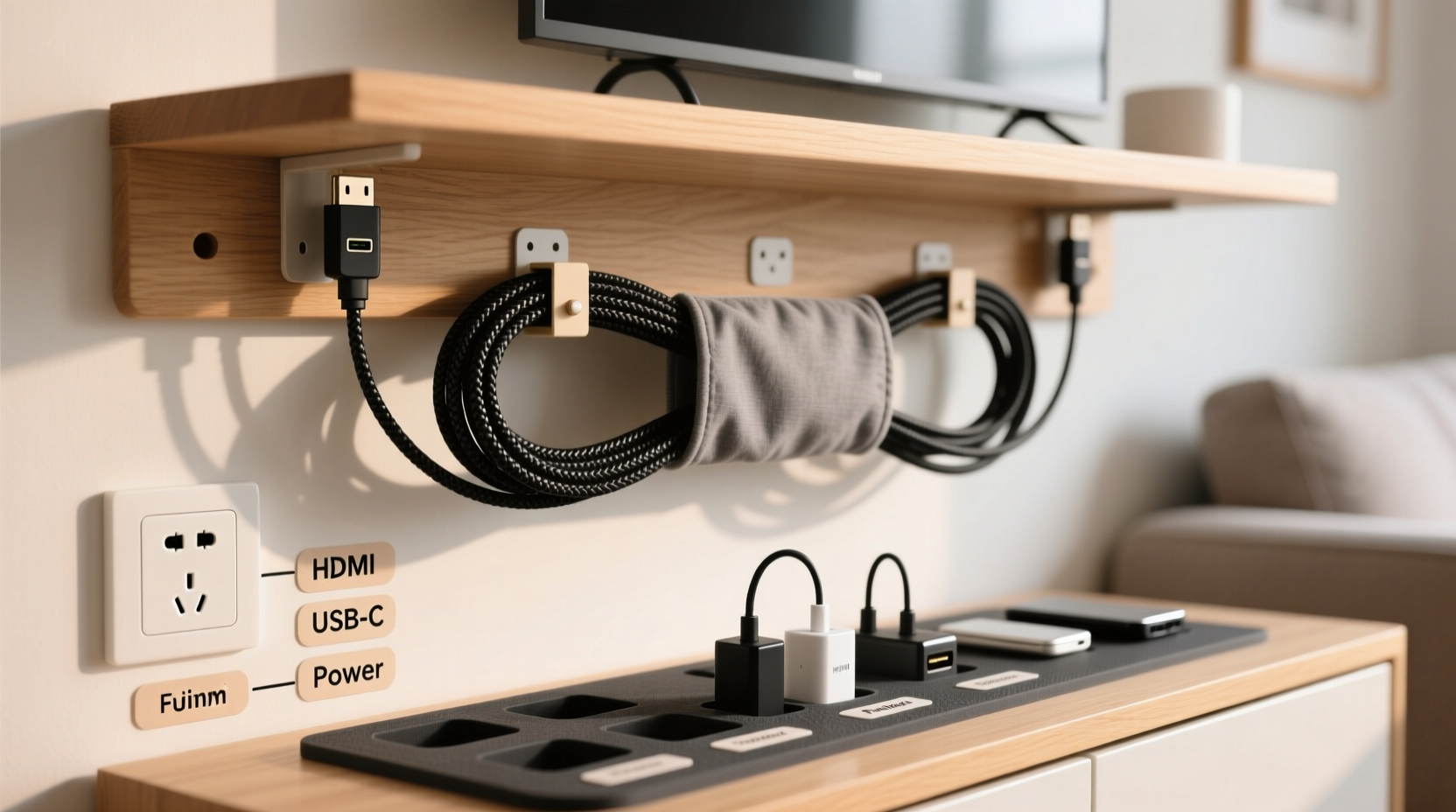
Before organizing anything, take stock of what you actually use. Most people keep cords long after their devices are gone—old phone chargers, obsolete USB cables, and forgotten power adapters pile up over time. Start with a full audit.
Gather every cable from drawers, behind furniture, and under desks. Lay them out on a table or floor. Then, categorize each one:
- Currently in use
- Backup for active devices
- Obsolete or broken
- Unknown (test these)
Discard frayed, damaged, or non-functional cords. Recycle them responsibly at an e-waste facility. For unknowns, plug them in to see if they charge or connect anything you own. If not, let them go.
This step reduces clutter at the source. Fewer cords mean less to manage—and more space for those you actually need.
Repurpose Household Items for Cable Management
You likely already own tools that double as excellent cord organizers. No need to buy specialty products when everyday objects work just as well—or better.
1. Toilet Paper and Paper Towel Rolls
Cardboard tubes are perfect for bundling small cords. Slide headphones, charging cables, or earbuds into a tube to prevent tangling. Write the device name on the outside with a pen. Stack them upright in a drawer for quick access.
2. Binder Clips
These metal clips are ideal for securing cords to desks or shelves. Clip one onto the edge of your desk, then loop the cable through the metal arms. This keeps laptop chargers, monitor cables, and lamp cords neatly anchored and off the floor.
3. Forks (Yes, Real Forks)
For temporary coiling, slide a cord between the tines of a plastic or metal fork before wrapping it around. The prongs act as spacers, preventing tight loops that damage internal wires. Once coiled, secure with a rubber band.
4. Socks and Pouches
Old socks make soft, protective sleeves for delicate cords. Slide a charger or HDMI cable into a clean sock, fold the end over, and store it in a drawer. For multiple cords, use a small fabric pouch or makeup bag labeled by device type.
5. Milk Jug Handles
Cut the handle section from a plastic milk jug to create a sturdy cable clip. Screw it to the back of a desk or shelf to route cords along a wall or underside of furniture. The curved shape holds multiple cables securely.
“People overlook the value of repurposed materials. A binder clip costs pennies but solves cable slippage better than most $20 organizers.” — Dana Reyes, Home Efficiency Consultant
DIY Cord Wraps and Storage Solutions
Creating custom cord wraps ensures consistent length and prevents knots. These methods take seconds to assemble and last for years.
Velcro Strip Wrap
Cut a 6-inch piece of Velcro (hook-and-loop tape). Attach the rough (hook) side to one end of the strip. Wrap the cord in a loose figure-eight or over-under pattern, then fasten the end with the Velcro. This method preserves cable integrity and allows quick release.
Cardboard Notch Holder
Take a cereal box and cut a rectangular panel about 6x8 inches. Make two U-shaped notches on opposite short ends. Wrap your cord around the rectangle and tuck the ends into the notches to secure. Decorate with paper or paint to match your space.
Shoelace Tie-Down
Use an old shoelace to bundle thick power strips or extension cords. Wrap the lace around the coil and tie a square knot. The fabric won’t pinch wires like zip ties, and it’s easy to adjust.
Smart Routing and Anchoring Techniques
Even perfectly wrapped cords become messy if they aren’t routed properly. Anchor them strategically to maintain order.
Under-Desk Cable Troughs
Create a makeshift trough using a pool noodle. Slice it lengthwise and stick the flat side to the underside of your desk with strong adhesive strips. Feed cords through the foam channel to hide and protect them.
Floor Cord Covers from Books
If cords cross walkways, use a hardcover book as a quick cover. Remove the pages, leaving the front and back covers connected by the spine. Place it over the cord on the floor. It’s discreet and prevents tripping.
Door-Back Mounting
Use the back of a closet or cabinet door to store frequently used cords. Nail small hooks or cup hooks to hang coiled cables. Label each hook so you know what’s there at a glance.
| Solution | Best For | Cost |
|---|---|---|
| Binder Clips | Desk cable anchoring | $0.10 each |
| Paper Towel Roll | Small electronics cords | Free (recycled) |
| Pool Noodle Trough | Under-desk routing | $1–$2 |
| Velcro Strips | Coiling any cable | $0.25 per foot |
| Hardcover Book Cover | Floor cord protection | Free (repurposed) |
Step-by-Step Guide to a Tangle-Free Setup
Follow this sequence to organize any cable-heavy area—desk, entertainment center, or workshop—in under an hour.
- Unplug everything. Clear the space completely. Safety first—ensure no devices are powered during sorting.
- Sort by function. Group cords: power, audio, video, data, charging.
- Test and label. Plug each cable into a device to confirm usability. Label both ends with tape.
- Discard unusable ones. Recycle damaged or obsolete cords responsibly.
- Coil with care. Use the over-under method: alternate loops to prevent twist buildup.
- Secure with soft ties. Use fabric strips, Velcro, or rubber bands—never zip ties, which can crush insulation.
- Route and anchor. Use binder clips, milk jug handles, or foam channels to guide cords away from traffic areas.
- Store vertically or flat. Use drawer dividers, shoeboxes, or wall-mounted envelopes to keep coils separated.
- Maintain monthly. Unwrap and re-coil cords every 30 days to relieve tension and check for wear.
Real Example: Sarah’s Home Office Transformation
Sarah, a freelance designer, struggled with a desk buried under tangled cords. Her monitor, drawing tablet, printer, and laptop all had separate chargers and connection cables. She’d trip over cords daily, and her workspace felt chaotic.
She spent one Sunday applying low-cost fixes. She used toilet paper rolls for her USB cables, labeled each with colored tape. Binder clips secured power cords to the desk edge. A cut pool noodle ran underneath, hiding the main cluster. Old socks stored backup cables in a drawer.
The result? A clean, functional workspace. Sarah reported fewer distractions, faster setup times, and no more tripping hazards—all for under $3 in supplies (mostly Velcro).
Common Mistakes to Avoid
Even with good intentions, people make errors that worsen cord clutter. Watch out for these pitfalls:
- Using zip ties permanently: They’re great for one-time bundling but make future adjustments difficult and can damage insulation.
- Ignoring cable length: Excess slack leads to tangles. Coil extra length neatly instead of letting it pool.
- Labeling only one end: If you unplug a cable, you lose track of its purpose. Label both ends.
- Storing cords in direct sunlight: UV rays degrade plastic coatings. Keep them in drawers or shaded areas.
- Overloading outlets: Too many devices on one strip creates heat and fire risk. Spread loads across circuits.
FAQ
Can I use hair ties to organize cords?
Yes, fabric-covered hair ties are excellent for bundling lightweight cords. Avoid elastic bands with metal clasps, which can scratch devices or damage wire sheaths.
How do I prevent pets from chewing cords?
Route cords through PVC pipes, cardboard tubes, or behind furniture. You can also use bitter-tasting deterrent sprays designed for cords. Never leave exposed cables within reach of curious animals.
What’s the best way to store long extension cords?
Use the \"over-under\" coiling method to avoid kinks. Secure with a fabric strap or shoelace, and hang it on a wall hook or pegboard. Never wrap tightly around your arm—that causes internal stress.
Checklist: Quick Cord Organization Routine
- ☐ Unplug and remove all cables from the area
- ☐ Sort into categories: power, data, audio, video
- ☐ Test each cable and label both ends
- ☐ Discard broken or unused cords
- ☐ Coil remaining cables using the over-under method
- ☐ Secure with Velcro, fabric ties, or rubber bands
- ☐ Anchor cords with binder clips or DIY clips
- ☐ Store in designated containers (socks, boxes, rolls)
- ☐ Schedule a monthly maintenance check
Conclusion
Organizing cords doesn’t require expensive tools or complex systems. The most effective solutions are often the simplest—repurposed household items, clear labeling, and consistent habits. By auditing what you own, using what you have, and applying smart routing techniques, you can eliminate cable chaos for good.
Start small: pick one area today—a desk, nightstand, or entertainment center—and apply these methods. The clarity you gain is more than physical; it reduces mental clutter and improves daily efficiency. Share your favorite DIY trick in the comments and inspire others to ditch the tech boxes and embrace practical, sustainable order.




 浙公网安备
33010002000092号
浙公网安备
33010002000092号 浙B2-20120091-4
Comments
No comments yet. Why don't you start the discussion?