
For collectors and casual gamers alike, a well-organized library of physical game discs offers more than just aesthetic satisfaction—it enhances accessibility, preserves value, and protects your investment. One of the most logical and rewarding ways to sort these discs is by release date. This method reflects the evolution of gaming history while making it easy to locate titles from specific eras. However, organizing optical media comes with a critical challenge: avoiding scratches. Even minor surface damage can render a disc unplayable. The key lies in combining chronological sorting with meticulous handling and smart storage solutions.
Why Organize by Release Date?
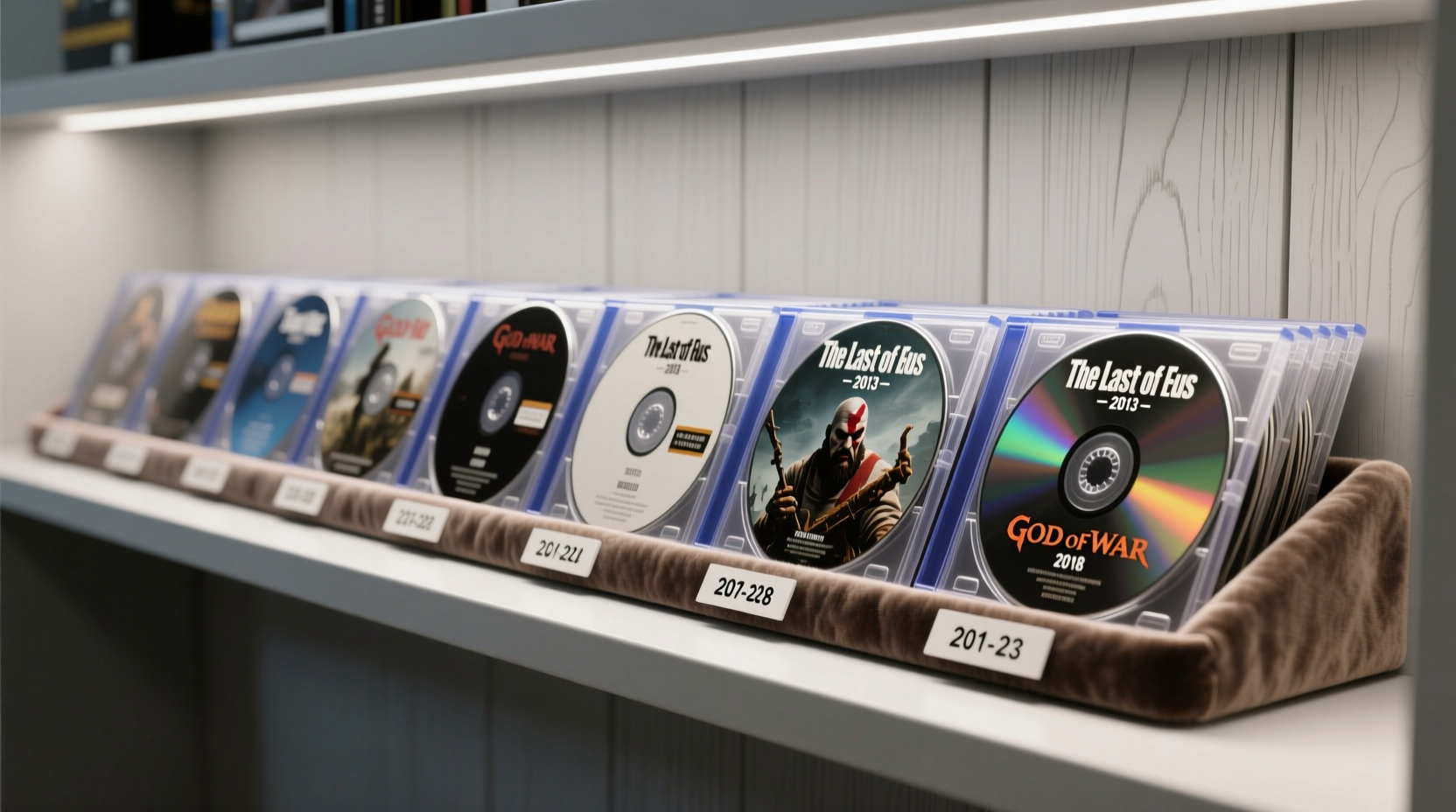
Sorting gaming discs chronologically isn’t just nostalgic—it’s practical. Games evolve rapidly, and grouping them by release year allows you to trace technological advancements, design trends, and genre shifts over time. Whether you're revisiting classics or comparing remasters, a timeline-based system provides context that alphabetical or genre-based sorting cannot.
Beyond usability, chronological organization supports preservation. When discs are handled less frequently due to clear labeling and logical placement, the risk of accidental drops or improper insertion decreases. Moreover, this method encourages routine inventory checks, helping you spot early signs of wear or environmental damage before they become irreversible.
Essential Tools for Scratch-Free Handling
The foundation of any scratch-free organization system begins with proper tools. Bare hands, rough surfaces, and flimsy cases increase the likelihood of micro-scratches—the kind that accumulate silently until playback fails. To minimize risk, equip yourself with the following:
- Microfiber gloves: Prevent fingerprints and oils from transferring to disc surfaces during sorting.
- Anti-static cleaning cloth: For gentle wiping if a disc appears dusty (never use when inserting or removing).
- Soft-touch disc sleeves: Archival-grade polypropylene sleeves protect against abrasion and static buildup.
- Sturdy binder or rack: Choose vertical storage that prevents stacking pressure and allows one-at-a-time access.
- Labeling pen with archival ink: Avoid adhesive labels on discs; instead, mark spines or inserts only.
Never touch the data side of a disc. Always hold it by the edges or center hole. Even clean fingers carry natural oils that degrade polycarbonate layers over time. If a disc must be cleaned, use a solution specifically designed for optical media and wipe radially—from center to edge—not in circles, which can deepen existing micro-scratches.
Step-by-Step: Chronological Organization Without Damage
Organizing hundreds of discs by release date requires patience and precision. Follow this timeline-based process to maintain both order and condition.
- Gather and isolate: Remove all discs from current storage. Place them on a clean, flat surface lined with a soft microfiber towel to prevent sliding or contact with hard materials.
- Verify release dates: Use reliable sources such as official publisher archives, console manufacturer databases, or trusted fan-maintained wikis. Note down title, platform, region, and exact release date (day/month/year) for each disc.
- Sort into yearly batches: Group discs by year first, then subdivide by month. Early entries in a given year often reflect transitional design phases between console generations.
- Inspect each disc: Under indirect light, rotate slowly to detect hairline scratches, warping, or delamination. Flag any at-risk discs for backup (digital rip, if permitted) or immediate rehousing.
- Insert into protective sleeves: Slide each disc into an archival-quality sleeve, ensuring no force is used. Avoid vinyl or PVC-based sleeves—they can stick and cause tearing upon removal.
- Label spine tags: Attach small, removable labels to the outer spine of each sleeve with title and year. Use non-abrasive markers that won’t bleed through.
- Arrange in storage unit: Load sleeves into a vertical archival binder or open rack, starting with the earliest year on the left. Leave space between years for future additions.
- Final audit: Walk through the collection once completed, checking label legibility and alignment. Confirm no disc is exposed or improperly seated.
This process may take several sessions depending on collection size. Work in two-hour intervals to avoid fatigue-related mishandling. Keep a logbook or digital spreadsheet tracking each disc’s position and condition for long-term maintenance.
Storage Solutions That Prevent Scratches
Even perfectly sorted discs can degrade if stored incorrectly. The ideal storage environment combines physical protection with climate stability. Below is a comparison of common storage types and their impact on disc longevity.
| Storage Type | Scratch Risk | Climate Protection | Accessibility | Best For |
|---|---|---|---|---|
| Original Jewel Cases | Low (if undamaged) | Moderate | High | Display collections, infrequent access |
| Archival Binder Sleeves | Very Low | High | Medium | Chronological sorting, frequent handling |
| Stackable Plastic Bins | High | Low | Low | Bulk storage (not recommended for primary use) |
| Filing Box with Dividers | Low | High | Medium | Long-term archival, rare discs |
| Wall-Mounted Racks | Medium | Low | High | Small curated sets, visible displays |
Optimal conditions include temperatures between 60–70°F (15–21°C), relative humidity under 50%, and zero exposure to direct sunlight or magnetic fields. Store units vertically to prevent warping and ensure even weight distribution. Never place heavy objects on top of disc containers.
“Disc rot and surface degradation are often preventable. It’s not just how you store—but how you handle—that determines a disc’s lifespan.” — Dr. Lena Torres, Digital Media Archivist, National Preservation Institute
Real Example: Building a Timeline Collection
Consider Mark, a retro gaming enthusiast with over 300 PlayStation discs spanning from 1995 to 2006. His initial setup involved stacked plastic bins, resulting in frequent misplacement and three scratched discs within a year. After researching preservation techniques, he transitioned to a chronological system using archival binders.
He began by listing every title in a spreadsheet, sourcing release dates from Sony’s legacy catalog. He color-coded entries by year and printed spine labels accordingly. Each disc was placed into a polypropylene sleeve, then slotted into a 12-pocket archival binder. He labeled binders “PSX 1995–1998,” “PSX 1999–2002,” and so on.
The result? Faster access, zero scratches in two years, and the ability to host themed gameplay nights based on release eras. More importantly, his children learned proper handling habits by observing the system’s rules.
Checklist: Scratch-Safe Organization in Practice
Follow this checklist to ensure every step of your organization process prioritizes disc safety:
- ✅ Clean workspace with soft surface covering
- ✅ Microfiber gloves worn during handling
- ✅ Verified release dates recorded for all discs
- ✅ Discs inspected for scratches and defects
- ✅ Archival-safe sleeves used (non-PVC, anti-static)
- ✅ Labels applied only to sleeves or spines—never discs
- ✅ Storage unit assembled and ready before transfer
- ✅ Final arrangement reviewed for consistency and readability
- ✅ Environmental conditions monitored (temperature, humidity, light)
- ✅ Backup plan in place for irreplaceable titles (e.g., legal emulation)
Frequently Asked Questions
Can I use regular DVD sleeves for game discs?
Only if they are made of archival-grade polypropylene. Avoid vinyl, paper, or adhesive-lined sleeves, which can generate static, stick to surfaces, or shed particles. Game discs are thicker than standard DVDs and require extra durability in sleeve construction.
What if a disc is already slightly scratched?
Minor scratches may not affect playability, but they should be flagged for reduced handling. Consider creating a digital backup if allowed by local laws and software permissions. Store such discs in individual padded envelopes within the main organizer to prevent further abrasion.
Is it safe to store discs in cold environments, like basements?
No. Cold spaces often have high humidity, leading to condensation when discs warm up. Moisture accelerates disc rot—a chemical breakdown of the reflective layer. Always store discs in climate-stable indoor areas away from exterior walls and floors.
Conclusion: Build a Lasting, Playable Archive
Organizing gaming discs by release date transforms a simple collection into a living timeline of interactive entertainment. When paired with scratch-prevention practices, this method ensures that every title remains playable, accessible, and protected for years to come. The effort invested in careful handling and intelligent storage pays off every time you slide out a pristine disc from 1998 or show a younger player how games looked in 2003.
Your collection tells a story—not just of the games themselves, but of your dedication to preserving them. By applying these principles consistently, you honor both the medium and its history.




 浙公网安备
33010002000092号
浙公网安备
33010002000092号 浙B2-20120091-4
Comments
No comments yet. Why don't you start the discussion?