
Digital media libraries are growing faster than ever, and anime fans often accumulate hundreds of episodes across dozens of series. Without a structured system, finding a specific episode or remembering where you left off can become frustrating. The key to transforming chaos into clarity lies in proper organization—specifically through consistent metadata tagging and high-quality cover art. A well-organized anime library isn’t just about neat folders; it’s about creating a searchable, visually appealing, and future-proof collection that feels like a personal streaming service.
Whether you’re using Plex, Kodi, Jellyfin, or simply browsing files locally, accurate metadata and covers enhance both usability and enjoyment. This guide walks through the essential practices, tools, and strategies to bring order and elegance to your digital anime archive.
Why Metadata and Covers Matter
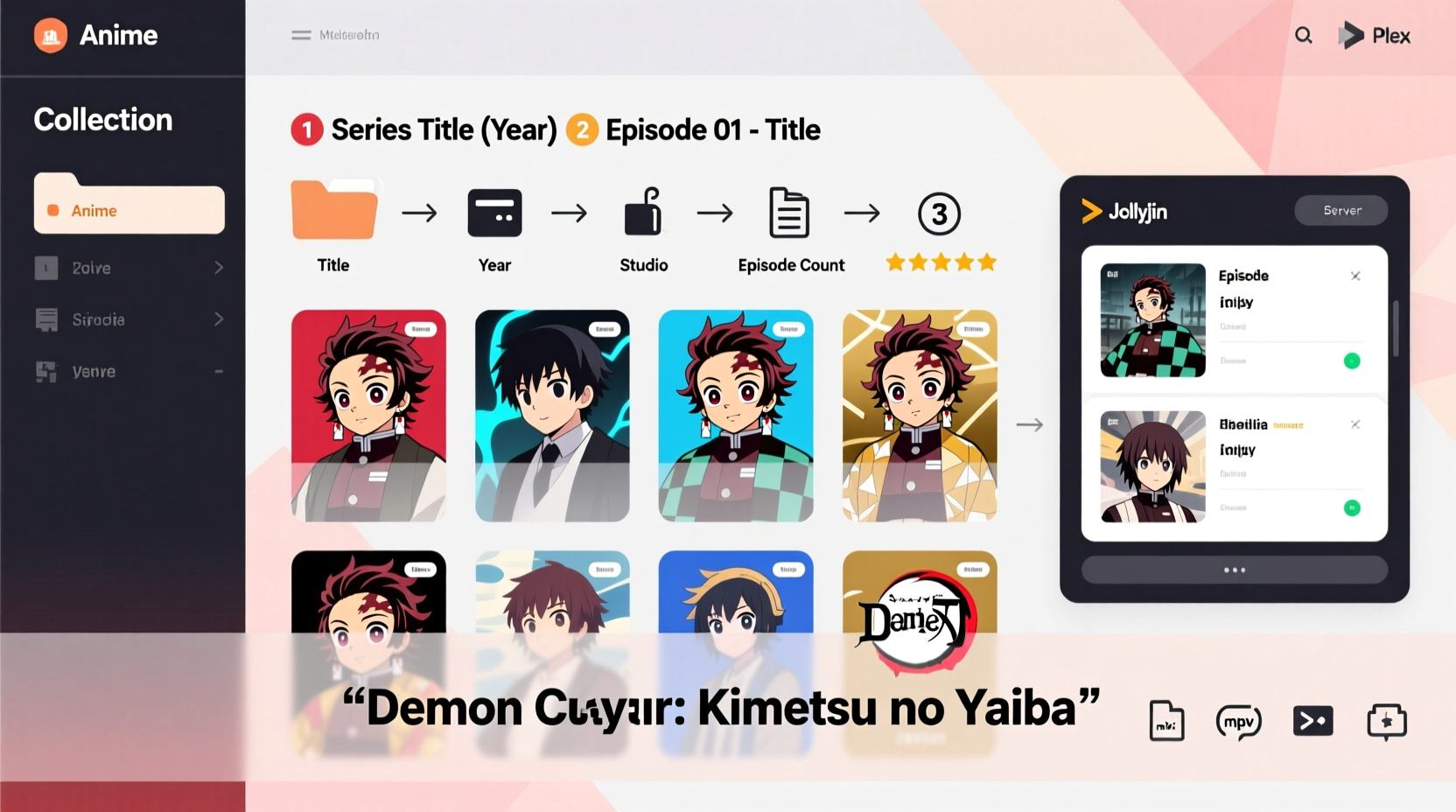
Metadata refers to the structured information attached to your media files—details like title, season, episode number, synopsis, release date, studio, genre, and more. Covers, or poster art, provide visual identification and aesthetic cohesion. Together, they turn raw video files into a curated experience.
Modern media servers rely heavily on metadata to display content attractively. Without it, your anime may appear as generic filenames like “file_003.mkv,” making navigation tedious. Accurate metadata enables features such as:
- Automatic library sorting by series, season, and episode
- Accurate playback tracking and resume functionality
- Rich descriptions and artwork in media player interfaces
- Integration with mobile apps and smart TVs
“Properly tagged media is the foundation of any professional-grade digital library.” — Daniel Ruiz, Media Server Consultant
Without metadata and covers, even the largest anime collection loses its value. It becomes harder to share, maintain, or enjoy over time.
Step-by-Step Guide to Organizing Your Collection
Organizing your anime collection effectively requires a repeatable process. Follow these steps to ensure consistency and long-term sustainability.
- Standardize Folder Structure
Create a clear, predictable hierarchy. Use this format:Anime/[Series Name]/Season [X]/[Series Name] - SXXEXX - [Episode Title].mkv
This helps media servers auto-detect content. - Rename Files Consistently
Avoid ambiguous names. Stick to formats like:Attack on Titan - S03E05 - The Other Side of the Sea.mkv
Tools like FileBot or TinyMediaManager can automate renaming based on metadata. - Embed Metadata into Video Files
Use software such as MP4Tags, AtomicParsley, or MediaElch to embed metadata directly into MKV or MP4 containers. Embedded tags survive file transfers and work offline. - Download High-Quality Covers
Source official posters from databases like AniDB, TheTVDB, or TMDB. Prioritize 2:3 aspect ratio (e.g., 600x900px) for best display in media centers. - Link Artwork to Your Library
Save cover images asposter.jpgand background art asfanart.jpgwithin each series folder. Most media servers recognize these filenames automatically. - Verify and Test
Add your folders to your media server and verify that titles, episodes, and artwork load correctly. Adjust naming or tags if needed.
Best Tools for Metadata and Cover Management
Manual tagging is time-consuming. These tools streamline the process with automation and database integration.
| Tool | Platform | Key Features | Best For |
|---|---|---|---|
| FileBot | Windows, macOS, Linux | Auto-renames files, fetches metadata and subtitles from AniDB/TMDB, supports bulk processing | Large collections needing fast, accurate renaming |
| TinyMediaManager | Cross-platform | Manages local libraries, scrapes metadata and artwork, integrates with Plex/Kodi | Users who want full control and customization |
| MediaElch | Windows, Linux | Lightweight, supports anime via TheTVDB, exports NFO files | Beginners and low-resource systems |
| Stash | Self-hosted (Docker) | Advanced metadata indexing, scene detection, custom tagging | Power users managing extensive private libraries |
Each tool connects to online databases to pull accurate data. FileBot excels with anime thanks to its deep AniDB integration, while TinyMediaManager offers a polished UI for ongoing maintenance.
Choosing the Right Metadata Source
Not all databases are created equal. The accuracy of your metadata depends on the source. Here’s how the major ones compare:
- Anime Database (AniDB): The most comprehensive anime-specific database. Offers precise episode titles, alternate names, and production details. Ideal for niche or older series.
- TheTVDB: Broad TV coverage, including many anime localized under Western naming conventions. Less detailed than AniDB but widely supported.
- TMDB (The Movie Database): Strong integration with modern media servers. Best for popular, mainstream anime available on streaming platforms.
If possible, configure your tool to prioritize AniDB for anime and fall back to TheTVDB or TMDB when needed. This hybrid approach maximizes accuracy.
Mini Case Study: From Chaos to Clarity
Maya had been collecting anime for over a decade. Her library spanned 320 series and nearly 7,000 episodes, scattered across multiple drives with inconsistent naming like “One Piece – Episode 12.mkv” or “Naruto Shippuden [720p].mkv.” She wanted to use Plex to stream her collection but found that only 20% of shows appeared correctly.
She began by backing up her data, then installed TinyMediaManager. She pointed it to her main anime directory and configured it to use AniDB as the primary scraper. Over two weekends, she processed her collection in batches, correcting mismatches manually where necessary. She downloaded high-res posters and saved them as poster.jpg in each series folder.
After importing into Plex, 98% of her library displayed properly—with correct seasons, episode summaries, air dates, and artwork. She could now browse her anime like Netflix, track watched status, and stream seamlessly to her TV. The initial effort paid off in lasting convenience.
Checklist: Organizing Your Anime Library
Follow this checklist to ensure no step is missed:
- ✅ Back up your entire anime collection before starting
- ✅ Choose a consistent folder structure (e.g.,
Anime/Series/Season X/) - ✅ Rename all files using a standard format:
Series - SXXEXX - Title.ext - ✅ Select a metadata tool (FileBot, TinyMediaManager, etc.)
- ✅ Set the primary data source to AniDB or TheTVDB
- ✅ Embed metadata into video files (especially for portable use)
- ✅ Download and place cover art as
poster.jpgandfanart.jpg - ✅ Test your library in your preferred media server (Plex, Jellyfin, etc.)
- ✅ Maintain consistency—apply the same standards to new additions
Common Mistakes to Avoid
Even experienced collectors make errors that undermine their efforts. Watch out for these pitfalls:
| Mistake | Why It’s a Problem | Solution |
|---|---|---|
| Using incomplete episode numbers | Media servers misorder episodes (e.g., S01E1 vs S01E01) | Always use two-digit numbering: E01, E02, ..., E10 |
| Ignoring special episodes | OVA, ONA, or recap episodes may not appear or be misplaced | Tag specials explicitly and place in separate “Specials” folders |
| Using low-resolution or fan-made covers | Looks unprofessional and pixelated on large screens | Download high-res official art from trusted sources |
| Storing everything in one flat folder | Prevents proper library parsing and scalability | Adopt hierarchical organization by series and season |
“Consistency beats completeness. It’s better to have 50 perfectly tagged shows than 500 messy ones.” — Lena Park, Digital Archivist
Frequently Asked Questions
Do I need to rename every file manually?
No. Tools like FileBot and TinyMediaManager can automatically rename thousands of files based on their content and database matches. You’ll only need manual input for ambiguous cases.
Can I use the same system for manga or movies?
Yes. While this guide focuses on anime series, the same principles apply. For movies, use a flat structure like Anime Movies/[Title]/[Title].mkv with embedded metadata and posters. Manga can be organized similarly with CBZ/CBR files and metadata tools like YACReader.
What if an anime isn’t in the database?
If a series is missing from AniDB or TheTVDB, you can often add it manually. Alternatively, tag it with basic info (title, year, genre) and leave notes in the description. As a temporary fix, use a placeholder image and revisit later when the show is cataloged.
Final Thoughts: Build a Library That Lasts
Your digital anime collection is more than just files—it’s a personal archive of stories, memories, and cultural experiences. Taking the time to organize it with proper metadata and covers transforms it from a disordered stash into a functional, beautiful library. The upfront effort pays dividends every time you open your media app and instantly find what you want.
Start small if needed. Pick one series, apply the naming convention, add metadata, and download a cover. Once you see the difference, you’ll be motivated to expand. Use reliable tools, stick to standards, and maintain consistency. Over time, your collection will become a point of pride—a curated space that reflects your passion for anime.




 浙公网安备
33010002000092号
浙公网安备
33010002000092号 浙B2-20120091-4
Comments
No comments yet. Why don't you start the discussion?