
A clean, organized entertainment center is more than just visually pleasing—it’s essential for performance, safety, and longevity of your gaming gear. Yet, few things are as frustrating as untangling a knot of HDMI, power, and USB cables every time you want to play. Poor cable management can lead to overheating, accidental disconnections, and even electrical hazards. The good news? With the right approach, you can transform a chaotic mess into a streamlined, professional-looking setup that’s both functional and safe.
Whether you're using a PlayStation, Xbox, Nintendo Switch, or a PC-based gaming rig, managing cables effectively starts with understanding what you’re working with and applying consistent organizational strategies. This guide walks through proven techniques, tools, and habits that gamers and tech experts use to maintain clean, accessible, and secure cable systems.
Assess Your Cable Setup
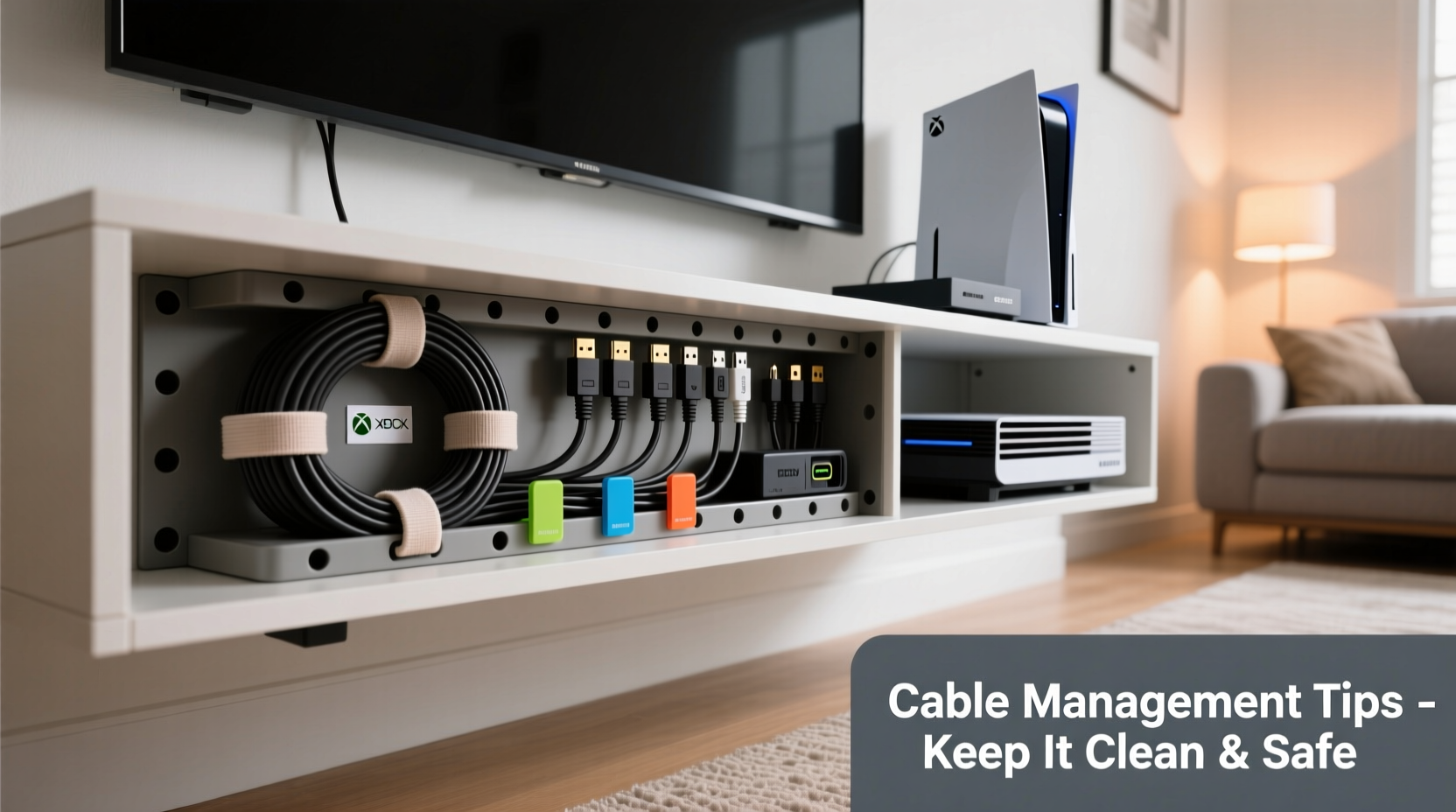
Before making any changes, take inventory of all the cables connected to your gaming console. Most modern setups include:
- HDMI or DisplayPort (video/audio to TV or monitor)
- Power cord (AC adapter or direct plug)
- Ethernet cable (for wired internet connection)
- USB cables (controllers, headsets, external storage)
- Optical audio (if using surround sound systems)
- Component or composite (older consoles)
Identify which cables are essential versus those that can be removed or replaced. For example, if you're using Wi-Fi, you may not need an Ethernet cable permanently plugged in. Similarly, rechargeable controllers eliminate the need for constant USB connections.
Step-by-Step Guide to Neat Cable Organization
Follow this logical sequence to reorganize your gaming console cables from messy to masterful:
- Power down and unplug everything. Safety first—turn off your console, TV, router, and any peripherals before handling cables.
- Lay out all components on a flat surface. Give yourself space to work and assess each wire without strain.
- Clean and inspect each cable. Look for fraying, bent connectors, or insulation damage. Replace any compromised cables immediately.
- Shorten excess length. Use adjustable Velcro straps or figure-eight wraps to coil extra cable neatly instead of letting it pool behind the console.
- Route cables along designated paths. Use adhesive clips, raceways, or furniture grommets to guide wires along walls or behind furniture.
- Group similar cables together. Bundle HDMI, power, and data lines separately using soft tie wraps or braided sleeves.
- Secure connections firmly. Ensure HDMI and power plugs are fully seated to prevent intermittent signal loss.
- Test the system. Reconnect and power up all devices to confirm functionality before finalizing placement.
- Finalize concealment. Install cable covers, use under-cabinet trays, or place equipment in ventilated media cabinets.
This process takes less than an hour but pays dividends in reliability and aesthetics for months—or years—to come.
Best Tools and Accessories for Cable Management
Not all cable organizers are created equal. Choosing the right tools ensures durability, flexibility, and ease of maintenance. Below is a comparison of popular options:
| Tool | Best For | Pros | Cons |
|---|---|---|---|
| Velcro Cable Ties | Temporary bundling, frequent adjustments | Reusable, gentle on cables, easy to cut | Less rigid hold than zip ties |
| Braided Sleeving | Aesthetic upgrades, long-term installations | Durable, heat-resistant, looks professional | Harder to modify once installed |
| Adhesive Cable Clips | Wall or furniture routing | Inexpensive, easy to install | May peel over time on some surfaces |
| Cord Covers (Raceways) | Concealing multiple cables along baseboards | Paintable, blends into room decor | Requires drilling/screwing for best hold |
| Cable Management Box | Hiding power strips and wireless adapters | Reduces clutter, improves airflow | Limited space for large transformers |
Investing in high-quality accessories isn’t about perfection—it’s about creating a sustainable system. Cheap zip ties might save money upfront but can damage insulation and are difficult to adjust later.
“Proper cable management isn’t just cosmetic—it directly impacts device lifespan and thermal performance.” — Marcus Tran, Senior Technician at HomeTech Solutions
Real Example: Transforming a Cluttered Living Room Setup
Consider James, a PlayStation 5 owner who used his living room TV for gaming, streaming, and video calls. His entertainment stand was crammed with tangled cords: two HDMI cables (one unused), a dangling Ethernet line, three controller chargers, and a power strip overloaded with daisy-chained devices.
After tripping over a loose cable and accidentally unplugging his router mid-game, he decided to fix the issue. He followed the step-by-step method above, starting with labeling each wire. He removed obsolete cables, including an old AV converter no longer in use. He then installed adhesive clips along the back of the TV stand to route the remaining cords vertically. Using Velcro straps, he grouped the PS5’s HDMI and power cables together, while running the Ethernet line separately to avoid interference.
Finally, he placed the power strip inside a ventilated cable management box and mounted it underneath the shelf. The result? A clean, tangle-free setup where every cable had a purpose and a path. More importantly, airflow around the console improved, reducing internal temperatures by nearly 5°C according to his system monitor.
Common Mistakes to Avoid
Even well-intentioned efforts can go wrong. Here are frequent errors people make when organizing gaming cables:
- Over-tightening zip ties: Can compress insulation and weaken internal wiring over time.
- Blocking ventilation: Piling cables around vents restricts airflow and increases overheating risk.
- Using damaged or frayed cables: A cracked HDMI jacket may still work temporarily but poses fire and shock risks.
- Ignoring electromagnetic interference: Running power cables parallel to HDMI or audio lines can introduce visual noise or audio hum.
- Forgetting future access: Sealing everything in permanent conduits makes troubleshooting or upgrades unnecessarily difficult.
Safety Considerations for Long-Term Use
Your gaming setup should never compromise household safety. Electrical fires caused by poor cable management are rare but preventable. Follow these guidelines:
- Use surge protectors instead of basic power strips, especially in areas prone to voltage spikes.
- Avoid running cables under rugs or across walkways where they can wear down or become tripping hazards.
- Ensure all cables are rated for their intended load—check AWG (American Wire Gauge) specifications for power cords.
- Keep cables away from heat sources like radiators or direct sunlight, which degrade insulation.
- Unplug devices during thunderstorms or extended periods of non-use.
Additionally, consider smart power strips that cut power to secondary devices (like speakers or monitors) when the main console is turned off. These reduce energy waste and lower fire risk from idle electronics.
Checklist: Organize Your Gaming Cables Like a Pro
Use this actionable checklist to ensure nothing is missed:
- ✅ Turn off and unplug all devices
- ✅ Identify and label each cable
- ✅ Remove obsolete or damaged wires
- ✅ Clean dust from ports and connectors
- ✅ Measure and shorten excess cable lengths
- ✅ Group similar cables with Velcro or sleeves
- ✅ Route cables using clips or raceways
- ✅ Secure connections and test functionality
- ✅ Conceal bundles with boxes or covers
- ✅ Document layout for future reference
Completing this list ensures a thorough, lasting organization job that supports both performance and safety.
Frequently Asked Questions
Can I use zip ties instead of Velcro?
You can, but with caution. Plastic zip ties are strong but permanent. Over-tightening damages cables, and cutting them for adjustments creates sharp ends. Velcro is reusable, safer, and better suited for dynamic setups where changes are likely.
How often should I check my cables?
Inspect your cables every 3–6 months. Look for signs of wear, especially near connectors and bends. Dust buildup in ports can also interfere with signals, so light cleaning with compressed air is recommended during these checks.
Is wireless better than wired for reducing clutter?
Wireless accessories like Bluetooth headsets or controllers reduce cable count, but they don’t eliminate core needs like power and video output. Wired connections still offer lower latency and higher reliability. The ideal solution combines strategic wireless use with disciplined wired management.
Conclusion: Take Control of Your Gaming Environment
A well-organized gaming station reflects respect for your equipment and your space. Beyond aesthetics, proper cable management enhances safety, improves cooling, and reduces frustration during gameplay. What might seem like a minor chore today can prevent hardware failure, accidents, or hours of troubleshooting tomorrow.
The methods outlined here—assessment, thoughtful routing, quality tools, and regular maintenance—are used by professionals and serious gamers alike. You don’t need expensive gear to start; even simple Velcro straps and a few minutes of effort can make a dramatic difference.




 浙公网安备
33010002000092号
浙公网安备
33010002000092号 浙B2-20120091-4
Comments
No comments yet. Why don't you start the discussion?