
In an age where digital privacy is increasingly fragile, many users are re-evaluating the personal information they’ve shared online. One of the most sensitive pieces of data tied to social media accounts is the mobile phone number. While Facebook encourages users to add a phone number for account recovery and two-factor authentication, not everyone wants their number stored on the platform. Whether you're concerned about spam, data breaches, or unwanted contact, removing your mobile number from Facebook is a smart move toward reclaiming control over your digital footprint.
This guide walks you through the process of permanently removing your phone number from Facebook, including alternative verification methods, what happens after removal, and how to maintain security without compromising your privacy.
Why Remove Your Phone Number from Facebook?
Your phone number is more than just a way to receive calls—it’s a unique identifier that can be linked across platforms, used for tracking, or even exploited in phishing attacks. When Facebook has access to your number, it may use it for:
- Friend suggestions based on your contacts
- Targeted advertising using data from uploaded contact lists
- Account recovery and login alerts
- Two-factor authentication (2FA)
While some of these features offer convenience, they come at the cost of privacy. Security researchers have repeatedly raised concerns about how phone numbers can be reverse-engineered to uncover identities or used in SIM-swapping attacks. As Facebook (now Meta) continues to integrate services across Instagram and WhatsApp, limiting unnecessary data exposure becomes even more critical.
“Phone numbers were never meant to be permanent identifiers. Using them as such creates systemic vulnerabilities.” — Dr. Alan Chen, Cybersecurity Researcher at Stanford University
Step-by-Step Guide to Removing Your Phone Number
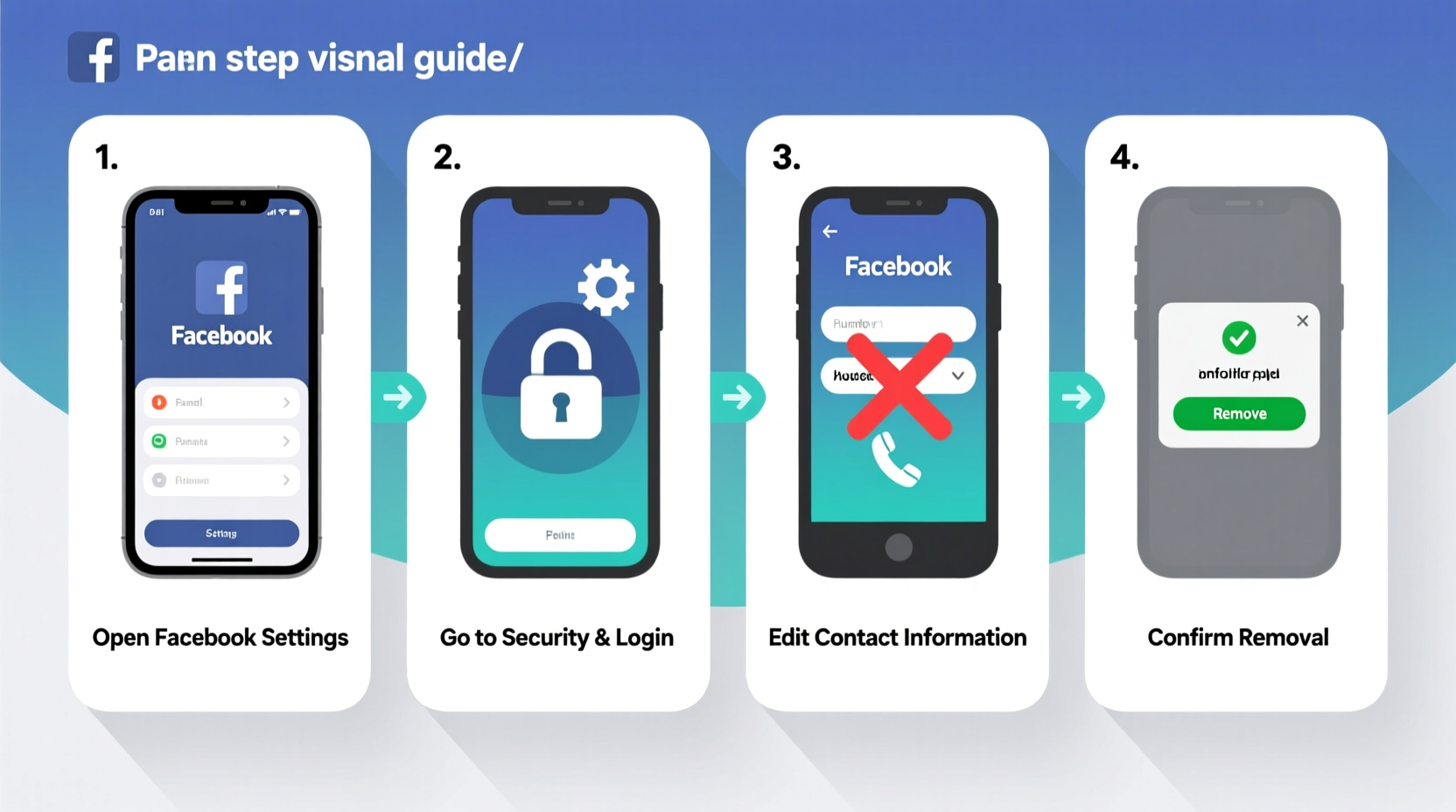
Removing your phone number from Facebook is straightforward but requires careful navigation of account settings. Follow these steps precisely to ensure your number is fully removed and not simply hidden.
- Log into Facebook: Access your account from a trusted device using your current credentials.
- Go to Settings & Privacy: Click the downward arrow in the top-right corner of the screen and select “Settings & Privacy,” then “Settings.”
- Navigate to Contact Information: In the left-hand menu, click “Contact and Basic Info” under the “General” section.
- Locate Your Phone Number: Under the “Contact Info” section, find your listed mobile number.
- Click “Edit”: A pencil icon will appear next to your number—click it.
- Select “Remove”: Instead of editing the number, choose the option to remove it entirely. Confirm the action when prompted.
- Save Changes: Click “Save Changes” at the bottom of the page.
After completing these steps, your phone number will no longer appear in your public or private profile information. However, Facebook may still retain historical data for internal purposes unless explicitly deleted via a data download or deletion request.
What Happens After You Remove Your Number?
Removing your phone number affects several account functions. It’s important to understand the trade-offs before proceeding.
| Feature | Impact After Removal |
|---|---|
| Login Alerts | Will no longer be sent via SMS; switch to email or authenticator app. |
| Two-Factor Authentication (2FA) | SMS-based 2FA will be disabled. Use an authenticator app or security key instead. |
| Password Recovery | Cannot recover account via text message. Ensure email recovery is set up. |
| Friend Suggestions | Reduced accuracy in friend recommendations based on contacts. |
| Account Security | Potentially lower risk of SIM-swap attacks or number-based doxxing. |
If you rely on SMS for two-factor authentication, you must set up an alternative method before removing your number. Otherwise, you risk locking yourself out of your account during recovery scenarios.
Secure Alternatives to Phone-Based Verification
Removing your phone number doesn’t mean sacrificing security. Facebook supports several robust alternatives to SMS-based authentication.
- Authenticator Apps: Use apps like Google Authenticator, Authy, or Microsoft Authenticator to generate time-based codes.
- Security Keys: Physical devices like YubiKey offer the highest level of protection against phishing.
- Recovery Codes: Generate and store one-time codes in a secure password manager.
- Email-Based Verification: Set a reliable, actively monitored email as your primary contact.
Mini Case Study: Recovering Control After Data Exposure
Sophie, a freelance journalist based in Berlin, discovered her phone number was being used to send automated scam messages to her contacts. An investigation revealed that her number had been harvested from a third-party app connected to Facebook years earlier. Although she had deactivated the app, her number remained in Facebook’s system.
She followed the steps outlined in this guide to remove her number and switched to Authy for two-factor authentication. She also filed a data access request through Facebook’s portal and found over 1,200 contacts she had unknowingly uploaded. By deleting this data and tightening her privacy settings, Sophie significantly reduced her digital footprint and stopped receiving suspicious messages.
FAQ: Common Questions About Removing Your Number
Can I re-add my phone number later if needed?
Yes. You can add a new number at any time through the “Contact and Basic Info” settings. However, consider using a secondary or virtual number if privacy remains a concern.
Does removing my number delete it from Facebook’s servers?
Not necessarily. While it’s removed from your visible profile, Facebook may retain it in backup systems for up to 90 days. For complete deletion, submit a data deletion request via your account settings or download your data first to verify removal.
Will my friends still see my number?
No. If you had restricted visibility, only certain people could see it. Once removed, it disappears entirely from your profile, regardless of previous sharing settings.
Checklist: Preparing to Remove Your Phone Number
Before removing your number, ensure you’re protected against accidental lockout or reduced functionality:
- ✅ Verify your primary email address is active and accessible
- ✅ Set up two-factor authentication using an authenticator app
- ✅ Generate and securely store recovery codes
- ✅ Review connected apps and remove outdated ones
- ✅ Consider downloading your Facebook data to audit what information is stored
- ✅ Log in from a trusted device to avoid triggering security checks post-removal
Conclusion
Removing your mobile phone number from Facebook is a simple yet powerful step toward better digital privacy. With growing concerns about data misuse and identity tracking, minimizing the personal information tied to your online accounts is not just wise—it’s essential. By following this guide, you can confidently eliminate your number from Facebook while maintaining strong account security through modern, safer alternatives.




 浙公网安备
33010002000092号
浙公网安备
33010002000092号 浙B2-20120091-4
Comments
No comments yet. Why don't you start the discussion?