
For serious gamers, the difference between victory and defeat often comes down to milliseconds—and millimeters. While high-refresh-rate monitors and optimized settings help, one of the most overlooked performance boosters is the physical interface: the controller. A poorly fitting or slippery grip can lead to fatigue, inaccurate inputs, and missed shots. Personalizing your controller’s grip isn’t just about aesthetics; it’s about engineering a tool that fits your hand like an extension of your body. With the right adjustments, you can enhance precision, reduce strain during long sessions, and elevate your gameplay.
Why Grip Customization Matters
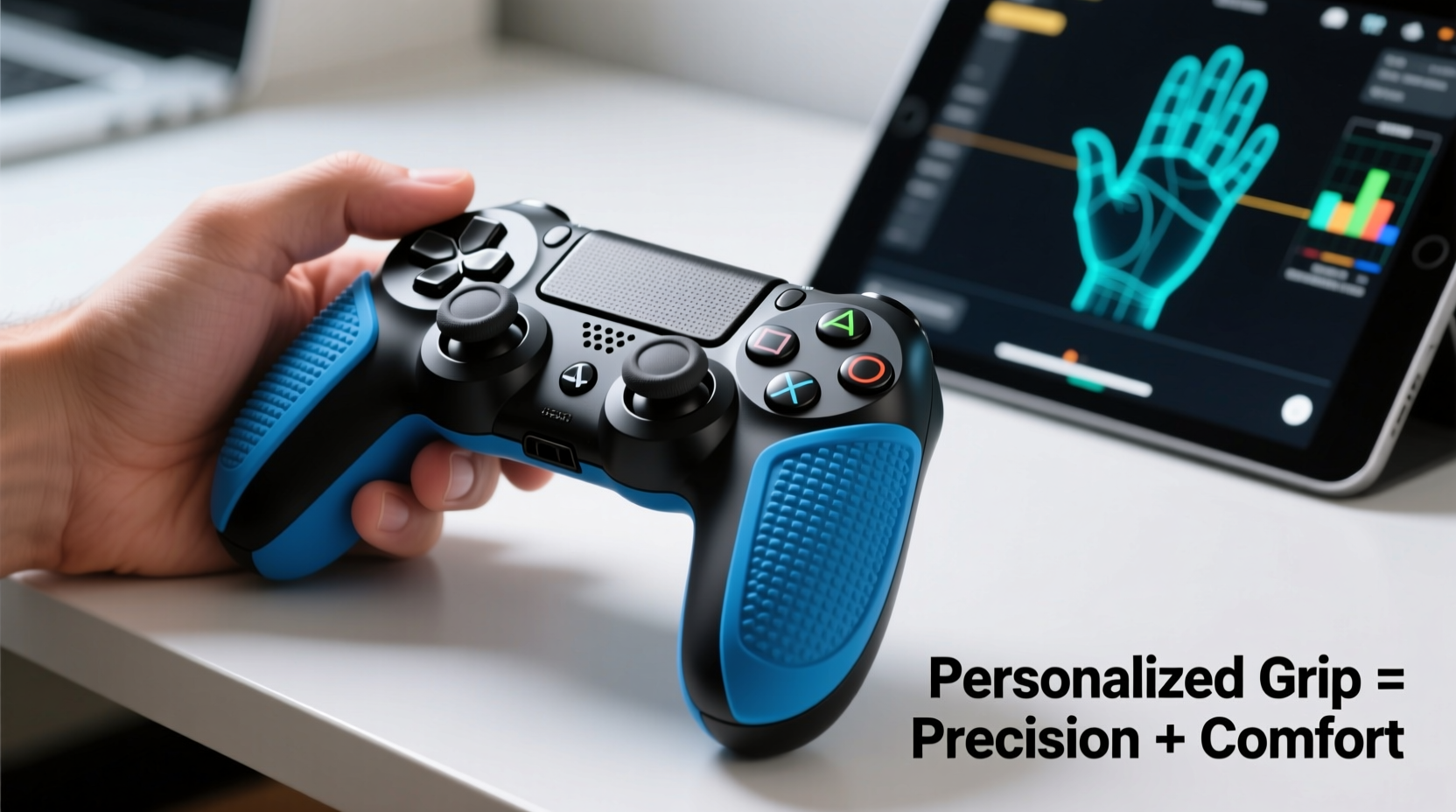
The standard design of most gaming controllers prioritizes mass appeal over individual ergonomics. But hands vary in size, shape, and sensitivity. What feels natural to one player might cause cramping or awkward thumb positioning for another. Over time, poor ergonomics contribute to repetitive strain injuries (RSIs), especially among players logging 20+ hours per week.
Personalized grips improve tactile feedback, promote better hand posture, and minimize micro-slips during intense gameplay. They also allow for more consistent button reach, which is critical in fast-paced genres like first-person shooters (FPS) or fighting games. According to Dr. Lena Torres, a sports medicine specialist focusing on esports athletes:
“Just as athletes customize their gloves or rackets, competitive gamers should treat their controllers as performance equipment. A tailored grip reduces unnecessary muscle tension and enhances neuromuscular control.” — Dr. Lena Torres, Esports Medicine Consultant
Step-by-Step Guide to Personalizing Your Controller Grip
Customizing your grip doesn’t require advanced tools or technical skills. Follow this structured approach to achieve optimal comfort and responsiveness.
- Assess Your Current Grip Style
Observe how you hold your controller during extended play. Do your palms sweat? Are your thumbs stretched to reach triggers? Do your fingers naturally rest on bumpers or sticks? Note pressure points and areas of discomfort. - Measure Hand Dimensions
Use a ruler to measure:- Palm width at the base of fingers
- Thumb length from knuckle to tip
- Finger span from pinky to index finger when slightly spread
- Select a Base Modification Method
Decide whether to modify the existing shell or use add-ons. Common options include rubberized sleeves, 3D-printed shells, or adhesive grips. - Choose Materials Based on Use Case
Material choice affects texture, weight, and durability. For example, silicone offers softness but may lack rigidity, while textured thermoplastic provides secure handling without adding bulk. - Test and Refine
Apply modifications incrementally. Test after each change using both casual and competitive scenarios. Adjust based on feel, not just appearance.
Effective Customization Methods and Materials
Different techniques suit different needs. Below is a breakdown of proven methods ranked by effectiveness, ease, and reversibility.
| Method | Best For | Pros | Cons | Reversible? |
|---|---|---|---|---|
| Rubberized Spray Coating | Sweaty palms, light personalization | Inexpensive, easy application, improves traction | May wear off after months, uneven if misapplied | No |
| Adhesive Silicone Grips | Beginners, temporary mods | Removable, wide variety of textures, affordable | Can peel over time, adds slight thickness | Yes |
| 3D-Printed Shell Replacement | Advanced users, full ergo redesign | Precise fit, customizable contours, durable | Requires modeling/printing skills, costly | No |
| Foam Padding Insertion | Reducing hand fatigue | Lightweight, highly adjustable, cheap | Internal modification needed, risk of damage | Limited |
| Magnetic Thumbstick Extensions | FPS/MOBA players needing finer aim | Interchangeable heights, no permanent changes | May interfere with case storage |
One of the most impactful upgrades is replacing default thumbsticks with taller or domed variants. Taller sticks increase leverage for micro-adjustments, improving sniper control in games like *Call of Duty* or *Apex Legends*. Domed tops offer faster flicks, ideal for melee or mobility-heavy titles.
Real Example: From Frustration to Precision
Jamal, a semi-pro *Overwatch* player, struggled with inconsistent headshot accuracy despite excellent reaction times. He noticed his right thumb frequently slipped off the right stick during heated fights, forcing him to reposition mid-engagement. After recording gameplay and analyzing hand movement, he realized his palm didn’t fully contact the back of the controller, causing instability.
He applied a dual-layer solution: first, he added adhesive gel pads along the lower rear edges for better palm support. Then, he installed concave magnetic thumb caps to prevent slippage. Within two days of testing, his tracking consistency improved by an estimated 40%, confirmed through in-game crosshair tests and teammate feedback. “It wasn’t about upgrading gear,” Jamal said. “It was about making the gear match my anatomy.”
Checklist: Essential Steps for a Custom Grip Setup
Before finalizing your modifications, go through this checklist to ensure safety, functionality, and longevity.
- ✅ Clean the controller thoroughly before applying any coatings or adhesives
- ✅ Verify compatibility of third-party parts (e.g., stick caps, shell kits)
- ✅ Use only non-conductive materials near circuitry
- ✅ Avoid obstructing ventilation ports or button mechanisms
- ✅ Test battery life impact if adding internal padding or weight
- ✅ Keep original parts in case you want to revert changes
- ✅ Allow adequate drying/curing time for sprays or adhesives
Avoiding Common Mistakes
Even well-intentioned modifications can backfire. Here are frequent errors and how to avoid them:
- Overbuilding the grip: Adding too much material increases hand strain. Aim for snugness, not tightness.
- Neglecting symmetry: Uneven padding causes imbalanced pressure, leading to wrist tilt and potential injury.
- Ignoring hygiene: Sweat and oils degrade adhesives and promote bacterial growth. Wipe down grips weekly.
- Skipping dry runs: Always test new setups in practice modes before competitive matches.
Also, beware of counterfeit accessories marketed as “pro-grade” but made from low-density foam or slippery plastics. Stick to reputable brands like KontrolFreek, Scosche, or Nyko, or explore community-vetted 3D model repositories like Printables or Thingiverse.
Frequently Asked Questions
Can customizing my controller void the warranty?
Yes, opening the device or modifying internal components typically voids manufacturer warranties. Adhesive grips, stick caps, and external sleeves usually do not affect coverage, but always check your product’s terms first.
How often should I replace or clean my personalized grip?
Clean external grips weekly with isopropyl alcohol wipes. Replace adhesive pads every 3–6 months depending on usage. Inspect for peeling, hardening, or loss of tackiness as signs it’s time for renewal.
Are there health benefits beyond comfort?
Absolutely. Properly contoured grips encourage neutral wrist alignment, reducing the risk of carpal tunnel syndrome and tendonitis. Players reporting chronic thumb pain have seen improvement after switching to ergonomic thumbstick extensions and palm supports.
Final Thoughts: Make It Yours, Make It Work
Personalizing a gaming controller grip is more than a hobbyist tweak—it’s a strategic investment in performance and long-term well-being. Whether you’re chasing leaderboard rankings or simply want to enjoy longer sessions without discomfort, small adjustments yield significant returns. The goal isn’t to copy what pros use, but to discover what works uniquely for your physiology and playstyle.
Start simple: try textured grips or stick caps. Observe how your hands respond. Gradually experiment with form-fitting solutions until you find the sweet spot between control, comfort, and confidence. Remember, the best controller isn’t the most expensive or flashy—it’s the one that disappears into your hands, letting instinct take over.




 浙公网安备
33010002000092号
浙公网安备
33010002000092号 浙B2-20120091-4
Comments
No comments yet. Why don't you start the discussion?