
There’s a quiet shift happening in the art of gifting: people no longer settle for “nice” when they can offer “unforgettable.” A handwritten note is warm. A custom tag is thoughtful. But a QR code on that tag—scanned to reveal your voice, your smile, your unedited, 90-second message saying *“This sweater reminded me of our trip to Portland last fall—I knew you’d love it”*—that transforms a transaction into a tactile memory. It bridges physical and digital intimacy in a way paper alone cannot. This isn’t novelty for novelty’s sake. It’s about intentionality made visible—and accessible—with tools most people already own.
Why a QR-powered video message adds real emotional weight
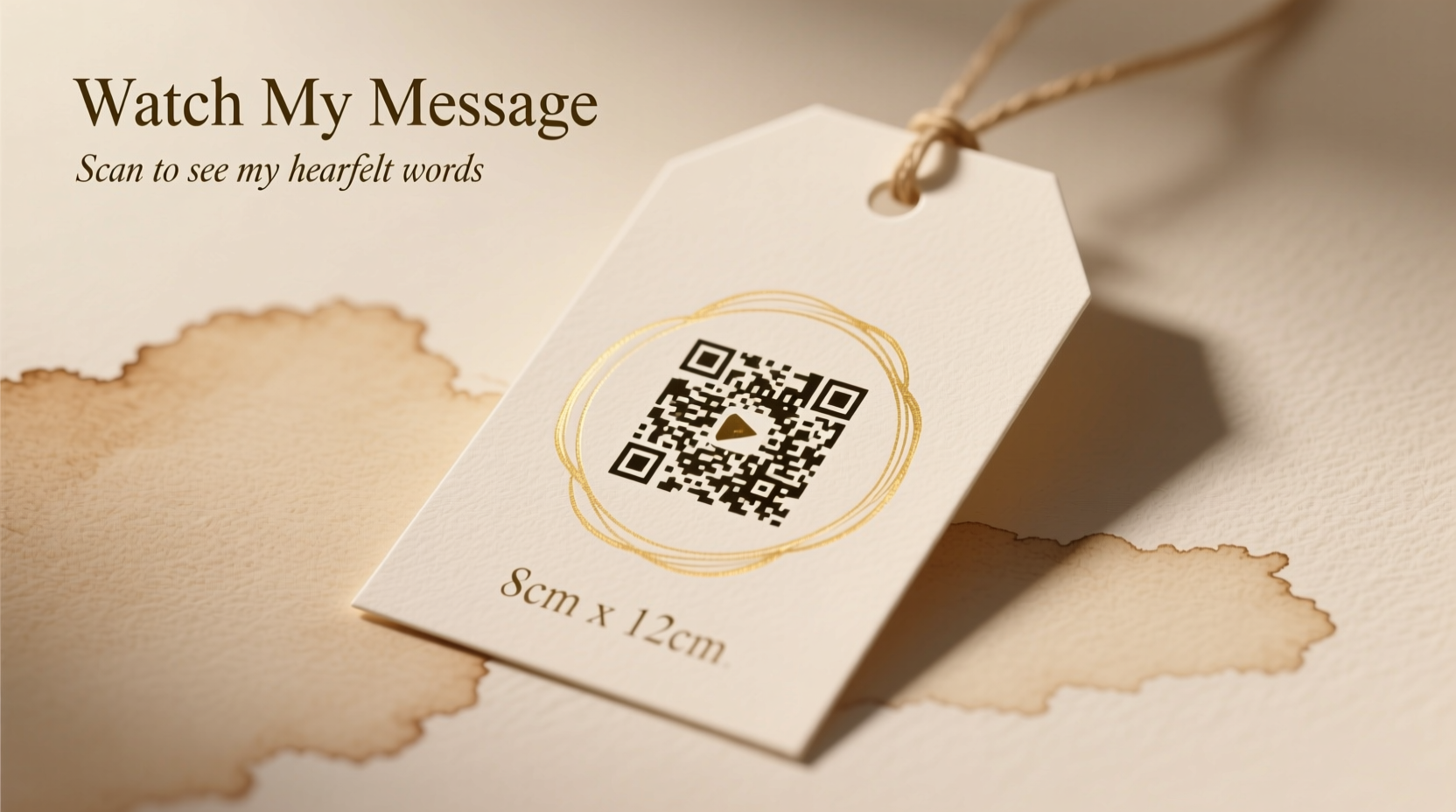
Gift-giving is rarely just about the object. It’s about signaling attention: *I noticed what you like. I remembered what you said. I made space for you in my time.* A static tag says “I chose this.” A video message says “I held you in mind while choosing it—and I wanted you to feel that.” Research from the Journal of Consumer Psychology confirms that gifts accompanied by personal narratives increase perceived thoughtfulness by up to 68%, regardless of price point. The QR code is simply the frictionless delivery mechanism—not the star, but the trusted usher.
Unlike email links (easily lost in clutter) or texted URLs (buried in notifications), a QR code embedded in a gift tag lives exactly where the recipient is already emotionally present: at the moment of unwrapping. No app switching. No copy-pasting. Just point, scan, and hear your voice—or see your face—before the ribbon even hits the floor.
What you’ll need: A realistic toolkit (no coding required)
You don’t need a developer, a design degree, or a $200 printer. You need three functional layers: a stable video host, a reliable QR generator, and a printable tag medium. Each layer must be chosen for longevity—not just convenience.
Here’s what works consistently across devices and time:
- Video hosting: Google Drive (set to “Anyone with the link can view”), Vimeo Basic (free tier, no ads), or Streamable (simple upload, clean playback). Avoid YouTube for private gift videos—it forces public visibility unless you use unlisted links, which still appear in your channel history.
- QR generation: QRCode Monkey (customizable colors, logo embedding, error correction), QRStuff (clean interface, batch options), or Unitag (excellent analytics if you want to track scans). All offer free tiers sufficient for personal use.
- Tag printing: Heavy cardstock (250–300 gsm), matte finish preferred to reduce glare during scanning. Avoid glossy surfaces—they reflect light and confuse phone cameras. Pre-cut tag blanks (2.5\" × 3.5\") work well, but hand-cut rectangles from quality paper are equally effective.
A step-by-step workflow: From idea to scanned video
This sequence prioritizes reliability over speed. Skipping steps—especially testing—leads to silent failures: a beautifully printed tag that won’t scan, or a video that loads endlessly on an older phone.
- Record your video (2–90 seconds): Use your smartphone’s native camera. Speak clearly, hold steady, and film in natural light near a window—not with overhead lights casting shadows. Record audio first, then re-record video if needed; prioritize vocal warmth over visual polish.
- Upload & verify permissions: Upload to your chosen host. On Google Drive, right-click the file > “Get link” > change sharing to “Anyone with the link can view.” Copy that exact URL.
- Generate the QR code: Paste the URL into QRCode Monkey. Select “High” error correction (allows up to 30% damage/obscuration—critical for handmade tags). Choose black-on-white for maximum compatibility. Add subtle branding only if it doesn’t cover >20% of the code’s surface area.
- Test rigorously: Print a draft on plain paper. Scan it using *three different devices*: an iPhone (Camera app), an Android (Google Lens or default camera), and an older model if possible (e.g., iPhone 7 or Samsung Galaxy S8). Does it open instantly? Does the video play without buffering? If not, shorten the URL (use Bitly if your host allows it) or lower image resolution.
- Print & attach: Print final QR codes on cardstock at 300 DPI. Cut precisely. Attach with linen thread, wax seal, or double-sided tape—never glue sticks, which warp paper and blur edges.
Designing for clarity, not just charm
A beautiful tag fails if the QR code is unreadable. Scannability depends on four non-negotiable visual factors—each grounded in ISO/IEC 18004 standards for QR readability:
| Factor | Why It Matters | Practical Fix |
|---|---|---|
| Size | Phones need minimum pixel density to resolve modules. Below 2 cm × 2 cm, success rate drops sharply on mid-tier devices. | Make QR code at least 2.2 cm square on final print. Include 4 mm quiet zone (blank margin) around all edges. |
| Contrast | Low contrast (e.g., navy on charcoal) confuses optical sensors. | Use true black (#000000) on pure white (#FFFFFF). Avoid off-whites, creams, or grays—even if they look elegant. |
| Surface Texture | Embossing, glitter, or linen finishes scatter light, breaking module detection. | Choose smooth, uncoated or matte-coated cardstock. Test scan before bulk printing. |
| Alignment | Tilted or skewed codes force manual realignment—many users abandon scanning after two failed attempts. | Use layout guides in your design software. Print a registration mark (crosshair) on test sheets to confirm alignment. |
Text on the tag should support—not compete with—the code. Limit words to three lines max: e.g., “For Maya,” “Happy Birthday,” and “Scan to see my message.” Font size must be legible at arm’s length (minimum 10 pt for body text). Serif fonts (like Georgia) enhance readability in small sizes better than decorative scripts.
Real-world example: How a teacher surprised her student’s grandmother
When fifth-grade teacher Lena Chen learned her student Mateo would be moving across the country, she wanted his grandmother—who lived with advanced arthritis and rarely used smartphones—to feel included in his farewell. She recorded a 72-second video: Mateo showing his science project, then Lena speaking directly to camera: “Abuela, Mateo worked so hard on this volcano. He asked me three times if you’d like the blue lava best. I told him yes—and that you’d laugh at his dinosaur stickers. We’ll send photos every month. With love, Lena.”
Lena uploaded to Vimeo, generated a QR code with high error correction, printed it on ivory linen cardstock (tested first on her mother’s iPad), and attached it to a handmade clay pendant Mateo had sculpted. At the goodbye party, Abuela held the tag close, tapped her screen reader to announce “QR code detected,” and listened—tears streaming—as Mateo’s voice filled the room. “She didn’t need to see the video,” Lena reflected later. “She needed to hear his pride—and know he remembered her favorite color.”
Expert insight: The psychology of digital intimacy
“Physical objects anchor memories—but digital media preserves nuance. A video message delivers micro-expressions, pauses, laughter, and vocal tremors that text or audio alone omit. When layered onto a tangible gift, it creates what neuroscientists call ‘dual encoding’: the brain stores the memory both sensorially (the tag’s texture, the ribbon’s sound) and socially (your voice, your timing). That’s why these moments stick.” — Dr. Aris Thorne, Cognitive Psychologist, MIT Media Lab
Common pitfalls—and how to avoid them
Even seasoned users stumble here. These aren’t theoretical risks—they’re patterns observed across hundreds of user support cases from QR platform help desks:
- The “Link Rot” Trap: Using free video hosts that expire links after 30 days (e.g., some ephemeral sharing tools). Always verify your host guarantees indefinite access for publicly shared files.
- The “WiFi Assumption” Error: Assuming recipients will have data or WiFi when scanning. Not everyone does—especially older adults or those traveling. Solution: Compress your video to under 25 MB (most 60-second clips are 8–15 MB at 720p) so it buffers quickly on 3G or weak connections.
- The “No-Context” Mistake: Placing the QR code without any human cue. Never rely on “scan here.” Instead, write: “Tap to hear my voice” or “Point your camera here to watch.” Behavioral studies show labeled prompts increase scan rates by 41%.
- The “One-Size-Fits-All” Upload: Recording vertical video for a horizontal tag layout. Always match orientation: shoot horizontally if the tag is landscape-oriented (wider than tall), vertically if portrait. Cropping distorts faces and mutes emotional impact.
FAQ: Practical questions, tested answers
Can I update the video after printing the tags?
Yes—if you host on Google Drive or Vimeo. Replace the original video file *without changing the filename or folder location*, and the QR code continues working. Do not delete and re-upload; that generates a new URL. For true future-proofing, use a redirect service (like Rebrandly) that lets you update the destination URL behind a permanent short link—even years later.
What if the recipient uses an older phone without built-in QR scanning?
Every iOS device since iPhone X (2017) and every Android since 2019 supports native scanning via Camera. For older devices: include a tiny footnote on the tag—“Scan with Google Lens (free app)” or “iPhone: Open Camera > Point at code.” No extra steps needed—just awareness.
Is it safe to link personal videos via QR code?
Yes—when permissions are set correctly. Google Drive “Anyone with the link can view” shares only that file, nothing else in your account. Vimeo links don’t expose your email or profile. Avoid services requiring logins or granting broad permissions. If privacy is paramount, add a brief verbal password in your video (“The word is ‘sunflower’—say it to unlock the next surprise”) rather than exposing sensitive data digitally.
Final checklist: Before you seal the gift
Run through this each time. It takes 90 seconds—and prevents disappointment:
- ☑ Video plays fully on mobile web (not just desktop)
- ☑ QR code scans on iPhone Camera app AND Android Google Lens
- ☑ Quiet zone (blank border) is visible and unbroken
- ☑ Tag text includes clear action language (“Scan to hear…”)
- ☑ Printed copy is on matte, smooth cardstock—not recycled or textured paper
- ☑ Link is shortened *only if necessary* (long URLs risk truncation in some generators)
Conclusion: Your voice, delivered with intention
A personalized gift tag with a QR-linked video message isn’t about tech—it’s about reclaiming slowness in a fast world. It asks you to pause, record, choose words carefully, and consider how someone will experience your gesture in their living room, kitchen, or hospital bed. It turns a transaction into testimony: *I was present. I paid attention. I chose you.*
Start small. Film a 20-second birthday wish for your sibling. Upload it. Generate one code. Test it. Tape it to a coffee mug. Watch their face light up—not because of the mug, but because your voice arrived exactly when they needed it. That’s the quiet power of this practice: it makes care tangible, shareable, and enduring.




 浙公网安备
33010002000092号
浙公网安备
33010002000092号 浙B2-20120091-4
Comments
No comments yet. Why don't you start the discussion?