
The holiday season is defined by warmth, connection, and personal touches. While beautifully wrapped presents are a tradition, today’s digital tools allow us to go beyond paper ribbons and handwritten notes. One of the most innovative ways to elevate your gift-giving game is by embedding QR codes into personalized gift tags that play custom Christmas messages when scanned. This fusion of analog charm and digital interactivity creates a lasting impression—one that recipients will remember long after the wrapping paper has been recycled.
Imagine your niece scanning a small, festive tag on her present and instantly hearing your voice singing “Jingle Bells” or sharing a heartfelt message from across the country. Or picture your business clients receiving branded holiday gifts that, upon scanning, launch a short video of your team wishing them a joyful season. These moments aren’t just novel—they’re emotionally resonant and surprisingly simple to create with today’s accessible technology.
Create a meaningful audio experience
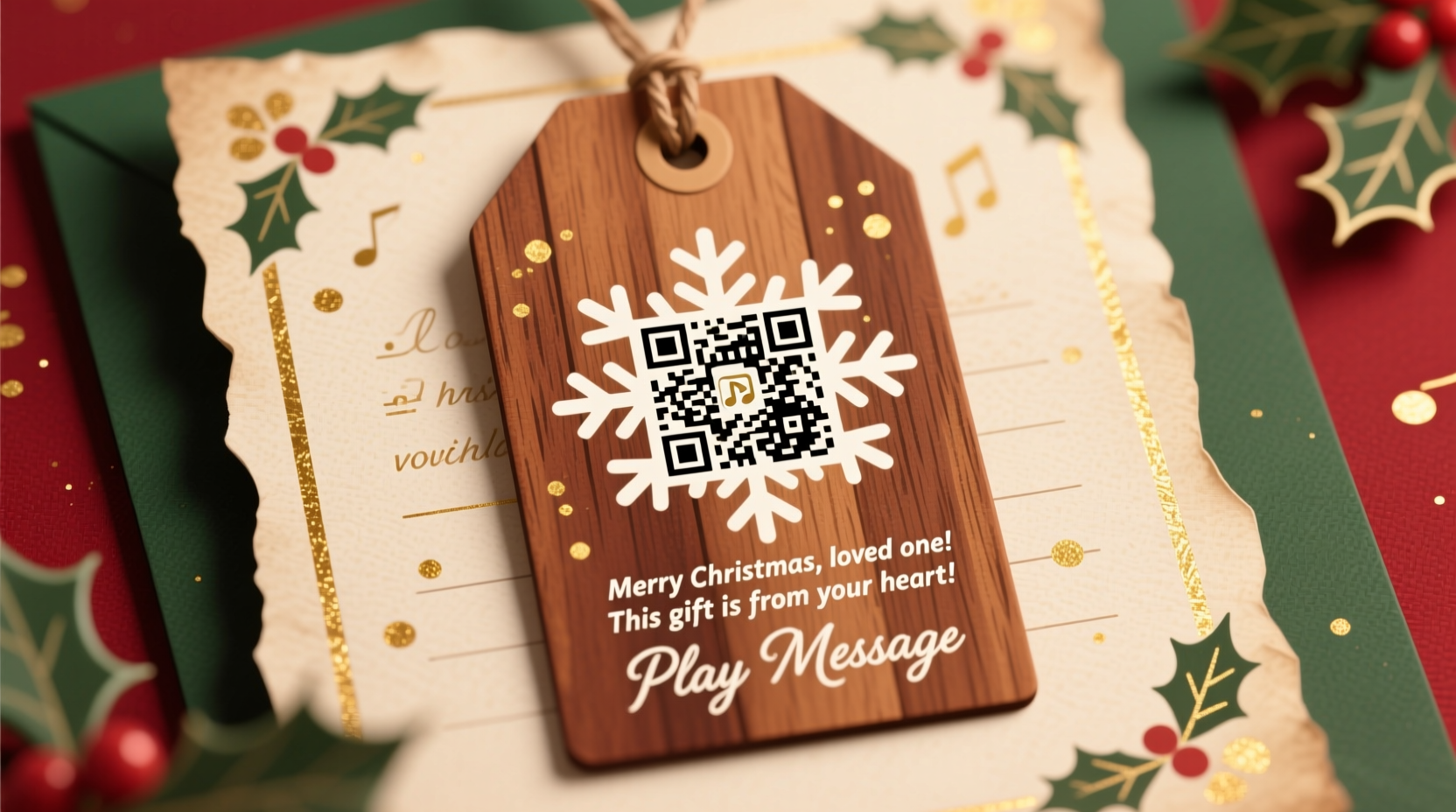
The foundation of any successful QR code gift tag is the message behind it. Unlike static text, an audio or video message adds tone, emotion, and personality. A well-crafted message can convey warmth in a way that words on a card simply can’t match.
Begin by deciding the tone and format of your message. Is it a spoken greeting? A recorded family chorus? A narrated memory tied to the gift? Keep messages between 30 seconds and two minutes—long enough to be personal, but short enough to hold attention. For families separated by distance, this becomes a powerful tool for emotional closeness during the holidays.
Once recorded, save the file as an MP3 or M4A for broad compatibility. If you're using a video (such as a short clip of your family waving and saying hello), export it in MP4 format. Hosting platforms like Google Drive, Dropbox, or dedicated QR audio services will store the file and generate a shareable link—the essential ingredient for your QR code.
Generate and customize your QR code
With your message file hosted online and a direct playback link secured, the next step is converting that link into a scannable QR code. Several free and reliable tools exist, including QRCode Monkey, QRStuff, and Unitag. These platforms allow not only URL encoding but also customization—critical for maintaining a festive aesthetic.
When generating your QR code:
- Use a high-resolution download (at least 500x500 pixels) to ensure clarity when printed small.
- Select a dark color for the code itself—deep red, forest green, or metallic gold work well against light backgrounds.
- Keep the center “eyes” of the QR code unobstructed; decorative elements should frame, not cover, these key components.
- Add a subtle holiday icon (like a snowflake or star) in the center if supported by the generator, but test scanability afterward.
“Personalization drives emotional engagement. When people hear a voice instead of reading words, the connection deepens instantly.” — Dr. Laura Nguyen, Digital Communication Researcher, MIT Media Lab
After downloading the QR code, import it into your preferred design software—Canva, Adobe Illustrator, or even Word—for integration into your gift tag layout. Pair it with a brief instruction such as “Scan to hear our holiday wish for you!” to guide less tech-savvy recipients.
Design printable gift tags with impact
The physical tag is where creativity meets craftsmanship. Whether you’re crafting for family or clients, the design should reflect both the spirit of the season and the thought behind the gesture.
Start with standard tag dimensions—typically 2.5 x 3.5 inches or 3 x 4 inches. Choose heavy cardstock (at least 110 lb) for durability and a premium feel. Matte finishes reduce glare and make QR codes easier to scan under indoor lighting.
Incorporate thematic elements: holly borders, vintage typography, or minimalist Scandinavian patterns. However, avoid cluttering the space around the QR code. Leave at least a 0.25-inch clear margin—known as the “quiet zone”—to help scanners detect the code accurately.
Include a small line of text above or below the code to set expectations:
- “Scan to hear a special message from us!”
- “Your gift comes with a little holiday cheer—scan here.”
- “Press play with your phone: scan to listen.”
Step-by-step guide: From idea to finished tag
Follow this timeline to create personalized QR gift tags efficiently, even under holiday time pressure.
- Day 1: Record & upload
Record your audio or video message. Upload it to a cloud service with link-sharing enabled. Copy the direct access link. - Day 1: Generate QR code
Paste the link into a QR generator. Customize colors and download the code as a PNG or SVG. - Day 2: Design tags
Use Canva or another design tool to lay out your tag. Insert the QR code, add instructions, names, and decorations. Save as PDF for print. - Day 3: Test print
Print a few copies on plain paper. Scan with different phones. Adjust size or contrast if needed. - Day 4: Final print & cut
Print on cardstock. Use a paper cutter or scissors for clean edges. Round corners for a polished look. - Day 5: Attach to gifts
Tie or glue tags securely. Include batteries if using electronic gift cards or gadgets.
This five-day process allows time for troubleshooting while keeping momentum. For larger batches (e.g., 20+ gifts), begin earlier and consider batch design templates to maintain consistency.
Real-world example: The Thompson Family Holiday Project
The Thompsons, a family split between Chicago and Phoenix, struggled with making Christmas feel unified. In 2023, they decided to try QR-enabled gift tags. Each family member recorded a 45-second message: Grandma shared a story about her first Christmas tree, the kids sang a shaky but endearing version of “Rudolph,” and parents added warm wishes.
All recordings were uploaded to a private Dropbox folder, and individual QR codes were generated for each gift. Tags were designed with matching red-and-gold motifs and included a note: “Listen to your message from home.”
Feedback was overwhelming. Aunt Maria, who lived alone, said she replayed her grandson’s song three times in a row. “It felt like he was right here,” she said. The family now plans to make this an annual tradition, adding new messages each year to build a digital archive of their holiday voices.
Do’s and Don’ts of QR Gift Tags
| Do’s | Don’ts |
|---|---|
| Use high-contrast colors for better scanning | Overcrowd the tag with text or graphics near the QR code |
| Host files on reliable platforms with no login walls | Use services that require sign-in to access content |
| Test scan on multiple devices before mass printing | Assume all smartphones scan equally well |
| Keep messages under 90 seconds for maximum engagement | Create long monologues or background noise-heavy recordings |
| Pair digital with physical—include a written note too | Replace all personal writing with just the QR code |
Scaling for business and corporate gifting
For brands and professionals, personalized QR gift tags offer a unique opportunity to strengthen client relationships. Instead of generic holiday cards, companies can send curated gifts with embedded videos from leadership teams, behind-the-scenes clips of holiday preparations, or thank-you messages highlighting the year’s collaborations.
A mid-sized marketing agency in Portland implemented this strategy in 2023. They sent artisanal coffee gift sets to top clients, each tagged with a QR code linking to a 60-second video of the CEO and team expressing gratitude. Follow-up emails revealed that 87% of recipients scanned the code, and several mentioned the gesture in subsequent meetings as “a refreshing change from typical corporate gifts.”
Key considerations for business use:
- Ensure brand alignment in design (colors, fonts, logo placement).
- Maintain professionalism in message tone, even if casual.
- Track scans using UTM parameters or analytics-enabled QR generators to measure engagement.
- Comply with data privacy—avoid collecting recipient information without consent.
Frequently Asked Questions
Will older relatives be able to scan the QR code?
Most modern smartphones have built-in QR readers in their camera apps. Simply opening the camera and pointing it at the code will trigger a notification. For those unfamiliar, include a tiny instruction: “Open your camera and point at this square.” Alternatively, suggest downloading a free QR scanner app like “QR Reader” (iOS/Android).
What if the link stops working?
To prevent broken links, avoid temporary file-sharing options. Use stable hosting like Google Drive (with link sharing enabled permanently), Dropbox, or dedicated audio hosting platforms like SoundCloud or Vimeo. Avoid sending files through messaging apps like WhatsApp or iMessage, as those links expire.
Can I reuse the same QR code for multiple gifts?
You can, but personalization loses impact. It’s better to create unique messages per recipient when possible. If sending identical gifts to a group (e.g., employees), a single code is acceptable—but consider naming it meaningfully, like “Happy Holidays from the Team!” rather than “Audio_001.”
Checklist: Create Your Own QR Gift Tags
- ☐ Decide on message type: audio, video, or voice note
- ☐ Record and save in MP3, M4A, or MP4 format
- ☐ Upload to a cloud service with public link sharing
- ☐ Copy the direct playback link
- ☐ Generate QR code using a customizable tool
- ☐ Test scan on iPhone and Android devices
- ☐ Design gift tag with QR code, instructions, and festive elements
- ☐ Print test copy and verify scan success
- ☐ Print final versions on cardstock
- ☐ Attach securely to each gift
Conclusion: Turn gifts into lasting memories
Personalizing gift tags with QR codes that play Christmas messages bridges the gap between tradition and innovation. It transforms a simple act of giving into an immersive experience—one that carries laughter, nostalgia, and love in digital form. With minimal technical effort and maximum emotional payoff, this method is accessible to anyone, from grandparents to startups.
The holidays are about presence, even when we can’t be together physically. A voice recording, a child’s giggle, or a shared song encoded in a tiny square can speak louder than any ribbon or bow. As you prepare your gifts this season, think beyond the wrap. Give the gift of presence. Give the gift of voice. And let your loved ones—near and far—feel truly seen and heard.




 浙公网安备
33010002000092号
浙公网安备
33010002000092号 浙B2-20120091-4
Comments
No comments yet. Why don't you start the discussion?