
Personalized stocking holders transform a seasonal tradition into a meaningful family heirloom. Unlike generic metal hooks or mass-produced ceramic tags, 3D-printed names and icons offer dimensional depth, tactile charm, and precise customization—down to the curve of a child’s favorite letter or the silhouette of their pet. This isn’t just decoration; it’s storytelling in thermoplastic. Yet many hobbyists hesitate, assuming 3D printing requires engineering expertise or costly equipment. In reality, accessible desktop printers, intuitive design tools, and thoughtful mounting techniques make this project achievable for makers at any skill level—including those who’ve never touched CAD software. What matters most is intentionality: choosing materials that withstand repeated handling, designing for structural integrity over visual flair alone, and integrating personalization so it enhances—not overwhelms—the holder’s function.
Why 3D Printing Elevates Stocking Holder Personalization
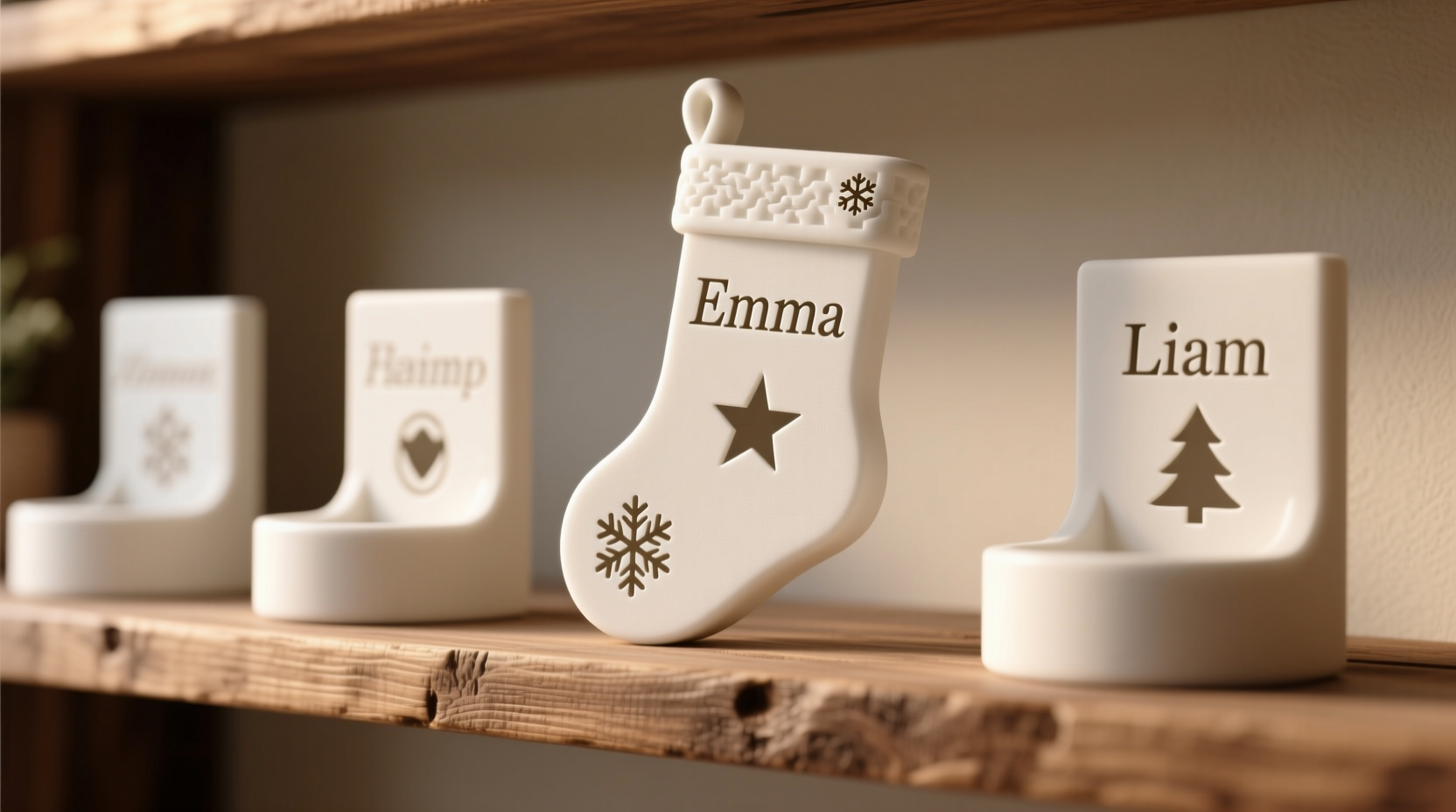
Traditional personalization methods—engraving, vinyl decals, or hand-painted lettering—have limitations. Engraving demands specialized tools and risks surface damage on delicate metals or woods. Vinyl peels after a season or two, especially near heat sources like fireplaces. Hand-painting lacks consistency and durability across multiple holders. 3D printing bypasses these constraints by embedding identity directly into the object’s geometry. A name isn’t applied—it’s extruded, layer by layer, as part of the holder’s core structure. This means no adhesives to fail, no paint to chip, and no alignment issues when replicating across a set. More importantly, it enables dimensional storytelling: a “Lily” tag can include subtle floral filigree beneath the letters; a “Noah” holder might feature a miniature ark icon recessed into its base; siblings’ names can share a unified typographic rhythm while retaining individual character weight and spacing.
Industry data supports this shift: According to the 2023 Consumer 3D Printing Adoption Report by MakerBot, 68% of households using desktop printers for holiday decor cited “emotional resonance through bespoke details” as their primary motivation—not novelty or cost savings. As one maker from Portland, Oregon, shared in a community survey, “My daughter’s stocking holder has her name in Braille dots beside the raised letters. That wasn’t possible with any other method—and it’s something she touches every December before opening her first gift.”
Designing Your Custom Name or Icon: From Concept to Printable File
Successful personalization begins not with slicing software, but with deliberate design choices. Avoid importing fonts directly from word processors—they lack the geometric precision needed for clean extrusion and often contain hidden curves or overlapping paths that cause print failures. Instead, use vector-based tools like Tinkercad (free, browser-based) or Fusion 360 (free for hobbyists), which let you convert text into editable 3D shapes with full control over height, bevel, and wall thickness.
Key design parameters for reliability:
- Minimum feature size: Letters must be at least 2 mm thick at their narrowest point (e.g., the crossbar of an “H” or stem of a “t”). Anything thinner risks snapping during removal from the print bed or daily use.
- Height and depth: For readability and structural soundness, aim for 4–6 mm letter height and 2–3 mm extrusion depth. Icons should be simplified silhouettes—avoid intricate internal cutouts unless your printer reliably handles 0.2 mm nozzle resolution.
- Mounting integration: Design the name/icon as a single fused component with the holder’s base or hook—not as a separate piece to glue later. Use integrated tabs, dovetail slots, or recessed channels that align precisely with corresponding features on the holder body.
Material Selection & Printer Settings for Long-Term Durability
The right material determines whether your personalized holder lasts one season or becomes a decade-long fixture. PLA remains the most accessible choice—low warping, minimal odor, and excellent detail resolution—but it softens above 50°C and degrades under prolonged UV exposure. For fireplace-adjacent displays or sunlit mantels, PETG offers superior heat resistance (up to 70°C) and impact strength without requiring an enclosed chamber. TPU (flexible filament) is ideal for icons requiring slight give—like animal paws or rounded ornaments—but avoid using it for thin lettering, which may deform under pressure.
Printer settings significantly affect both aesthetics and resilience. Default “draft” mode sacrifices layer adhesion for speed; for stocking holders, prioritize strength over speed:
| Setting | Recommended Value | Why It Matters |
|---|---|---|
| Layer Height | 0.2 mm (not 0.28 mm or higher) | Balances detail fidelity and print time; thinner layers increase vertical strength and reduce visible stair-stepping on curves. |
| Infill Density | 25–35% (grid or gyroid pattern) | Higher than decorative items need—stocking holders bear weight and leverage. Gyroid infill distributes stress evenly without directional weak points. |
| Print Speed | 40–50 mm/s for outer walls | Slower perimeter speeds ensure clean corners and sharp letter edges; faster interior speeds maintain efficiency. |
| Cooling Fan | 100% after first 3 layers | Prevents drooping on overhangs (e.g., the top of a “D” or “R”) and improves fine-detail definition. |
“Most ‘failed’ personalized holders aren’t due to design flaws—they’re caused by under-extrusion or inconsistent bed leveling. Always run a 20-mm calibration cube before printing your final name. If the dimensions are off by more than 0.1 mm, recalibrate.” — Rajiv Mehta, Senior Applications Engineer at Prusa Research
A Step-by-Step Installation Guide: Mounting Without Compromise
Even the most precisely printed name is useless if it detaches after three uses. Secure, invisible mounting preserves both aesthetics and longevity. Follow this sequence:
- Surface Prep: Lightly sand the mounting area on the holder (wood, metal, or ceramic) with 220-grit paper. Wipe with isopropyl alcohol to remove dust and oils. Do not skip this—even seemingly clean surfaces harbor microscopic contaminants that weaken bonds.
- Test Fit: Place the printed name/icon against the holder without adhesive. Check alignment, spacing, and visual balance. Mark reference points lightly with a pencil if needed.
- Adhesive Selection: Use cyanoacrylate (CA) glue for PLA-to-wood/metal bonds—its rapid cure prevents slippage. For PETG or TPU, choose a flexible epoxy like Loctite Epoxy Plastic Bonder, which accommodates minor thermal expansion differences.
- Application Technique: Apply adhesive only to the *back* of the printed piece—not the holder surface. Use a toothpick to place tiny dabs at each corner and center point. Press firmly for 60 seconds, then clamp with micro-needle-nose pliers or binder clips for 2 hours minimum.
- Cure & Stress Test: Wait 24 hours before hanging stockings. Then gently tug downward on the name with fingertip pressure (not pulling sideways). If movement occurs, reapply adhesive with added mechanical retention—e.g., drill two 1.2-mm pilot holes through the printed piece into the holder and secure with 4-mm brass pins.
Real-World Example: The Henderson Family Mantel Project
In December 2022, Sarah Henderson wanted to replace her aging set of six identical brass hooks with something reflecting each child’s personality—without sacrificing uniformity. She designed six holders: all shared the same arched steel base (purchased pre-fabricated), but each featured a custom PLA name plate mounted flush to the front. For her 8-year-old twins, she created mirrored “Ella” and “Elliot” plates with identical kerning and 5-mm height—but added a tiny star icon beside Ella’s “E” and a gear beside Elliot’s “E”, referencing their respective interests. Her 5-year-old’s “Maya” plate used rounded, sans-serif letters with a recessed butterfly icon below the “Y”. All plates were printed at 0.18 mm layer height, 30% gyroid infill, and bonded with CA glue. Two years later, the set remains fully intact—no chipping, no detachment—even after being packed, stored, and reinstalled annually. Crucially, Sarah notes, “The consistency came from designing the plates as modular components within one Fusion 360 file. I didn’t create six separate models—I built one parametric template and changed only the text and icon. That saved 11 hours of design time and guaranteed perfect alignment.”
Frequently Asked Questions
Can I print names directly onto existing metal or wooden holders?
No—desktop FDM printers cannot print directly onto existing objects. However, you can design custom adapter plates that bolt or magnetically attach to your current holders. For example, a 3D-printed aluminum-compatible bracket with embedded neodymium magnets allows seamless swapping of seasonal name plates without modifying the original holder.
How do I prevent warping or curling on large name plates?
Warping occurs when lower layers cool unevenly. Combat it by: (1) Using a heated bed set to 60°C for PLA or 80°C for PETG; (2) Adding a 3-mm brim (not raft) in your slicer software to increase bed adhesion; (3) Printing names horizontally—not vertically—if height exceeds 30 mm, to reduce cumulative layer stress.
Is it safe to use 3D-printed holders near open flames or heaters?
PLA and PETG are thermoplastics and will deform or emit fumes if exposed to direct flame or sustained temperatures above 70°C. Never mount them within 12 inches of a fireplace opening or space heater vent. For high-heat zones, use CNC-machined aluminum or stainless steel holders with laser-etched names instead—3D printing excels at personalization, not extreme environments.
Conclusion: Your Mantel, Reimagined
Personalizing stocking holders with 3D-printed names or icons is less about technical mastery and more about thoughtful iteration—testing one letter height, refining one icon’s silhouette, adjusting one mounting angle until it feels inevitable. It’s the quiet satisfaction of seeing your child’s name catch the morning light, not as ink on paper, but as a physical extension of the holder itself. You don’t need industrial equipment or design degrees. You need curiosity, a willingness to print a test “A” before committing to “Alexander,” and the understanding that the most enduring holiday traditions aren’t bought—they’re built, layer by layer, with intention. Start small: model your own initials tonight. Print them tomorrow. Mount them by weekend. Then watch how something functional becomes irreplaceable—not because it’s perfect, but because it’s yours.




 浙公网安备
33010002000092号
浙公网安备
33010002000092号 浙B2-20120091-4
Comments
No comments yet. Why don't you start the discussion?