
Gaming controllers are designed for general use, but no two hands are alike. Whether you're playing competitive shooters, fast-paced platformers, or marathon RPG sessions, a secure and comfortable grip can make the difference between victory and frustration. Factory-standard grips often lack texture, shape customization, or ergonomic alignment tailored to individual hand sizes and play styles. Personalizing your controller’s grip isn’t just about aesthetics—it enhances control, reduces fatigue, and improves reaction time. From simple adhesive solutions to advanced 3D-printed modifications, there are multiple ways to tailor your controller for optimal performance.
Why Grip Customization Matters
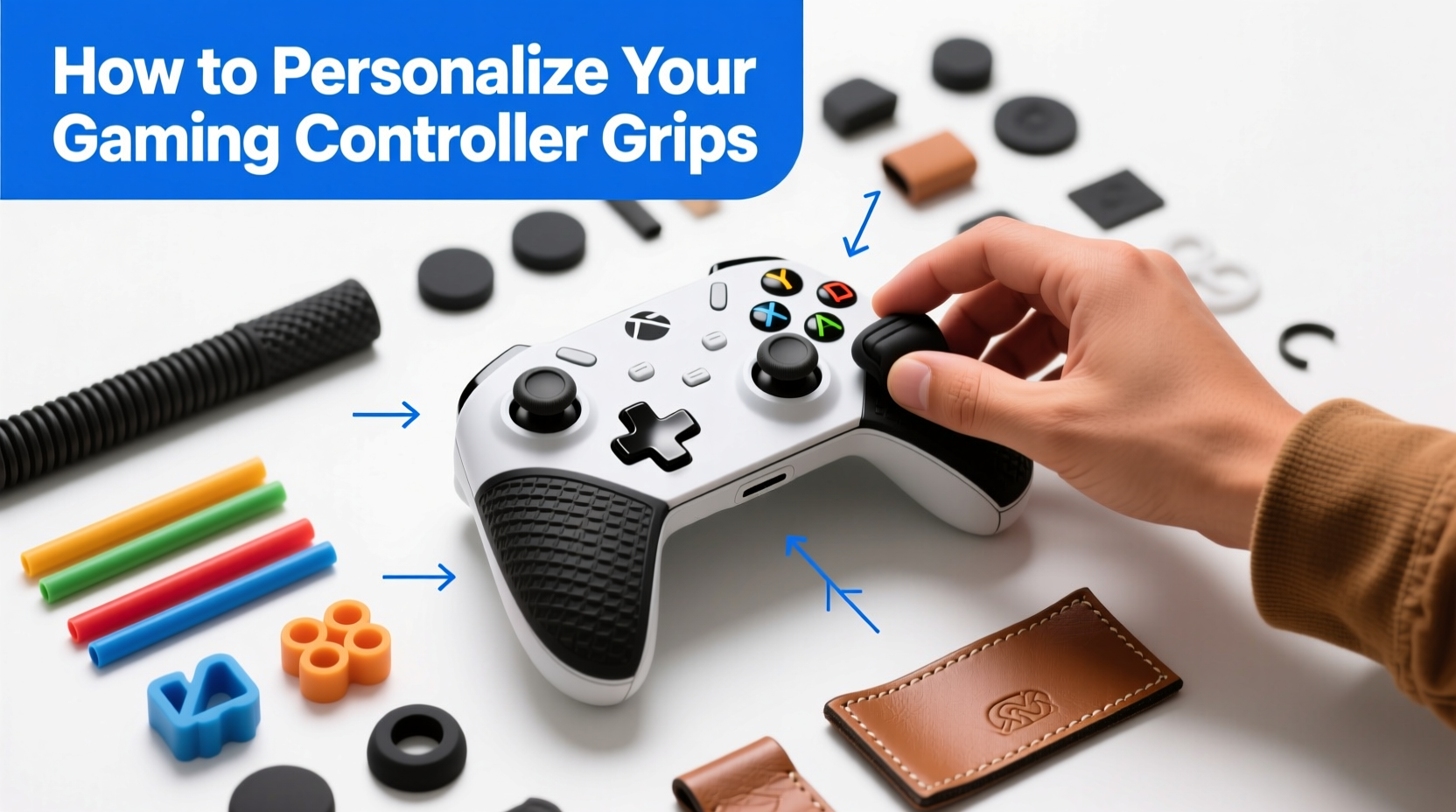
A poorly fitting controller leads to slippage, finger cramping, and reduced precision. Gamers with larger or smaller hands may find standard joysticks or trigger placements awkward. Sweat buildup during intense gameplay further compromises grip stability. The solution lies in personalization—adjusting the physical interface between player and device.
Studies in ergonomics show that customized tools reduce strain and improve motor efficiency. In gaming, this translates to faster inputs, steadier aiming, and longer comfortable play sessions. According to Dr. Lena Tran, a human factors researcher at the Institute of Interactive Design:
“Even minor adjustments to handheld device geometry can significantly impact user performance and comfort. A well-fitted grip reduces micro-movements and muscle tension, allowing players to maintain peak focus.” — Dr. Lena Tran, Human Factors Researcher
Step-by-Step Guide to Customizing Your Controller Grip
Personalizing your grip doesn’t require professional tools or deep technical knowledge. Follow this structured process to enhance your controller safely and effectively.
- Assess Your Current Grip Issues
Determine what feels off: Is the controller too slippery? Do your thumbs stretch too far? Does it feel heavy or unbalanced? - Measure Your Hand Dimensions
Use a ruler to measure palm width, finger length, and thumb reach. Note which areas contact the controller most. - Choose Your Modification Method
Select from grip tape, silicone sleeves, foam wraps, or 3D-printed shells based on your needs and skill level. - Prepare Tools and Materials
Gather cleaning supplies, adhesives, cutting tools, or printing files as needed. - Apply Modifications Gradually
Start with reversible changes before committing to permanent alterations. - Test During Gameplay
Play different game genres to evaluate comfort, control, and sweat resistance. - Refine Based on Feedback
Adjust thickness, texture, or shape until the fit feels natural.
Popular Methods for Grip Personalization
There are several proven techniques to modify your controller grip. Each has pros and cons depending on your budget, technical ability, and desired outcome.
1. Adhesive Grip Tapes (e.g., Tennis Overgrip, Gaming-Specific Films)
Commonly used by tennis players, overgrip tapes like Yonex Super Grap or Tourna Grip offer excellent tackiness and moisture absorption. These can be wrapped around the back and sides of controllers for enhanced friction.
- Pros: Inexpensive, easy to replace, sweat-resistant
- Cons: May peel over time; limited structural change
- Best for: Players who sweat heavily or want quick texture upgrades
2. Silicone or Rubberized Skins
Premium skins made from thermoplastic polyurethane (TPU) or silicone conform to the controller’s shape while adding cushioning. Brands like KontrolFreek and GameFlip offer pre-molded options with textured surfaces.
- Pros: Durable, washable, improves ergonomics slightly
- Cons: Can trap heat; higher cost ($20–$40)
- Best for: Casual and mid-tier gamers seeking plug-and-play solutions
3. Foam Padding and DIY Wraps
Closed-cell foam sheets or EVA padding can be cut and glued to build up thin layers where more grip depth is needed—especially helpful for users with small hands.
- Pros: Highly customizable thickness, very low cost
- Cons: Requires precise cutting; not water-resistant
- Best for: Tactile customization and filling gaps under fingers
4. 3D-Printed Shells
For advanced users, designing or downloading custom shell models allows full control over contour, weight distribution, and button placement. Files are available on platforms like Thingiverse or Printables.
- Pros: Maximum personalization, integrates triggers/thumb rests
- Cons: Expensive printer required; irreversible without expertise
- Best for: Competitive players or modders wanting pro-level tuning
Do’s and Don’ts of Controller Grip Modification
| Do’s | Don’ts |
|---|---|
| Test modifications during long sessions to assess endurance | Use super glue near plastic housings—it can cause cracking |
| Keep original parts in case you want to revert changes | Block ventilation ports or cover USB/microphone jacks |
| Add texture only where hands naturally rest (back, triggers, bumpers) | Overbuild the grip—too much bulk slows movement |
| Wash removable skins regularly to prevent odor buildup | Ignore battery access—ensure rear panels remain removable if applicable |
| Use sandpaper to dull glossy tapes for less shine and more grip | Modify internal electronics unless experienced |
Real Example: How a Pro Streamer Improved Their Aim
Jordan Lee, a Twitch streamer specializing in first-person shooters, struggled with inconsistent recoil control on his Xbox Series X controller. Despite high sensitivity settings, he noticed frequent slips during heated matches, especially after 30+ minutes of play.
After analyzing footage, Jordan realized his right thumb would shift slightly off the right bumper during rapid firing, causing delayed reloads. He measured his grip pattern and applied a combination of Yonex overgrip tape along the upper ridge and a thin layer of EVA foam beneath the index finger rest.
The results were immediate. Within a week, his kill-death ratio improved by 27%, and viewer comments noted smoother tracking movements. “It wasn’t about sensitivity,” Jordan said in a follow-up stream. “It was about consistency. Once my hand stopped moving unintentionally, my aim stabilized.”
Grip Customization Checklist
Before finalizing your personalized setup, go through this checklist to ensure safety, functionality, and comfort:
- ✅ Cleaned controller surface thoroughly
- ✅ Identified primary pressure points (thumb sticks, triggers, palm base)
- ✅ Selected appropriate material based on durability and texture needs
- ✅ Ensured all buttons and analog sticks move freely post-modification
- ✅ Maintained access to battery compartment or charging port
- ✅ Tested in multiple game genres (FPS, platformer, racing)
- ✅ Verified ease of cleaning and long-term maintenance
- ✅ Documented changes for future reference or replication
Frequently Asked Questions
Will modifying my controller void the warranty?
Yes, most manufacturers consider physical alterations—including adhesive applications or shell replacements—as grounds for voiding warranties. If warranty protection is important, consider using removable skins or waiting until coverage expires.
Can I use skateboard grip tape on my controller?
While technically possible, skateboard grip tape is extremely abrasive and may wear down skin or clothing over time. It also lacks flexibility and can damage surfaces upon removal. Instead, opt for softer alternatives like tennis overgrip or specialized gaming tapes designed for electronics.
How often should I replace grip enhancements?
Lifespan depends on usage and material. Adhesive tapes typically last 1–3 months with daily play. Silicone skins can endure 6–12 months with proper care. Inspect for peeling, discoloration, or loss of tackiness, and replace when performance declines.
Expert Insight: The Future of Customizable Controllers
As esports grows, so does demand for personalized peripherals. Companies like Scuf Gaming and Razer now offer modular controllers with swappable components. However, true personalization still requires user-driven tweaks.
“The next frontier isn’t just programmable buttons—it’s anatomically adaptive hardware. We’re seeing early prototypes with moldable grips and sensor-based feedback systems that adjust shape dynamically.” — Marcus Reed, Senior Product Designer at Nexa Peripherals
This evolution highlights the importance of understanding current customization methods. Even as technology advances, foundational knowledge of grip dynamics will empower gamers to make informed decisions—whether tweaking off-the-shelf gear or adopting next-gen adaptive devices.
Final Thoughts and Call to Action
Your gaming controller is an extension of your intent. When every millisecond counts, the connection between mind, hand, and machine must be seamless. Personalizing your grip isn't a luxury—it's a strategic upgrade. Whether you start with a $5 roll of overgrip tape or design a fully customized 3D-printed shell, the goal remains the same: total command over your device.
Begin with small, reversible changes. Pay attention to how your hand moves, where it sweats, and where discomfort arises. Iterate based on real-world feedback, not assumptions. Over time, you’ll develop a controller that feels less like a tool and more like a natural part of your body.




 浙公网安备
33010002000092号
浙公网安备
33010002000092号 浙B2-20120091-4
Comments
No comments yet. Why don't you start the discussion?