
Laptop stickers have evolved from simple brand identifiers to powerful tools of self-expression. Once limited to manufacturer logos or promotional giveaways, today’s stickers serve as miniature canvases for personal storytelling. A well-curated sticker collection can reveal passions, commemorate milestones, and even spark conversations. But beyond aesthetics, the most impactful collections are those rooted in intention—not just decoration for decoration’s sake. Personalizing your laptop with stickers becomes meaningful when each one contributes to a narrative that is uniquely yours.
The appeal lies not in quantity but in significance. A single sticker placed with purpose can speak louder than a dozen randomly accumulated ones. Whether you're a digital nomad, student, developer, artist, or entrepreneur, your laptop travels with you—through cafes, classrooms, co-working spaces, and job interviews. It becomes an extension of your presence. Making that presence authentic starts with thoughtful curation.
Start with Intention: Define Your Sticker Narrative
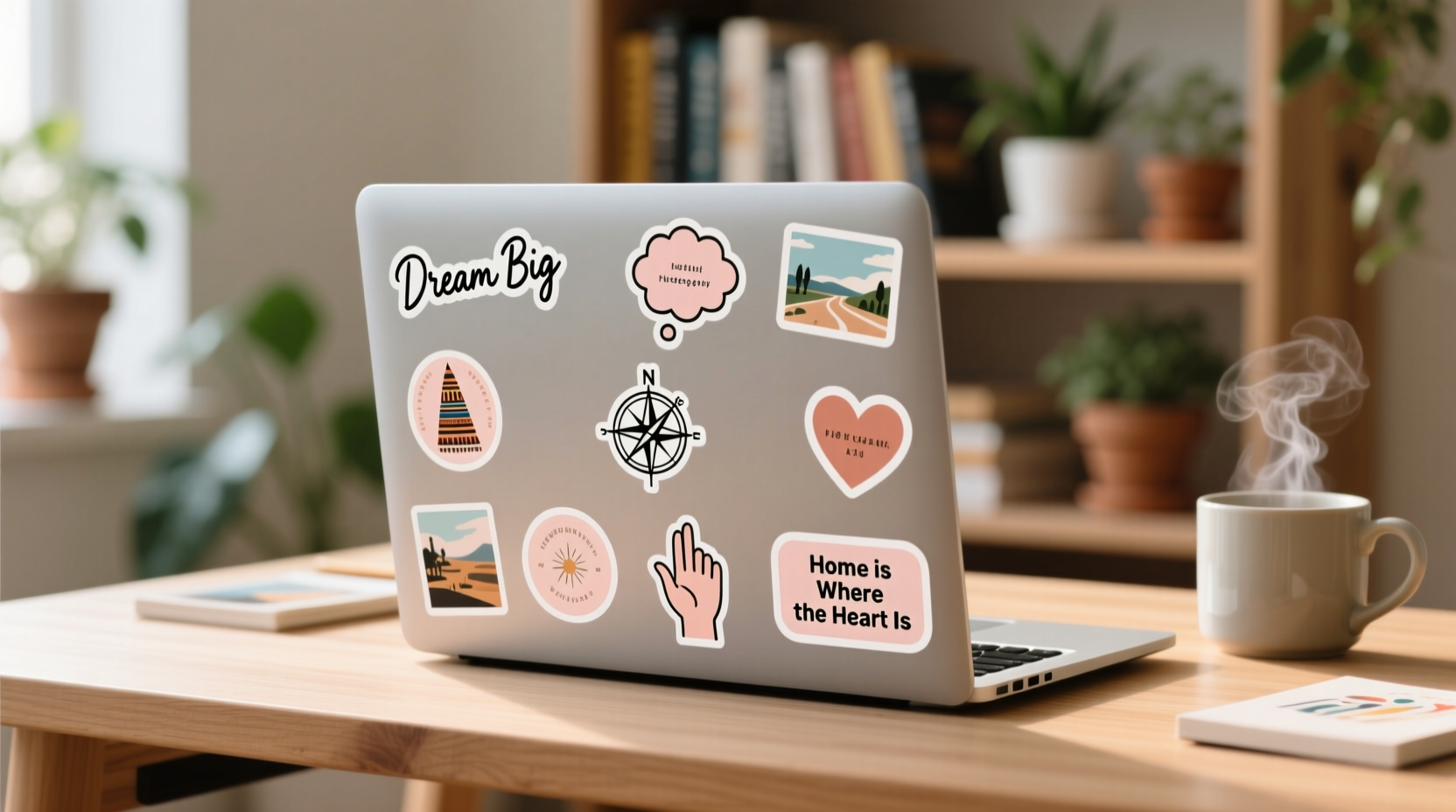
Before applying any sticker, consider what story you want your laptop to tell. Are you showcasing your professional journey? Celebrating cultural roots? Advocating for causes you believe in? The strongest sticker collections aren’t random; they’re guided by a central theme or emotional thread.
Begin by asking reflective questions:
- What values or beliefs define me?
- Which experiences have shaped who I am today?
- What communities do I belong to—or aspire to join?
- What brings me joy, inspiration, or pride?
Answers to these questions form the foundation of a meaningful collection. For example, a software developer might include stickers from open-source projects they’ve contributed to, programming languages they use, or tech conferences they’ve attended. An environmental activist might display symbols of sustainability, endangered species, or climate action organizations.
Curate with Purpose: Quality Over Quantity
It’s tempting to accumulate stickers from every event, brand, or freebie bin. However, clutter dilutes impact. A meaningful collection prioritizes relevance over volume. Each sticker should earn its place on your device.
Apply a “one-in, one-out” rule: whenever you add a new sticker, remove one that no longer resonates. This practice encourages mindfulness and keeps your collection dynamic yet cohesive. It also prevents overcrowding, which can make your laptop look chaotic rather than curated.
Consider longevity. Will this sticker still matter six months from now? If it represents a fleeting trend or momentary interest, it may not be worth permanent space. Conversely, stickers tied to enduring passions—like a favorite book series, lifelong hobby, or core identity—are more likely to remain emotionally significant.
Do’s and Don’ts of Sticker Curation
| Do | Don't |
|---|---|
| Choose stickers that reflect personal growth or milestones (e.g., first hackathon, study abroad program) | Cover every inch of visible surface without negative space |
| Include handmade or custom-designed stickers that represent your creativity | Add stickers solely because they’re free or trendy |
| Rotate stickers seasonally to reflect changing interests or phases of life | Use damaged, faded, or poorly applied stickers that detract from overall presentation |
| Balance bold visuals with subtle accents for visual harmony | Place important ports, vents, or branding under large stickers |
Design with Visual Harmony in Mind
A meaningful sticker collection should also be visually pleasing. Even deeply symbolic stickers can lose their power if arranged haphazardly. Thoughtful placement enhances both readability and emotional resonance.
Start by mapping out your laptop’s layout. Identify focal points—such as the center of the lid or near the webcam—and reserve them for your most significant stickers. Use symmetry, alignment, or thematic clustering to create visual order. For instance, group all travel-related stickers in one quadrant, or align coding-themed ones along the hinge.
Color coordination matters. While contrast adds vibrancy, clashing hues can create visual noise. Stick to a loose palette—perhaps muted tones for a minimalist aesthetic, or bright primaries for an energetic vibe. You don’t need strict uniformity, but cohesion helps the collection feel intentional.
“People remember stories, not clutter. When someone glances at your laptop, they should sense a person behind the stickers—not just a marketing board.” — Lena Torres, UX Designer & Digital Minimalism Advocate
Step-by-Step Guide to Building a Meaningful Collection
Creating a personalized sticker collection is a gradual process. Follow this timeline to build thoughtfully over time:
- Week 1–2: Reflect and Research
Journal about your identity, values, and interests. Search for sticker brands, artists, or communities aligned with those themes (e.g., indie makers on Etsy, conference swag, fan art). - Week 3–4: Acquire First Stickers
Purchase or create 3–5 high-quality stickers that strongly resonate. Avoid impulse buys. Focus on durability—vinyl stickers resist fading and peeling better than paper. - Month 2: Test Layouts
Use sticky notes or printouts to simulate placements. Take photos to compare arrangements. Choose a balanced design before committing. - Month 3: Apply with Care
Clean the laptop surface with alcohol wipe. Peel slowly, align precisely, and smooth out air bubbles with a credit card edge. - Ongoing: Rotate and Refine
Every few months, assess your collection. Remove outdated stickers, add new ones that reflect current chapters, and reposition for better flow.
Incorporate Hidden Meanings and Inside Jokes
Some of the most powerful stickers are those only you—or a select few—understand. These private symbols deepen the emotional connection between you and your device.
For example, a small constellation sticker might mark the night you decided to change careers. A pixel-art mushroom could reference a shared memory with a friend. These aren’t meant for public interpretation; they’re personal anchors.
Inside jokes work particularly well among niche communities. Developers might recognize a “sudo make me a sandwich” joke as a nod to Linux culture. Gamers may appreciate a cryptic reference to a beloved title. Such stickers act as quiet signals—invitations for like-minded individuals to connect.
This layer of intimacy transforms your laptop from a tool into a companion. Every glance becomes a subtle reminder of who you are and where you’ve been.
Mini Case Study: From Random to Resonant
Sophie, a freelance graphic designer, once covered her MacBook with every sticker she received—from tech meetups, coworking spaces, and free packs. Over time, her laptop felt like a billboard. After reading about intentional design, she stripped it clean and rebuilt her collection around three themes: creativity, mental wellness, and travel.
She kept only stickers that aligned: a sketch of her favorite pen, a mountain range from a hiking trip in Patagonia, and a small semicolon symbol representing her advocacy for mental health awareness. She added a custom sticker with her logo once she launched her own studio.
Now, clients often comment on her laptop during video calls. Instead of seeing clutter, they see clarity. More importantly, Sophie feels proud every time she opens her laptop—it reflects her journey, not just her hobbies.
Checklist: Build a Meaningful Sticker Collection
- Define your personal or professional narrative
- Select a maximum of 5 core themes (e.g., career, travel, identity)
- Research high-quality stickers from ethical or independent creators
- Limit initial application to 5–7 stickers for balance
- Arrange with visual flow—use symmetry, grouping, or gradients
- Leave room for future additions
- Review and refresh your collection quarterly
- Document your setup with a photo for backup or sharing
Frequently Asked Questions
Can stickers damage my laptop?
Most vinyl stickers won’t harm modern laptop finishes if applied and removed properly. Avoid placing stickers over ventilation ports, hinges, or sensors. When removing, gently heat the sticker with a hairdryer and peel slowly to prevent residue or paint lift.
How do I remove old stickers without leaving residue?
Use a combination of heat (hairdryer on low) and rubbing alcohol. Apply heat for 30 seconds, then peel slowly. Dab any remaining adhesive with a cotton swab dipped in isopropyl alcohol. Wipe clean with a microfiber cloth.
Is it unprofessional to have stickers on a work laptop?
It depends on your workplace culture. In creative or tech industries, stickers are often seen as signs of personality and engagement. In conservative fields, minimal or branded-only stickers may be preferable. When in doubt, keep messaging neutral and avoid controversial imagery.
Conclusion: Let Your Laptop Tell Your Story
Your laptop is more than a machine—it’s a companion through late-night projects, cross-country moves, breakthrough ideas, and quiet moments of reflection. Personalizing it with a meaningful sticker collection turns it into a living journal, a canvas of identity, and a conversation starter grounded in authenticity.
Don’t rush the process. Let your collection grow alongside you. Each sticker should feel like a deliberate choice, not a default addition. Whether it’s a tribute to a lost loved one, a symbol of resilience, or a celebration of a hard-won skill, let it carry weight.




 浙公网安备
33010002000092号
浙公网安备
33010002000092号 浙B2-20120091-4
Comments
No comments yet. Why don't you start the discussion?