
Lighting is the nervous system of a modern home—not just for visibility, but for rhythm, mood, safety, and circadian health. A truly coordinated lighting timeline goes beyond turning lights on at sunset or off at bedtime. It anticipates human behavior, adapts to seasonal shifts, responds to occupancy, and layers ambient, task, and accent light in intentional sequences. When executed with smart home automation, this timeline becomes dynamic, reliable, and deeply personalized. Yet most homeowners deploy smart lights as isolated switches—missing the opportunity to orchestrate light like a conductor. This guide details how to design, build, and maintain a lighting timeline that works *with* your life—not against it.
1. Define Your Lighting Narrative (Not Just Schedules)
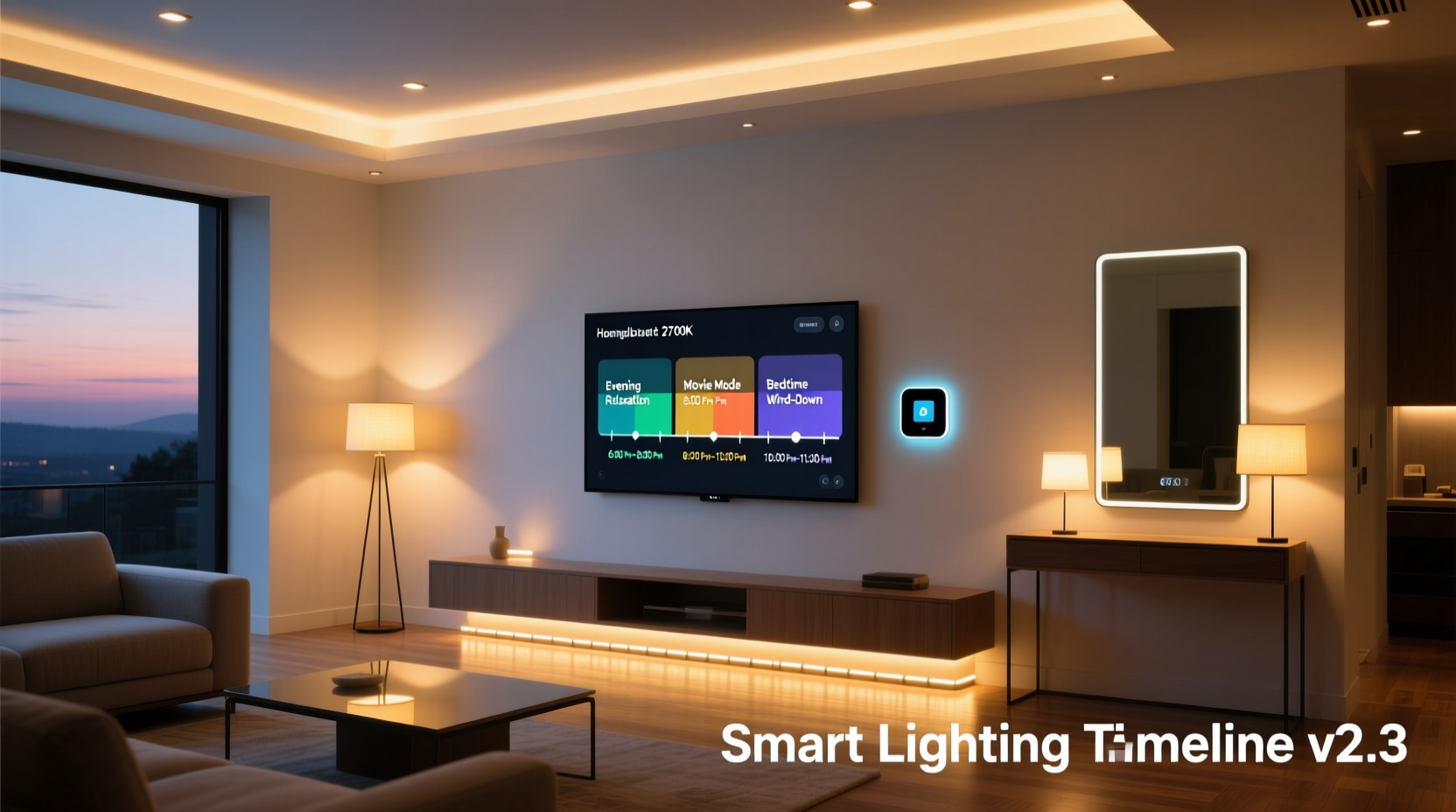
A coordinated lighting timeline begins not with devices or apps—but with story. Ask: What emotional and functional arc should light trace across your day? For example:
- Morning (6:00–9:00 AM): Gradual warm-to-cool ramp-up mimicking sunrise, supporting cortisol rise and alertness—starting in bedrooms, then hallways, then kitchen.
- Daytime (9:00 AM–4:00 PM): Task-optimized brightness in workspaces; gentle ambient fill elsewhere; automatic dimming during peak daylight hours to reduce glare and energy use.
- Evening (5:00–9:00 PM): Progressive color temperature shift from 4000K to 2700K, lowering blue light exposure to support melatonin onset; accent lighting highlighting art or architectural features as daylight fades.
- Night (9:00 PM–6:00 AM): Low-level, motion-triggered path lighting (e.g., 5% brightness, amber hue) in hallways and bathrooms—bright enough for safety, dim enough to preserve night vision and sleep architecture.
This narrative anchors every technical decision. Without it, automation devolves into arbitrary toggles. Your timeline isn’t about “when lights turn on”—it’s about “how light supports biological and behavioral transitions.”
2. Device Selection & Infrastructure Readiness
Not all smart lights support coordinated timelines equally. Prioritize compatibility, precision, and reliability over novelty or price:
| Feature | Required for Coordination | Why It Matters |
|---|---|---|
| Color temperature tuning (2700K–6500K) | ✅ Essential | Enables circadian alignment—static white or RGB-only bulbs cannot replicate natural daylight progression. |
| Dimming granularity (0.1% steps) | ✅ Essential | Smooth ramps require fine control; coarse dimming (e.g., 10% increments) creates jarring jumps. |
| Zigbee 3.0 or Matter-over-Thread support | ✅ Highly recommended | Reduces latency and improves reliability vs. Wi-Fi-only bulbs, especially in multi-room sequences. |
| Local execution (no cloud dependency) | ✅ Critical | Ensures timelines trigger instantly—even during internet outages. Verify via hub specs (e.g., Home Assistant OS, Hubitat Elevation). |
| Occupancy/vacancy sensing integration | ⚠️ Strongly advised | Prevents light from running unnecessarily; enables context-aware overrides (e.g., “if no motion for 15 min, fade to 10%”) |
Avoid mixing brands without native interoperability. While Matter promises future compatibility, today’s real-world coordination demands consistent firmware behavior. Stick to one ecosystem (e.g., Philips Hue + Hue Bridge, or Nanoleaf + Home Assistant with local API) for core timeline zones.
3. The 7-Step Timeline Construction Process
Building a robust lighting timeline requires deliberate sequencing—not just setting timers. Follow this proven workflow:
- Inventory & Zone Mapping: List every controllable light, group them by room and function (e.g., “Kitchen – Ambient,” “Kitchen – Under-Cabinet Task,” “Living Room – Accent”), and assign each to a logical zone in your automation platform.
- Baseline Sunset/Sunrise Sync: Use geolocation-based triggers (e.g., “Sunset -30 minutes”) instead of fixed clock times. This automatically adjusts for seasonal shifts—critical for evening wind-down consistency.
- Build Core Ramps First: Start with only two transitions: morning wake-up (30-min gradual brightening + warming) and evening wind-down (60-min cooling + dimming). Test these for 3 days before adding complexity.
- Add Contextual Overrides: Layer rules like “If kitchen motion detected between 10 PM–5 AM, activate path lighting at 15% brightness for 90 seconds” — ensuring responsiveness without disrupting the main timeline.
- Introduce Occupancy Logic: For each zone, define “active” vs. “vacant” states. Example: “Living Room Ambient remains at 30% if motion detected within last 5 minutes; otherwise, fade to 5% after 10 minutes.”
- Validate Timing Gaps: Ensure no unintended dark periods. If bedroom lights fade at 10:30 PM but hallway path lighting activates at 11:00 PM, insert a bridging rule: “Hallway lights at 10% from 10:25–11:00 PM.”
- Seasonal Calibration Check: Revisit your timeline every March and September. Adjust ramp durations (+5 minutes in winter, −3 minutes in summer) and base brightness levels to match changing daylight intensity.
This process treats timeline building as iterative engineering—not one-time setup. Each step adds resilience and reduces “automation fatigue,” where users disable features because they feel unpredictable.
4. Real-World Case Study: The Martinez Family Home
The Martinez family lives in Portland, Oregon, in a 1950s bungalow with deep-set windows and variable overcast conditions. They struggled with inconsistent lighting: their “sunset” routine triggered too early on gray afternoons, leaving rooms dim at 4 PM, while their “bedtime” sequence clashed with teenage homework schedules.
Working with a certified CEDIA integrator, they redesigned their timeline around three pillars: weather-awareness, multi-user flexibility, and circadian fidelity. They installed Lutron Caseta dimmers (for incandescent/halogen compatibility) paired with Nanoleaf Essentials bulbs (Matter-enabled, local execution), all orchestrated through Home Assistant.
Key adaptations included:
- A custom “cloud cover offset” sensor that delays sunset-triggered ramps by up to 45 minutes on heavily overcast days—using free WeatherAPI data integrated locally.
- Individual user profiles: Mom’s “Focus Mode” (kitchen + office lights at 4500K/80%) activates only when her phone is docked at her desk; teens’ “Study Mode” dims living room accent lights but keeps desk lamps at full brightness until midnight.
- A “Circadian Buffer” rule: Between 8:00–9:30 PM, all non-task lights automatically shift to ≤2900K, regardless of other triggers—ensuring melatonin support even if someone forgets to engage “Wind Down.”
Within four weeks, the family reported a 40% reduction in manual light adjustments and improved sleep onset for all members. Crucially, the system felt intuitive—not intrusive—because it adapted to their reality, not the other way around.
“Most lighting automation fails because it treats time as rigid and people as predictable. True coordination respects variability—it uses time as a scaffold, not a cage.” — Dr. Lena Torres, Human Factors Engineer, Smart Home Lab at UC San Diego
5. Troubleshooting & Maintenance Protocol
A well-planned timeline degrades silently: bulbs age unevenly, firmware updates alter behavior, or new furniture blocks sensors. Proactive maintenance prevents erosion of coordination. Use this checklist quarterly:
✓ Verify all bulbs report correct color temperature and brightness values in your hub’s device dashboard.
✓ Test motion sensor coverage: walk each path at night with lights off—confirm activation range and delay settings.
✓ Review automation logs for failed triggers (e.g., “Sunset event missed due to NTP sync error”).
✓ Recalibrate one key ramp (e.g., morning wake-up) using a lux meter app—compare actual light levels against intended curve.
✓ Update firmware for all hubs, bridges, and bulbs—only during daylight hours, and never before travel or major events.
✓ Document changes: Keep a plain-text log noting date, action taken, and observed outcome (e.g., “Oct 12: Extended evening cool-down from 45→60 min; reduced eye strain reported by husband”).
Also watch for subtle signs of drift: lights triggering 2–3 minutes early/late consistently, color temperature appearing “off” (e.g., 3000K bulbs rendering yellowish instead of warm white), or scenes failing to activate when multiple users are home. These often indicate sensor misalignment or outdated geolocation data—not hardware failure.
FAQ
Can I coordinate lighting across different brands (e.g., Hue + LIFX + Wyze)?
Yes—but only with a local, vendor-agnostic hub like Home Assistant or Hubitat. Cloud-to-cloud integrations (e.g., via IFTTT or Alexa Routines) introduce latency, inconsistent execution order, and frequent failures during internet outages. Local hubs translate commands uniformly and execute sequences atomically, preserving timing integrity.
How do I handle guests or unexpected schedule changes?
Build “override modes” into your timeline—not just “off” buttons. Examples: “Party Mode” (all lights at 100%, 3500K, with synchronized fade effects), “Guest Mode” (extended path lighting duration + bathroom nightlight activated 24/7), or “Travel Mode” (all non-security lights disabled, with motion-triggered entry lighting only). Activate these via physical switches, voice, or a dedicated dashboard button—never rely solely on voice commands during high-stress moments.
Do I need professional installation?
For basic single-zone ramping (e.g., bedroom only), DIY is viable. But for whole-home coordination with occupancy logic, weather adaptation, and multi-user profiles, professional calibration saves 10+ hours of troubleshooting and ensures long-term reliability. Look for CEDIA-certified integrators with documented smart lighting case studies—not just “smart home installers.”
Conclusion
A coordinated lighting timeline transforms your home from a collection of illuminated spaces into a responsive, biologically attuned environment. It doesn’t demand perfection—it asks for intentionality, iteration, and respect for human variability. You don’t need every bulb to be smart, every room to be automated, or every schedule to be flawless on day one. Start with one room, one transition, and one observable outcome: “I want my morning light to feel like waking up to soft dawn, not a fluorescent jolt.” Then expand deliberately. Measure success not in technical uptime, but in reduced eye strain, steadier energy levels, calmer evenings, and the quiet satisfaction of walking into a space that feels *ready*—not just lit. Your timeline isn’t built in a day. It’s grown, refined, and lived in. Begin yours now—not with a timer, but with a question: What light does this moment truly need?




 浙公网安备
33010002000092号
浙公网安备
33010002000092号 浙B2-20120091-4
Comments
No comments yet. Why don't you start the discussion?