
Charging problems with your AirPods case can be frustrating—especially when you're relying on them for calls, music, or workouts. While AirPods are designed for seamless performance, the charging case is often overlooked despite being central to their functionality. Over time, dust buildup, improper handling, and inconsistent charging habits can degrade performance and even lead to permanent damage. The good news? Most charging issues are preventable with consistent care and smart usage. This guide outlines practical, expert-approved methods to keep your AirPods case charging efficiently for years.
Understand How the Charging Case Works
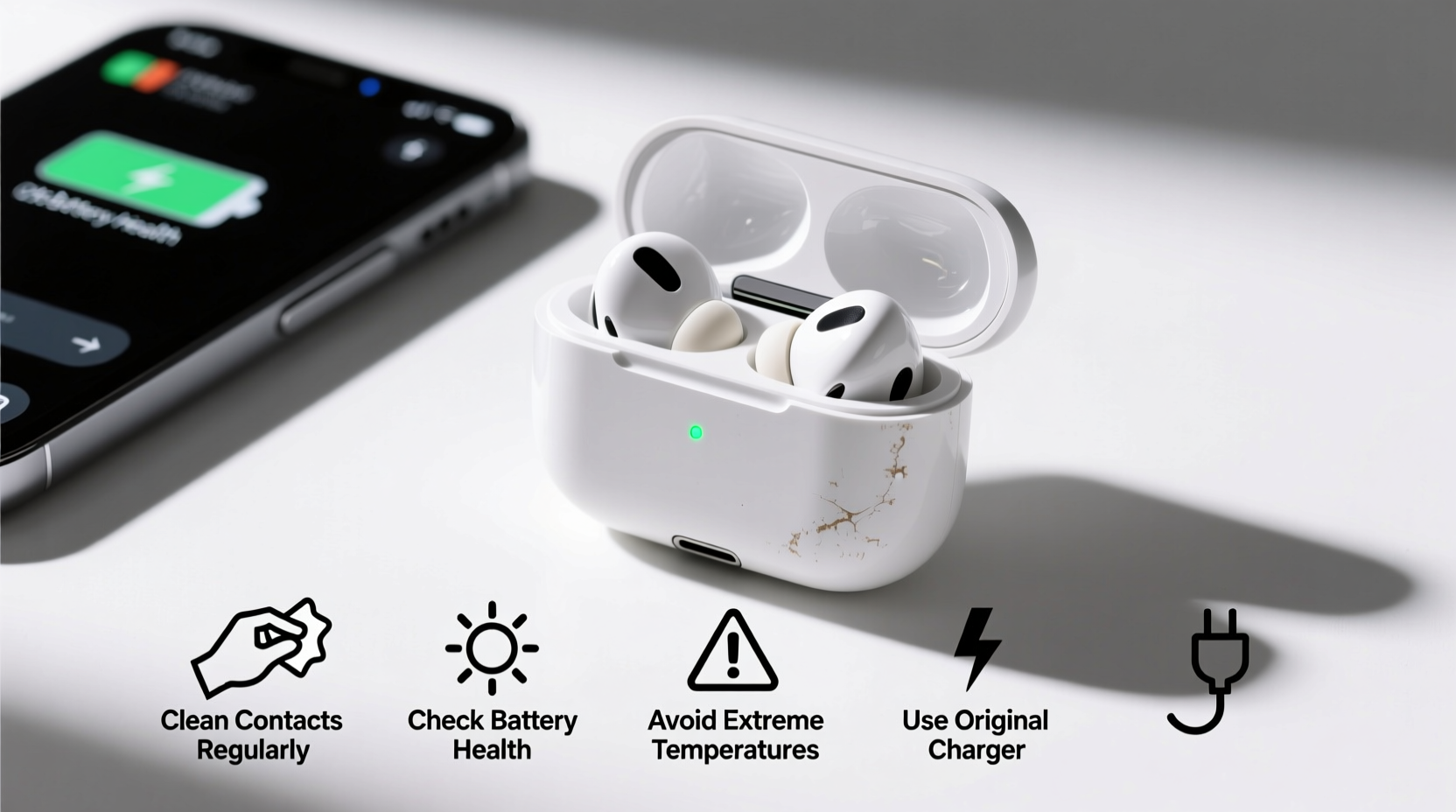
The AirPods charging case serves as both a protective enclosure and a portable power bank. It uses a lithium-ion battery to recharge your AirPods multiple times before needing a recharge itself. The case supports three charging methods: Lightning cable (for older models), MagSafe wireless charging, and Qi-compatible wireless chargers. Understanding how these systems interact helps identify potential failure points before they become serious.
Lithium-ion batteries degrade over time, especially when exposed to extreme temperatures or kept at full charge for extended periods. The charging port, hinge mechanism, and internal circuitry are also vulnerable to wear. By treating the case as a high-tech device—not just a container—you can significantly extend its lifespan.
“Battery longevity isn’t just about usage—it’s about environment, charging patterns, and physical care.” — Dr. Lena Torres, Battery Technology Researcher, Stanford University
Daily Maintenance Tips to Prevent Charging Failures
Prevention starts with daily habits. Simple routines can stop debris accumulation and electrical interference that disrupt charging cycles.
- Keep the case closed when not in use. Open cases attract dust and pocket lint, which can clog the charging pins inside.
- Avoid tossing the case into bags loosely. Use a small pouch to protect it from scratches and impact.
- Wipe down the exterior regularly. Skin oils and dirt can interfere with wireless charging efficiency.
- Don’t expose the case to moisture. Even though newer models have some resistance, water and humidity accelerate corrosion.
Step-by-Step Guide: Cleaning the Charging Case Safely
Regular cleaning prevents connection issues between the AirPods and the case’s internal charging contacts. Follow this sequence every two weeks—or more often if used heavily.
- Power off your AirPods and remove them from the case.
- Use a soft, dry microfiber cloth to wipe the interior and exterior surfaces.
- Gently clean around the charging pins inside the case using a dry cotton swab.
- If debris is stubborn, lightly dampen the swab with isopropyl alcohol (70% concentration) and let it dry completely before reuse.
- Inspect the Lightning port (if applicable) using a flashlight. Remove lint with a non-metallic pick or toothpick.
- Wait 10 minutes to ensure no moisture remains before placing AirPods back.
Optimize Charging Habits for Long-Term Health
How you charge matters as much as how you store. Poor charging practices shorten battery cycles and increase heat stress.
| Do’s | Don’ts |
|---|---|
| Charge between 20% and 80% when possible | Leave the case plugged in overnight regularly |
| Use Apple-certified cables and adapters | Use cheap third-party chargers with unstable output |
| Unplug once fully charged | Expose the case to direct sunlight while charging |
| Rotate charging methods (wired/wireless) | Place metal objects on wireless chargers near the case |
Experts recommend avoiding full discharges. Lithium-ion batteries perform best when kept within a moderate charge range. Frequent deep cycling (draining to 0%) accelerates degradation. Instead, top up early and often.
Environmental Factors That Impact Charging Performance
Temperature and storage conditions play a major role in battery health. Apple specifies an ideal operating temperature range of 62°F to 72°F (16°C to 22°C). Outside this window, charging efficiency drops sharply.
- In cold environments, the battery may temporarily lose capacity. You might see “low battery” warnings even after a recent charge.
- In hot settings—like a car dashboard in summer—the case can overheat, triggering safety shutdowns or long-term capacity loss.
Humidity is another silent threat. Moisture can corrode internal contacts, leading to intermittent charging or complete failure. Always store the case in a dry place, away from bathrooms or kitchens with high steam levels.
“Even brief exposure to high heat can permanently reduce a lithium-ion battery’s maximum capacity.” — Apple Support Documentation
Real-World Example: Recovering from Repeated Charging Failure
Jamal, a remote worker in Denver, noticed his AirPods Pro case wasn’t holding a charge. After two months, he had to plug it in daily despite minimal use. He assumed the battery was dead. Instead of replacing it immediately, he followed diagnostic steps:
- He cleaned the charging pins with a dry swab.
- Switched from a generic USB-C adapter to an Apple-certified one.
- Started unplugging the case at 85% instead of leaving it on the charger all night.
Within a week, the case regained stable performance. Jamal later realized that using a low-quality charger and constant overcharging were the root causes. His experience highlights how easily preventable issues mimic hardware failure.
Checklist: Monthly AirPods Case Maintenance Routine
To stay ahead of charging problems, follow this checklist monthly:
- ✅ Inspect the charging port for lint or debris
- ✅ Clean internal contacts with a dry cotton swab
- ✅ Test both wired and wireless charging functions
- ✅ Check for software updates via connected iPhone
- ✅ Verify battery health in Settings > Bluetooth > AirPods info
- ✅ Store the case in a cool, shaded location overnight
- ✅ Rotate between different charging cables to identify faults
Frequently Asked Questions
Why does my AirPods case charge wirelessly but not with a cable?
This usually indicates a blockage in the Lightning port. Lint or dust can prevent proper connection. Carefully clean the port with a non-conductive tool like a plastic pick. If the issue persists, try a different cable or contact Apple Support.
Can I replace the battery in my AirPods case?
Yes, Apple offers battery replacement services for AirPods cases. The cost varies by model but is typically lower than buying a new case. Third-party replacements exist but may lack warranty coverage or charging certification.
How long should an AirPods case last before needing replacement?
With proper care, most cases retain strong battery performance for 2–3 years. After 500 full charge cycles, Apple states battery capacity may fall to 80% of original. Regular maintenance can extend usability beyond this point.
Conclusion: Protect Your Investment with Smart Habits
Your AirPods case is more than a shell—it’s a critical component of your audio experience. Charging issues don’t happen overnight; they develop from repeated oversights. By adopting simple cleaning routines, using certified accessories, monitoring environmental exposure, and optimizing charge levels, you can avoid most common failures. These habits take minutes each month but can save you hundreds in premature replacements.




 浙公网安备
33010002000092号
浙公网安备
33010002000092号 浙B2-20120091-4
Comments
No comments yet. Why don't you start the discussion?