
Modern addressable LED Christmas strings—often built with WS2811, WS2812B (NeoPixel), or APA102 (DotStar) chips—offer unprecedented creative control. Unlike traditional incandescent or basic RGB strings, these lights let you assign unique color, brightness, and timing values to each individual bulb. That means snowflakes that pulse in waves, trees that breathe with soft amber gradients, or garlands that chase like fireflies—all programmable from your laptop or even a smartphone. Yet many users hesitate to go beyond factory presets, assuming custom sequencing demands advanced electronics knowledge. It doesn’t. With the right tools, clear wiring practices, and a methodical approach, anyone can craft expressive, repeatable light shows—even without prior coding experience.
Understanding Your Hardware: Chips, Controllers, and Power
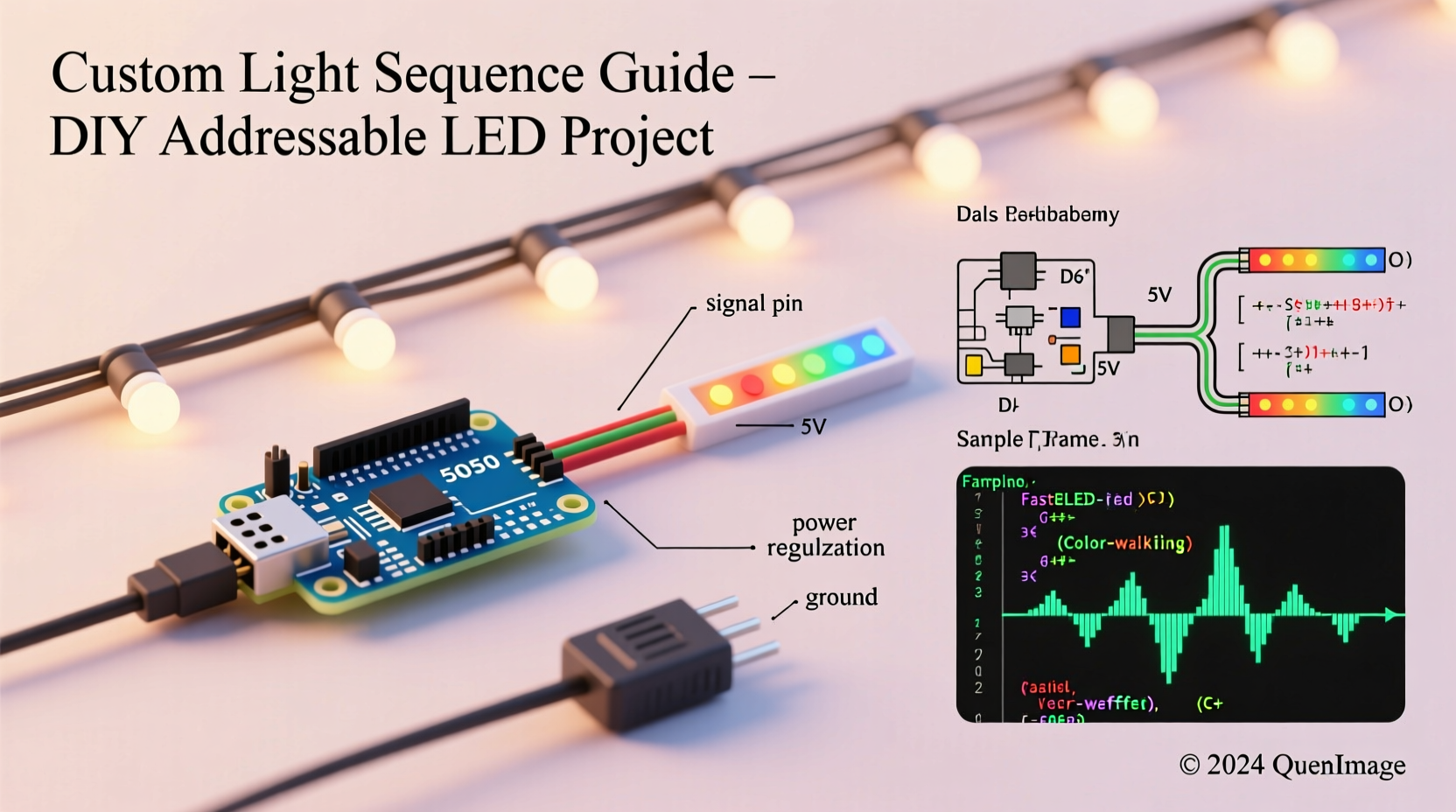
Before writing code, identify what’s inside your string. Not all “addressable” strings are equal—and misidentifying the controller chip is the most common cause of failed uploads or erratic behavior.
WS2812B (NeoPixel) strings use a single data line and rely on precise timing. They’re inexpensive and widely supported but sensitive to voltage drop and signal integrity over long runs. APA102 strings use separate clock and data lines, making them more robust for longer installations and better suited for high-speed effects—but they consume slightly more power per LED. WS2811 controllers often reside in external driver ICs and may operate at 12V, offering greater distance tolerance than 5V NeoPixels.
Power matters just as much as data. Each LED draws ~60mA at full white brightness. A 100-bulb string can draw up to 6A—far beyond what a USB port or Arduino’s onboard regulator can supply. Always use an external 5V or 12V power supply rated for at least 20% more than your calculated maximum load. And never power the microcontroller and LEDs from the same source unless using proper isolation and decoupling capacitors.
Choosing Your Programming Platform
You have three viable paths—each with distinct trade-offs in flexibility, learning curve, and deployment speed.
| Platform | Best For | Key Requirements | Limitations |
|---|---|---|---|
| Arduino + FastLED Library | Full control, complex animations, learning fundamentals | Arduino Uno/Nano/ESP32; soldering for reliable connections; basic C++ syntax | No built-in UI; requires serial upload; timing-sensitive on slower boards |
| WLED (ESP32/ESP8266) | Wireless control, real-time editing, multi-device sync | ESP32 or ESP8266 dev board; Wi-Fi network; web browser | Less granular control than raw FastLED; limited RAM for ultra-long strings (>500 LEDs) |
| Xlights + E1.31 | Professional-grade sequencing, music synchronization, large displays | PC running Windows/macOS; Ethernet adapter; DMX/E1.31-compatible controller (e.g., Falcon F16v3) | Steeper setup curve; overkill for small indoor displays; licensing costs for advanced features |
For most homeowners and hobbyists starting out, WLED strikes the ideal balance: open-source, actively maintained, and accessible via any smartphone or tablet. It supports over 100 built-in effects—from “Sinelon” (a smooth sine wave sweep) to “Fire 2012” (procedural flame simulation)—and lets you tweak speed, intensity, and palette in real time. Crucially, WLED also allows uploading custom palettes and effect code written in its lightweight scripting language, giving you a gateway to deeper customization without abandoning the UI.
A Step-by-Step Sequence Creation Workflow
Creating a meaningful light sequence isn’t about typing code—it’s about designing intention. Follow this repeatable six-step process to build reliable, maintainable sequences—even for your first project.
- Define the emotional goal: Is it calming (slow fades, cool tones)? Festive (bright bursts, rapid chases)? Nostalgic (warm amber pulses mimicking candlelight)? Write it down. This informs every subsequent decision.
- Map your physical layout: Sketch your string—note total LED count, segment groupings (e.g., 50 LEDs on the mantle, 150 on the tree), and any gaps or directional constraints (e.g., top-to-bottom only).
- Select base parameters: Choose frame rate (25–40 FPS is ideal for smooth motion), global brightness (start at 70% to preserve headroom), and default palette (e.g., “Rainbow Colors” or “Warm Red” for holiday themes).
- Build one core effect: Start simple—a single color wipe, a gentle fade, or a slow breath effect. Verify it works end-to-end before layering complexity.
- Add variation logically: Introduce timing offsets between segments (“mantle LEDs start 0.8s after tree LEDs”), apply easing functions to transitions (ease-in-out instead of linear), or modulate brightness using sine waves for organic rhythm.
- Test iteratively under real conditions: Observe in ambient light *and* full darkness. Record a short video. Note where timing feels rushed or sluggish—and adjust duration, speed, or spacing accordingly.
This workflow mirrors professional lighting design practice. As lighting designer Maya Rodriguez explains:
“The strongest sequences don’t dazzle with complexity—they resonate through rhythm, contrast, and restraint. A well-timed 3-second fade can feel more magical than a chaotic 10-effect cascade.” — Maya Rodriguez, Architectural Lighting Designer & Holiday Display Consultant
Real-World Example: The “Winter Hearth” Mantle Sequence
When Sarah Chen upgraded her 20-year-old incandescent mantle lights to a 72-LED WS2812B string, she wanted warmth—not spectacle. Her goal: evoke the quiet glow of embers settling in a fireplace, with subtle movement suggesting gentle air currents.
She began by setting global brightness to 65% and choosing the “Fire” palette in WLED. Using the built-in “Blink” effect, she dialed speed to 0.3 and intensity to 0.15—too faint. Next, she switched to “Sinelon” and adjusted the reverse setting so the wave moved left-to-right (like heat rising), then lowered speed to 0.08 and added a 4-second “pause” at peak brightness using WLED’s effect speed modulation feature. Finally, she enabled “Candle Flicker” as a secondary overlay at 15% intensity—just enough to break perfect uniformity.
The result? A soft, breathing ribbon of amber-orange light that changes subtly every 8–12 seconds. No two cycles match exactly. Guests consistently describe it as “cozy” and “alive”—not programmed. Sarah later exported the configuration as a JSON preset, allowing her to restore it instantly after firmware updates or power outages.
Essential Do’s and Don’ts for Reliable Operation
- Do use level shifters when connecting 5V logic (Arduino) to 12V LED strings—especially with WS2811 drivers.
- Do add a 1000µF electrolytic capacitor across the power input terminals of your LED string to suppress voltage spikes during rapid color changes.
- Do terminate unused data lines with a 47Ω resistor to prevent signal reflection on long runs (>5m).
- Don’t daisy-chain more than 150 WS2812B LEDs off a single Arduino pin without signal boosting—the timing degrades past that point.
- Don’t run data and power wires parallel for extended distances; cross them at 90° angles to minimize electromagnetic interference.
- Don’t assume “addressable” means “plug-and-play.” Always verify voltage compatibility, data protocol, and refresh rate support before purchasing.
Frequently Asked Questions
Can I run custom sequences without buying new hardware?
Yes—if your existing string uses a compatible controller and has accessible data pins. Many pre-wired “smart” strings (e.g., Twinkly, Luminous) lock users into proprietary apps, but third-party adapters like the Twinkly Bridge Emulator or open-source firmware projects (e.g., OpenTwinkly) now enable limited custom sequencing. For true flexibility, however, strings designed for DIY—like those from Ray Wu or AliExpress sellers explicitly listing “WS2812B with 4-pin JST connector”—are strongly recommended.
Why does my sequence flicker or reset randomly?
Over 90% of cases trace to insufficient power delivery. Check voltage at the farthest LED with a multimeter while the sequence runs: if it drops below 4.5V (for 5V strings) or 11.4V (for 12V), add a power injection point mid-string. Also verify your microcontroller isn’t overheating—ESP32s throttling due to poor ventilation often manifest as dropped frames or spontaneous reboots.
How do I make my lights respond to music?
True audio reactivity requires capturing microphone input or line-level audio, performing FFT analysis to extract frequency bands, and mapping amplitude to brightness or hue. WLED supports basic beat detection via its “Microphone” module (requires ESP32 with I2S mic). For richer results, pair Xlights with a dedicated audio analyzer like Vixen 3 or use Raspberry Pi with PyAudio and NumPy. Avoid “audio-reactive” presets that merely pulse to a fixed BPM—they respond to tempo, not actual sound.
Conclusion: Light Is Language—Start Speaking It
Programming a custom light sequence isn’t about mastering syntax—it’s about translating feeling into light. The flicker of a candle, the hush before snowfall, the quiet joy of shared warmth: these aren’t abstract concepts. They’re rhythms you can encode in milliseconds, colors you can blend in hex values, and movements you can choreograph across dozens of points of light. You don’t need a lab or a degree. You need curiosity, a $10 microcontroller, and the willingness to iterate—tweaking speed by 0.02, shifting hue by 5°, adding a 100ms delay until the timing feels inevitable rather than mechanical.
Start small. Program one string. Let it breathe on your mantle for a week. Notice how the light changes with the hour, the weather, the mood in the room. Then extend it—to your porch, your staircase, your window box. Each iteration deepens your fluency. And when neighbors pause mid-walk to ask, “How did you make it *feel* like that?”—you’ll know you’ve moved beyond programming lights. You’ve begun composing with light itself.




 浙公网安备
33010002000092号
浙公网安备
33010002000092号 浙B2-20120091-4
Comments
No comments yet. Why don't you start the discussion?