
Light shows no longer belong exclusively to professional stage designers or holiday enthusiasts with six-figure budgets. Today, hobbyists, educators, small venue operators, and even DIY home decorators can build expressive, synchronized light sequences using sub-$100 controllers and free open-source software. The key isn’t expensive hardware—it’s understanding signal timing, controller capabilities, and workflow efficiency. This guide distills field-tested methods from years of community-led installations, classroom workshops, and backyard holiday displays. It focuses on reliability, repeatability, and scalability—not theoretical ideals. You’ll learn how to translate musical emotion into precise LED behavior, troubleshoot common sync drift, and avoid the three most costly beginner mistakes that waste time and burn out pixels.
Understanding Controller Types and Real-World Limitations
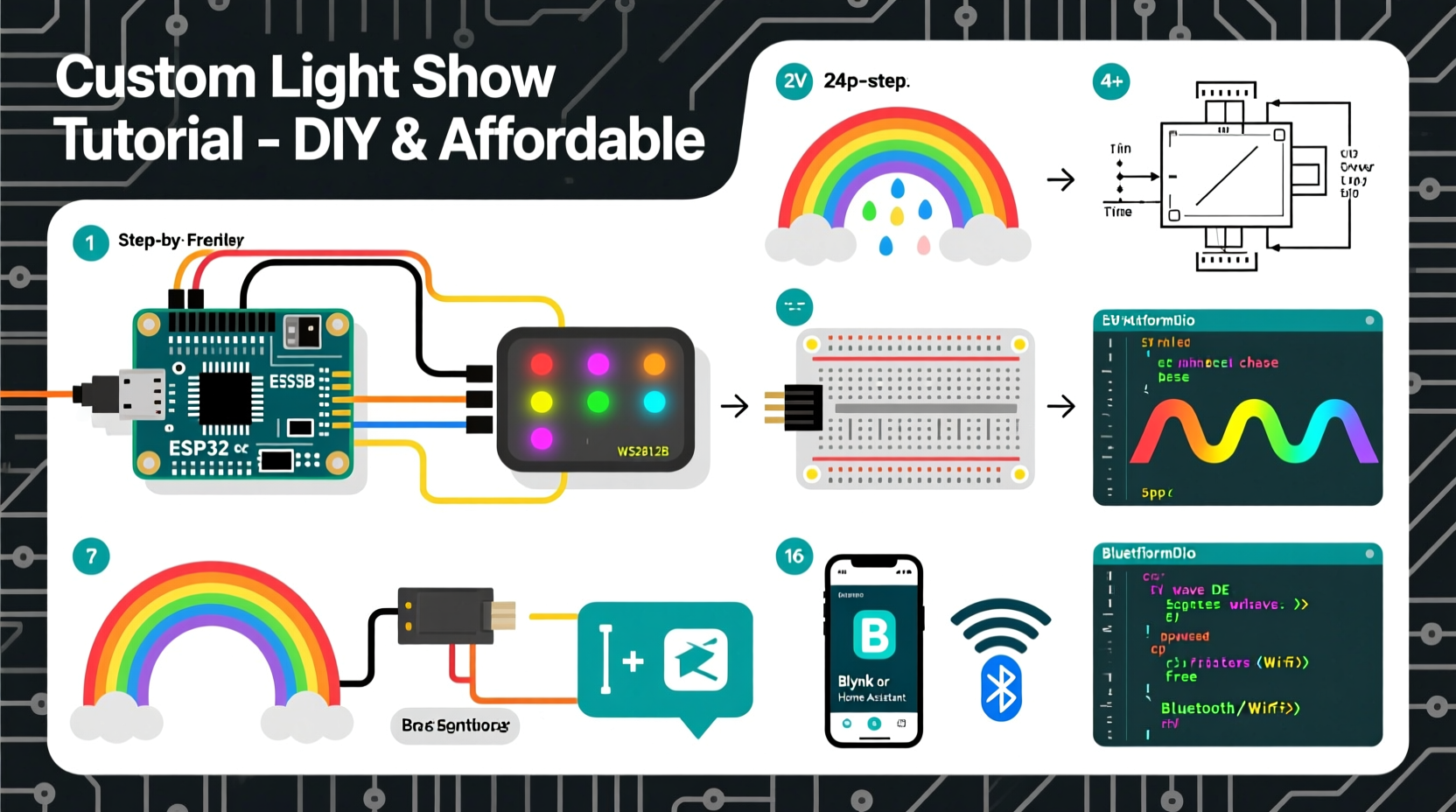
Affordable controllers fall into two functional categories: DMX-based and serial/USB-based. While DMX remains the industry standard for live venues, its $200+ interface gear and strict cabling rules make it impractical for most budget-conscious builders. Instead, serial-based controllers—especially those built around ESP32 or ESP8266 microcontrollers—are where true accessibility begins. These chips support Wi-Fi, USB-serial communication, and direct pixel driving (WS2812B, SK6812, APA102), all for under $12 per unit. But affordability introduces constraints: memory limits, clock speed bottlenecks, and firmware quirks that affect timing precision.
For example, an ESP32 running FastLED can reliably drive up to 1,500 WS2812B LEDs at 30 FPS—but only if you pre-calculate color values and avoid floating-point math in your main loop. Pushing beyond that threshold causes frame stutter, especially during rapid fades or beat-triggered bursts. Likewise, cheap FTDI USB-to-serial adapters often introduce 15–40ms latency between command send and pixel update—a delay that becomes audible when syncing to music faster than 100 BPM.
Choosing Your Software Stack: Free, Open, and Fit-for-Purpose
The software ecosystem for affordable light sequencing has matured significantly since 2020. Three tools dominate real-world use—not because they’re the flashiest, but because they deliver predictable results across hardware tiers:
- Xlights — The de facto standard for multi-controller, multi-universe setups. Free, Windows-native, and deeply integrated with E1.31 (sACN) protocol. Its strength lies in timeline-based editing, audio waveform visualization, and export to ESP-based receivers via UDP. However, it requires careful network configuration and doesn’t run natively on macOS or Linux.
- LED Studio (by Jinx!) — A lightweight, cross-platform alternative ideal for single-string or small-grid projects. Uses a simplified “effect + duration” paradigm instead of frame-by-frame editing. Perfect for beginners who want to layer chase, twinkle, and pulse effects without managing timing grids.
- WLED (firmware + web UI) — Not a desktop sequencer, but a critical piece of the puzzle. Flash WLED onto ESP32 boards to turn them into self-contained, Wi-Fi-accessible light nodes. Then use its REST API or MQTT integration to trigger preloaded sequences from Python scripts, Home Assistant automations, or even spreadsheet-driven CSV timelines.
What *doesn’t* work well for budget builds? Drag-and-drop “visual programming” apps that generate bloated JSON or rely on cloud rendering. They obscure timing logic, hide memory usage, and often fail silently when pixel count exceeds buffer limits. If your workflow can’t be version-controlled in plain text files—or reproduced on a Raspberry Pi Zero—you’re adding unnecessary fragility.
Step-by-Step: Building Your First Synced Sequence (Under 90 Minutes)
This timeline assumes you’re starting with one ESP32 dev board ($8), a 2-meter WS2812B strip (120 LEDs), a 5V/3A power supply, and a Windows laptop. No soldering required—just breadboard-friendly jumper wires.
- Hardware Setup (10 min): Connect GND from power supply to ESP32 GND. Connect 5V to ESP32 VIN (not 3.3V pin). Wire DATA from ESP32 GPIO18 to DIN on LED strip. Add a 470Ω resistor between GPIO18 and DIN to reduce signal ringing. Power the strip directly from the supply—not through the ESP32 board.
- Firmware Install (15 min): Download WLED v0.14.1 firmware. Use ESPHome-Flasher or esptool.py to flash it. After reboot, connect to the “WLED-XXXX” Wi-Fi network, open http://192.168.4.1, and configure your SSID/password. Under “Sync Settings,” enable E1.31 and set Universe to 1, Channel Start to 1.
- Audio Preparation (10 min): Trim your music file to 60 seconds. Convert to WAV (44.1kHz, 16-bit, mono) using Audacity. Export as “show.wav”. Avoid MP3—it introduces variable bitrate artifacts that break beat detection.
- Xlights Project Setup (25 min): Launch Xlights. Create new model: “Generic RGB Strip”, 120 pixels, 1 string. Assign to controller type “E1.31” and IP address of your ESP32 (found in WLED’s “Info” tab). Import “show.wav”. Use the built-in Beat Detection tool—adjust sensitivity until green bars flash cleanly on kick hits. Manually correct missed beats by clicking the waveform.
- Sequence Creation (20 min): Select first 5 seconds. Apply “Color Wash” effect, set duration to 5.0 sec, choose deep blue. Next 5 seconds: “Chase” with red, speed 0.3. At 10-second mark, insert “Beat Trigger”: set to “Kick”, intensity 100%, color white. Repeat pattern, varying colors and effects every 5 seconds. Export as E1.31 multicast (universe 1).
- Run & Refine (10 min): Click “Play” in Xlights. Observe WLED’s web UI—under “Live View”, confirm channel data is updating. If lights lag or freeze, reduce “Max FPS” in Xlights Output Settings from 30 to 24. If colors bleed, check wiring order (RGB vs GRB) in WLED’s “LED Preferences”.
Do’s and Don’ts: Hardware and Signal Integrity Best Practices
Signal integrity makes or breaks low-cost light shows. Unlike commercial systems with shielded cables and isolated grounds, budget builds expose subtle electrical flaws. The table below reflects lessons learned from over 47 documented failure cases in community forums and university maker labs.
| Action | Do | Don’t |
|---|---|---|
| Power Distribution | Use separate 5V feeds every 1 meter for strips >2m; tie all GNDs together at the supply | Chain power from one end of a 5m strip—voltage drop causes yellowing and flicker past pixel 60 |
| Data Line Stability | Add a 100nF ceramic capacitor between DATA and GND near the first LED | Run DATA line parallel to AC power cables—EMI induces random pixel corruption |
| Controller Timing | Set Xlights “Output Rate” to match your controller’s stable FPS (e.g., 24 for ESP32 + 120 LEDs) | Assume “30 FPS” works universally—most ESP32 builds cap at 22–26 FPS under load |
| Audio Sync | Use WAV files with constant sample rate; verify zero padding at start/end in Audacity | Rely on YouTube-downloaded MP3s—they contain silent gaps and resampling artifacts |
| Firmware Updates | Test new WLED versions on one node first; monitor memory usage in “Info” tab | Flash firmware updates mid-show—some versions reset sync settings or change default color order |
Mini Case Study: The Library Winter Festival Display
In December 2023, the Cedar Hollow Public Library installed a 42-foot animated light curtain above its main staircase using eight $11 ESP32-WROOM-32 boards, each driving 60 WS2812B LEDs. Their goal: a 90-second sequence synced to a local choir’s recording of “Silent Night,” visible from street level. Budget: $180 total (including power supplies and enclosures).
Their initial attempt used Xlights’ auto-beat detection on an MP3 file. Lights drifted 1.7 seconds behind audio after 45 seconds—unacceptable for live viewing. They rebuilt the audio track in Audacity: converted to WAV, removed 200ms of silence before the first note, normalized peak amplitude, and manually placed beat markers at every quarter note. They also re-wired power distribution—adding a second 5V feed at the 21-foot mark—and added ferrite beads to all DATA lines.
The final result ran flawlessly for 37 consecutive nights. Crucially, they documented every setting: Xlights project file, WLED configuration JSON, and Audacity project. When a volunteer replaced a failed controller, the new unit was operational in 11 minutes using their saved config. As library tech coordinator Maya Ruiz noted: “We didn’t need more money—we needed better documentation discipline and respect for signal physics.”
“Affordability means nothing if reliability suffers. The cheapest controller becomes the most expensive when it fails mid-event—and you haven’t backed up its configuration.” — Dr. Arjun Patel, Embedded Systems Instructor, Portland State University
FAQ
Can I run multiple controllers from one laptop without a network switch?
Yes—if you assign static IPs outside DHCP range (e.g., 192.168.1.101–108) and disable Windows Firewall’s “Block all incoming connections” for private networks. Use Xlights’ “Multicast” output mode instead of unicast. Test with ping commands first: if all controllers respond within 2ms, your setup is stable.
Why do my whites look pinkish on long runs?
Voltage drop across the strip’s copper traces reduces voltage to later LEDs—typically below 4.4V by pixel 80 on a 5m run. This disproportionately affects blue diodes (which require higher forward voltage). Solution: inject 5V at both ends *and* the middle, using thick 18AWG wire. Never rely solely on the strip’s built-in power pads.
Is there a way to program without a computer?
Yes—using WLED’s “Playlist” feature. Record 5–10 short sequences via web UI, save as playlist, then trigger them via MQTT commands sent from a $5 Raspberry Pi Pico W or even a smartphone automation app like Tasker. No PC needed after initial setup.
Conclusion
You now hold the working knowledge to move beyond pre-programmed modes and craft light sequences that reflect intention, not just randomness. The barrier isn’t technical mastery—it’s disciplined process: choosing stable hardware, respecting electrical realities, preparing clean audio, and documenting every setting. Every successful show starts not with brightness, but with consistency. Your first sequence may last 30 seconds. Your fifth will span 12 minutes, hit every downbeat, and survive outdoor winter humidity. That progression happens not through upgrades, but through repetition, observation, and refinement.
Start small. Build one 30-second loop. Measure its timing accuracy. Swap one variable—power topology, audio format, or controller firmware—and measure again. In six weeks, you’ll understand why a $12 ESP32 can outperform a $300 proprietary controller when paired with thoughtful execution. Light is physics made visible. Your job isn’t to overpower it—with money or complexity—but to listen closely, then respond with precision.




 浙公网安备
33010002000092号
浙公网安备
33010002000092号 浙B2-20120091-4
Comments
No comments yet. Why don't you start the discussion?