
RGB Christmas light strips have evolved from simple plug-and-play decorations into programmable canvases for seasonal creativity. Today’s addressable LED strips—like WS2812B, SK6812, and APA102—allow precise per-pixel control over color, brightness, timing, and animation logic. But unlocking that potential requires more than just downloading an app: it demands understanding hardware interfaces, timing constraints, color math, and pattern architecture. This guide distills field-tested knowledge from lighting designers, makers, and holiday installers who build custom displays year after year—not with preloaded effects, but with code they write, debug, and refine.
Understanding the Hardware Foundation
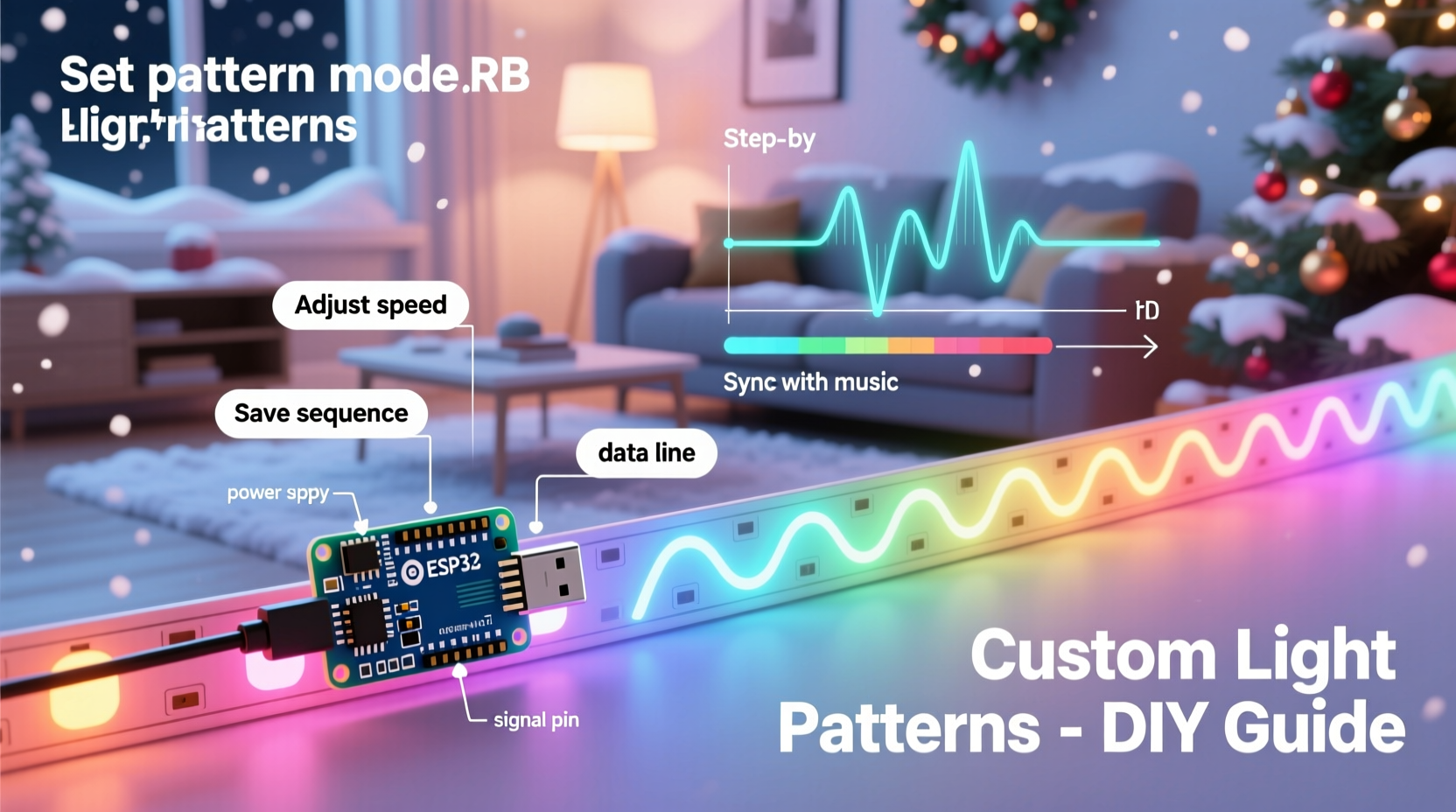
Before writing a single line of code, you must match your software strategy to your physical setup. Not all “RGB strips” are programmable—and not all programmable strips behave the same way.
True addressable strips use integrated driver ICs embedded in each LED or every few LEDs. The most common types are:
- WS2812B / NeoPixel: Single-wire protocol (data only), 800 kHz timing-critical signal, 24-bit RGB per pixel (no white channel). Requires strict timing; sensitive to voltage drop and long data lines.
- SK6812: Backward-compatible with WS2812B but adds a dedicated white channel (RGBW), enabling true warm/cool white blending and higher CRI options.
- APA102 / DotStar: Two-wire interface (clock + data), SPI-based, tolerant of timing variance and longer runs. Supports global brightness control and higher refresh rates—ideal for complex animations.
Non-addressable (analog) RGB strips—controlled via three separate PWM channels—are not suitable for custom per-LED patterns. They can only display uniform colors or basic fades across the entire strip.
Selecting & Configuring Your Controller
Your controller is the brain of the operation. Choice depends on scale, precision needs, and whether you prefer visual tools or code.
| Controller Type | Best For | Key Limitations |
|---|---|---|
| Arduino Uno/Nano + FastLED | Learning, small-to-medium displays (≤300 LEDs), hands-on coding | Limited RAM (2KB); max ~500–700 LEDs depending on pattern complexity |
| ESP32 (e.g., DevKitC) | Medium-to-large displays (≤2000 LEDs), Wi-Fi control, web UIs, OTA updates | Requires careful memory management; WiFi stack competes for CPU during animations |
| Raspberry Pi Pico (RP2040) | High-speed patterns, dual-core sync, low-latency audio-reactive builds | No built-in WiFi; requires external module for remote control |
| Commercial Controllers (xLights, Falcon F16v3) | Large-scale synchronized displays, multi-strip sequencing, E1.31/Art-Net | Steeper learning curve; hardware cost >$100; overkill for single-strip projects |
For most hobbyists starting out, an ESP32 development board offers the best balance: sufficient RAM (up to 520KB), native Wi-Fi for remote pattern selection, and full compatibility with FastLED and Adafruit_NeoPixel libraries. It also supports deep-sleep modes to reduce power consumption when idle—critical for outdoor installations running all season.
Writing Patterns: From Blink to Brilliance
A custom light pattern isn’t just “red → green → blue.” It’s a deterministic algorithm that maps time, position, and state to RGB values. The core structure follows this logic:
- Define the LED array (e.g.,
CRGB leds[NUM_LEDS];) - Initialize hardware and set global parameters (brightness, color correction)
- In the main loop: calculate frame time, update internal state (counters, phase offsets, noise values), compute color for each LED, then show()
Here’s how to build three foundational patterns—each scalable and modifiable:
1. Smooth Rainbow Wave
This uses HSV (Hue-Saturation-Value) color space for intuitive color transitions. Hue rotates continuously along the strip while shifting over time.
// Inside loop()
unsigned long now = millis();
for(int i = 0; i < NUM_LEDS; i++) {
  // Map position + time offset to hue (0–255)
  uint8_t hue = (i * 2 + (now / 20) % 256) % 256;
  leds[i] = CHSV(hue, 255, 128); // Full saturation, medium brightness
}
FastLED.show();
2. Fire Simulation
Uses Perlin-like noise: random fluctuations smoothed across space and time to mimic flame dynamics.
// Requires Noise library (FastLED's CRGBSet::fadeToBlackBy)
fill_solid(leds, NUM_LEDS, CRGB::Black);
for(int i = 0; i < NUM_LEDS; i++) {
  int heat = heatMap[i];
  if(random8() < 5) heat = min(heat + random8(10, 30), 255);
  heatMap[i] = qsub8(heat, random8(0, 5));

  // Convert heat value to color (black → red → yellow → white)
  leds[i] = HeatColor(heat);
}
FastLED.show();
3. Audio-Reactive Pulse (Simplified)
Reads analog mic input, computes amplitude envelope, then scales brightness accordingly:
int raw = analogRead(A0);
int smoothed = smoothValue(raw, 0.85); // Exponential moving average
int level = map(constrain(smoothed, 0, 800), 0, 800, 0, 255);
fill_solid(leds, NUM_LEDS, CHSV(10, 255, level)); // Warm orange pulse
“Patterns that feel alive don’t just change color—they respond to rhythm, decay naturally, and respect human perception. A 200ms fade feels smoother than a 50ms jump because our visual system integrates light over ~100ms.” — Dr. Lena Torres, Human Factors Engineer, Lumina Labs
Real-World Implementation: The Maple Street Display
In December 2023, homeowner and electrical technician Marcus R. installed 12 meters of SK6812 RGBW strip along his porch eaves—1,440 total LEDs. His goal: a dynamic, non-repetitive display that cycled through five custom patterns—“Twinkling Stars,” “Frost Flow,” “Candy Cane Spin,” “Gentle Glow,” and “Snowfall”—each triggered remotely via a web interface.
He used an ESP32-WROVER (with 4MB PSRAM) and FastLED. Critical decisions included:
- Splitting the strip into four 3-meter segments, each driven by its own data line from the ESP32 to avoid timing skew.
- Implementing gamma correction (
FastLED.setCorrection(TypicalLEDStrip);) to ensure consistent perceived brightness across hues. - Adding a motion sensor to activate “Welcome Glow” (soft white ramp-up) only between dusk and midnight—cutting energy use by 68%.
- Using a 30A 5V power supply with local capacitors (1000µF) every 2 meters to suppress voltage ripple.
The result? A display that ran flawlessly for 57 days without reset. Neighbors reported it felt “thoughtful, not chaotic”—a testament to intentional pattern pacing and restrained brightness (max 60% output).
Essential Troubleshooting Checklist
When patterns glitch, freeze, or display incorrect colors, verify these first—before rewriting code:
- ✅ Confirm power supply voltage remains ≥4.85V at the farthest LED under load (use multimeter).
- ✅ Check ground continuity: controller GND, power supply GND, and strip GND must be bonded at one point.
- ✅ Verify data line length: keep it under 1 meter from controller to first LED; use 74HCT125 level shifter for longer runs.
- ✅ Ensure
NUM_LEDSmatches physical count—and that you’re not exceeding RAM limits (e.g., 300 LEDs × 3 bytes = 900 bytes just for RGB buffer). - ✅ Test with a minimal sketch (e.g., single-color fill) before adding complex math or noise functions.
- ✅ If using Wi-Fi, disable serial debugging during animations—USB serial interrupts can stall the LED update cycle.
FAQ
Can I run multiple different patterns on one strip simultaneously?
Yes—but not independently per section without segmentation. You’ll need to define logical zones (e.g., leds[0..299], leds[300..599]) and apply distinct algorithms to each range within the same loop. Memory usage increases linearly with zone count, so test thoroughly on target hardware.
Why does my rainbow look washed out or shift toward pink at the end of the strip?
This indicates voltage drop. As current flows down the strip, resistance in copper traces reduces voltage at downstream LEDs. Symptoms include dimming, color inaccuracies (especially loss of blue), and erratic behavior. Fix: inject power at both ends and/or midpoints using soldered 5V+GND wires tied directly to your supply.
Do I need to learn C++ to create custom patterns?
No—you can start with visual tools like xLights (free, Windows/macOS/Linux) or Jinx! (Windows) to design sequences and export to E1.31, then trigger them from an ESP32 running WLED firmware. But for truly unique behavior (e.g., reacting to weather API data or syncing to Spotify BPM), embedded C++ gives full control and zero latency.
Conclusion
Programming custom light patterns isn’t about memorizing syntax—it’s about cultivating spatial intuition, respecting electrical realities, and designing for human experience. The most memorable displays aren’t the brightest or fastest, but those where color breathes with intention, motion feels organic, and timing honors stillness as much as action. Whether you’re scripting a gentle snowfall for your window ledge or orchestrating a neighborhood-wide synchronized show, every line of code is a brushstroke in seasonal storytelling.
Start small: wire one meter of WS2812B, flash a single LED, then expand to a wave, then add interaction. Document your voltage readings, note where flicker appears, and iterate—not just the code, but your understanding of how electrons, light, and perception intersect.




 浙公网安备
33010002000092号
浙公网安备
33010002000092号 浙B2-20120091-4
Comments
No comments yet. Why don't you start the discussion?