
In today’s digital-first world, most professionals spend upwards of 8 to 10 hours a day staring at screens. Whether you're coding, writing reports, attending virtual meetings, or managing spreadsheets, prolonged screen exposure takes a toll on your vision. Digital eye strain—a condition marked by dryness, fatigue, blurred vision, and headaches—affects nearly 60% of adults who use digital devices for more than two hours daily. The good news? With small but consistent adjustments to your environment, habits, and routines, you can significantly reduce the risk and keep your eyes healthy over time.
Understanding Digital Eye Strain
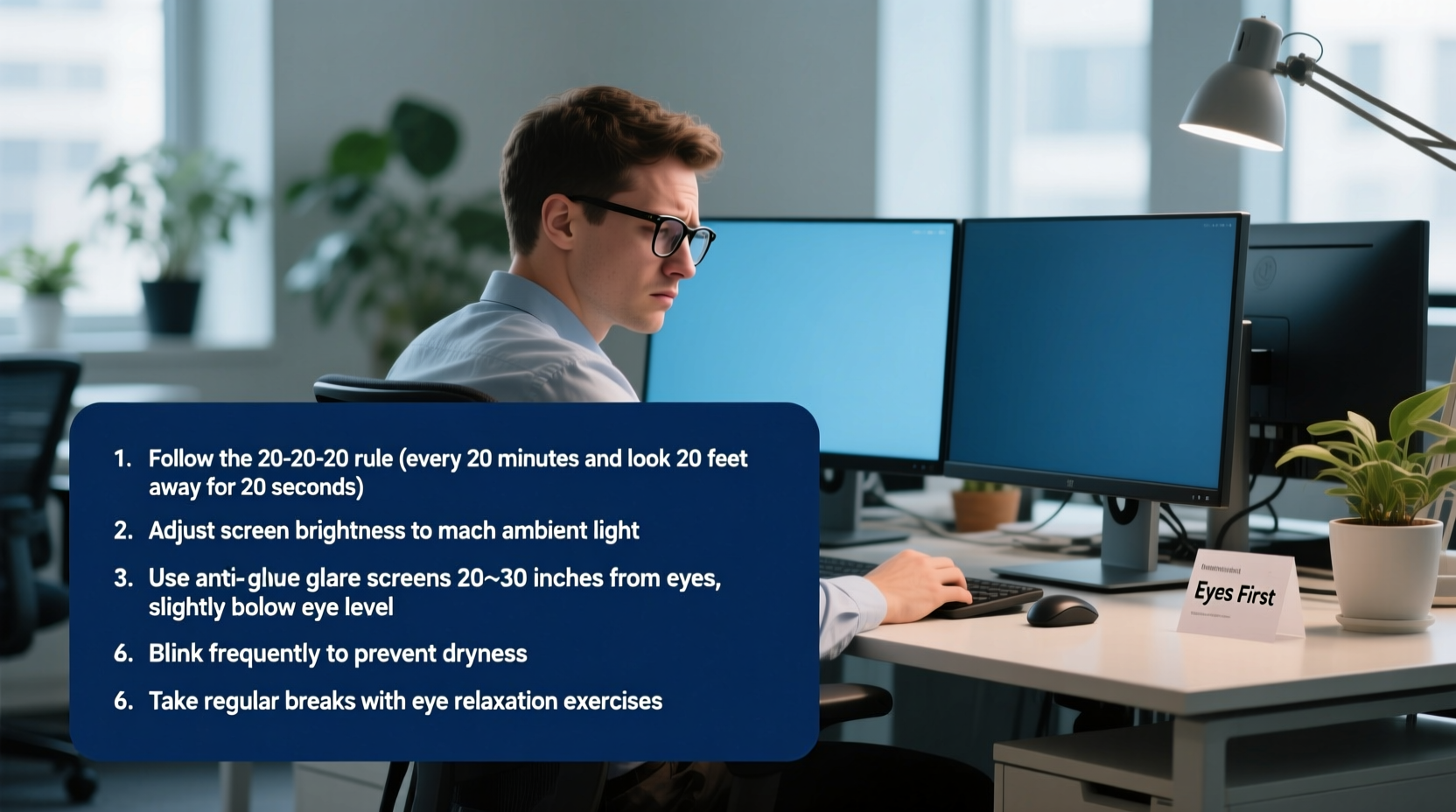
Digital eye strain, also known as computer vision syndrome, is not a single medical diagnosis but a cluster of symptoms resulting from extended focus on digital screens. Unlike printed text, digital characters often have less contrast and sharpness, forcing your eyes to work harder. Additionally, people tend to blink less—about half as much—when focusing on screens, leading to dry, irritated eyes.
The blue light emitted by LED screens has also raised concerns. While research is still evolving, excessive exposure—especially in the evening—may disrupt circadian rhythms and contribute to visual discomfort. However, the primary cause of eye strain remains poor ergonomics, unbroken screen time, and improper lighting.
“Your eyes weren’t designed for nonstop screen focus. They need regular breaks, proper distance, and environmental balance to stay healthy.” — Dr. Lena Patel, Optometrist and Vision Health Specialist
Optimize Your Workspace Setup
Your physical workspace plays a critical role in how much stress your eyes endure. A poorly arranged desk can force awkward head angles, glare, and inconsistent focus, all of which accelerate fatigue.
Follow these ergonomic guidelines for optimal screen positioning:
- Distance: Sit about an arm’s length (20–28 inches) from your screen.
- Height: The center of the screen should be 15–20 degrees below your eye level.
- Angle: Tilt the screen slightly backward (10–15 degrees) to minimize glare.
- Lighting: Avoid overhead fluorescent lights. Use indirect, ambient lighting and position lamps to the side to prevent reflections.
If you use multiple monitors, align them so that the edges meet at the center, forming a gentle arc. This minimizes excessive head turning and keeps both screens within a comfortable focal range.
Do’s and Don’ts of Screen Placement
| Do’s | Don’ts |
|---|---|
| Position screen at arm’s length | Sit too close or too far from the screen |
| Align top of screen at or below eye level | Look up at the screen (causes neck strain) |
| Use matte screen filters to reduce glare | Work with direct sunlight hitting the screen |
| Adjust brightness to match room lighting | Keep screen overly bright or dim relative to surroundings |
Adopt the 20-20-20 Rule and Scheduled Breaks
One of the most effective and widely recommended strategies to combat eye strain is the 20-20-20 rule. Every 20 minutes, take a 20-second break to look at something 20 feet away. This simple habit allows your eye muscles to relax and refocus, reducing the cumulative strain from near-vision tasks.
But don’t stop there. Integrate longer breaks into your work rhythm. After every 90 minutes of continuous screen work, step away for 10–15 minutes. Use this time to walk, stretch, or simply rest your eyes in natural light.
Step-by-Step Guide to Building Eye-Friendly Work Routines
- Set a timer: Use a desktop app or phone reminder to alert you every 20 minutes.
- Look away: Focus on a distant object—outside a window or across the room.
- Blink consciously: Remind yourself to blink fully during each break to moisten your eyes.
- Stand and move: Combine eye breaks with light physical activity to improve circulation.
- Track consistency: Log your breaks for a week to build the habit.
Leverage Technology Wisely
Modern devices come with built-in tools to support eye comfort. Take full advantage of them—but know their limits.
Night mode or blue light filters (like Night Shift on Mac or Blue Light Filter on Android) reduce the intensity of blue wavelengths in the evening. While they don’t eliminate eye strain, they can improve sleep quality and reduce glare in low-light settings.
Text size and contrast adjustments are equally important. Enlarge fonts to avoid squinting. High-contrast themes (e.g., dark mode with light text) can help, but test what works best for your eyes—some people find dark backgrounds cause more pupil dilation and strain in bright rooms.
Consider investing in an anti-glare screen protector or upgrading to a high-resolution monitor with flicker-free technology and adjustable refresh rates. These features reduce visual noise and make images appear smoother.
“Blue light filters help with sleep, but they’re no substitute for taking real breaks. The biggest factor in eye health is still usage patterns.” — Dr. Rajiv Mehta, Ophthalmology Researcher, Boston Eye Institute
Create an Eye-Healthy Daily Checklist
Maintaining eye health isn’t about one-time fixes—it’s about consistency. Use this checklist daily to stay on track:
- ✅ Adjust screen height and distance before starting work
- ✅ Enable blue light filter during evening hours
- ✅ Follow the 20-20-20 rule without skipping breaks
- ✅ Blink intentionally throughout the morning and afternoon
- ✅ Use artificial tears if eyes feel dry (preservative-free preferred)
- ✅ Close windows or blinds to control outdoor glare
- ✅ Step outside for natural light exposure during lunch
- ✅ Shut down screens at least 60 minutes before bedtime
Real-Life Example: How Sarah Reduced Her Headaches
Sarah, a 34-year-old project manager, began experiencing frequent headaches and blurry vision after transitioning to remote work. She was spending 10-hour days on back-to-back Zoom calls with minimal breaks. Her workspace had a laptop on a kitchen table, forcing her to look down at a steep angle.
After visiting an optometrist, she learned she had developed moderate digital eye strain. Following her doctor’s advice, she made several changes:
- Elevated her laptop using a stand and external keyboard
- Installed a blue light filter and adjusted screen brightness
- Set hourly reminders to follow the 20-20-20 rule
- Began using preservative-free lubricating eye drops twice a day
- Switched to task lighting instead of overhead fluorescents
Within three weeks, her headaches decreased by 80%, and her eyes felt noticeably more comfortable. “I didn’t realize how much my setup was hurting me,” she said. “Now I wouldn’t go back to my old way of working.”
Address Dry Eyes Proactively
Dry eye is one of the most common complaints among screen users. When you focus on a screen, your blink rate drops from about 15 times per minute to just 5–7. This leads to faster tear evaporation and surface irritation.
To counteract dryness:
- Use a humidifier in air-conditioned or heated rooms to maintain moisture.
- Aim airflow from fans or vents away from your face.
- Apply warm compresses to your eyelids for 5 minutes each morning to unclog oil glands.
- Stay hydrated—dehydration worsens dry eye symptoms.
Over-the-counter artificial tears can provide relief, but choose preservative-free versions if using them more than four times a day to avoid chemical buildup.
Frequently Asked Questions
Can wearing blue light glasses really help?
Research is mixed. Some users report reduced glare and improved comfort, especially in low-light conditions. However, clinical studies show limited evidence that blue light glasses prevent eye strain or improve sleep more than software-based filters. They may help if you’re sensitive to screen brightness, but they shouldn’t replace behavioral changes like taking breaks.
Is it better to work on a large monitor or a laptop?
Generally, larger monitors (24 inches or more) are better because they allow greater viewing distance, higher resolution, and more ergonomic flexibility. Laptops often force you to sit too close or look down, increasing strain. If using a laptop, connect it to an external monitor or raise it to eye level with a stand.
How often should I get an eye exam if I work on screens?
Adults should have a comprehensive eye exam every one to two years. If you already wear corrective lenses or have a history of eye issues, annual exams are recommended. Inform your eye doctor about your screen usage—they may prescribe computer-specific glasses with an intermediate focal point for screen distance.
Conclusion: Small Changes, Lasting Protection
Protecting your eyes while working on screens isn’t about drastic overhauls. It’s about integrating sustainable, science-backed habits into your daily routine. From adjusting your monitor height to embracing the 20-20-20 rule, each small action adds up to meaningful relief and long-term eye health.
You don’t have to wait until discomfort sets in to act. Start today: reposition your screen, set a break reminder, and commit to one change that supports your vision. Over time, these practices will become second nature—and your eyes will thank you for years to come.




 浙公网安备
33010002000092号
浙公网安备
33010002000092号 浙B2-20120091-4
Comments
No comments yet. Why don't you start the discussion?