
In an era where data breaches and account takeovers are increasingly common, many users rely on two-factor authentication (2FA) as a primary defense. But what if you can't or don’t want to use 2FA? Whether due to technical limitations, accessibility issues, or platform incompatibility, there are still robust methods to safeguard your digital identity. Strong passwords alone aren’t enough—true protection requires layered habits, disciplined routines, and strategic choices.
The absence of 2FA doesn’t mean surrendering control. By focusing on proactive behaviors and system-level defenses, you can maintain strong account security. From crafting unbreakable credentials to monitoring digital footprints, the following strategies offer real-world resilience even when multi-factor tools aren’t available.
Use Long, Unique Passphrases Instead of Passwords
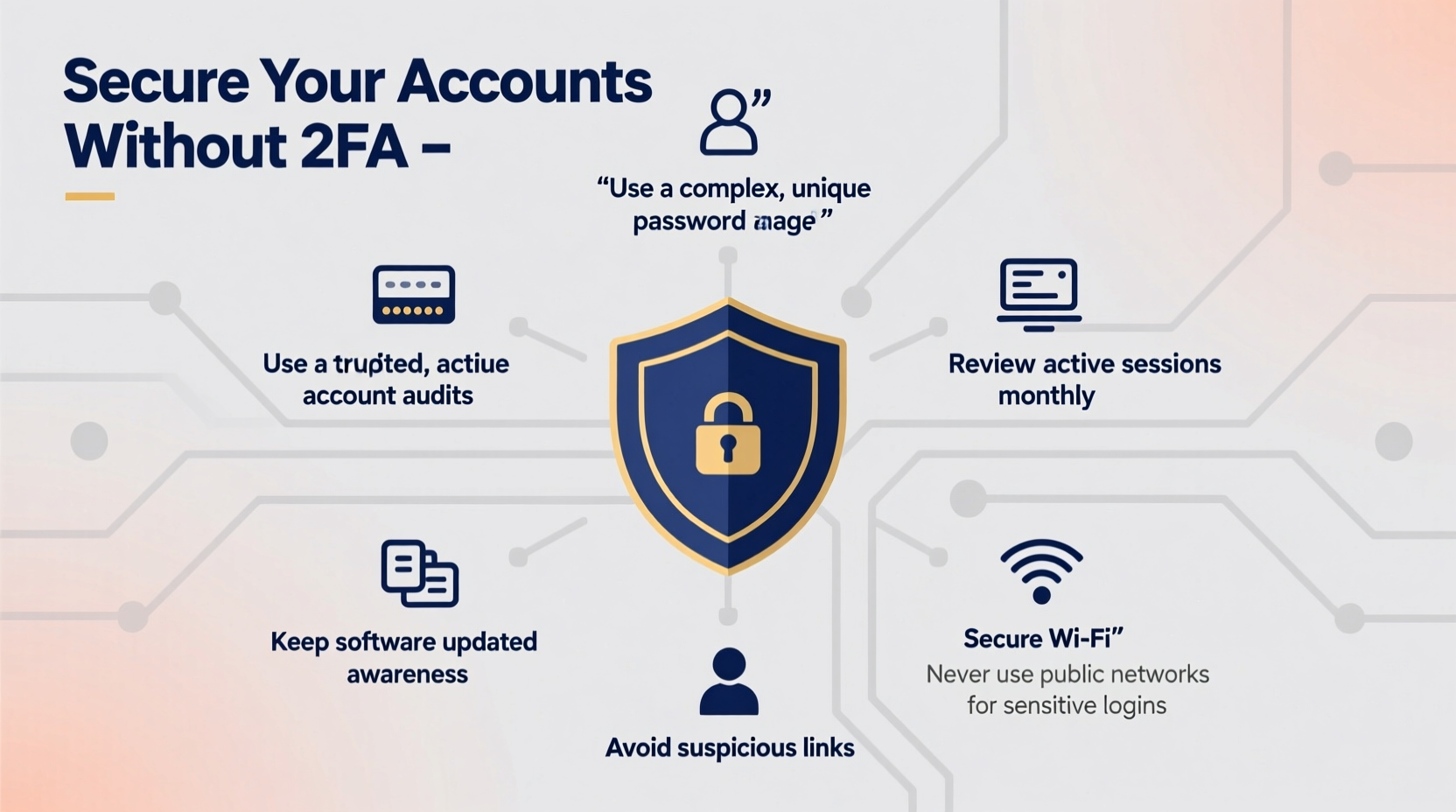
Passwords are the first line of defense for most online services. Yet, too many people rely on short, predictable strings like “123456” or “password.” These are easily cracked through brute-force or dictionary attacks. The solution isn’t just complexity—it’s length and unpredictability.
A passphrase—a sequence of random words strung together—offers superior security. For example, “GrapefruitLadderBatteryHorse” is far more secure than “P@ssw0rd!9” because it’s longer and harder to guess, yet easier to remember. Avoid meaningful phrases, song lyrics, or famous quotes, which attackers often include in cracking dictionaries.
To maximize protection, every account should have a unique passphrase. Reusing credentials across platforms creates a domino effect—one breach exposes multiple accounts. While remembering dozens of passphrases seems impossible, password managers eliminate this burden by securely storing and auto-filling your login information.
Adopt a Reliable Password Manager
A password manager is not a luxury; it’s a necessity for anyone serious about online security. These tools generate, store, and autofill complex passwords across devices, reducing human error and eliminating the temptation to reuse credentials.
Modern password managers like Bitwarden, 1Password, and KeePass encrypt your vault with a master password known only to you. Even if the provider’s servers are compromised, your data remains unreadable without that key. This centralization may seem risky, but it’s actually safer than scattered sticky notes or browser-stored passwords.
Choose a manager that supports zero-knowledge architecture—meaning they cannot access your stored data. Enable biometric unlock (fingerprint or face ID) on mobile devices for convenience without sacrificing security.
“Using a password manager is one of the most effective things average users can do to improve their security posture.” — Bruce Schneier, Security Technologist and Author
Limit Data Exposure and Account Linking
Every connected service increases your attack surface. Logging into third-party apps using “Sign in with Google” or Facebook may be convenient, but it ties your identity across platforms. If one service is compromised, others become vulnerable through association.
Minimize linked accounts. Create standalone credentials for non-critical services instead of using social logins. This limits cross-platform exposure and makes it easier to isolate breaches.
Similarly, avoid providing unnecessary personal information during registration. Fake details—like a throwaway phone number or secondary email—can reduce tracking and lower the value of your profile to hackers. Use disposable email services like Proton Mail aliases or SimpleLogin to shield your primary address.
| Practice | Do | Don’t |
|---|---|---|
| Account Registration | Use a pseudonym and alternate email | Provide real birthdate or home address unless required |
| Social Login | Reserve for low-risk sites (e.g., news comments) | Use for banking, email, or cloud storage |
| Data Sharing | Opt out of marketing and data collection | Accept all cookies and permissions by default |
Monitor for Breaches and Unauthorized Access
You won’t always know when a service you use suffers a data leak. Silent compromises happen daily. That’s why vigilance matters. Tools like Have I Been Pwned allow you to check if your email has appeared in known breaches. Enter your address periodically, especially after major service announcements about security incidents.
If your credentials are exposed, change the password immediately—even if the site hasn’t notified you. Assume the worst. Also, review active sessions on critical accounts like email, cloud storage, and social media. Most platforms list current logins with location and device type. Spotting an unfamiliar IP from another country? Log out remotely and reset your password.
Enable login alerts where possible. Gmail, Dropbox, and Apple ID can send notifications when a new device signs in. These alerts act as early warning systems, giving you time to respond before damage occurs.
Step-by-Step: Responding to a Credential Leak
- Confirm exposure via Have I Been Pwned.
- Change the password immediately using a new, unique passphrase.
- Update any other accounts sharing that password (never reuse).
- Review recent activity logs for suspicious access.
- Revoke unknown or outdated sessions remotely.
- Consider deleting old inactive accounts tied to the same email.
Secure Your Email: The Master Key to Your Digital Life
Your email account is the linchpin of your online identity. It resets passwords, receives alerts, and links to nearly every other service. If an attacker gains access to your inbox, they can bypass most security measures—even without 2FA elsewhere.
Treat your email with the highest level of protection. Use the strongest passphrase available. Never access it on public computers or untrusted networks. Always log out after use, especially on shared devices. Prefer encrypted providers like Proton Mail or Tutanota, which offer end-to-end encryption and reduced metadata collection.
Set up filters to flag suspicious messages, such as password reset requests you didn’t initiate. Delete these immediately and monitor for follow-up attempts. Avoid clicking links in unsolicited emails—even those that appear legitimate. Scammers often mimic official notices from banks or tech companies to trick users into revealing credentials.
Mini Case Study: Recovering from a Silent Takeover
Lena, a freelance writer, noticed strange behavior in her Gmail account: sent messages she didn’t write, unfamiliar login locations, and missing emails. She hadn’t enabled 2FA but had used the same password across several platforms. A breached forum she joined months earlier leaked her credentials, which attackers used to access her email.
She acted quickly: changed her password, revoked all active sessions, and scanned for forwarding rules (a common tactic to siphon incoming mail). She then updated passwords on linked accounts—her Dropbox, PayPal, and Shopify store—using unique passphrases generated by her password manager. Within hours, she regained control. No permanent damage occurred because she caught the intrusion early and moved decisively.
Lena now uses isolated email addresses for different purposes and checks breach databases monthly. Her experience taught her that prevention starts long before an attack happens.
Implement Device-Level Protections
Your accounts are only as secure as the devices accessing them. Malware, keyloggers, and phishing apps can capture keystrokes or steal session cookies, rendering even strong passwords useless.
Keep operating systems and software up to date. Updates often patch security vulnerabilities exploited by attackers. Install reputable antivirus software and run regular scans. Avoid downloading pirated software or visiting high-risk websites, which frequently host malicious scripts.
Use full-disk encryption on laptops and smartphones. On Windows, enable BitLocker; on macOS, turn on FileVault. Mobile devices should require a PIN, pattern, or biometric unlock. Without these, a lost or stolen device becomes an open door to your digital life.
Public Wi-Fi poses another risk. Unencrypted networks in cafes or airports allow eavesdropping. Use a trusted virtual private network (VPN) to encrypt traffic when connecting remotely. Choose a no-logs provider with strong encryption standards, such as Mullvad or IVPN.
Checklist: Essential Steps to Protect Accounts Without 2FA
- ✅ Use long, unique passphrases for every account
- ✅ Store credentials in a trusted password manager
- ✅ Never reuse passwords across platforms
- ✅ Monitor email for breach exposure via Have I Been Pwned
- ✅ Review active sessions and log out unknown devices
- ✅ Limit use of social logins and third-party integrations
- ✅ Secure your primary email with maximum precautions
- ✅ Keep devices updated and encrypted
- ✅ Use a VPN on public Wi-Fi networks
- ✅ Delete unused or obsolete accounts to reduce footprint
Frequently Asked Questions
Can I really stay safe without two-factor authentication?
Yes, though it requires greater diligence. While 2FA significantly improves security, strong passphrases, vigilant monitoring, and good digital hygiene can provide substantial protection. The key is consistency—applying best practices across all accounts and devices.
What should I do if I suspect my account has been hacked?
Act immediately. Change the password, revoke active sessions, and scan for unauthorized changes (like forwarding rules or app permissions). Notify the service provider if needed. If financial or personal data was exposed, consider placing fraud alerts on credit reports.
Are password managers safe from hackers?
Reputable password managers use military-grade encryption (AES-256) and zero-knowledge models. Even if their servers are breached, your data remains encrypted and inaccessible without your master password. Choose open-source or audited tools for added transparency.
Conclusion: Security Is a Habit, Not a Feature
Protecting your online accounts without two-factor authentication demands awareness, discipline, and proactive habits. You don’t need advanced tools to stay secure—just consistent action. From crafting resilient passphrases to auditing your digital footprint, each step builds a stronger defense.
Start today. Audit your most important accounts. Replace weak or reused passwords. Install a password manager. Check for past breaches. These actions take minutes but can prevent years of damage. In cybersecurity, preparation outweighs reaction every time.




 浙公网安备
33010002000092号
浙公网安备
33010002000092号 浙B2-20120091-4
Comments
No comments yet. Why don't you start the discussion?