
Voice assistants like Amazon Alexa, Google Assistant, and Apple’s Siri have become integral parts of modern life. They help set alarms, control smart home devices, answer questions, and even make purchases—all through voice commands. While convenient, these tools constantly listen for activation phrases and store vast amounts of personal data. This raises serious concerns about digital privacy. Without proactive measures, your conversations, routines, and preferences could be exposed to third parties, advertisers, or even malicious actors. Understanding how to safeguard your information is no longer optional—it's essential.
Understand How Voice Assistants Collect Data
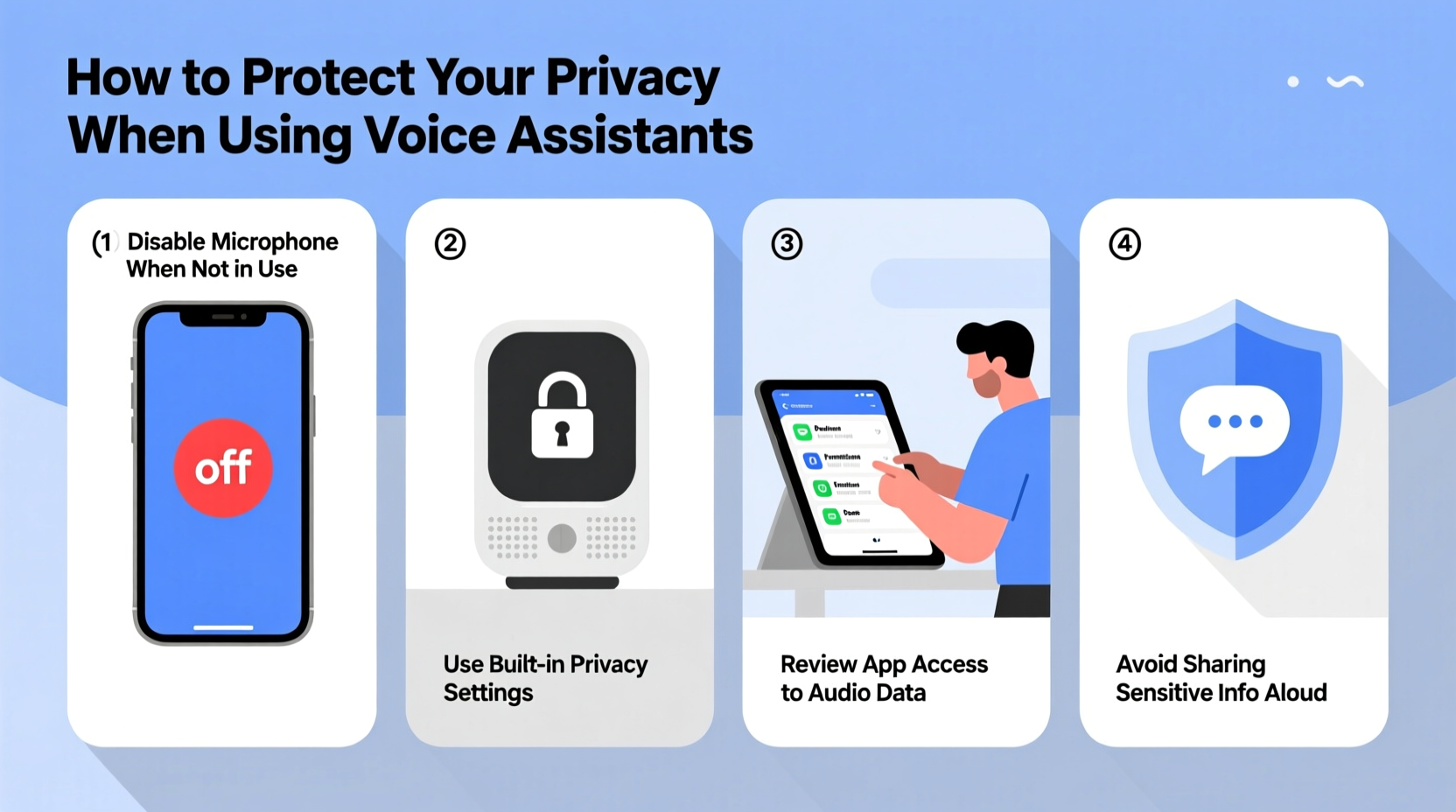
Voice assistants operate by recording audio snippets after detecting wake words such as “Hey Google” or “Alexa.” These recordings are sent to company servers, where they're processed to fulfill your request. However, the data doesn’t just disappear after the task is complete. Companies store voice logs, transcriptions, location history, device usage patterns, and even inferred interests to improve performance and personalize ads.
For example, if you ask your assistant to play jazz music every evening, that behavior may be logged and used to suggest related content—or shared with marketing partners. In some cases, human reviewers have been known to listen to anonymized clips for quality assurance, raising further ethical concerns.
“Voice data is among the most intimate forms of digital information because it captures tone, emotion, timing, and context—elements that can reveal far more than text alone.” — Dr. Lena Patel, Digital Privacy Researcher at Stanford University
The convenience comes at a cost: reduced control over who accesses your voice data and how long it’s retained. But users aren’t powerless. With informed choices and deliberate settings adjustments, you can significantly reduce exposure while still benefiting from voice technology.
Step-by-Step Guide to Securing Your Voice Assistant
Taking control starts with configuring your device properly. Follow this step-by-step process to enhance your privacy across major platforms:
- Review and delete stored voice history. Both Google and Amazon allow you to view and erase past voice interactions. On Android, go to Settings > Google > Manage Your Google Account > Data & Personalization > Voice & Audio Activity. For Amazon, visit alexa.amazon.com, click Settings, then Review Voice History.
- Disable voice recording storage. Turn off automatic saving of voice recordings. In Google, toggle off “Include audio recordings.” In Amazon, disable “Help Improve Alexa.” This prevents future clips from being saved permanently.
- Set up voice recognition (if available). Some devices support voice profiles that recognize authorized users. Enable this feature so only your voice can trigger sensitive actions like shopping or unlocking doors.
- Use a mute button or physical switch. When not in use, mute the microphone. Most smart speakers have a dedicated hardware button. Make this a habit, especially during private conversations.
- Limit app permissions. Check which apps and services are linked to your assistant. Remove unnecessary integrations—especially those involving finance, health, or social media.
- Opt out of ad personalization. Visit your account settings and disable personalized ads. This reduces data profiling based on your queries.
- Regularly audit connected devices. Ensure all smart home gadgets linked to your assistant are updated and secured with strong passwords.
Do’s and Don’ts: A Practical Table for Safer Usage
| Do’s | Don’ts |
|---|---|
| Use voice assistants in common areas, not bedrooms or bathrooms | Discuss sensitive topics like passwords, medical issues, or financial details aloud near the device |
| Enable two-factor authentication on your assistant account | Leave your device unattended in public or semi-public spaces (e.g., hotel rooms) |
| Delete old voice recordings regularly | Assume the device is completely offline when muted—some models still transmit metadata |
| Update firmware and software frequently | Connect unknown third-party skills or actions without reviewing their privacy policies |
| Use screen-based confirmation for purchases or messages | Allow children to use voice assistants unsupervised without parental controls enabled |
Mini Case Study: The Unintended Recording
In 2021, a family in Portland discovered that their Amazon Echo had recorded a private conversation and sent it to a random contact in their address book. The incident occurred after the device misheard a background phrase as a command to send a message. Though rare, this case highlights real risks: false triggers, unclear feedback mechanisms, and over-permissioned contacts.
Following the event, the family took several corrective actions. They disabled voice-dialing entirely, reviewed all shared contacts within the Alexa app, and began using the mute button daily. They also enabled PIN protection for any outgoing messages or calls. After implementing these changes, they felt more confident continuing to use the device for non-sensitive tasks like timers and weather updates.
This scenario underscores the importance of proactive configuration. Even one accidental breach can erode trust in the technology. By setting boundaries early, users can prevent similar incidents.
Essential Privacy Checklist
To ensure comprehensive protection, follow this actionable checklist:
- ✅ Delete all existing voice recordings from your account
- ✅ Disable permanent voice data storage
- ✅ Mute microphones when not in active use
- ✅ Set up voice match or speaker identification
- ✅ Review and remove unused third-party integrations
- ✅ Turn off ad personalization and targeted advertising
- ✅ Enable multi-factor authentication on your assistant account
- ✅ Regularly check device activity logs for anomalies
- ✅ Keep your assistant’s operating system and apps updated
- ✅ Educate household members on safe usage practices
Frequently Asked Questions
Can someone hack my voice assistant and listen to me?
While direct hacking is rare, vulnerabilities do exist—especially if your Wi-Fi network is unsecured or your device isn’t updated. Attackers could potentially exploit weak passwords or phishing scams to gain access to your account. Using strong, unique passwords and enabling two-factor authentication greatly reduces this risk. Additionally, physically muting the microphone adds an extra layer of protection.
Are voice recordings really anonymous?
Companies claim that voice data is de-identified, but research shows that voice patterns can often be re-linked to individuals, especially when combined with other behavioral data like search history or location. True anonymity is difficult to achieve when systems rely on personalization. Opting out of data collection altogether offers the strongest privacy guarantee.
Is it safer to use Apple’s Siri compared to Alexa or Google Assistant?
Apple promotes stronger on-device processing, meaning many Siri requests are handled directly on your iPhone or iPad without sending audio to servers. This gives Apple an edge in privacy design. However, Siri still collects usage data when necessary, and iCloud backups may include voice-trigger logs. No platform is completely private, but Apple’s approach aligns more closely with privacy-first principles.
Conclusion: Balance Convenience with Control
Voice assistants offer undeniable benefits, but they demand vigilance. Every time you speak to a smart speaker, you’re sharing a piece of your personal life with a corporate ecosystem. The key isn’t to abandon the technology—but to use it wisely. By adjusting settings, understanding data flows, and adopting simple habits like muting microphones, you reclaim agency over your digital footprint.
Privacy isn’t a one-time setup; it requires ongoing attention. As voice AI evolves, so must our defenses. Start today by reviewing your current voice history, disabling unnecessary features, and discussing best practices with others in your home. Small actions compound into meaningful protection.




 浙公网安备
33010002000092号
浙公网安备
33010002000092号 浙B2-20120091-4
Comments
No comments yet. Why don't you start the discussion?