
The Instagram Explore page is one of the most powerful tools on the platform for discovering new content, creators, and trends. Unlike your main feed, which prioritizes posts from accounts you follow, Explore uses advanced algorithms to surface content based on your behavior—what you like, save, comment on, and spend time viewing. Over time, this can lead to a stale or irrelevant feed if not actively managed. The good news: you can reset, refine, and personalize your Explore experience with deliberate actions. Whether you're tired of seeing the same types of posts or want to discover more niche content, these strategies will help you regain control.
How Instagram’s Explore Algorithm Works
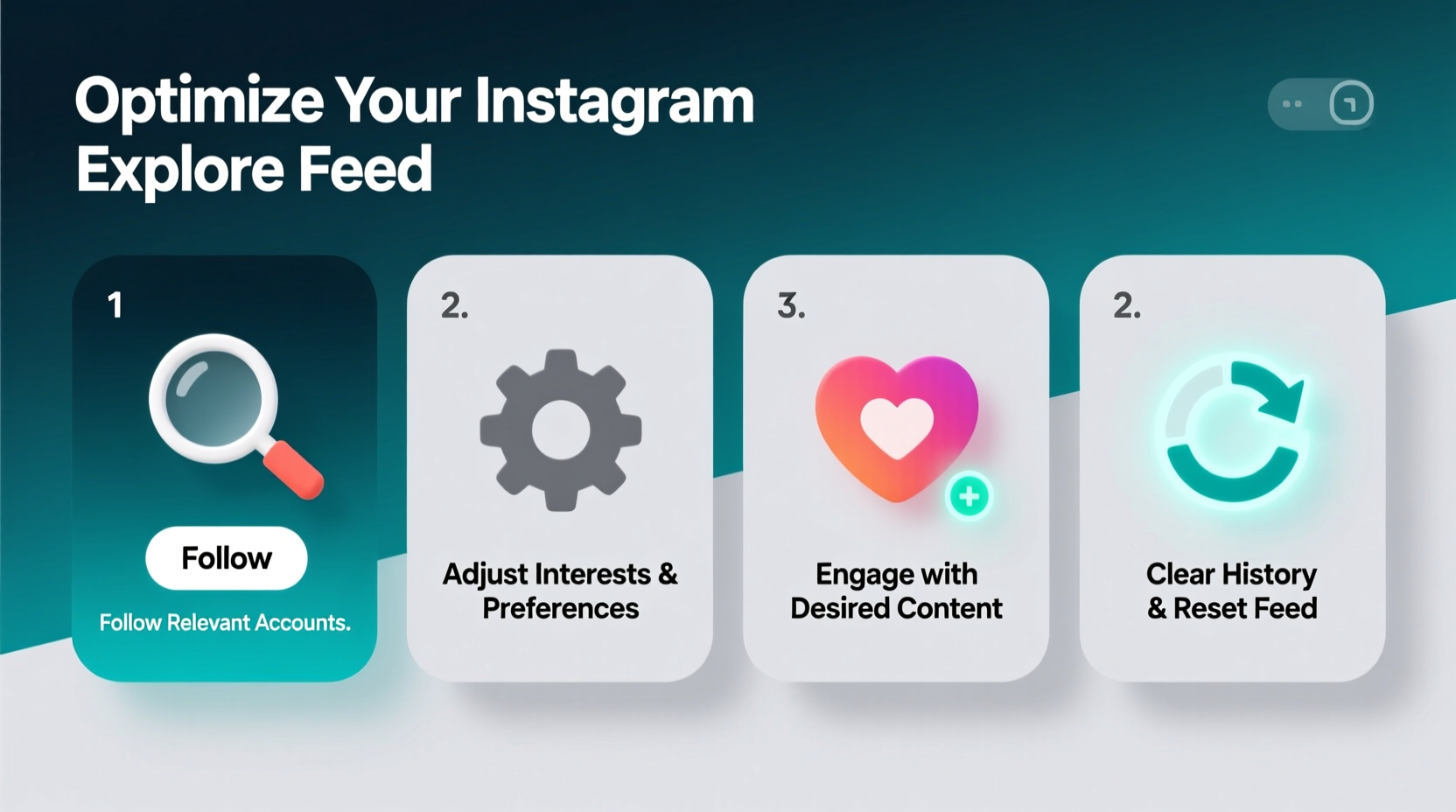
Instagram’s recommendation system relies on machine learning models that analyze multiple signals from your activity. These include:
- Engagement history: Posts you’ve liked, saved, shared, or commented on.
- Time spent: How long you view certain videos or images.
- Account interactions: Who you follow, message, or search for frequently.
- Content metadata: Hashtags, captions, audio tracks, and post categories.
- Popularity signals: How well a post is performing across other users’ feeds.
The algorithm continuously updates its understanding of your preferences. If you consistently engage with travel photography, for example, it assumes you’re interested in destinations, packing tips, and scenic landscapes. But if your interests shift—or if you’ve accidentally engaged with misleading content—the feed can become misaligned.
“Instagram doesn’t just recommend popular content—it recommends what it thinks *you* will find interesting based on behavioral patterns.” — Dr. Lena Torres, Social Media Algorithm Researcher at MIT Media Lab
Step-by-Step Guide to Refresh Your Explore Feed
If your Explore page feels outdated or cluttered with irrelevant posts, a full refresh can reset the algorithm’s assumptions about your preferences. Follow these steps to wipe the slate clean and start fresh.
- Stop engaging with unwanted content. For 48–72 hours, avoid liking, saving, or lingering on posts that don’t align with your current interests.
- Clear recent searches. Go to Explore, tap the search bar, and delete past queries by swiping left on each suggestion.
- Interact intentionally with desired content. Spend 10–15 minutes daily engaging with high-quality posts in your target niches (e.g., cooking, fitness, art).
- Use specific hashtags in search. Type niche hashtags like #MinimalistInterior or #PlantBasedRecipes into the search bar and browse results without scrolling into unrelated content.
- Save and share purposefully. Tap the bookmark icon on posts you genuinely want to see more of. Share others to your story or via DM to reinforce interest signals.
Customizing Your Explore Experience with Long-Term Habits
Refreshing your feed is temporary unless supported by consistent habits. To maintain a personalized Explore page, treat your interactions as votes for future content. Think of every action as training the algorithm.
Do’s and Don’ts for Optimal Recommendations
| Do’s | Don’ts |
|---|---|
| Save posts you want more of | Save memes just for later laughs |
| Follow accounts from Explore that inspire you | Follow spammy or low-quality accounts out of curiosity |
| Search using precise keywords | Type broad terms like “funny” or “cool” |
| Watch full Reels in your interest areas | Pause and skip through videos you dislike |
| Use the “Not Interested” option | Ignore irrelevant posts—this reinforces passive exposure |
Over time, disciplined interaction builds a refined content profile. For instance, if you’re transitioning from fashion to sustainable living, gradually reduce engagement with fast-fashion influencers while increasing saves and shares on zero-waste lifestyle content.
Real Example: Transforming a Cluttered Feed
Sophie, a freelance graphic designer in Portland, noticed her Explore feed was flooded with gym motivation reels and diet ads—content she never sought out. After reviewing her activity, she realized she’d briefly followed a fitness coach during a wellness phase six months prior and had occasionally watched related Reels out of habit.
She applied the reset process: cleared her search history, avoided fitness content for three days, and instead searched #DigitalArt and #TypographyInspo daily. She saved five design-related posts each morning and followed three illustrators from Explore. Within a week, her feed shifted dramatically—now showcasing creative studios, font tutorials, and remote work setups. “It felt like Instagram finally started listening,” she said.
Advanced Tips to Fine-Tune Recommendations
Beyond basic resets, Instagram offers subtle but effective tools to shape your discovery experience.
- Use the “Not Interested” feature: Tap the three dots on any Explore post and select “Not Interested.” This tells the algorithm to deprioritize similar content.
- Manage your topic follows: Instagram now allows you to follow topics like “Street Photography” or “Home Workouts.” Visit the Explore search tab, type a keyword, and tap “Follow” under the topic header.
- Leverage private browsing: When exploring off-topic content (e.g., researching a friend’s industry), use Incognito mode via a browser or avoid engagement entirely to prevent skewing data.
- Adjust ad preferences: While not directly tied to Explore, your ad settings influence overall content categorization. Visit Settings > Ads > Ad Preferences to review your interests.
FAQ: Common Questions About Instagram Explore
Can I completely reset my Explore feed?
There’s no official “reset button,” but you can effectively recalibrate it by ceasing engagement with unwanted content and actively interacting with preferred topics for 3–5 days. The algorithm adapts quickly when signals are consistent.
Why do I keep seeing posts from accounts I blocked?
You won’t see content from blocked accounts directly, but if their posts go viral and are reshared widely, similar visual patterns might trigger related recommendations. Use “Not Interested” to reduce such appearances.
Does using Instagram less affect my Explore feed?
Yes. Reduced activity leads to weaker signals, so Instagram may rely more on general popularity trends rather than personalization. Even brief, intentional sessions (5–10 minutes) are better than none for maintaining relevance.
Checklist: Optimize Your Explore Feed in One Week
- ☐ Clear recent searches in Explore
- ☐ Unfollow or mute accounts pushing unwanted content
- ☐ Engage daily with 3–5 posts in your true interest areas
- ☐ Save at least two high-quality posts per day
- ☐ Use “Not Interested” on irrelevant or repetitive content
- ☐ Follow 3–5 new topics aligned with your goals
- ☐ Review progress after seven days and adjust as needed
Take Control of What You See
Your Explore feed shouldn’t feel random or frustrating—it should serve as a curated window into the corners of Instagram that matter to you. By understanding how recommendations are formed and taking consistent, mindful actions, you transform passive consumption into intentional discovery. The algorithm learns from you, so make every click count. Start today: clear your search history, define your interests, and begin shaping a feed that inspires, informs, and reflects who you are now—not who you were months ago.




 浙公网安备
33010002000092号
浙公网安备
33010002000092号 浙B2-20120091-4
Comments
No comments yet. Why don't you start the discussion?