
Laptop manufacturers often apply stickers—branding, warranty seals, promotional labels—on the lid of new devices. While these may seem harmless at first, they can leave behind stubborn adhesive residue when removed, especially after prolonged exposure to heat or sunlight. For many users, peeling off a sticker only to reveal a sticky, hazy film is frustrating and unsightly. Worse, improper removal techniques can scratch or dull the finish of your laptop’s lid, particularly on brushed aluminum or matte-coated surfaces.
The good news is that you don’t need harsh chemicals or abrasive tools to clean this residue safely. With the right materials and gentle methods, you can restore your laptop’s surface to a clean, professional appearance without risking damage. This guide walks you through scientifically sound, field-tested techniques that preserve both aesthetics and functionality.
Understanding Laptop Lid Materials and Risks
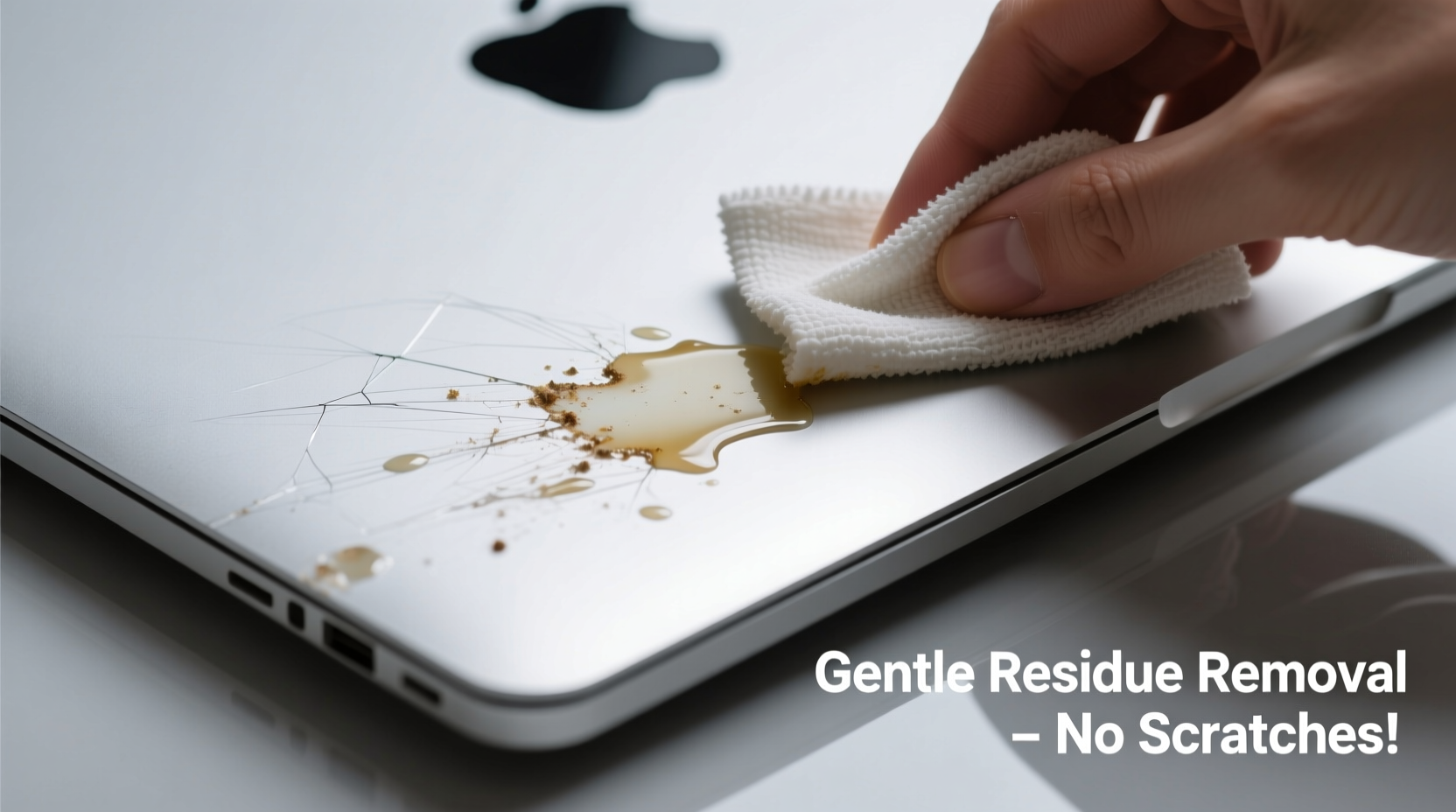
Before attempting any cleaning method, it's crucial to identify the material of your laptop lid. Most modern laptops use one of three finishes:
- Aluminum (brushed or anodized): Common in premium models like MacBooks and Dell XPS series. Resistant to many solvents but vulnerable to abrasives.
- Plastic (glossy or matte): Found in budget and mid-range laptops. More prone to chemical damage and static buildup.
- Magnesium alloy or composite materials: Lightweight and durable, often used in business-grade laptops like Lenovo ThinkPads.
Adhesive residues bond differently depending on surface porosity and exposure time. The longer a sticker remains, the more the glue oxidizes and hardens, making it harder to remove. However, aggressive scraping or using strong solvents like acetone can strip protective coatings, create micro-scratches, or discolor the surface.
“Always assume the laptop lid has a delicate finish. Even minor abrasives like paper towels can cause visible swirls under light.” — Dr. Alan Reyes, Materials Scientist at TechSurface Labs
Safe and Effective Removal Methods
The key to successful residue removal lies in softening the adhesive without compromising the underlying material. Below are five proven techniques, ranked by safety and effectiveness.
1. Warm Soapy Water and Microfiber Cloth
This is the gentlest method and should always be your first attempt, especially for light residue or recent sticker removal.
- Dampen a high-quality microfiber cloth with warm water mixed with a drop of mild dish soap.
- Place the cloth over the sticky area for 60–90 seconds to let the moisture penetrate the adhesive.
- Gently rub in small circular motions, applying minimal pressure.
- Rinse the cloth and wipe again to remove soapy residue.
- Dry immediately with a clean, dry microfiber towel.
2. Isopropyl Alcohol (70% or higher)
Isopropyl alcohol (IPA) is widely recommended for electronics cleaning because it evaporates quickly and doesn’t leave residue. It breaks down adhesives effectively while being safe on most non-porous surfaces.
Procedure:
- Apply a small amount of IPA to a folded microfiber cloth—never pour directly onto the laptop.
- Hold the dampened cloth against the sticky spot for 20–30 seconds.
- Gently wipe in one direction (not circular) to avoid spreading the adhesive.
- Repeat if necessary, then buff with a dry section of the cloth.
Note: Avoid using on matte plastic finishes, as repeated IPA exposure may cause clouding.
3. Adhesive Remover Wipes (Commercial Grade)
Products like Goo Gone Original, 3M Adhesive Remover, or Weicon Easy-Off are formulated specifically for removing sticky residues. They contain citrus-based solvents that dissolve glue without damaging most surfaces.
| Product | Suitable For | Avoid On | Application Tip |
|---|---|---|---|
| Goo Gone Original | Aluminum, coated plastics | Unsealed wood, painted surfaces | Use sparingly; wipe off within 30 seconds |
| 3M Adhesive Remover | All metal surfaces | Soft rubber trims | Test in inconspicuous area first |
| Weicon Easy-Off | Premium alloys, industrial finishes | Matte vinyl wraps | Apply with foam swab for precision |
To use: Apply a pea-sized amount to a cloth, wait 15–20 seconds, then gently wipe. Immediately follow with a dry microfiber cloth to remove any oily film.
4. Heat Method with Hairdryer
Heat softens adhesive polymers, making them easier to lift without scrubbing. This method works well in combination with others.
- Set a hairdryer to low or medium heat (no hot setting).
- Hold it 6–8 inches from the sticker residue for 30–45 seconds.
- Use a plastic card edge (like an old credit card) to gently lift softened glue.
- Wipe remaining film with a slightly damp microfiber cloth.
5. Baking Soda Paste (For Persistent Residue)
When other methods fail, a mild abrasive paste made from baking soda and water can help. Despite being abrasive, baking soda is softer than aluminum or steel and, when used correctly, won’t scratch.
Mix two parts baking soda with one part water to form a thick paste. Apply with a cotton pad and rub very gently in one direction for no more than 15 seconds. Rinse with a damp cloth and dry thoroughly. This method should be a last resort and never used on glossy finishes.
Step-by-Step Decision Guide
Follow this logical sequence to choose and apply the safest method for your situation:
- Assess the residue: Is it fresh or aged? Light smear or thick tar-like layer?
- Identify the material: Check manufacturer specs or use visual/tactile clues (metallic sheen = likely aluminum).
- Start gentle: Begin with warm soapy water. If ineffective, move to IPA.
- Apply solvent carefully: Use minimal amounts on a cloth, not the laptop.
- Introduce heat if needed: Soften with hairdryer before wiping.
- Final wipe: Clean with dry microfiber to restore shine and remove streaks.
- Inspect under light: Tilt the laptop to check for leftover haze or swirl marks.
Mini Case Study: Removing a Year-Old Gaming Laptop Sticker
Jamal, a college student, bought a gaming laptop a year ago and recently decided to remove the large promotional decal on the lid. After peeling it off, he was left with a dark, sticky film that attracted dust. He tried rubbing it with a paper towel, which only smeared the residue and created lint buildup.
He followed the step-by-step guide above: first using a warm soapy cloth for 90 seconds, then switching to 70% isopropyl alcohol on a microfiber square. After two passes, 90% of the residue lifted. For the remaining patches, he applied gentle heat with a hairdryer and wiped with a plastic-edged card. Within ten minutes, the lid was clean and undamaged. Jamal now keeps a microfiber cloth and small bottle of IPA in his laptop bag for future maintenance.
Do’s and Don’ts Table
| Do’s | Don’ts |
|---|---|
| Use microfiber cloths labeled for eyewear or screens | Use paper towels, tissues, or napkins (they’re abrasive) |
| Test solvents on a hidden edge first (e.g., near hinge) | Apply full-strength acetone, nail polish remover, or bleach |
| Work in a well-lit area to monitor progress | Scrub aggressively—even “gentle” scrubbing can micro-abrade |
| Let solutions dwell briefly to break bonds | Leave solvents sitting for more than 30 seconds |
| Store cleaning supplies in sealed containers | Use household cleaners like Windex or Lysol wipes |
FAQ
Can I use baby oil or cooking oil to remove sticker residue?
While oils can temporarily dissolve adhesive, they leave behind a greasy film that attracts dust and may degrade certain plastic coatings over time. If used, follow up immediately with isopropyl alcohol to remove the oil residue. Not recommended for regular use.
Will vinegar damage my laptop lid?
Plain white vinegar is acidic and can etch aluminum or corrode metallic finishes with repeated use. It’s also slower to evaporate, increasing moisture risk. Stick to pH-neutral or alcohol-based solutions instead.
What if the residue is under a logo or decal?
If you're removing a partial decal and adhesive remains underneath, proceed with extreme caution. Use a wooden toothpick wrapped in microfiber to nudge edges, and apply IPA via cotton swab. Avoid prying or lifting surrounding areas.
Checklist: Safe Sticker Residue Removal
- ✅ Identify your laptop lid material
- ✅ Gather supplies: microfiber cloths, 70%+ isopropyl alcohol, hairdryer, plastic card
- ✅ Work in a clean, dry environment
- ✅ Start with the gentlest method (soapy water)
- ✅ Never spray liquids directly on the device
- ✅ Use minimal pressure when wiping
- ✅ Dry the surface completely after cleaning
- ✅ Inspect results under angled light
- ✅ Store cleaning tools properly for future use
Conclusion
Removing sticker residue from a laptop lid doesn’t require expensive products or risky hacks. By understanding your device’s surface and using controlled, gentle methods, you can achieve a clean, scratch-free finish every time. The most effective approach combines patience with precision—softening the adhesive before wiping, using appropriate materials, and avoiding shortcuts that could compromise your laptop’s appearance.




 浙公网安备
33010002000092号
浙公网安备
33010002000092号 浙B2-20120091-4
Comments
No comments yet. Why don't you start the discussion?